The Walfront WSB7020R is an integrated Human Machine Interface (HMI) and Programmable Logic Controller (PLC) system designed for industrial control applications. It features a 7-inch TFT LCD display, a powerful 32-bit ARM9 processor, and is compatible with FX3U series PLCs. This all-in-one unit offers efficient control, monitoring, and programming capabilities for various automation scenarios.
Figure 1: Walfront HMI PLC All-in-One unit. This image highlights key features such as space-saving design, simplified wiring, timing lock, floating point support, sensitive touch, and accuracy.
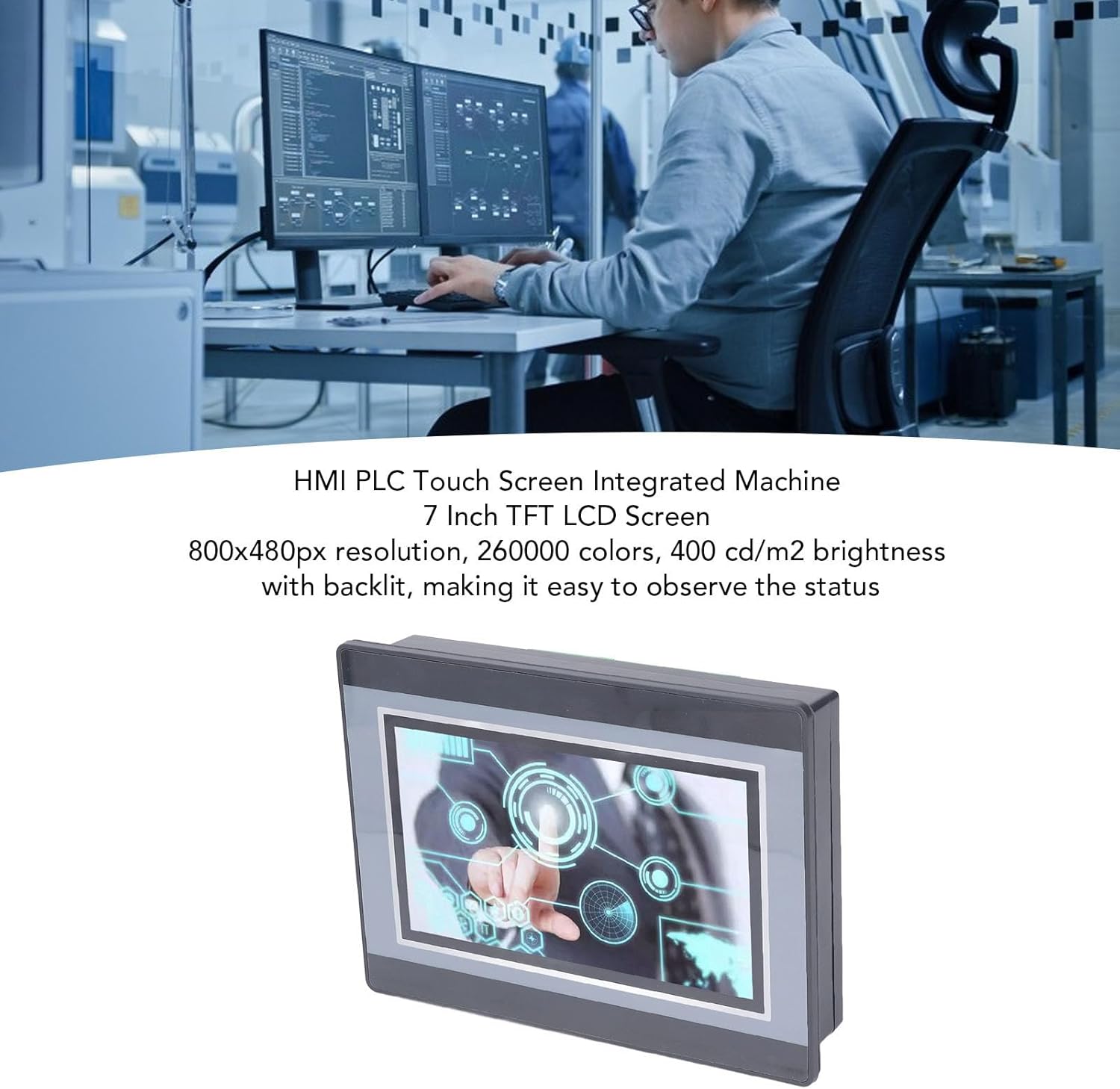
Figure 2: An engineer utilizing the HMI PLC Touch Screen Integrated Machine in a workspace. The display features an 800x480px resolution, 260,000 colors, and 400 cd/m2 brightness with backlighting for clear status observation.
2. Tekniske specifikationer
Feature
Specifikation
Model
WSB7020R
Materiale
ABS
Dimensioner (L x B x H)
Ca. 202 x 148 x 51 mm (7.95 x 5.83 x 2.01 tommer)
Opening Size for Installation
Ca. 190 x 135 mm (7.48 x 5.31 tommer)
Skærm
7 tommer TFT LCD
Opløsning
800x480px
Farvedybde
260,000 farver
Lysstyrke
400 cd/m2 (with backlit display)
Berøringsskærmtype
4-leder industriel resistiv berøringsskærm
Touch Screen Hardness
4H
Processor
32-bit 240MHz ARM9
Hukommelse
128M NAND FLASH
PLC Compatibility
For FX3U 20, 40, 48MRT
Indgangspunkter
12
Udgangspunkter
8
Udgangstype
Relæ
Udgangsstrøm
5A
Indlæs
24V
High Speed Count
6 / 3K
Pulsudgang
Ingen
Analog indgang
Default 3AD 0-10V, 3AD 0-20MA (AD0, AD1)
Analog udgang
20A 0-10V
Ur
Understøttet
HMI Programming Software
HMI Studio 5.1
PLC Programming Software
GX Developer or GX Works2
PLC Download Speed
38.4Kbps
Figure 3: Detailed dimensions of the Walfront HMI PLC unit, showing length, width, and height measurements in both millimeters and inches.
3. Installation og opsætning
The Walfront WSB7020R HMI PLC is designed for straightforward installation into industrial control panels.
3.1. Udpakning
Carefully unpack the HMI PLC unit and verify that all components are present:
1 x HMI PLC Unit (Model WSB7020R)
4 x Installation Screws
4 x Fixing Brackets
3.2. Panel montering
Prepare an opening in your control panel with dimensions of approximately 190 x 135 mm (7.48 x 5.31 in).
Insert the HMI PLC unit into the prepared opening from the front of the panel.
From the rear of the panel, attach the four fixing brackets to the sides of the HMI PLC unit.
Secure the unit by tightening the four installation screws through the brackets. Ensure the unit is firmly seated and stable.
3.3. Ledninger
Connect power and I/O wiring according to your system's requirements. Refer to the detailed wiring diagrams in the comprehensive electronic manual for specific connections. Ensure all connections are secure and comply with local electrical codes.
4. Betjening og programmering
This section outlines the basic steps for operating and programming your Walfront HMI PLC unit.
4.1. Tænd
Once installed and wired, apply power to the unit. The 7-inch TFT LCD display will illuminate, and the system will boot up.
4.2. HMI Programming
To develop or modify the Human Machine Interface (HMI) program:
Installere HMI Studio 5.1 software på din computer.
Connect your computer to the HMI PLC unit using a USB male-to-male cable.
Bruge HMI Studio 5.1 to create or edit your HMI project.
Download the HMI program to the unit via the USB connection.
4.3. PLC-programmering
For programming the Programmable Logic Controller (PLC) functionality:
Install either GX Developer or GX Works2 software på din computer.
Connect your computer to the HMI PLC unit.
Use the chosen software to develop, download, and debug your PLC program.
The download speed for PLC programs is 38.4Kbps.
Note: Monitoring writing is not supported by the PLC programming software for this unit.
Figure 4: The HMI PLC unit's display, emphasizing its 4-wire industrial resistive touch screen with 4H hardness. The text also highlights its low power consumption, fast running speed, stable performance, and direct programmability, downloadability, debuggability, and monitorability using software (monitoring writing not supported).
Figure 5: Wide application range of the HMI PLC unit, including Printing, Chemical Industry, Plastic, Building Materials, Home Furnishings, Packing, Textile, Food, and Metallurgy, demonstrating its flexibility in industrial automation control scenarios.
5. Vedligeholdelse
Regular maintenance ensures the longevity and optimal performance of your HMI PLC unit.
Rensning: Brug en blød, tør klud til at rengøre skærmen og ydersiden. Undgå slibende rengøringsmidler eller opløsningsmidler, der kan beskadige skærmen ellerasing.
Miljøforhold: Ensure the unit operates within its specified temperature and humidity ranges to prevent damage.
Firmwareopdateringer: Periodically check the Walfront official webwebstedet for tilgængelige firmwareopdateringer til forbedring af ydeevnen eller tilføjelse af funktioner.
Tilslutningstjek: Kontrollér regelmæssigt alle ledningsforbindelser for tæthed og tegn på slid eller korrosion.
6. Fejlfinding
Dette afsnit indeholder løsninger på almindelige problemer, du kan støde på.
Enheden tænder ikke:
Kontroller strømforsyningsforbindelsen og sørg for, at den leverer den korrekte voltage (24V).
Bekræft, at strømkilden er aktiv.
Skærm virker ikke:
Sørg for, at enheden er tændt.
If the backlight is on but no image, try restarting the unit.
Berøringsskærm reagerer ikke:
Calibrate the touch screen if available in the system settings.
Sørg for, at skærmen er ren og fri for blokeringer.
Cannot Download HMI/PLC Program:
Verify the USB cable connection is secure and functional.
Ensure the correct programming software (HMI Studio 5.1 for HMI, GX Developer/GX Works2 for PLC) is installed and configured properly.
Check for driver issues on your computer.
PLC Program Not Executing Correctly:
Review your PLC program logic for errors.
Ensure the program has been successfully downloaded to the unit.
Check I/O connections for proper wiring.
For further assistance, please refer to the detailed electronic manual or contact Walfront customer support.
7. Garanti og support
7.1. Garantioplysninger
This Walfront HMI PLC unit comes with a manufacturer's warranty for 90 dage from the date of purchase. This warranty covers defects in materials and workmanship under normal use. It does not cover damage caused by misuse, accidents, unauthorized modifications, or improper installation.
7.2. Kundesupport
If you encounter any issues not covered in this manual or require further technical assistance, please contact Walfront customer support. Refer to the product packaging or the official Walfront webhjemmeside for de seneste kontaktoplysninger.
Please have your product model (WSB7020R) and purchase details ready when contacting support.