
Indledning
This manual provides essential instructions for the safe and effective use of your Sony PXW-Z200 4K XDCAM Camcorder. The PXW-Z200 is designed for professional video production, offering UHD 4K60 HDR capture, advanced autofocus, and versatile recording and streaming capabilities. Please read this manual thoroughly before operating the camcorder and retain it for future reference.
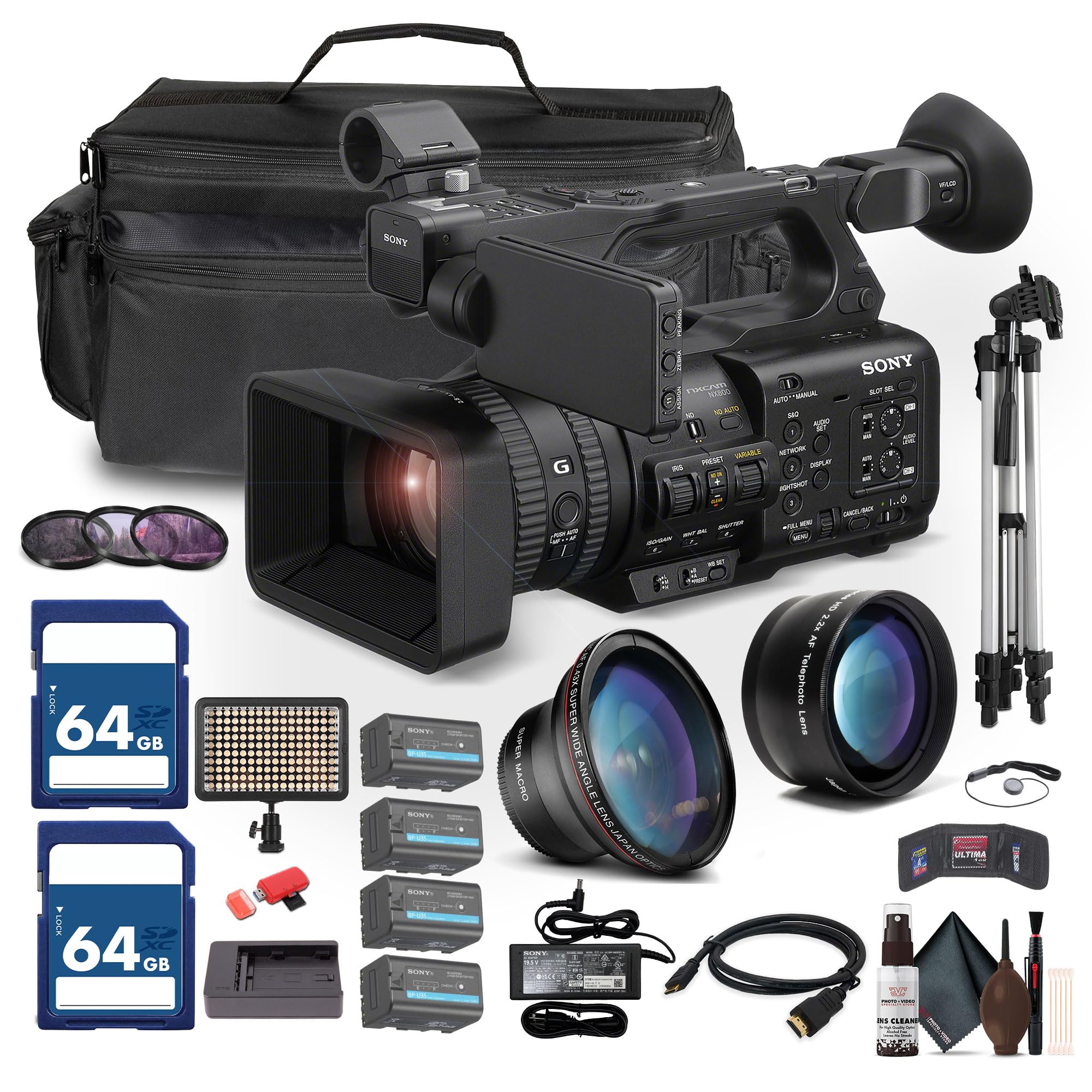
Figure 1: Sony PXW-Z200 4K XDCAM Camcorder, showing the lens, handle, and main body.
Opsætning
1. Udpakning og kontrol af indhold
Carefully unpack all items and ensure the following components are present. If any item is missing or damaged, contact your dealer.
- Sony PXW-Z200 4K 1" CMOS Sensor XDCAM Camcorder
- AC Adapter
- Strømledning
- Batterioplader
- Battery Pack (BP-U35 or similar)
- LCD Hood
- Modlysblænde
- Øjenkop
- Mikrofonholder
- Cold Shoe Kit
2. Montering af modlysblænden
Align the lens hood with the front of the lens and twist gently until it locks into place. The lens hood helps to reduce flare and protect the lens.
3. Installation af batteripakken
- Sørg for, at videokameraet er slukket.
- Find batterirummet på bagsiden af videokameraet.
- Slide the battery pack (e.g., BP-U35) into the compartment until it clicks securely into place.
- For at fjerne batteriet skal du trykke på batteriets udløserknap og skubbe det ud.

Figur 2: Venstre side view of the camcorder, showing the battery compartment area.
4. Isætning af hukommelseskort
The PXW-Z200 supports dual CFexpress Type-A/SD card slots.
- Åbn dækslet til hukommelseskortet.
- Insert the CFexpress Type-A or SD card into the appropriate slot with the correct orientation until it clicks.
- Luk dækslet til hukommelseskortet.
- Format new memory cards in the camcorder before first use to ensure optimal performance. Refer to the "Operating" section for formatting instructions.
5. Tilslutning af AC-adapteren
Connect the supplied AC adapter to the camcorder's DC IN jack and then to a wall outlet to power the camcorder or charge the battery while installed.
Betjening af videokameraet
1. Tænd/sluk
For at tænde videokameraet skal du skubbe POWER-knappen til ON-positionen. For at slukke skal du skubbe den til OFF-positionen.
2. Grundlæggende optagelse
- Sørg for, at der er isat et formateret hukommelseskort.
- Set the desired shooting mode (e.g., Automatic, Manual) using the mode dial or menu settings.
- Indram dit skud ved hjælp af viewfinder or the flip-out LCD monitor.
- Tryk på REC START/STOP button to begin recording. The recording indicator will illuminate.
- Tryk på REC START/STOP knappen igen for at stoppe optagelsen.

Figure 3: The PXW-Z200 camcorder being used to record an event, demonstrating its operational context.
3. Fokuskontrol
The PXW-Z200 offers both automatic and manual focus options.
- Autofokus: The camcorder features AI-powered autofocus. Ensure the AUTO/MANUAL switch for focus is set to AUTO.
- Manuel fokus: To manually adjust focus, set the AUTO/MANUAL switch to MANUAL and rotate the focus ring on the lens.

Figure 4: Detail of the camcorder's control panel, showing the AUTO/MANUAL switch for focus and other settings.
4. Zoomfunktion
Use the zoom rocker on the handle or the zoom ring on the lens to adjust the focal length. The camcorder features a 20x optical zoom and a 30x Clear Image Zoom in 4K.
5. Recording Formats and Settings
The PXW-Z200 supports various recording formats including XAVC S-I, HS-L, S-L, and HD/QFHD. Access the menu system to select your desired format, frame rate (up to 4K120 and 1080p240), and color profiles (S-Cinetone, ITU709, 709tone, HLG).
6. Audio Input and Monitoring
The camcorder features 4-channel audio input. Connect external microphones via the XLR inputs. Monitor audio levels on the LCD screen and through headphones connected to the headphone jack.
7. Connectivity and Streaming
The PXW-Z200 offers multiple connectivity options:
- 12G-SDI-udgang: For high-quality video output to professional monitors or switchers.
- HDMI udgang: For connecting to consumer displays or recorders.
- Wi-Fi/Ethernet: Utilize the integrated 2.4/5 GHz Wi-Fi or Ethernet port for live streaming via RTMP/RTMPS, SRT, and FTP.
- Sony Monitor & Control App: Use the dedicated app for remote monitoring and control of the camcorder via a compatible smartphone or tablet.
Opretholdelse
Korrekt vedligeholdelse sikrer dit videokameras lange levetid og optimale ydeevne.
- Rengøring af linser: Use a soft, lint-free cloth and a specialized lens cleaning solution to gently clean the lens surface. Avoid touching the lens with bare fingers.
- Kropsrensning: Tør videokameraets kabinet af med en tør, blød klud. For genstridigt snavs, tør let afampRengør kluden med vand. Brug ikke stærke rengøringsmidler eller opløsningsmidler.
- Sensorrensning: Sensor cleaning should ideally be performed by authorized service personnel. Avoid attempting to clean the sensor yourself unless you are experienced.
- Batteripleje: Store batteries in a cool, dry place. Avoid fully discharging or overcharging batteries frequently to prolong their lifespan.
- Opbevaring: When not in use, store the camcorder in a dry, dust-free environment, preferably in a padded case to protect it from impacts.
Fejlfinding
If you encounter issues with your PXW-Z200, refer to the following common troubleshooting steps:
| Problem | Mulig årsag/løsning |
|---|---|
| Videokameraet tænder ikke. |
|
| Kan ikke optage video. |
|
| Image is out of focus. |
|
| Ingen lydoptagelse. |
|
For more detailed troubleshooting or persistent issues, please refer to the official Sony support webwebstedet eller kontakt Sonys kundeservice.
Specifikationer
Key technical specifications for the Sony PXW-Z200 Camcorder:
| Feature | Detalje |
|---|---|
| Mærke | Sony |
| Modelnavn | PXW-Z200 |
| Fotosensorteknologi | CMOS |
| Videooptagelsesopløsning | 4K, 720p, 480p |
| Maksimal brændvidde | 154.21 millimeter |
| Maksimal blænde | 1.8 f |
| Videooptagelsesformat | XAVC S-I |
| Understøttet lydformat | Dolby Digital/AC-3 |
| Forbindelsesteknologi | HDMI |
| Optisk zoom | 20 x |
| Sensortype | CMOS |
| Vandmodstandsniveau | Ikke vandafvisende |
| Billedstabilisering | Ingen |
| Varens vægt | 4.32 pund |
| Linsetype | Wide Angle, Zoom |
| Fokus Type | Autofokus |
| Optagetilstande | Automatic, Landscape, Low Light, Manual, Night, Portrait, Slow Motion, Sports |
| Billedformatforhold | 16:9 |
| File Format | XAVC S-I, HS-L, S-L, HD/QFHD |
| Effektiv videoopløsning | 3840 pixel |
| Kompatible enheder | Smartphone, Laptop, Personal Computer, Tablet, Devices with SDI input, Devices with HDMI input |
| Videokamera type | Video kamera |
| Skærmopløsning Maksimal | 4K UHD |
| Zoom | Optisk, digital |
Garanti og support
The Sony PXW-Z200 Camcorder is manufactured by Sony. For detailed warranty information, product registration, software updates, and technical support, please visit the official Sony support webwebsted. Behold din købskvittering som købsbevis i tilfælde af garantikrav.
Officiel Sony-support Webwebsted: https://www.sony.com/electronics/support
For video tutorials and additional resources, please check the official Sony Professional YouTube channel or their product pages.