
1. Introduktion
The BoxWave SlimKeys Bluetooth Keyboard is designed for portable use, offering a comfortable typing experience with its chiclet-style keys. This manual provides instructions for setting up, operating, maintaining, and troubleshooting your keyboard.
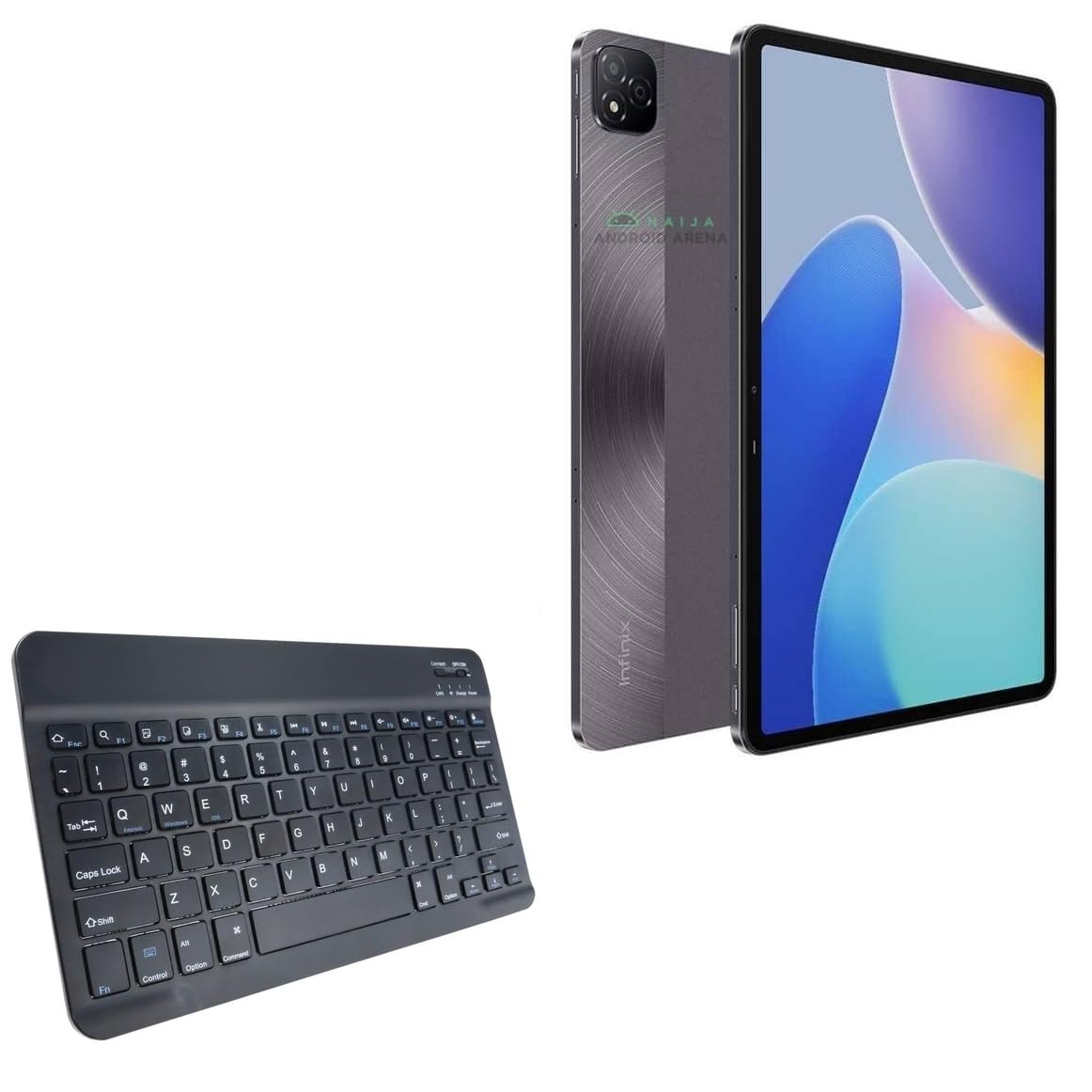
Billede 1.1: Top-down view of the BoxWave SlimKeys Bluetooth Keyboard.
2. Pakkens indhold
Tjek venligst pakken for følgende varer:
- BoxWave SlimKeys Bluetooth Keyboard
- Opladningskabel (USB)
- Brugervejledning (dette dokument)
3. Opsætning
3.1 Opladning af tastaturet
Before initial use, fully charge the keyboard. Connect the provided USB charging cable to the keyboard's charging port and to a USB power source. The charging indicator light will illuminate during charging and turn off when fully charged.

Image 3.1: The keyboard connected to its charging cable.
To conserve battery life, use the built-in ON/OFF switch when the keyboard is not in use. The keyboard features an energy-efficient Bluetooth 3.0 design to reduce power drain.
3.2 Parring med din enhed
- Ensure the keyboard is charged and powered on using the ON/OFF switch located on the top right.
- Tryk på Forbinde knappen på tastaturet. Bluetooth-indikatorlampen begynder at blinke, hvilket indikerer, at den er i parringstilstand.
- On your device (e.g., Infinix Xpad, tablet, smartphone, computer), navigate to the Bluetooth settings.
- Aktiver Bluetooth på din enhed, og søg efter tilgængelige enheder.
- Vælg "SlimKeys Keyboard" eller et lignende navn fra listen over fundne enheder.
- Follow any on-screen prompts to complete the pairing process. A successful connection will be indicated by the Bluetooth light on the keyboard turning solid or off, depending on the model.
The SlimKeys keyboard utilizes Bluetooth 3.0 for quick and reliable pairing across various operating systems, including Android, Windows, and iOS.
4. Betjening
4.1 Generel brug
The SlimKeys Bluetooth Keyboard provides a full QWERTY layout with chiclet-style keys for comfortable and efficient typing. Its compact and lightweight design makes it suitable for travel and on-the-go productivity.

Image 4.1: User typing on the SlimKeys Bluetooth Keyboard.
4.2 Specialized Function Keys
The keyboard includes specialized function keys (F1-F12) that provide quick access to common commands. These functions may vary slightly depending on your device's operating system.

Billede 4.2: Overview of specialized function keys.
- Esc (Home): Returns to home screen.
- F1 (Search): Opens search function.
- F2 (Select All): Selects all content.
- F3 (Copy): Copies selected content.
- F4 (Paste): Pastes copied content.
- F5 (Cut): Cuts selected content.
- F6 (Skip Back): Skips to previous track.
- F7 (Play/Pause): Plays or pauses media.
- F8 (Skip Forward): Skips to next track.
- F9 (Volume Down): Sænker lydstyrken.
- F10 (Volume Up): Øger lydstyrken.
- F11 (Brightness Down): Decreases screen brightness.
- F12 (Brightness Up): Increases screen brightness.
- Delete (Lock): Locks the device.
To activate these functions, press the corresponding F-key. Some functions may require pressing the Fn key simultaneously, depending on your device's operating system and settings.
5. Vedligeholdelse
- Rensning: Use a soft, dry, lint-free cloth to clean the keyboard. For stubborn dirt, slightly dampRengør kluden med vand eller et mildt elektronikrengøringsmiddel. Undgå for meget fugt.
- Opbevaring: When not in use for extended periods, store the keyboard in a cool, dry place. Ensure the keyboard is powered off to preserve battery life.
- Batteripleje: Undgå at aflade batteriet helt for ofte. Oplad tastaturet regelmæssigt, selvom det ikke er i konstant brug, for at opretholde batteriets tilstand.
- Undgå væsker: Hold tastaturet væk fra væsker for at forhindre beskadigelse af interne komponenter.
- Undgå ekstreme temperaturer: Do not expose the keyboard to extreme heat or cold, as this can affect battery performance and overall functionality.
6. Fejlfinding
6.1 Tastatur opretter ikke forbindelse/parrer ikke
- Tjek strøm: Sørg for, at tastaturet er tændt og har tilstrækkelig batteriopladning.
- Re-enable Bluetooth: Sluk og tænd derefter Bluetooth på din enhed.
- Reparation: Go to your device's Bluetooth settings, forget or unpair the "SlimKeys Keyboard" if it's listed, then repeat the pairing steps (Section 3.2).
- Afstand: Ensure the keyboard is within the effective range of your device (typically up to 10 meters or 33 feet).
- Interferens: Flyt dig væk fra andre trådløse enheder, der kan forårsage interferens.
- Genstart enheder: Restart both your device and the keyboard.
6.2 Taster reagerer ikke
- Batteriniveau: Check if the keyboard battery is low. Charge the keyboard if necessary.
- Forbindelse: Verify that the keyboard is still connected via Bluetooth to your device.
- Rene nøgler: Sørg for, at der ikke sidder snavs fast under tasterne.
- Genstart: Sluk tastaturet og tænd det igen.
6.3 Lag or Delayed Input
- Batteriniveau: Low battery can sometimes affect performance.
- Afstand/Interferens: Reduce distance to the device and minimize potential interference sources.
- Enhedens ydeevne: Ensure your connected device is not under heavy load, which could affect Bluetooth responsiveness.
7. Specifikationer
| Modelnavn | SlimKeys Bluetooth Keyboard |
| Forbindelse | Bluetooth 3.0 |
| Kompatibilitet | Android, Windows, iOS devices (e.g., Infinix Xpad) |
| Dimensioner (ca.) | 9.5 cm (bredde) x 5.75 cm (dybde) x 0.2 cm (højde) |
| Vægt | 8.6 ounce (ca. 244 gram) |
| Batteritype | Produktspecifik (inkluderet) |
| Batterilevetid | Up to 30 days (active use), 6 months (standby) |
| Fabrikant | BoxWave |
| ASIN | B0DFZ2S7C4 |

Image 7.1: Approximate dimensions of the SlimKeys Bluetooth Keyboard.
8. Garanti og support
For warranty information and technical support, please refer to the documentation included with your purchase or visit the official BoxWave website. You may also contact BoxWave customer service directly for assistance.
Manufacturer: BoxWave
For yderligere hjælp, besøg venligst: www.boxwave.com