
1. Produktet er slutview
The plplaaoo Portapack H2 Case is an aluminum alloy enclosure designed to house and protect the Hackrf One Portapack H2 for various electronic and DIY radio projects. It features a robust, integrally formed construction for high strength and durability. The case is coated with paint to enhance its service life and provide a smooth, burr-free surface.

This image displays the fully assembled plplaaoo Portapack H2 Case, showcasing its black aluminum alloy construction and precise cutouts for the Hackrf One Portapack H2.
2. Pakkens indhold
Bekræft, at alle nedenstående komponenter er til stede i din pakke:
- 6 x Protective Project Housing components (front panel, back panel, side rails)
- 1 x Set of Fasteners (screws, nuts, etc.)

This image illustrates all individual components included in the package: the front panel, back panel, side rails, and fastener set, ready for assembly.
3. Opsætningsvejledning
3.1 Komponentidentifikation
Before assembly, familiarize yourself with the different parts of the case. The housing consists of a main body with cutouts for the screen and controls, a back cover, and two side rails. The fastener set includes small screws for securing the components.
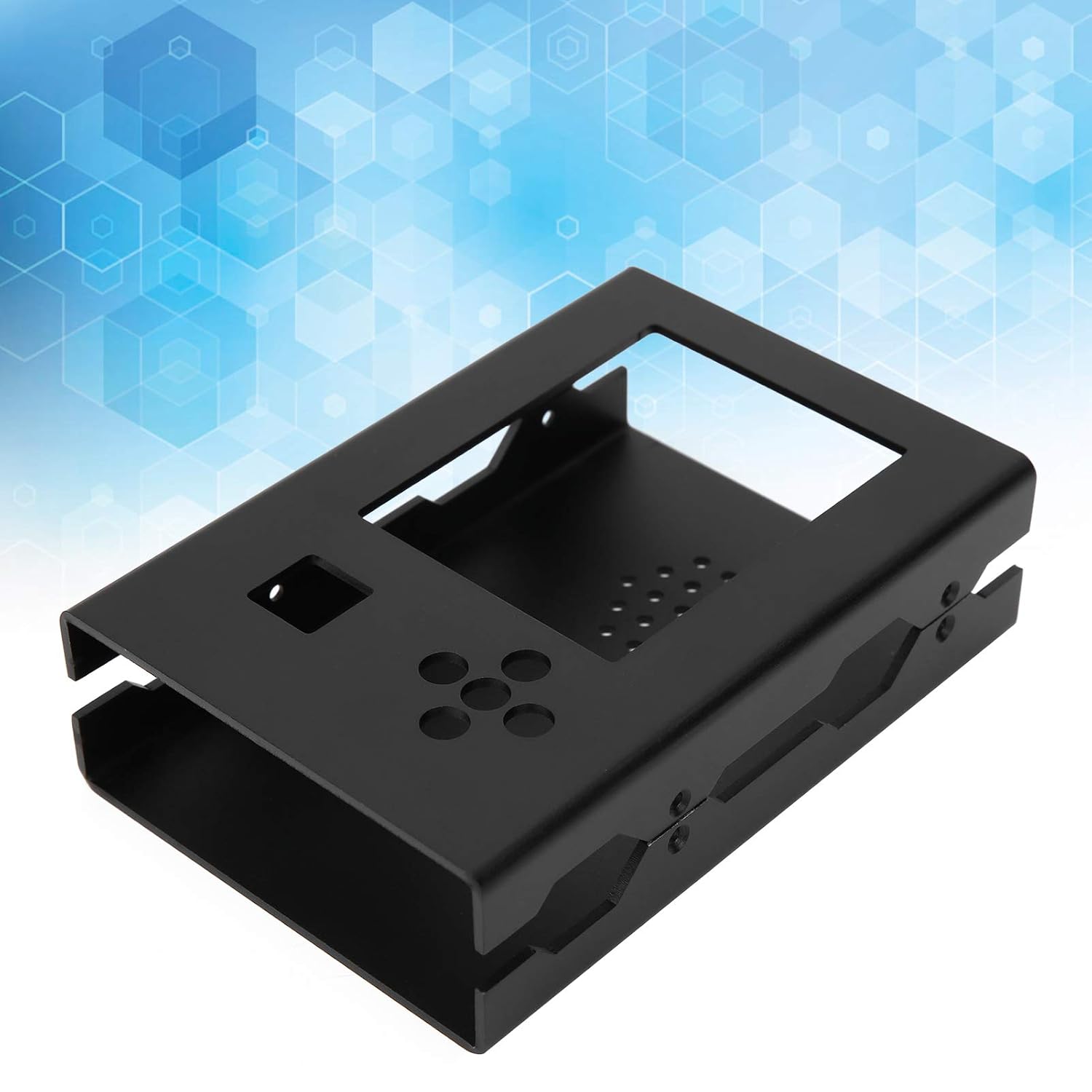
Dette billede giver en vinklet view of the case components, demonstrating how the main body parts fit together and revealing the internal structure designed to house the Hackrf One Portapack H2.
3.2 Monteringstrin
- Carefully place your Hackrf One Portapack H2 device into the main body of the case, ensuring proper alignment with the screen and control cutouts.
- Attach the back cover to the main body, aligning the screw holes.
- Secure the back cover to the main body using the provided fasteners. Do not overtighten.
- Attach the two side rails to the assembled case, aligning them with the designated slots and screw holes.
- Use the remaining fasteners to secure the side rails. Ensure all components are firmly attached but avoid excessive force.
4. Betjeningsvejledning
The plplaaoo Portapack H2 Case functions as a protective enclosure for your Hackrf One Portapack H2. Once assembled, it provides physical protection against impacts and environmental factors. The strategically placed cutouts allow full access to all ports, buttons, and the screen of your device without needing to remove the case. Ensure all connections are made through the designated openings.
5. Vedligeholdelse
To maintain the appearance and integrity of your Portapack H2 Case:
- Clean the case with a soft, dry cloth.
- Avoid using abrasive cleaners or solvents, as these may damage the paint coating.
- Periodically check the fasteners to ensure they remain tight. Retighten if necessary, but do not overtighten.
- Store the case in a dry environment when not in use.
6. Fejlfinding
6.1 Etuiet passer ikke ordentligt
- Ensure you have the correct model of Hackrf One Portapack H2 for this specific case.
- Verify that all internal components of your device are correctly seated and not obstructing the case assembly.
- Double-check that you are using the correct orientation for each case component during assembly.
6.2 Manglende eller beskadigede dele
If any parts are missing or damaged upon arrival, please contact the retailer or manufacturer for assistance.
7. Specifikationer
| Varetype | Project Box Case |
| Materiale | Aluminiumslegering |
| Farve | Sort |
| Pakkedimensioner | 6.3 x 4.33 x 1.57 tommer |
| Varens vægt | 8.8 ounce |
| Modelnummer | plplaaoo384d0gsw72 |
8. Garanti og support
Specific warranty information for this product is not provided in the product details. For any warranty claims, technical support, or inquiries regarding your plplaaoo Portapack H2 Case, please contact the retailer from whom you purchased the product or refer to the manufacturer's official webhjemmeside for deres kontaktoplysninger til kundeservice.