
Indledning
This manual provides detailed instructions for the ZWP V2 Pro Replacement Voice Remote Control. Please read this guide carefully to ensure proper setup and operation of your new remote control. This remote is designed to offer a versatile control solution for various Box models.
Kompatibilitet
The ZWP V2 Pro Replacement Voice Remote Control is compatible with the following models:
- vSeeBox V1 Pro
- vSeeBox V2 Pro
- vSeeBox Elite
- vSeeBox V1 Max
- OctaStream Elite Max Android TV Box Elite-3

The ZWP V2 Pro remote is compatible with vSeeBox V2 Pro, Elite, V1 Pro, V1 Max, and OctaStream Elite Max Android TV Box Elite-3.
Nøglefunktioner
- Premium Performance: Offers stable connectivity and quick response times.
- Holdbar konstruktion: Made of ABS material for enhanced durability and drop resistance.
- Energieffektiv: Features ultra-low power consumption, allowing for approximately 6 months of standby time.
- Præcis kontrol: Effective control distance up to 40 feet.
- Stemmestyring: Integrated voice function for convenient command input.
- Genvejsknapper: Dedicated buttons for quick access to popular applications.

Constructed from durable ABS material, the remote is designed for longevity and resistance to drops.
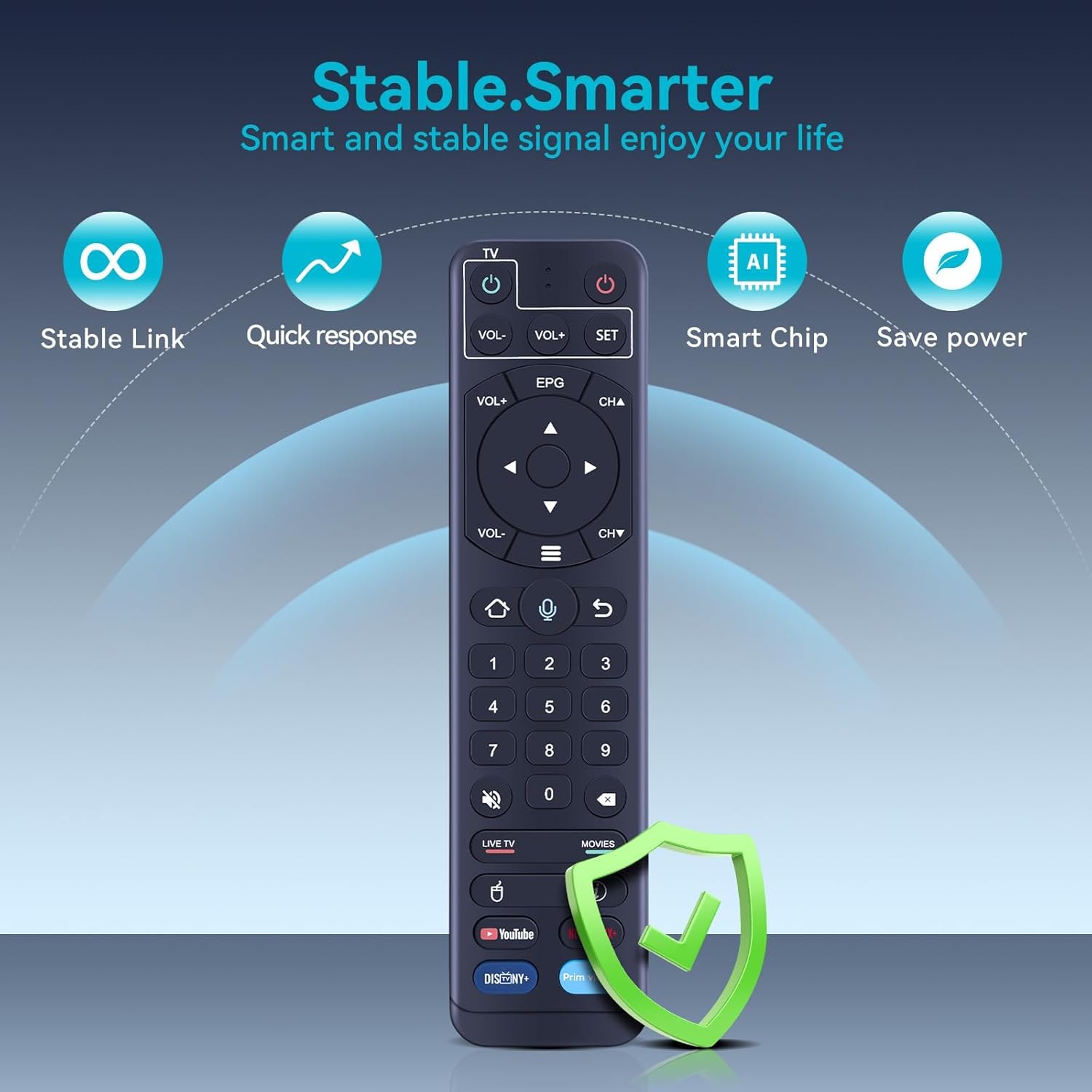
The remote offers stable connectivity, quick response times, smart chip technology for efficient operation, and ultra-low power consumption.
Opsætning
1. Batteriinstallation
The remote control requires two AAA batteries (not included). Ensure correct polarity when inserting the batteries.

The remote requires two AAA batteries (not included). Insert them into the compartment as shown, observing polarity.
2. Pairing the Remote (for Voice Function)
Pairing is required to enable the voice function. Follow these steps:
- Hold nede [OK] knappen og [VOL-] knappen samtidigt.
- Continue holding until the red indicator light on the remote flashes.
- On your TV screen, a message should appear stating "Remote control connected successfully".

Visual guide for pairing the remote: 1. Initial connection attempt. 2. Remote control detected. 3. Connection successful.
Betjeningsvejledning
1. IR Learning Procedure (for TV Control)
This remote can learn functions from your existing TV remote. This allows you to control basic TV functions (like Power, Volume) with the ZWP V2 Pro remote.
- Tryk og hold på "SÆT" key on the ZWP V2 Pro remote for 3 seconds. The red indicator light will turn on.
- Inden for 10 sekunder skal du trykke på "Magt" key in the TV CONTROL area of the ZWP V2 Pro remote. The red light will flash.
- Position your TV remote and the ZWP V2 Pro remote face-to-face, with their IR emitters approximately 3cm apart.
- Tryk på "Magt" key on your TV remote. The red light on the ZWP V2 Pro remote will flash 3 times and then remain lit, indicating successful learning.
- Repeat steps 2 and 3 to learn other keys (e.g., Volume Up, Volume Down) if desired.
- Tryk på "SÆT" key again to exit the learning status.

To program TV control functions, align the infrared emitters of both remotes as shown and follow the learning procedure.
2. Voice Control and Shortcut Buttons
Once paired, you can use the voice control feature by pressing the microphone button and speaking your commands. The remote also includes dedicated shortcut buttons for quick access to popular streaming applications like YouTube, Netflix, Disney+, and Prime Video.

The remote features a voice control button for commands and dedicated shortcut buttons for quick access to popular streaming applications.
Opretholdelse
Udskiftning af batteri
When the remote control's performance degrades or the indicator light does not respond, it is time to replace the batteries. Always use two new AAA batteries and ensure they are inserted with the correct polarity.
Rensning
Brug en blød, tør klud til at rengøre fjernbetjeningen. Brug ikke flydende rengøringsmidler eller slibende materialer, da disse kan beskadige fjernbetjeningens overflade eller interne komponenter.
Fejlfinding
Remote Not Responding or "No recognition result matched"
If the remote control does not recognize any commands or displays a "No recognition result matched" message, try the following steps:
- Tjek batterier: Sørg for, at batterierne er korrekt installeret og har tilstrækkelig opladning. Udskift dem om nødvendigt.
- Genpar fjernbetjeningen: Disconnect the remote from your device and then repeat the pairing procedure described in the "Setup" section. This often resolves connectivity issues.
- Ryd forhindringer: Ensure there are no physical obstructions between the remote and your device.
Specifikationer
| Feature | Detalje |
|---|---|
| Mærke | ZWP |
| Modelnavn | V2 Pro |
| Speciel funktion | Stemmesøgning |
| Farve | Sort |
| Maks. antal understøttede enheder | 1 |
| Kompatible enheder | Set Top Box |
| Forbindelsesteknologi | Infrarød |
| Knap Antal | 160 |
| Maksimal rækkevidde | 10 meter (ca. 40 fod) |
| Batteritype | 2 x AAA (Alkaline or Rechargeable) |
| Varens vægt | 0.09 kilo |
Garanti og support
Eftersalgsservice
We provide up to 1 year of after-sales service for this remote control. Your satisfaction and product quality are our basic principles. If you encounter any issues or have any dissatisfaction with the remote control, please contact us at any time. We are committed to resolving your concerns.
Pakkens indhold
- 1 x Replacement Remote Control (batteries not included)