
BoxWave PD miniSync (240W)
BoxWave PD miniSync (240W) Retractable USB Type-C Cable User Manual
Model: PD miniSync (240W)
1. Introduktion
Thank you for choosing the BoxWave PD miniSync (240W) Retractable USB Type-C Cable. This innovative cable is designed for efficient power delivery and high-speed data transfer, featuring a convenient retractable design for portability and tangle-free use. This manual provides instructions for proper setup, operation, and maintenance to ensure optimal performance.
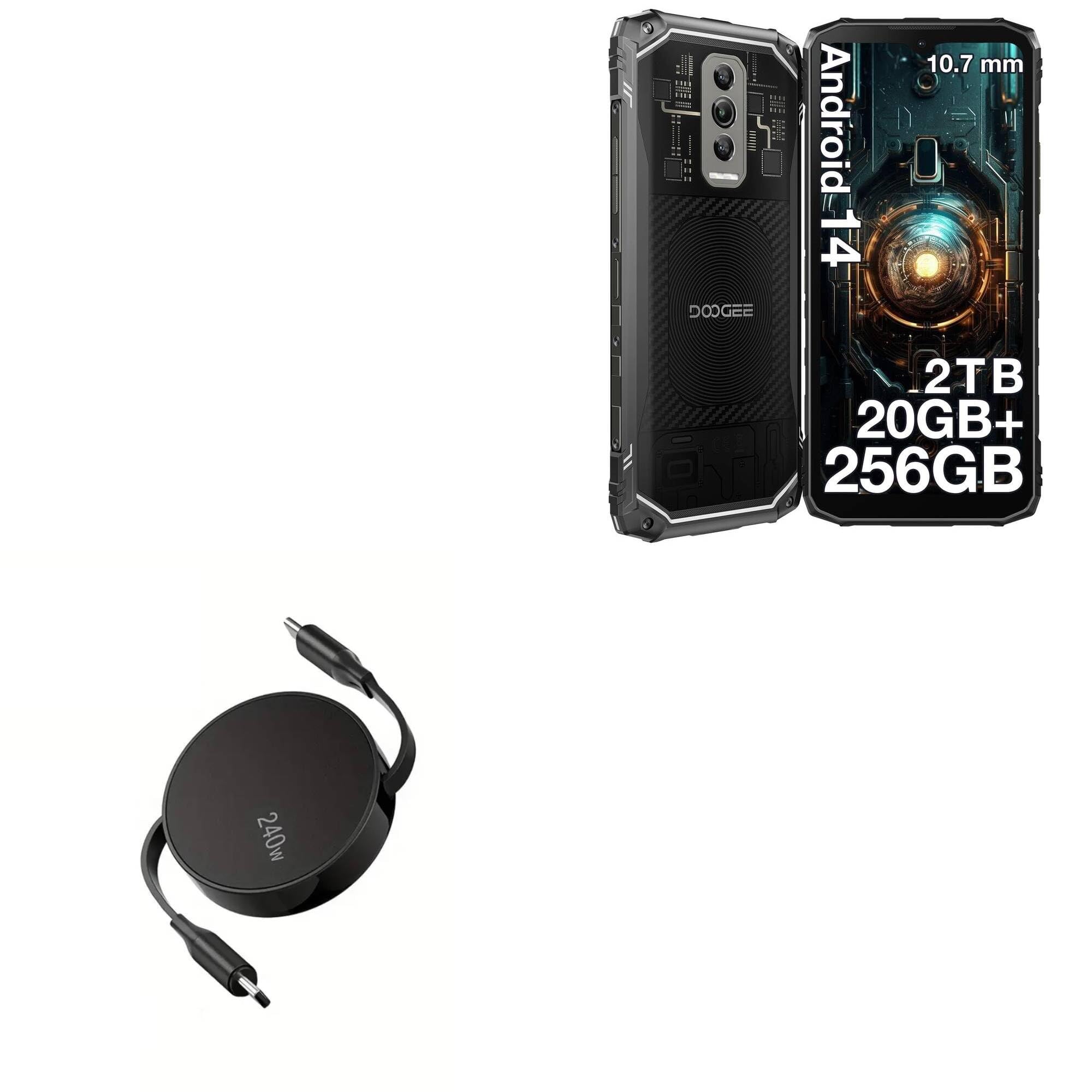
Image: The BoxWave PD miniSync 240W Retractable USB Type-C Cable, showcasing its compact, circular design with both USB-C connectors extended.
Nøglefunktioner:
- Innovative Retractable Design: Keeps the cable organized, preventing knots and tangles.
- High Power Delivery (240W): Supports rapid charging for compatible USB Type-C devices.
- Højhastighedsdataoverførsel: Capable of up to 5Gbps for quick file synkronisering.
- Justerbare længder: Extends up to 5 feet (58 inches) with multiple pre-set lengths.
- Holdbar konstruktion: Made with high-quality polycarbonate material and heavy-duty ribbon-style cable.
- Transportabel: Retracts to a minuscule 3 inches for easy transport.
2. Opsætning
Setting up your PD miniSync cable is straightforward. Follow these steps to begin using your cable.
Extending the Cable:
- Gently pull both USB Type-C connectors simultaneously away from the central hub.
- Pull until the cable reaches your desired length. The cable features multiple pre-set lengths for convenience. Do not pull only one side, as this can damage the retraction mechanism.

Image: A pair of hands gently pulling both ends of the PD miniSync cable to extend it, illustrating the proper method for extension.
Tilslutning til enheder:
- Connect one USB Type-C end of the PD miniSync cable to your power source (e.g., wall adapter, power bank, laptop USB-C port).
- Connect the other USB Type-C end to your compatible device (e.g., smartphone, tablet, laptop).
- Ensure both connections are secure. The device should begin charging or establish a data connection automatically.
3. Betjeningsvejledning
The PD miniSync cable offers versatile functionality for both charging and data transfer.
Opladning af din enhed:
The PD miniSync cable supports Power Delivery (PD) up to 240W. For optimal fast charging, ensure your power source and device are also compatible with 240W PD or the highest wattage supported by your device.
- Connect the cable as described in the Setup section.
- The charging speed will depend on the capabilities of your power adapter and the device being charged.

Image: The PD miniSync cable connected to a laptop, demonstrating its use for power delivery and charging.
Dataoverførsel:
This cable supports high-speed data transfer up to 5Gbps (USB 3.1 standard). This allows for quick synchronization of filemellem kompatible enheder.
- Connect the cable between two compatible USB Type-C devices (e.g., computer and smartphone).
- Ensure both devices support data transfer over USB Type-C.
- Follow your device's instructions for initiating data transfer.

Image: A close-up of the USB-C connector, highlighting its capability for swift syncing and data transfer speeds of up to 10 Gbps (note: product specs state 5Gbps).
Retracting the Cable:
To retract the cable, give a quick, gentle tug on both USB Type-C connectors simultaneously. The cable will automatically retract into its compact housing. Avoid letting go of one end before the other to prevent tangling or damage to the mechanism.

Image: An illustration showing the retractable cable neatly stored next to a pile of tangled cables, emphasizing its tangle-free design.
4. Vedligeholdelse
Proper care and maintenance will extend the lifespan of your BoxWave PD miniSync cable.
Rensning:
- Disconnect the cable from all power sources and devices before cleaning.
- Wipe the cable and housing with a soft, dry, lint-free cloth.
- Avoid using harsh chemicals, abrasive cleaners, or excessive moisture, as these can damage the cable or its internal components.
Opbevaring:
- Always retract the cable fully when not in use to protect it from damage and keep it tangle-free.
- Opbevar kablet et køligt, tørt sted, væk fra direkte sollys og ekstreme temperaturer.
- Avoid placing heavy objects on the cable or bending it sharply.
Generel pleje:
- Do not force the connectors into ports. Ensure correct orientation.
- Avoid excessive pulling or yanking on the cable, especially near the connectors, to prevent strain damage.
- Keep the cable away from liquids and sharp objects.
5. Fejlfinding
If you encounter issues with your PD miniSync cable, refer to the following common problems and solutions.
Kabel ikke oplader enhed:
- Tjek forbindelser: Ensure both USB Type-C connectors are fully and securely plugged into the power source and the device.
- Bekræft strømkilden: Confirm that your wall adapter, power bank, or computer port is functioning correctly and providing power. Try a different power source if available.
- Enhedskompatibilitet: Ensure your device is compatible with USB Type-C charging.
- Strømudgang: While the cable supports 240W, your power source and device must also support high wattage for fast charging. If charging slowly, your power source might be lower wattage.
- Undersøg kabel: Check the cable for any visible damage, such as cuts, bends, or frayed wires. If damaged, discontinue use.
Dataoverførsel virker ikke:
- Tjek forbindelser: Ensure both USB Type-C connectors are securely plugged into the devices.
- Enhedsindstillinger: On your smartphone or tablet, check the USB connection settings. It might be set to "Charging only" and needs to be changed to "File "Overfør" eller "MTP".
- Driverproblemer: Sørg for, at din computer har de nødvendige drivere til den tilsluttede enhed.
- Prøv en anden port/enhed: Test with a different USB Type-C port on your computer or another device to isolate the issue.
Cable Not Retracting Properly:
- Pull Both Ends Evenly: Always pull both connectors simultaneously and evenly when extending or retracting. Uneven pulling can cause the internal mechanism to jam.
- Gentle Tug: Give a quick, gentle tug on both ends to initiate retraction. Do not force it.
- Ryd forhindringer: Ensure there are no foreign objects obstructing the cable path into the housing.
If these steps do not resolve your issue, please contact BoxWave customer support for further assistance.
6. Specifikationer
Detailed technical specifications for the BoxWave PD miniSync (240W) Retractable USB Type-C Cable.
| Feature | Specifikation |
|---|---|
| Modelnavn | PD miniSync (240W) |
| Connector Type | USB Type-C til USB Type-C |
| Strøm levering | Op til 240W |
| Dataoverførselshastighed | Op til 5 Gbps (USB 3.1) |
| Cable Length (Extended) | Up to 5 feet (58 inches / 147 cm) |
| Cable Length (Retracted) | Cirka 3 tommer (7.6 cm) |
| Materiale | Polycarbonate, Heavy-Duty Ribbon Cable |
| Farve | Jet Black |
| Varens vægt | 1.5 ounce |
| Fabrikant | BoxWave |
7. Garanti og support
BoxWave stands by the quality of its products. For information regarding warranty coverage, returns, or technical support, please refer to the official BoxWave webhjemmeside eller kontakt deres kundeservice direkte.
Online support: Visit the official BoxWave webwebsted for ofte stillede spørgsmål, produktregistrering og kontaktoplysninger.
Kontaktoplysninger: Refer to your product packaging or the BoxWave webhjemmeside for de mest aktuelle kontaktoplysninger til kundeservice.
Ask a question about this manual
Ask about setup, troubleshooting, compatibility, parts, safety, or missing instructions. Manuals+ will review the question and use this page’s manual context to help answer it.