
1. Introduktion
Tak for købetasing the Salange HY300Pro Mini Projector. This manual provides essential information for setting up, operating, and maintaining your projector. Please read it thoroughly before use to ensure optimal performance and longevity of your device.
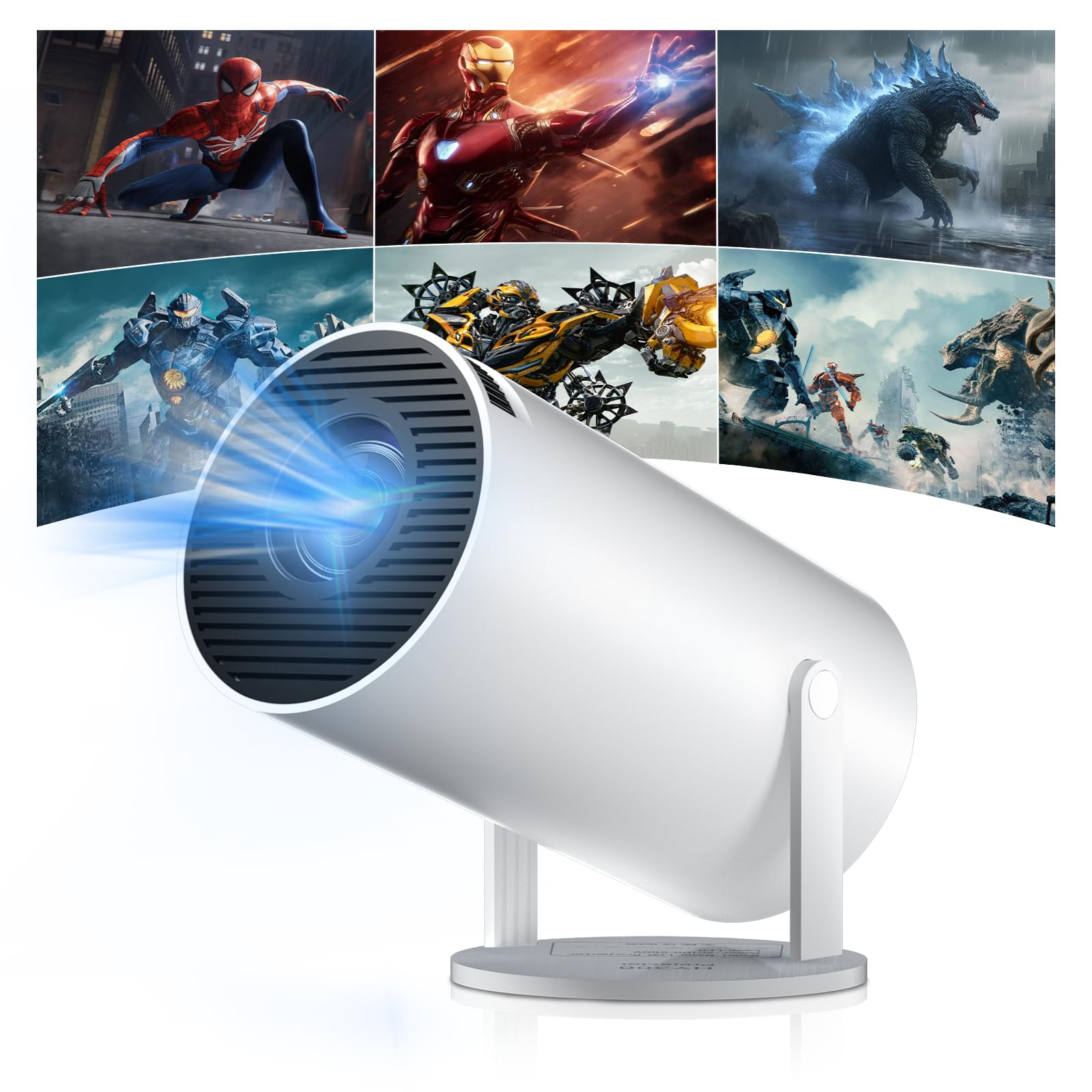
Figure 1: Salange HY300Pro Mini Projector
2. Produktet er slutview
Nøglefunktioner
- Dual-Band WiFi 6 & Bluetooth 5.4: Ensures fast and stable network connectivity and seamless audio pairing with external speakers or headphones.
- Android 11.0-operativsystem: Supports installation of various applications directly on the projector for versatile entertainment and productivity.
- 4K-understøttelse og indbygget 720P-opløsning: Delivers clear and vibrant images, supporting 1080P and 4K video playback.
- 180° rotation: Flexible projection angles for various setups, including ceiling, wall, or angled surfaces.
- Automatic Keystone Correction & Manual Focus: Intelligently corrects image distortion and allows for fine-tuning clarity.
- Kompakt og bærbart design: Weighs only 700g, making it easy to transport for outdoor activities or different rooms.

Figur 2: Overview of Salange HY300Pro features including 8K support, WiFi 6, Bluetooth 5.4, 180° rotation, and auto keystone correction.
Hvad er der i æsken
- 1 x Salange HY300Pro Projector
- 1 x brugermanual
- 1 x strømkabel
- 1 x fjernbetjening

Figure 3: Contents of the Salange HY300Pro package.
3. Opsætning
3.1 Udpakning og placering
- Fjern forsigtigt alle komponenter fra emballagen.
- Placer projektoren på en stabil, flad overflade. Sørg for tilstrækkelig ventilation omkring enheden.
- The projector's 180° rotation feature allows flexible placement. Adjust the projector's angle to project onto a wall, ceiling, or screen as desired.

Figure 4: Projector demonstrating 180-degree rotation for various projection surfaces.
3.2 Strømtilslutning
Connect the provided power cable to the projector's power input and then to a power outlet.
3.3 Første opstart og fokusjustering
- Tryk på tænd/sluk-knappen på projektoren eller fjernbetjeningen for at tænde for enheden.
- The projector features automatic keystone correction. It will intelligently detect and correct image distortion to ensure a square image.
- For fine-tuning the image clarity, use the manual focus adjustment ring on the projector.

Figure 5: Illustration of automatic keystone correction and manual focus adjustment.
3.4 Netværksforbindelse (WiFi)
- Naviger til menuen 'Indstillinger' på projektorens startskærm.
- Vælg 'Netværk og internet', og aktiver Wi-Fi.
- Choose your desired Wi-Fi network from the list and enter the password if prompted. The projector supports dual-band 2.4G + 5G WiFi 6 for fast and stable connections.

Figure 6: Visual representation of the projector's WiFi 6 capabilities for ultra-fast streaming.
3.5 Bluetooth -parring
- From the 'Settings' menu, select 'Connected Devices' or 'Bluetooth'.
- Aktiver Bluetooth og søg efter tilgængelige enheder.
- Vælg din Bluetooth-højttaler eller hovedtelefoner fra listen for at parre.

Figure 7: Projector connected to various Bluetooth audio devices.
3.6 Tilslutning af eksterne enheder
The projector supports HDMI and USB connections.
- HDMI: Connect your laptop, game console, Blu-ray player, or TV stick using an HDMI cable. Select the corresponding HDMI input source from the projector's input menu.
- USB: Indsæt et USB-drev for at afspille medier files directly. Access the files through the media player application on the Android OS.
4. Betjeningsvejledning
4.1 Navigering i Android OS
The Salange HY300Pro runs on Android 11.0, providing a smart TV experience.
- Brug fjernbetjeningen til at navigere gennem startskærmen, applikationer og indstillinger.
- The interface is intuitive, similar to an Android smartphone or tablet.

Figure 8: Projector displaying the Android OS home screen with various streaming apps.
4.2 App-administration
You can install and manage applications directly on the projector.
- Access the app store (e.g., Google Play Store) to download streaming services, games, and productivity tools.
- To uninstall an app, go to 'Settings' > 'Apps' and select the desired app.
4.3 Skærmspejling
Mirror your smartphone or tablet screen to the projector wirelessly.
- Sørg for, at både din enhed og projektoren er forbundet til det samme Wi-Fi-netværk.
- On the projector, select the screen mirroring function (e.g., 'Miracast', 'AirPlay', or 'Screen Share').
- On your smartphone/tablet, enable screen mirroring and select the projector from the list of available devices.
4.4 Billed- og lydindstillinger
Adjust various settings to optimize your viewoplevelse.
- Billedindstillinger: Access 'Settings' > 'Display' to adjust brightness, contrast, color, and aspect ratio.
- Lydindstillinger: Access 'Settings' > 'Sound' to adjust volume, sound mode, and output device.

Figure 9: Projector displaying a large image, illustrating its ability to create a home cinema experience.
5. Vedligeholdelse
5.1 Rengøring af linsen
Brug en blød, fnugfri klud, der er specielt designet til optiske linser, til forsigtigt at tørre projektorlinsen af. Brug ikke slibende rengøringsmidler eller overdreven kraft.
5.2 Ventilation
Ensure the projector's ventilation vents are clear of dust and obstructions. Blocked vents can lead to overheating and reduced performance. Periodically clean the vents with a soft brush or compressed air.
5.3 Opbevaring
Når projektoren ikke er i brug i længere perioder, skal den opbevares køligt og tørt, væk fra direkte sollys og ekstreme temperaturer. Brug den originale emballage eller et beskyttende etui for at forhindre støvophobning og beskadigelse.
6. Fejlfinding
| Problem | Mulig årsag | Løsning |
|---|---|---|
| Intet billede vises | Power cable disconnected; Incorrect input source; Projector in standby mode. | Check power connection; Select correct HDMI/USB input; Press power button to wake up. |
| Billedet er sløret | Fokus ikke justeret; Projektoren er for langt/tæt på skærmen. | Adjust manual focus ring; Ensure projector is within optimal projection distance. |
| Ingen lyd | Volume too low; Muted; Incorrect audio output selected; Bluetooth device not paired. | Increase volume; Unmute; Check audio settings; Re-pair Bluetooth device. |
| Problemer med Wi-Fi/Bluetooth-forbindelse | Forkert adgangskode; Uden for rækkevidde; Interferens. | Verify password; Move closer to router/device; Reduce interference from other electronics. |
| Fjernbetjening virker ikke | Dead batteries; Obstruction; Not paired. | Udskift batterier; Fjern forhindringer; Genpar fjernbetjeningen om nødvendigt. |
7. Specifikationer
| Feature | Detalje |
|---|---|
| Mærke | Salange |
| Modelnummer | X-HY300PRO |
| Serie | Salange Mini Beamer |
| Farve | Hvid |
| Display Type | LCD |
| Indfødt opløsning | 1280 x 720P |
| Maksimal skærmopløsning | 3840 x 2160 (4K understøttet) |
| Forbindelsesteknologi | Bluetooth, Wi-Fi (WiFi 6) |
| Hardware-interface | Bluetooth, HDMI, USB |
| Kompatible enheder | Smartphones, Laptops, Game Consoles, Blu-ray Players, Media Players |
| Varedimensioner (L x B x H) | 9.5 x 9.5 x 15.7 centimeter |
| Særlige funktioner | Wi-Fi Compatible, Digital Keystone Correction, Lightweight, Portable, 180° Rotation |
| Anbefalede anvendelser | Erhverv, Hjemmebiograf, Gaming, Uddannelse |
| Formfaktor | Transportabel |
| Monteringstype | Bordmontering |
8. Garanti og support
For warranty information and technical support, please refer to the documentation included with your purchase or visit the official Salange webwebsted. Gem din købsbevis til garantikrav.