
Indledning
Thank you for choosing the TechniSat VIOLA Wall Socket Radio. This compact FM radio is designed for convenience, offering both traditional FM radio reception and modern Bluetooth audio streaming. Its integrated hands-free function allows for easy call management. This manual provides essential information for the safe and efficient use of your device.
Sikkerhedsoplysninger
- Elektrisk sikkerhed: Ensure the radio is plugged into a standard, properly grounded wall socket. Do not overload the socket. Disconnect from power during electrical storms or when unused for long periods.
- Vand og fugt: Do not expose the device to water, rain, or excessive humidity. Avoid using it in bathrooms or near sinks where it could come into contact with water.
- Ventilation: Ensure adequate ventilation around the device. Do not cover the ventilation openings.
- Rensning: Brug en blød, tør klud til rengøring. Brug ikke flydende rengøringsmidler eller rengøringsmidler på sprayform.
- Temperatur: Avoid extreme temperatures. Do not place the device near heat sources or in direct sunlight.
- Børn: Opbevar enheden utilgængeligt for børn.
Produkt overview
The TechniSat VIOLA radio features a compact design with intuitive controls and a clear display.
Kontrol og visning
The top panel of the radio houses all control buttons, while the front features an LCD segment display.
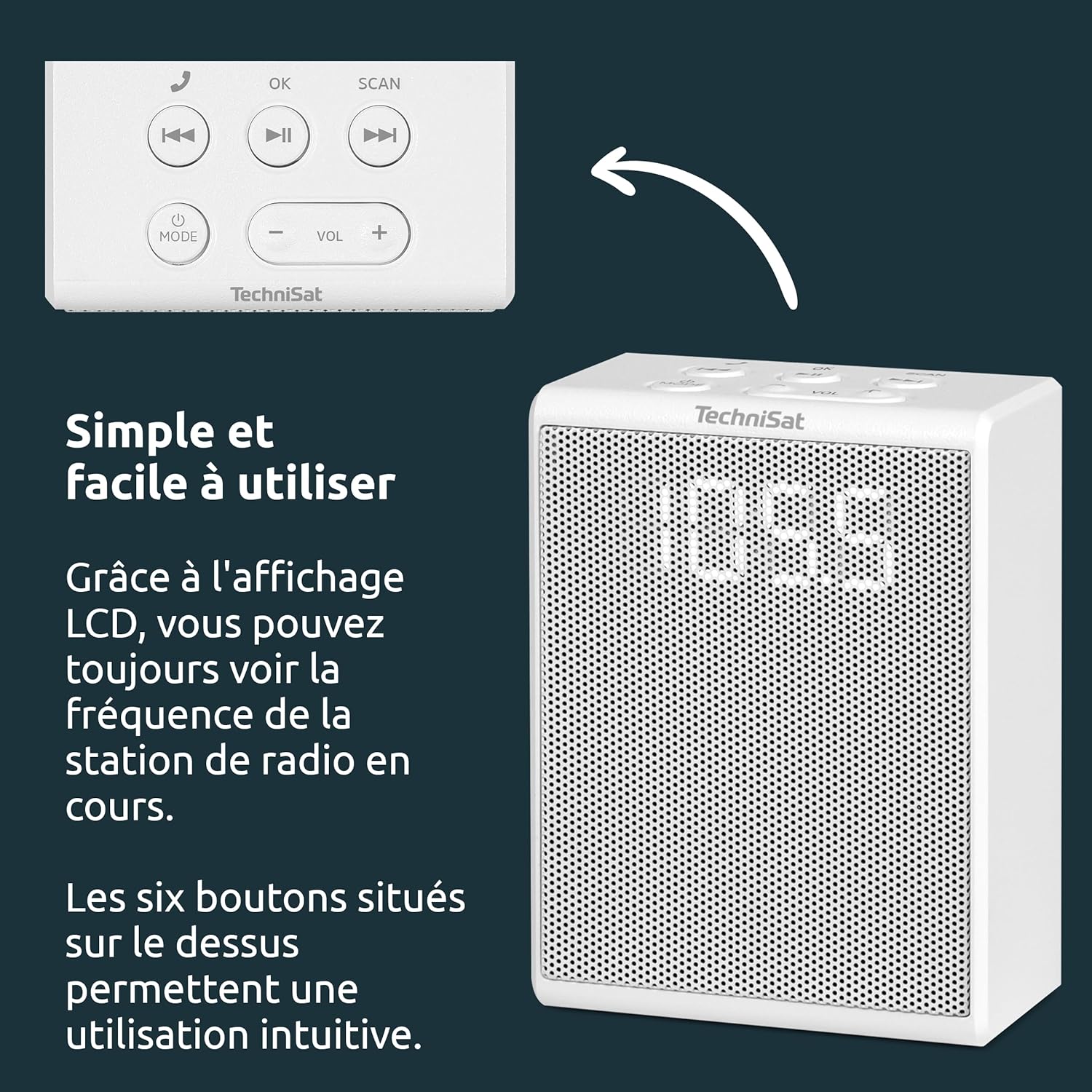
- MODE knap: Switches between FM radio and Bluetooth modes.
- VOL +/- knapper: Justerer lydstyrken.
- OK knap: Confirms selections or answers/ends calls.
- SCAN knap: Initiates automatic station scanning in FM mode.
- Knapper til forrige/næste spor: Skips tracks in Bluetooth mode or navigates presets in FM mode.
- Afspil/pause knap: Afspiller eller sætter lyd på pause i Bluetooth-tilstand.

Opsætning
Setting up your TechniSat VIOLA radio is straightforward.
1. Strømtilslutning
- Locate a suitable wall socket.
- Plug the TechniSat VIOLA radio directly into the wall socket. The device will power on automatically.

Betjeningsvejledning
Betjening af FM-radio
- Tryk på MODE knappen, indtil "FM" vises på displayet.
- Tryk på SCAN button to automatically search for available FM stations. The radio will scan and save up to 30 stations.
- Brug Forrige/Næste nummer buttons to cycle through the saved preset stations.
- Juster lydstyrken ved hjælp af VOL +/- knapper.
Bluetooth-parring og streaming
- Tryk på MODE button until "BT" (Bluetooth) appears on the display. The radio will enter pairing mode, indicated by a flashing Bluetooth icon or similar.
- On your smartphone or tablet, enable Bluetooth and search for available devices. Select "TechniSat VIOLA" from the list.
- Once paired, the Bluetooth indicator on the radio will become solid. You can now stream audio from your device to the VIOLA radio.
- Brug Afspil/pause og Forrige/Næste nummer knapperne på radioen eller din tilsluttede enhed til at styre afspilningen.
- Juster lydstyrken ved hjælp af VOL +/- buttons on the radio or your connected device.
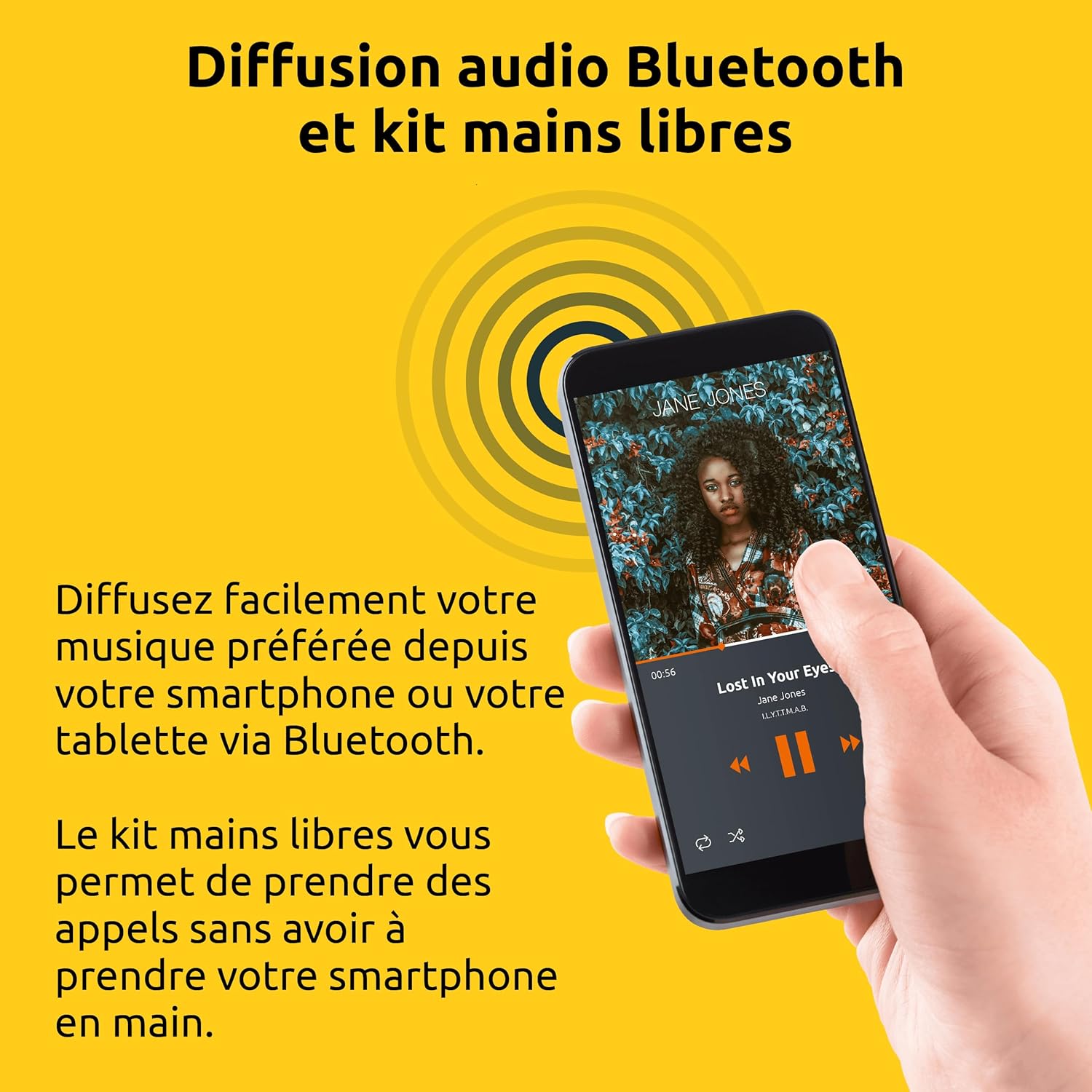
Håndfri funktion
When your smartphone is paired via Bluetooth:
- Besvare et opkald: When an incoming call is received, the radio will ring. Press the OK knappen for at besvare opkaldet.
- Afslutning af et opkald: Under et opkald skal du trykke på OK button to end the conversation.
- Afvisning af et opkald: Hvis du vil afvise et indgående opkald, skal du trykke på og holde OK knappen i et par sekunder.
Opretholdelse
To ensure the longevity and optimal performance of your TechniSat VIOLA radio, follow these maintenance guidelines:
- Rensning: Regularly wipe the exterior of the radio with a soft, dry, lint-free cloth. Do not use abrasive cleaners, waxes, or solvents as they may damage the finish.
- Undgå væsker: Never spray liquids directly onto the radio or immerse it in water.
- Opbevaring: If storing the radio for an extended period, unplug it from the wall socket and store it in a cool, dry place away from direct sunlight.
Fejlfinding
If you encounter issues with your TechniSat VIOLA radio, refer to the following common problems and solutions:
| Problem | Mulig årsag | Løsning |
|---|---|---|
| Ingen strøm | Radio not properly plugged in; Wall socket not active. | Ensure the radio is fully inserted into a working wall socket. Test the socket with another appliance. |
| Ingen lyd | Volume too low; Incorrect mode selected. | Øg lydstyrken ved hjælp af VOL+. Check that the correct mode (FM or BT) is selected. |
| Dårlig FM -modtagelse | Svagt signal; Interferens. | Try repositioning the radio or moving it to a different wall socket. Avoid placing near other electronic devices that may cause interference. |
| Bluetooth forbinder ikke | Radio not in pairing mode; Device too far; Bluetooth already connected to another device. | Ensure the radio is in Bluetooth pairing mode ("BT" flashing). Move your device closer to the radio. Disconnect from other Bluetooth devices. Try restarting both the radio and your device. |
| Hands-free not working | Bluetooth not connected; Microphone blocked. | Ensure Bluetooth is successfully paired. Check that nothing is obstructing the radio's microphone. |
Specifikationer
Detailed technical specifications for the TechniSat VIOLA Wall Socket Radio.
| Feature | Detalje |
|---|---|
| Mærke | TechniSat |
| Modelnummer | 0000/2982 |
| Farve | Hvid |
| Forbindelsesteknologi | Bluetooth |
| Særlige funktioner | LCD Segment Display, Integrated Speaker, Hands-Free Kit, FM Radio Reception, Bluetooth Audio Streaming |
| Kompatible enheder | Smartphone, Tablet, MP3 Player, Speaker |
| Strømkilde | Electric Cable (Wall Socket) |
| Radiobånd understøttet | FM |
| Tuningteknologi | FM |
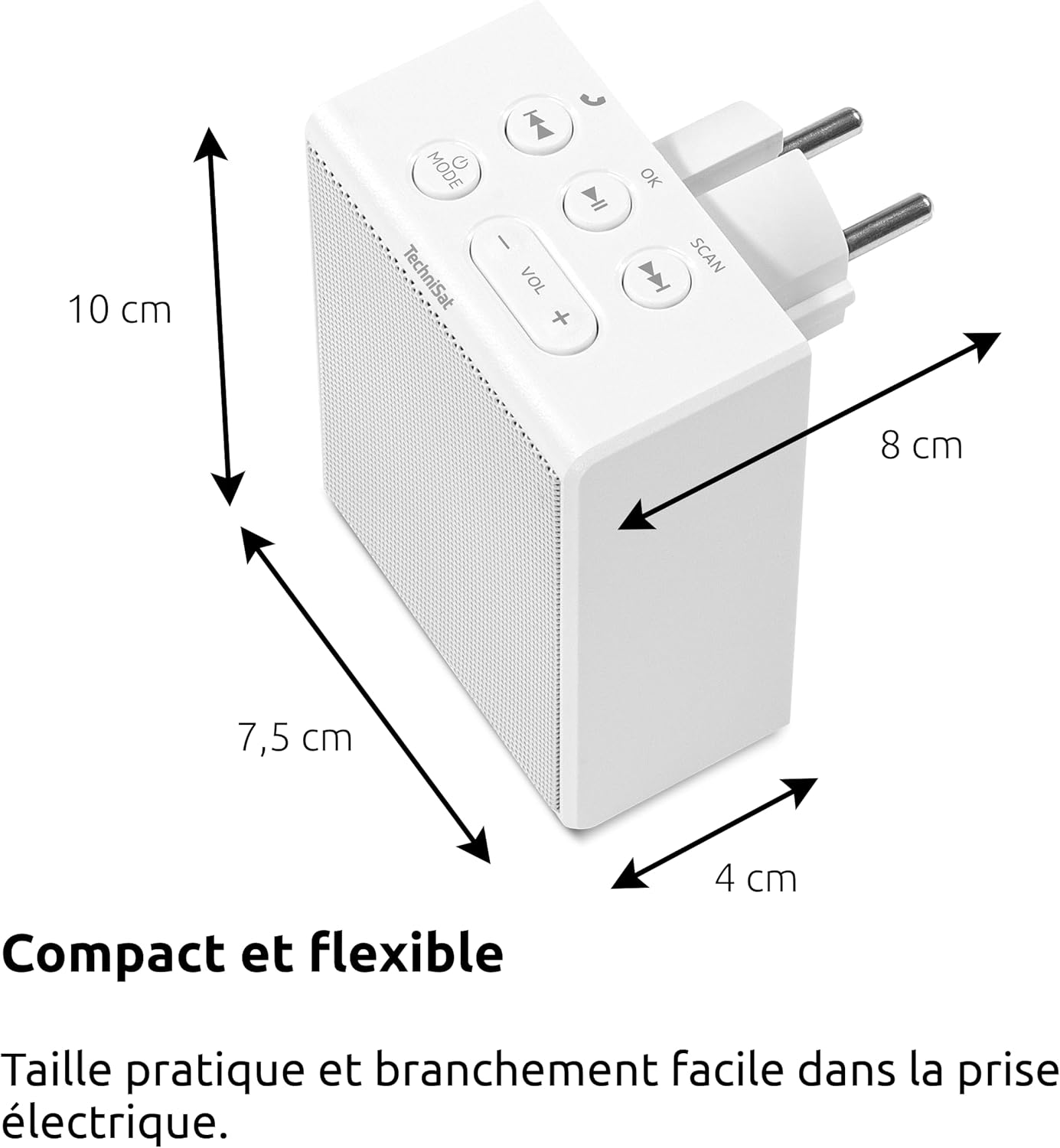
| Produktmål (L x B x H) | 7.5 x 4 x 10 cm |
| Højttaler output | 1.5 W RMS (Mono) |
| Batteri genopladeligt | Ingen |
Garanti og support
Producentens garanti: Information not specified in product details. Please refer to your purchase documentation or contact your retailer for specific warranty terms.
Kundesupport: For further assistance, technical support, or warranty claims, please contact your point of purchase or visit the official TechniSat webwebsted for kontaktoplysninger.