
BFOUR BF-30
BFOUR BF-30 Trådløst Grilltermometer Brugermanual
Model: BF-30 (QQKD-BF30-G)
1. Produktet er slutview
The BFOUR BF-30 is a 100% wireless meat thermometer designed for precise temperature monitoring during cooking. It features a wireless probe, a main unit with a large LCD display, and connects to a smartphone app for remote monitoring.

Image: The BFOUR BF-30 wireless grill thermometer, showing the main unit, the wireless probe, and a smartphone displaying the companion app interface. This setup allows for convenient and accurate temperature monitoring.
Komponenter:
- Wireless Probe: The sensor inserted into the food. Made of food-safe stainless steel, rust and corrosion resistant.
- Main Unit (Booster/Display): Receives data from the probe and displays current and preset temperatures on a large LCD screen.
- USB-C ladekabel: For recharging the main unit and probe.
- Brugermanual: Dette dokument.

Billede: En detaljeret view of the BFOUR BF-30 main unit's LCD display, highlighting the connection signal, alarm signal, current temperature, and preset temperature readings for clear monitoring.
2. Opsætningsvejledning
2.1 Opladning af enheden
The BFOUR BF-30 is equipped with a 500 mAh lithium-ion battery. Ensure both the probe and the main unit are charged before first use.
- Connect the provided USB-C charging cable to the main unit and a suitable power source.
- The probe charges intelligently when stored within the main unit.
- A full charge for the probe takes approximately 2 minutes, providing up to 60 hours of continuous operation.

Image: The BFOUR BF-30 main unit being charged via its USB-C port, illustrating the quick charging capability that provides extended battery life.
2.2 Appinstallation og parring
The BFOUR BF-30 uses the BF Home-app for remote monitoring and advanced features. The app is user-friendly and does not require registration or complex setup.
- Download the "BF Home-app" from your smartphone's app store (iOS or Android).
- Sørg for, at Bluetooth er aktiveret på din smartphone.
- Turn on the BFOUR BF-30 main unit.
- Open the BF Home-app. The app will automatically search for and connect to the thermometer via Bluetooth.
- Once connected, the app will display the current temperature readings from the probe.

Image: Multiple smartphone screens displaying the BF Home-app, showcasing its features such as real-time temperature monitoring, preset cooking profiles for different meats, and customizable settings.
3. Betjeningsvejledning
3.1 Indsættelse af sonden
Carefully insert the wireless probe into the thickest part of the meat, avoiding bones. Ensure the probe is fully inserted up to the handle to get an accurate internal temperature reading.
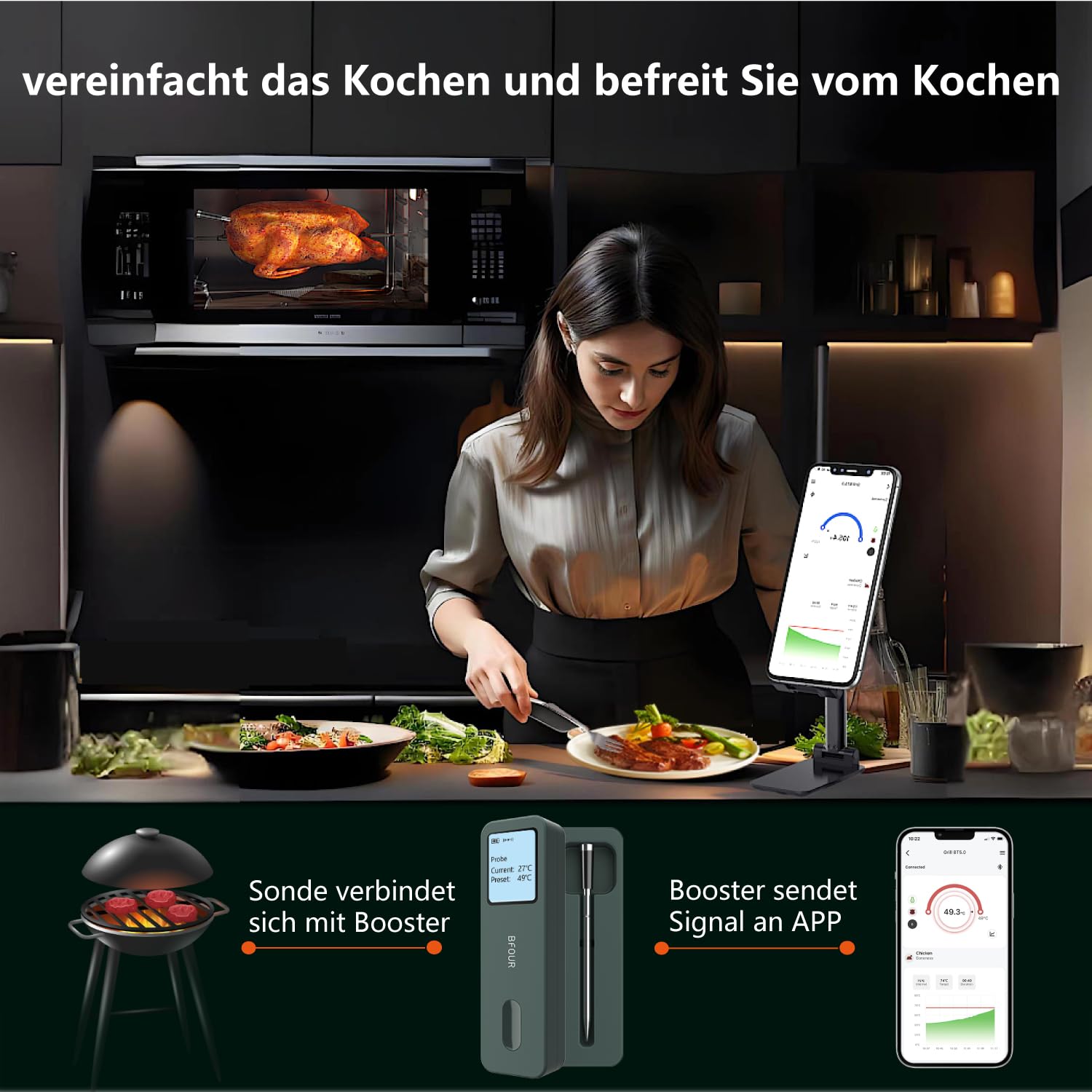
Image: The wireless probe correctly inserted into a large piece of meat cooking on a grill, demonstrating its 100% wireless design for unrestricted use.
3.2 Overvågning af temperatur
You can monitor the cooking progress in two ways:
- On the Main Unit: The large LCD screen on the main unit displays real-time temperature changes, allowing you to quickly check the current and preset temperatures.
- Via the BF Home-app: The app provides comprehensive remote monitoring.
App funktioner:
- Forudindstillede temperaturalarmer: Choose from various pre-set temperatures for different types of meat and doneness levels.
- High and Low Temperature Alerts: Customize temperature ranges to receive notifications if the temperature goes above or below your desired range.
- Live Data Graphic Logging: View temperature trends over time with shareable graphs.
- Cooking History: The app can store over 50 cooking histories, allowing you to review past cooks.

Image: A user remotely monitoring their cooking process using the BF Home-app on a smartphone, with the BFOUR BF-30 thermometer positioned near an oven, illustrating the convenience of smart app control.
3.3 Brugsscenarier
The BFOUR BF-30 is versatile and ideal for various cooking methods, including:
- Ovne
- Air Fryers
- Rotisserier
- Griller
- BBQ Smokers
4. Vedligeholdelse
4.1 Rengøring
The BFOUR BF-30 features a water-resistant design, making it easy to clean and protecting it from water damage, thus extending its lifespan.
- Lad sonden køle af efter hver brug.
- Tør sonden i rustfrit stål af med enamp klud og mildt rengøringsmiddel.
- Do not submerge the main unit in water. Wipe it clean with a damp klæde.
- Sørg for, at alle komponenter er tørre før opbevaring.
4.2 Opbevaring
The main unit features a built-in magnet for convenient storage on metallic surfaces, such as a refrigerator or grill side table. The probe charges intelligently when stored within the main unit.

Image: The BFOUR BF-30 main unit demonstrating its integrated magnet feature, shown attached to both a refrigerator and a grill, providing convenient and secure storage options.
5. Fejlfinding
If you encounter issues with your BFOUR BF-30 thermometer, please refer to the following common solutions:
- Ingen forbindelse til appen:
- Sørg for, at Bluetooth er aktiveret på din smartphone.
- Make sure the thermometer's main unit is powered on and within range.
- Restart the BF Home-app and/or your smartphone's Bluetooth.
- Ensure the probe is correctly inserted into the main unit for charging and initial connection.
- Unøjagtige temperaturmålinger:
- Verify the probe is inserted into the thickest part of the meat, avoiding bones.
- Check if the probe tip is fully submerged in the food.
- Ensure the probe and main unit are clean and free of debris.
- Kort batterilevetid:
- Sørg for, at enheden er fuldt opladet før brug.
- Confirm the USB-C cable and power adapter are functioning correctly.
- The probe charges when stored in the main unit; ensure it is properly seated.
- Skærm virker ikke:
- Check battery level and charge the main unit.
- Try turning the unit off and on again.
If these steps do not resolve the issue, please contact BFOUR customer support for further assistance.
6. Specifikationer
| Modelnummer | QQKD-BF30-G |
| Mærke | BFOUR |
| Batteri | 1 Lithium-polymer battery (500 mAh), included |
| Battery Life (Probe) | Up to 60 hours continuous operation (after 2-minute quick charge) |
| Pakkedimensioner | 15.4 x 10 x 2.9 cm |
| Vægt | 160 g |
| Forbindelsesteknologi | Bluetooth |
| Display Type | Digital LCD |
| Særlige funktioner | Wireless Probe, App Companion, Alarm, Waterproof, Rechargeable, Magnetic |
| Udvendigt materiale | Metal (main unit), Food-safe Stainless Steel (probe), Zirconia (probe handle) |
| Farve | Sort |
| Overholdelse | CE, RoHS, WEEE |
7. Garanti og support
BFOUR products are manufactured to high-quality standards. For any questions, technical support, or warranty claims, please contact BFOUR customer service through the retailer where the product was purchased or visit the official BFOUR webwebsted for kontaktoplysninger.
Gem venligst din købsbevis af garantihensyn.
Ask a question about this manual
Ask about setup, troubleshooting, compatibility, parts, safety, or missing instructions. Manuals+ will review the question and use this page’s manual context to help answer it.