
Jazmm 088V
Jazmm Digital AM FM Radio with Bluetooth 5.3 (Model 088V) User Manual
Model: 088V | Brand: Jazmm
Indledning
This manual provides detailed instructions for the operation and maintenance of your Jazmm Digital AM FM Radio with Bluetooth 5.3, Model 088V. Please read this manual thoroughly before using the device to ensure proper function and longevity.

Billede: Forside view of the Jazmm Digital AM FM Radio, Model 088V, showing the speaker grille and control panel.
Hvad er der i æsken
Bekræft at alle varer er til stede ved udpakning:
- Jazmm Digital AM FM Bluetooth Radio (Model 088V)
- Instruktionsbog
- Type-C opladerkabel
- Håndledsrem
Produkt overview
Gør dig bekendt med radioens betjeningselementer og porte:
Frontpanel:
- Højttalergitter: Primær lydudgang.
- Digital skærm: Shows frequency, mode, and track information.
- Numerisk tastatur (0-9): Til direkte frekvensindgang eller sporvalg.
- SCAN knap: Starter automatisk stationsscanning.
- REC-knap: Activates voice recording (requires TF card).
- LED knap: Toggles the flashlight on/off.
- Afspil/pause knap: Controls playback in MP3 mode.
- Knapper til forrige/næste spor: Navigates tracks or stations.
- M (tilstand) knap: Switches between AM, FM, Bluetooth, TF Card, and USB modes.
Sidepanel:
- TÆND/SLUK -kontakt: Tænder eller slukker for enheden.
- Volumenvælger: Justerer lydstyrken.
- Type-C opladningsport: Til opladning af det interne batteri.
- USB-port: Til afspilning fra USB-flashdrev.
- TF-kortslot: Til afspilning og optagelse fra TF-kort.
- 3.5 mm hovedtelefonstik: Til privat lytning.
- Lommelygte LED: Integreret lyskilde.
- Fastgørelsespunkt for håndledsrem: For securing the included wrist strap.

Billede: Side view of the radio highlighting the flashlight and wrist strap attachment.
Opsætning
1. Opladning af batteriet
The radio is equipped with a 2000mAh rechargeable battery. Before first use, fully charge the device.
- Tilslut det medfølgende Type-C-opladerkabel til radioens opladningsport.
- Tilslut den anden ende af kablet til en USB-strømadapter (medfølger ikke) eller en computers USB-port.
- Opladningsindikatoren på displayet viser opladningsstatus. En fuld opladning tager cirka 2.5 timer.
- Once fully charged, the radio can operate for up to 12 hours.

Image: The radio connected to a Type-C charging cable, illustrating the charging process.
2. Inserting TF Card (Optional)
To use the MP3 playback or recording functions, insert a TF (Micro SD) card into the designated slot.
- Find TF-kortstikket på siden af radioen.
- Gently insert the TF card with the metal contacts facing down until it clicks into place.
- For at fjerne det, skub kortet indad, indtil det springer ud.
Betjeningsvejledning
1. Tænd/sluk
Slide the ON/OFF switch on the side of the radio to power it on or off.
2. AM/FM-radiobetjening
Upon powering on, the radio typically defaults to FM mode. Press the 'M' (Mode) button to switch between AM and FM bands.
- Automatisk scanning: Press the 'SCAN' button to automatically search for and save available stations.
- Manuel indstilling: Use the numeric keypad to directly input the desired frequency. For example, to tune to 98.5 FM, press '9', '8', '5'.
- Justering af lydstyrke: Rotate the volume dial on the side of the radio.
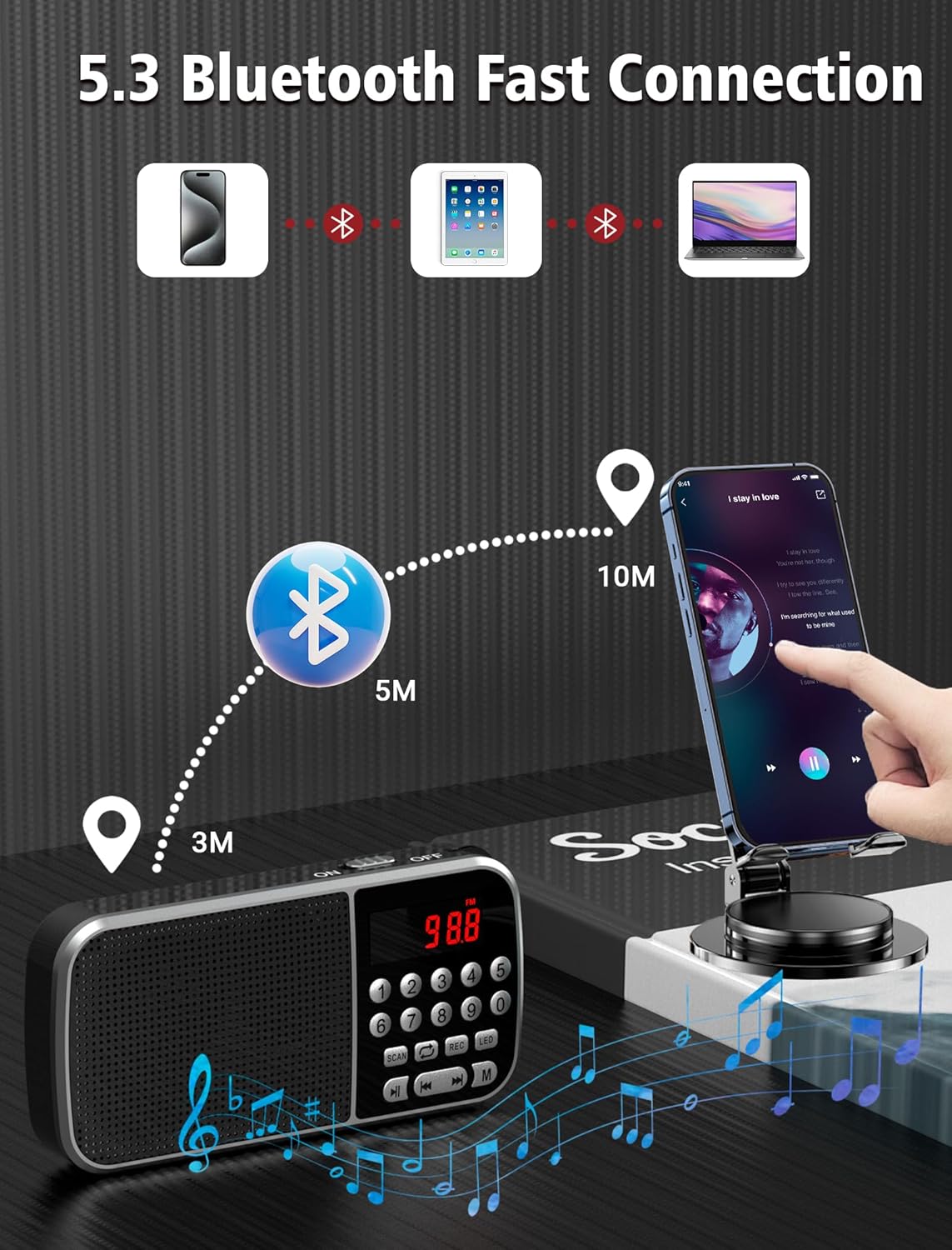
Image: The radio displaying various AM and FM frequencies, illustrating its reception capabilities.
3. Bluetooth 5.3-tilstand
Connect your smartphone or other Bluetooth-enabled devices to the radio for wireless audio playback.
- Press the 'M' (Mode) button until "Bluetooth" or a Bluetooth icon appears on the display. The radio will enter pairing mode.
- Aktiver Bluetooth på din enhed, og søg efter tilgængelige enheder.
- Select "Jazmm 088V" (or similar) from the list to pair.
- Once connected, you can play audio from your device through the radio's speaker.
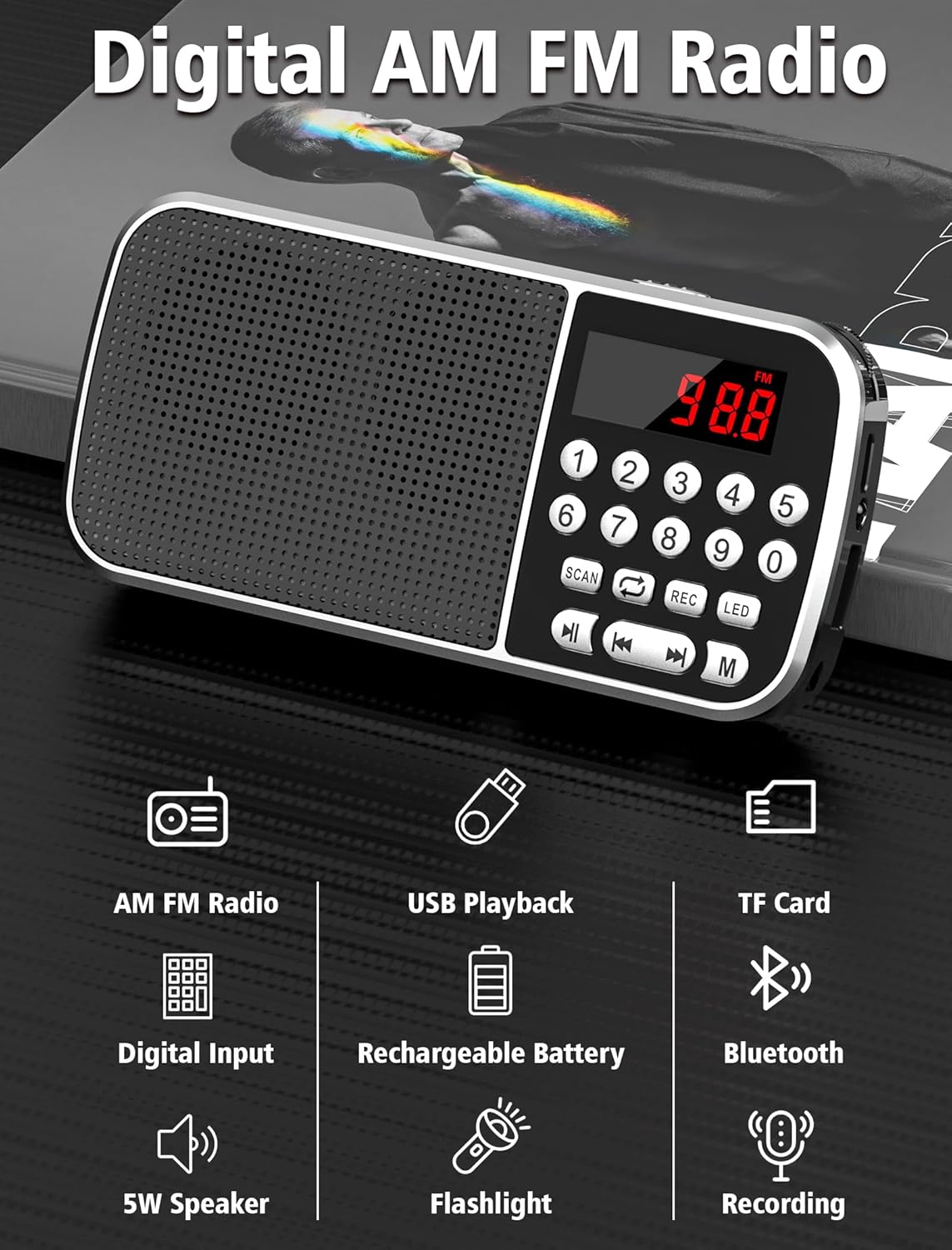
Image: Diagram showing the radio wirelessly connected to various devices via Bluetooth 5.3.
4. MP3 Playback (TF Card / USB)
The radio supports MP3 playback from both TF cards and USB flash drives.
- TF-kortafspilning: Indsæt et TF-kort med MP3 files. Press the 'M' button to select TF card mode.
- USB-afspilning: Indsæt et USB-flashdrev med MP3 files. Press the 'M' button to select USB mode.
- Brug knapperne Afspil/Pause og Forrige/Næste spor til at styre afspilningen.
- You can also use the numeric keypad to jump to specific track numbers.

Image: A person listening to music through headphones connected to the radio, demonstrating MP3 playback.
5. Stemmeoptager
Record audio directly to an inserted TF card.
- Sørg for, at der er isat et TF-kort.
- Press the 'REC' button to start recording. The display will indicate recording status.
- Press 'REC' again to stop and save the recording.
- Optagelser gemmes som MP3 files på TF-kortet.

Image: The radio with a microphone icon, illustrating its sound recording capability to a TF card.
6. Lommelygtefunktion
The radio includes a built-in LED flashlight for convenience.
- Press the 'LED' button to turn the flashlight on.
- Press the 'LED' button again to turn the flashlight off.
7. Brug af hovedtelefoner
For private listening, plug 3.5mm headphones (not included) into the earphone jack on the side of the radio.
Opretholdelse
- Keep the radio dry. Avoid exposure to moisture or liquids.
- Rengør enheden med en blød, tør klud. Brug ikke slibende rengøringsmidler eller opløsningsmidler.
- Opbevar radioen et køligt og tørt sted, når den ikke er i brug.
- Undgå at tabe radioen eller udsætte den for kraftige stød.
Fejlfinding
| Problem | Mulig årsag | Løsning |
|---|---|---|
| Ingen strøm/Tænder ikke | Batteriet er afladet. | Charge the battery fully using the provided Type-C cable. |
| Dårlig radiomodtagelse | Svagt signal; miljøforstyrrelser. | Adjust the radio's position. Try scanning again. |
| Bluetooth forbinder ikke | Radioen er ikke i parringstilstand; enheden er for langt væk. | Ensure radio is in Bluetooth mode. Keep devices within 10 meters. Re-pair if necessary. |
| MP3 filespiller ikke | Ukorrekt file format; TF card/USB not inserted correctly. | Sikre files are in MP3 format. Reinsert TF card/USB drive. Check if the radio is in the correct mode. |
| Optagelse virker ikke | No TF card inserted; TF card full. | Insert a TF card. Check available space on the TF card. |
Specifikationer
- Model: 088V
- Mærke: Jazmm
- Produktdimensioner: 1.14 x 2.68 x 5.39 tommer
- Varens vægt: 6.2 ounce
- Batteri: 2000mAh litiumpolymer (inkluderet)
- Opladningstid: Cirka 2.5 timer
- Brugstid: Op til 12 timer
- Forbindelse: Bluetooth 5.3
- Radiobånd: AM (520-1710 KHZ) / FM (87.5-108 MHZ)
- Højttaler output: 5W
- Medieafspilning: TF Card, USB (MP3 format)
- Yderligere funktioner: Voice Recorder, Flashlight, 3.5mm Earphone Jack
Garanti og support
For warranty information and technical support, please refer to the contact details provided on the product packaging or visit the official Jazmm webwebsted. Behold din købskvittering som købsbevis i tilfælde af garantikrav.
Ask a question about this manual
Ask about setup, troubleshooting, compatibility, parts, safety, or missing instructions. Manuals+ will review the question and use this page’s manual context to help answer it.