
Indledning
Thank you for choosing the HUANUO Electric Standing Desk. This manual provides essential information for the safe and efficient use of your new adjustable height desk. Designed with a seamless one-piece desktop and robust construction, this desk offers a versatile and ergonomic workspace for your home office.
Key features include a strong steel frame with a 176 lbs weight capacity, a smooth one-piece desktop for enhanced stability, a spacious work surface, and electric height adjustment with four memory settings for comfortable sit-stand transitions.
Vigtige sikkerhedsoplysninger
Læs og følg alle instruktioner omhyggeligt inden montering og brug. Undladelse af at gøre dette kan resultere i personskade eller beskadigelse af produktet.
- Følg altid monteringsvejledningen nøje.
- Overskrid ikke den anbefalede maksimale vægt på 80 kg.
- Keep the work surface clear of obstacles during height adjustment.
- Sørg for, at skrivebordet er korrekt forankret i gulvet for at forhindre, at det vælter.
- Always unplug the desk when not in use or during assembly, cleaning, or maintenance to prevent electrical hazards.
- Hold børn og kæledyr væk fra skrivebordet under drift.
Opsætning og montering
The HUANUO Electric Standing Desk is designed for hassle-free assembly. A single-piece desktop simplifies the process compared to multi-panel designs. All necessary tools are included.
Udpakning og inspektion
Carefully unpack all components and verify against the parts list in your included manual. Inspect all parts for any damage. If any parts are missing or damaged, please contact customer support.
Monteringstrin
- Saml rammen: Attach the crossbars to the desk legs using the provided screws. Then, attach the leg bases to the bottom of the desk legs. Secure the side plates to the frame.
- Attach the Transmission Rod: Loosen the coupling nut on the transmission rod. Connect one end of the rod to the motor drive shaft on the leg with the motor. Connect the other end to the opposite leg. Tighten the set screw to secure the rod.
- Fastgør skrivebordet: Carefully place the desktop upside down on a soft, clean surface. Position the assembled frame onto the desktop, aligning the pre-drilled holes. Secure the frame to the desktop using the provided screws.
- Installer tilbehør: Attach the control panel to the front edge of the desktop. Install the two headphone hooks on either side of the desk as desired.
- Tilslut kabler: Connect the motor cable and control panel cable to the control box. Plug the power adapter into the control box and then into a power outlet.

Figure 1: Simplified assembly process with a one-piece desktop.
Video 1: Detailed assembly instructions for the HUANUO Electric Standing Desk.
Betjeningsvejledning
Your HUANUO Electric Standing Desk features an intuitive LED control panel for easy height adjustment and memory settings.
Højdejustering
- Brug Op (^) og Ned (v) pileknapperne på kontrolpanelet for manuelt at justere skrivebordets højde. Den aktuelle højde vises på LED-skærmen.
- The desk can be adjusted between 28.35 inches (72 cm) and 46.46 inches (118 cm).
Hukommelsesindstillinger
The desk allows you to save up to four preferred height positions for quick transitions.
- Juster skrivebordet til den ønskede højde ved hjælp af knapperne Op (^) eller Ned (v).
- Tryk og hold en af hukommelsesknapperne nede (1, 2, 3 eller 4) indtil LED-skærmen blinker eller bipper, hvilket indikerer, at højden er gemt.
- To recall a saved height, simply press the corresponding memory button. The desk will automatically move to that preset position.

Figure 2: LED Control Panel for height adjustment and memory settings.

Figure 3: The desk supports 4 preset heights for quick transitions.
Opretholdelse
Regular maintenance ensures the longevity and optimal performance of your HUANUO Electric Standing Desk.
- Rensning: Tør skrivebordet og rammen af med en blød kludamp klud. Undgå skrappe kemikalier eller slibende rengøringsmidler, der kan beskadige overfladen.
- Kabelstyring: Utilize the integrated cable management notches and included cable ties to keep cords organized and prevent them from getting caught during height adjustments.
- Regelmæssig kontrol: Kontrollér regelmæssigt alle skruer og bolte for at sikre, at de er stramme. Efterspænd om nødvendigt.
- Motorpleje: The powerful motor is designed for durability. Avoid overloading the desk beyond its 176 lbs capacity.

Figure 4: Integrated cable management and storage hooks help maintain a tidy workspace.
Fejlfinding
Hvis du støder på problemer med dit skrivebord, kan du bruge følgende almindelige løsninger:
- Skrivebordet bevæger sig ikke: Ensure all cables are securely connected to the control box and the power outlet. Check if the power outlet is functioning correctly.
- Ujævn højde: If the desk appears uneven, check the adjustable leveling feet at the bottom of the legs and adjust them to stabilize the desk on uneven surfaces.
- Fejlkode på displayet: Refer to the detailed troubleshooting section in your printed manual for specific error code interpretations and solutions.
- Støj under drift: A low-noise operation is standard. If you notice unusual or excessive noise, ensure all assembly bolts are tightened.
For further assistance, please contact HUANUO customer support.
Specifikationer
| Mærke | HUANUO |
| Modelnummer | HNESD154LV-US |
| Desktop dimensioner | 40"W x 24"D (39.4"W x 23.6"D) |
| Justerbart højdeområde | 72 cm til 118 cm (28.35" til 46.46") |
| Vægt kapacitet | 176 lbs (80 kg) |
| Skrivebordsmateriale | Engineered Wood (Light Vintage finish) |
| Rammemateriale | Carbon Steel (White base color) |
| Særlige funktioner | Whole Piece Desktop, Electric Height Adjustment, 4 Height Memory Settings, Stable T-Frame, 2 Headphone Hooks, LED Multi-Function Control Panel |
| Støjniveau | 55 dB |
| Montering påkrævet | Ja (Værktøj medfølger) |

Figure 5: Desk Dimensions and adjustable height range.
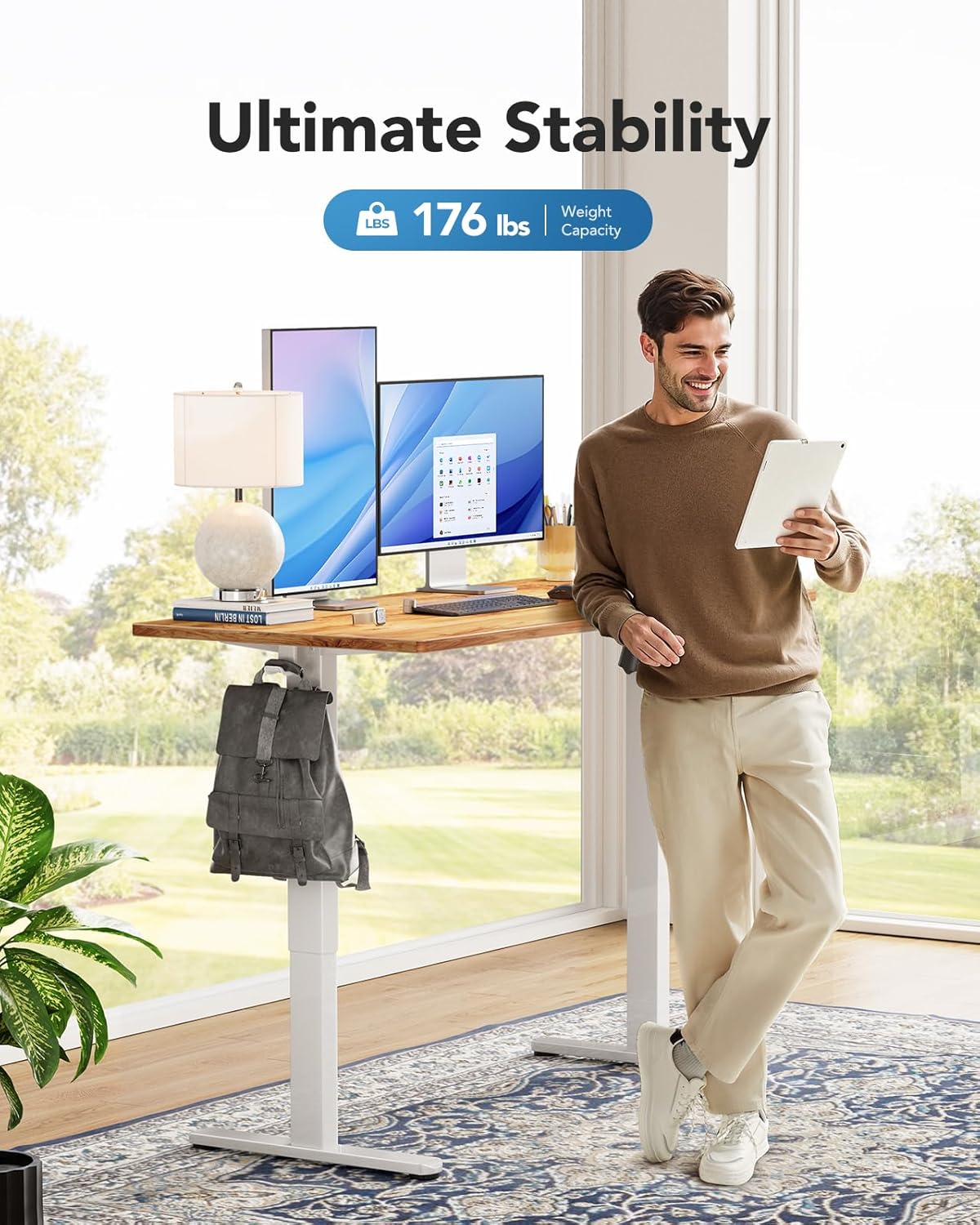
Figure 6: The desk supports a maximum weight capacity of 176 lbs.
Garantioplysninger
This HUANUO Electric Standing Desk comes with a Limited Warranty. For specific terms and conditions, please refer to the warranty card included with your product or contact HUANUO customer support.
Kundesupport
For any questions regarding assembly, operation, troubleshooting, or warranty claims, please contact our dedicated support team:
- E-mail: support@huanuo.com
- Sælger: Bestergo Direct
Video 2: Overståetview of the HUANUO Electric Standing Desk and its features.


