
1. Produktet er slutview
The GAMEMAX SFX 650W Full Modular 80 Plus Gold Power Supply (GS-650G) is designed to provide stable and efficient power for your computer system, especially for small form factor (SFX) builds. Featuring 80 Plus Gold certification, full modularity, and robust protection mechanisms, this PSU ensures reliable performance.
Nøglefunktioner:
- 80 Plus Gold-certificeret: Achieves 90% efficiency or higher under typical loads, reducing energy waste and heat.
- Fuldt modulært design: Allows for custom cable management, improving airflow and reducing clutter within your PC case.
- ATX 3.0 og PCIe 5.0 klar: Designed to support the latest hardware standards. (Note: A 12VHPWR cable is not included).
- Japanese 105°C Capacitors: Ensures unwavering product quality and performance stability.
- Ultra Quiet FDB Fan: Provides efficient cooling with minimal noise.
- Robust beskyttelse: Includes safeguards against Over-Voltage (OVP), Under-bindtage (UVP), Over-Power (OPP), Short-Circuit (SCP), Over-Current (OCP), and Over-Temperature (OTP).
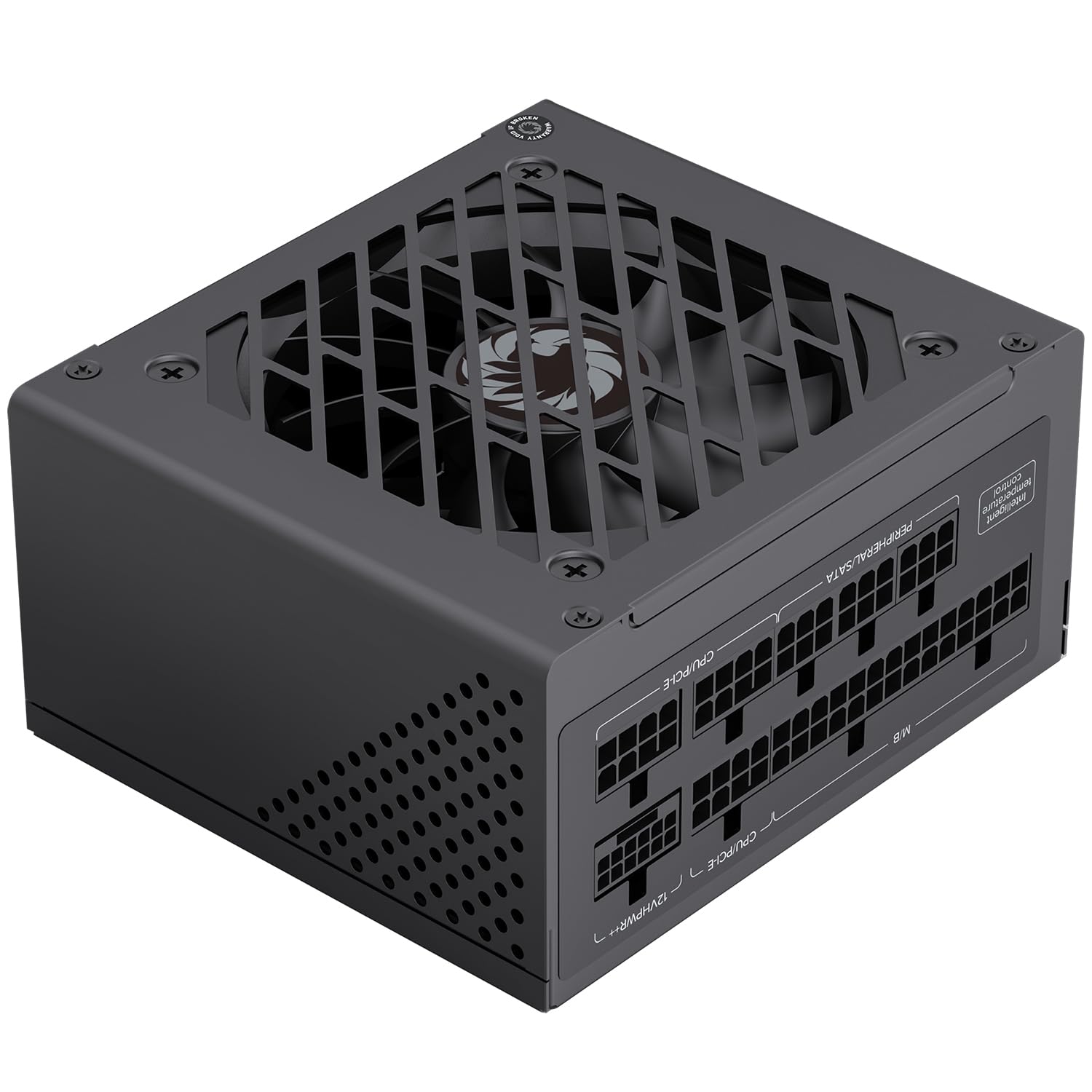
Figur 1: Generelt view of the GAMEMAX SFX 650W Full Modular Power Supply (GS-650G).
2. Sikkerhedsoplysninger
Læs og forstå alle sikkerhedsinstruktioner, før du installerer eller bruger strømforsyningen. Undladelse af at gøre dette kan medføre personskade eller beskadigelse af dit udstyr.
- Tag altid netledningen ud af stikkontakten, før du installerer, fjerner eller rengør strømforsyningen.
- Åbn ikke strømforsyningen casing. Høj volumentagDer er ingen dele indeni, og der er ingen dele, som brugeren kan servicere. Åbning af enheden vil ugyldiggøre garantien.
- Sørg for, at strømforsyningen er installeret i et godt ventileret område, fri for overdreven varme, fugtighed eller støv.
- Brug kun de modulære kabler, der følger med denne strømforsyning. Brug af inkompatible kabler kan forårsage skade på strømforsyningen eller tilsluttede komponenter.
- Tilslut strømforsyningen til en jordet stikkontakt.
- Avoid placing objects on the power supply or blocking its ventilation openings.
3. Pakkens indhold
Bekræft at alle varer er til stede i pakken:
- GAMEMAX SFX 650W Full Modular Power Supply (GS-650G)
- Modular Cable Set (24-pin ATX, 8-pin CPU, PCIe, SATA, IDE)
- AC strømledning
- Monteringsskruer
- Brugervejledning (dette dokument)
4. Installationsvejledning
4.1 Fysisk installation
- Ensure your computer is powered off and the power cord is disconnected from the wall outlet.
- Åbn din computerkasse.
- Locate the SFX power supply mounting area in your case.
- Carefully slide the GAMEMAX GS-650G PSU into the designated slot.
- Fastgør strømforsyningen til kabinettet med de medfølgende monteringsskruer.
4.2 Kabeltilslutning
The full modular design allows you to connect only the cables necessary for your system, reducing clutter and improving airflow. Refer to your motherboard and component manuals for specific connection points.
- 24-bens ATX bundkortkabel: Connects to the main power connector on your motherboard.
- 8-pin (4+4-pin) CPU Cable: Connects to the CPU power connector on your motherboard.
- PCIe Cables (6+2-pin): Connects to graphics cards requiring PCIe power. This PSU is PCIe 5.0 ready.
- SATA kabler: Connects to SATA devices such as SSDs, HDDs, and optical drives.
- IDE/Molex Cables: Connects to older peripherals or case fans.

Figure 2: Diagram illustrating the various modular cables and their approximate lengths.

Figure 3: The power supply is designed to be ATX 3.1 and PCIe 5.1 ready, supporting modern components.
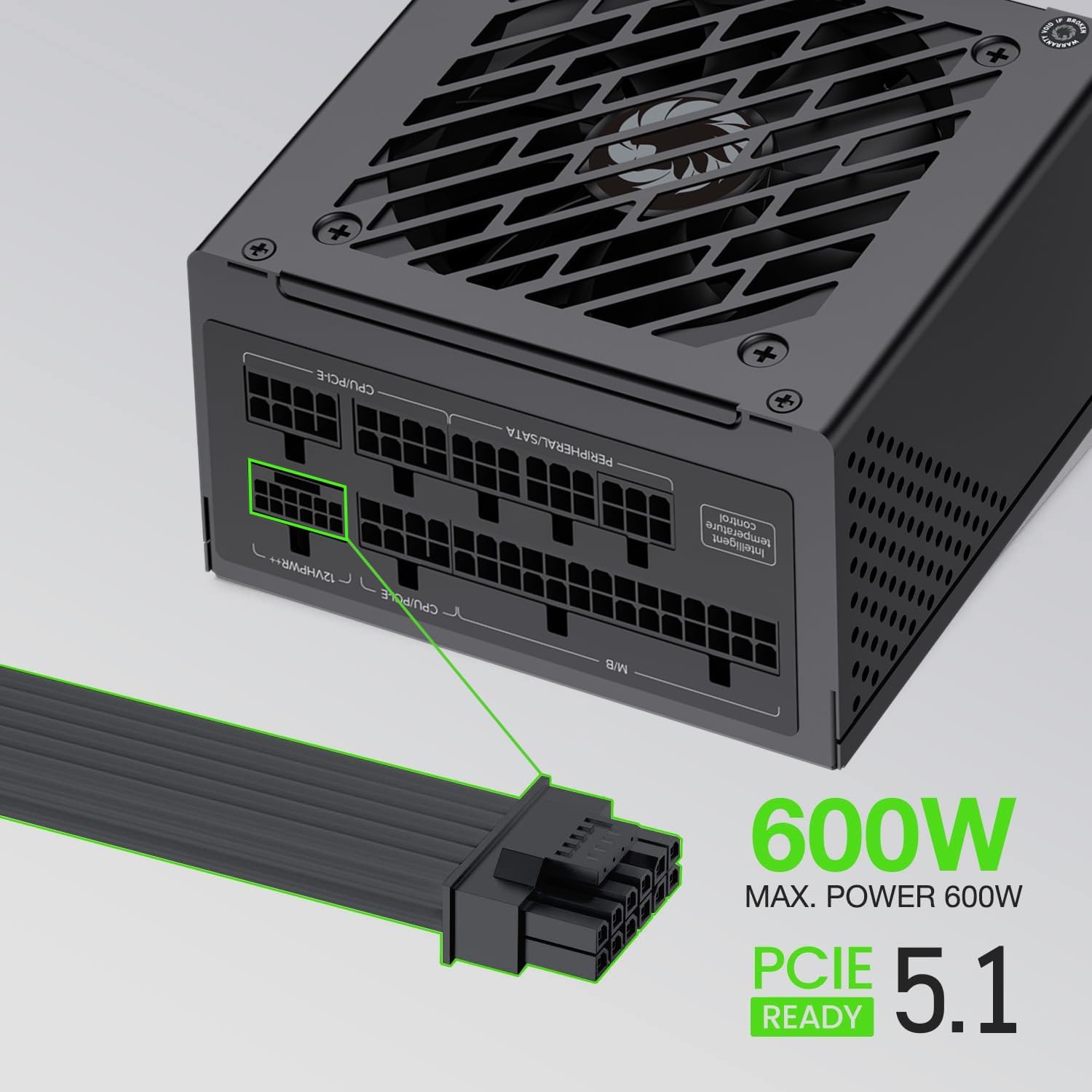
Figure 4: The power supply supports up to 600W maximum power for PCIe 5.1 connections.
5. Betjening
5.1 Indledende tænding
- After all components are securely connected, ensure the power switch on the back of the PSU is in the 'OFF' (0) position.
- Connect the AC power cord to the PSU and then to a grounded wall outlet.
- Flip the power switch on the PSU to the 'ON' (I) position.
- Tryk på tænd/sluk-knappen på computerens kabinet for at starte systemet.
5.2 Normal drift
During normal operation, the GAMEMAX GS-650G power supply will provide stable power to your system. The FDB fan is designed to operate quietly, adjusting its speed based on the internal temperature to maintain optimal cooling without excessive noise.

Figure 5: The power supply features an excellent cooling fan for efficient heat dissipation.
5.3 Beskyttelsesfunktioner
The GAMEMAX GS-650G is equipped with multiple protection circuits to safeguard your system:
- OVP (Over-Voltage beskyttelse): Slukker strømforsyningen ned, hvis udgangsvolumentagoverstiger et sikkert niveau.
- UVP (Under-Voltage beskyttelse): Slukker strømforsyningen ned, hvis udgangsvolumentagfalder under et sikkert niveau.
- OPP (Overbelastningsbeskyttelse): Shuts down the PSU if the total power draw exceeds its maximum capacity.
- SCP (Short-Circuit Protection): Slukker strømforsyningen i tilfælde af kortslutning på en hvilken som helst udgangsskinne.
- OCP (Overstrømsbeskyttelse): Shuts down the PSU if current on a single output rail exceeds a safe level.
- OTP (Overtemperaturbeskyttelse): Slukker strømforsyningen, hvis de interne temperaturer bliver for høje.
6. Vedligeholdelse
Korrekt vedligeholdelse sikrer strømforsyningens levetid og optimale ydeevne.
- Fjernelse af støv: Periodically clean the exterior of the power supply and its fan grille using compressed air to prevent dust buildup. Ensure the system is powered off and unplugged before cleaning.
- Kabelstyring: Ensure cables are neatly routed and do not obstruct airflow within the case.
- Miljøforhold: Brug strømforsyningen inden for de anbefalede temperatur- og luftfugtighedsområder for at forhindre for tidlig slitage.
7. Fejlfinding
Hvis du støder på problemer med din strømforsyning, kan du se følgende almindelige fejlfindingstrin:
- Ingen strøm:
- Kontroller, om netledningen er korrekt tilsluttet både strømforsyningen og stikkontakten.
- Sørg for, at tænd/sluk-knappen på bagsiden af strømforsyningen er i positionen 'ON' (I).
- Kontroller, at stikkontakten fungerer ved at tilslutte en anden enhed.
- Confirm all modular cables are correctly and firmly seated in both the PSU and the components.
- System Shuts Down Unexpectedly:
- This could indicate an activation of one of the PSU's protection features (OVP, OPP, OTP). Ensure adequate ventilation and that your system's power draw does not exceed the PSU's capacity.
- Kontroller for løse kabelforbindelser.
- Usædvanlig støj:
- Ensure no cables are obstructing the PSU fan.
- Clean any dust buildup from the fan and grille.
If problems persist after performing these steps, please contact customer support.
8. Tekniske specifikationer
| Feature | Specifikation |
|---|---|
| Mærke | GAMEMAX |
| Model | GS-650G |
| Formfaktor | SFX |
| Output Wattage | 650 watt |
| Effektivitetscertificering | 80 plus guld |
| Modularitet | Fuldt modulært |
| Afkølingsmetode | Air (FDB Fan) |
| Antal fans | 1 |
| Kondensatorer | Main Japanese 105°C, Solid Capacitors |
| Input bindtage | 100-120 volt (vekselstrøm) |
| Kompatible enheder | Desktop Computer, High-end Graphics Cards, Small Form Factor Cases |
| Beskyttelsesfunktioner | OVP, UVP, OPP, SCP, OCP, OTP |
| Varens vægt | 1.7 kilo |

Figure 6: Efficiency curve demonstrating 80 Plus Gold certification performance.
9. Garantioplysninger
GAMEMAX products are manufactured to the highest quality standards. This power supply is covered by a limited warranty from the date of purchase. Please refer to the official GAMEMAX website or your retailer for specific warranty terms and conditions, as these may vary by region.
Keep your proof of purchase (receipt or invoice) for warranty claims.
10. Kundesupport
For technical assistance, product inquiries, or warranty support, please contact GAMEMAX customer service through their official channels.
- Visit the official GAMEMAX webwebsted for supportressourcer, ofte stillede spørgsmål og kontaktoplysninger.
- Du kan også besøge GAMEMAX Store on Amazon for yderligere produktinformation.