
Indledning
This manual provides essential information for the proper setup, operation, and maintenance of your ONN 24-inch FHD Gaming Monitor, model 100027813. Please read this manual thoroughly before using the product to ensure optimal performance and safety. This monitor is designed to deliver a high-quality gaming experience with its 1080p resolution, 165Hz refresh rate, 1ms response time, and FreeSync technology.
Sikkerhedsoplysninger
Always observe the following safety precautions to prevent damage to the monitor and ensure user safety:
- Udsæt ikke skærmen for regn eller fugt for at undgå brand- eller stødfare.
- Åbn ikke skærmen casing. Der er ingen dele indeni, som brugeren kan servicere. Overlad al service til kvalificeret servicepersonale.
- Placer skærmen på en stabil, plan overflade for at forhindre den i at falde.
- Sørg for tilstrækkelig ventilation omkring skærmen. Bloker ikke ventilationsåbningerne.
- Brug kun den strømadapter, der følger med skærmen.
- Tag stikket til skærmen ud af stikkontakten under tordenvejr eller når den ikke bruges i længere perioder.
Pakkens indhold
Bekræft at alle varer er til stede i pakken:
- ONN 24-inch FHD Gaming Monitor
- Monitorstativ (base og hals)
- Strømadapter
- DisplayPort Cable (6 ft)
- HDMI Cable (6 ft)
- Brugervejledning (dette dokument)

Image: Retail box of the ONN 24-inch Gaming Monitor, highlighting key features like 165Hz, 1ms response time, DisplayPort, HDMI, and Adaptive-Sync.
Opsætning
1. Samling af stativet
- Tag forsigtigt skærmens og stativets komponenter ud af emballagen.
- Attach the stand neck to the stand base. Secure it with the provided screw, if applicable.
- Align the assembled stand with the mounting slot on the back of the monitor. Gently push until it clicks into place or secure with screws as per the design.
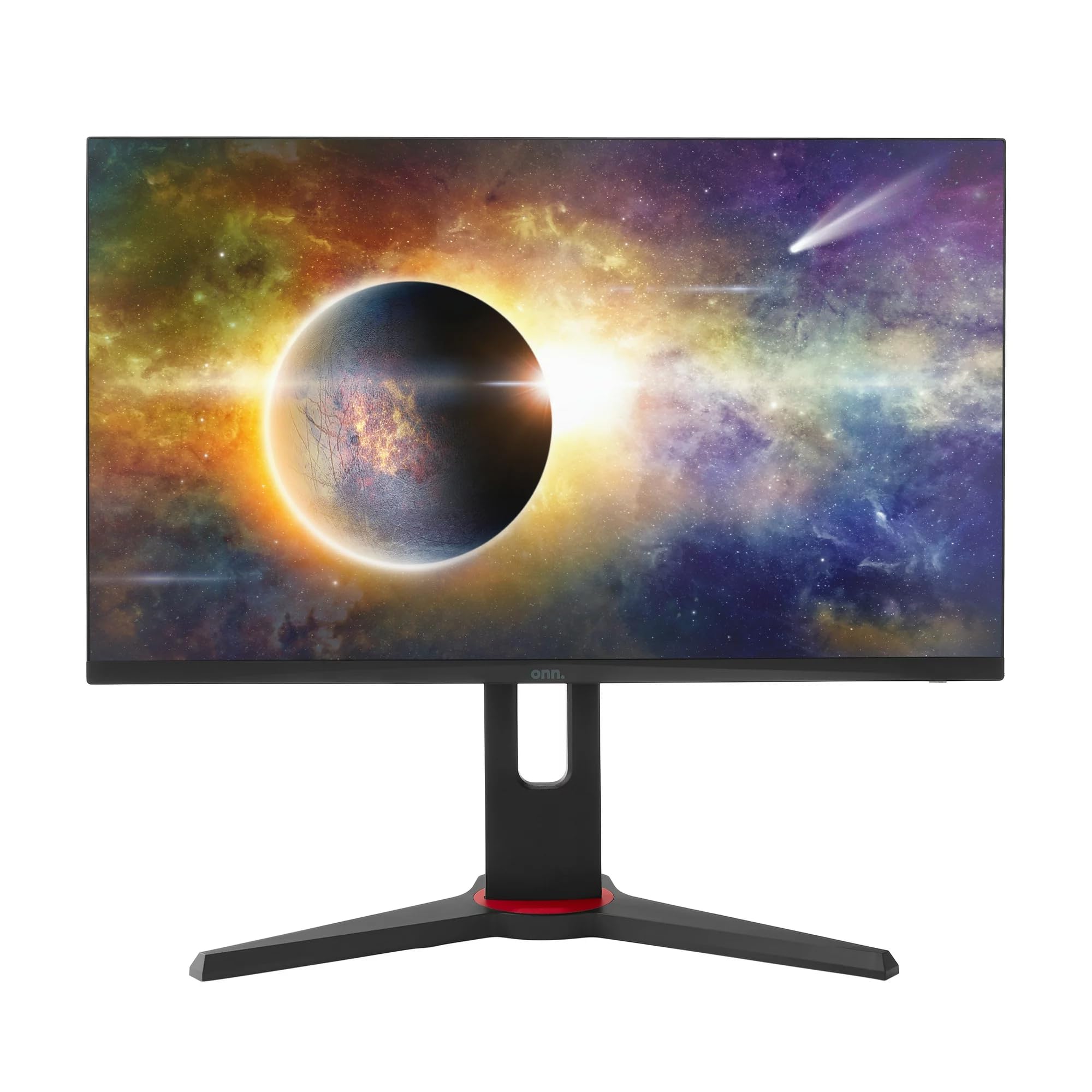
Billede: Forside view of the ONN 24-inch Gaming Monitor, fully assembled with its stand.

Billede: Bagside view of the ONN 24-inch Gaming Monitor, illustrating the stand attachment and cable management area.
2. Tilslutningskabler
Locate the input ports on the back of your monitor:
- Magt: Tilslut strømadapteren til skærmens strømindgang og derefter til en stikkontakt.
- Videoindgang: Connect one end of the provided DisplayPort or HDMI cable to the corresponding port on your computer's graphics card and the other end to the monitor. The monitor supports 2 HDMI inputs and 1 DisplayPort input.
- Lydudgang (valgfrit): If your monitor has a 3.5mm audio jack, you can connect external speakers or headphones.

Billede: Nærbillede view of the monitor's rear ports, including HDMI 1, HDMI 2, DisplayPort (DP), and power input.
3. Første opstart
- Sørg for, at alle kabler er korrekt tilsluttet.
- Press the power button on the monitor (usually located on the back or bottom right).
- The monitor should display the ONN logo and then search for an input signal.
- If no image appears, ensure your computer is powered on and the correct input source is selected on the monitor (see Operating section).
Drift
1. Tænd/sluk
Tryk på tænd/sluk-knappen for at tænde eller slukke skærmen. Strømindikatorlampen viser skærmens status (f.eks. blå for tændt, gul for standby).
2. Navigation i OSD-menuen (On-Screen Display)
Your monitor features an OSD menu for adjusting various settings. Typically, buttons on the back or bottom of the monitor control the OSD:
- Menu-knap: Åbner OSD-menuen.
- Navigationsknapper (op/ned/venstre/højre): Bruges til at navigere gennem menupunkter.
- Vælg/Enter-knap: Bekræfter et valg eller åbner en undermenu.
- Afslut-knap: Afslutter den aktuelle menu eller OSD.
3. Justering af indstillinger
De vigtigste indstillinger, du kan justere via OSD-menuen, inkluderer:
- Lysstyrke/kontrast: Juster den samlede luminans og forskellen mellem lyse og mørke områder.
- Farveindstillinger: Rediger farvetemperatur, gamma og individuelle RGB-niveauer.
- Inputkilde: Manually select between HDMI 1, HDMI 2, or DisplayPort inputs.
- Opdateringshastighed: Ensure your graphics card and monitor are set to 165Hz for the smoothest experience. This is usually configured in your operating system's display settings.
- Svartid: Adjust the monitor's response time setting (e.g., 1ms) for reduced motion blur in fast-paced games.
- FreeSync-teknologi: Enable FreeSync in the OSD menu and in your AMD graphics card settings to synchronize the monitor's refresh rate with your GPU's frame rate, eliminating screen tearing and stuttering.
- Billedtilstande: Select from preset modes optimized for different content (e.g., Standard, Game, Movie, Text).

Image: The ONN 24-inch Gaming Monitor displayed in a typical desk setup, connected to a laptop with gaming peripherals.
Opretholdelse
Rengøring af skærmen
- Tag altid stikket ud af skærmen før rengøring.
- Brug let en blød, fnugfri klud damprengøres med vand eller et mildt, ikke-slibende skærmrensemiddel.
- Sprøjt ikke rengøringsmiddel direkte på skærmen. Påfør det først på kluden.
- Undgå at bruge skrappe kemikalier, slibende svampe eller opløsningsmidler.
Opbevaring
Hvis skærmen opbevares i en længere periode, skal alle kabler frakobles, den pakkes i dens originale emballage (hvis tilgængelig) og opbevares et køligt, tørt sted væk fra direkte sollys og ekstreme temperaturer.
Fejlfinding
Hvis du støder på problemer med din skærm, kan du se følgende almindelige problemer og løsninger:
| Problem | Mulig løsning |
|---|---|
| Intet billede på skærmen |
|
| Image is flickering or distorted |
|
| Ingen lyd (hvis du bruger monitorhøjttalere/lydudgang) |
|
| Monitor not reaching 165Hz |
|
Specifikationer
Detailed technical specifications for the ONN 24-inch FHD Gaming Monitor (Model 100027813):
| Feature | Specifikation |
|---|---|
| Modelnummer | 100027813 |
| Skærmstørrelse | 24 tommer |
| Opløsning | FHD 1080p (1920x1080) |
| Opdateringshastighed | 165 Hz |
| Svartid | 1 millisekunder |
| Displayteknologi | IPS |
| Adaptiv synkronisering | FreeSync |
| Aspektforhold | 16:9 |
| Kontrastforhold | 2000:1 |
| Skærmoverflade | Matte, Anti-glare with low blue light setting |
| Forbindelse | 2 x HDMI, 1 x DisplayPort |
| Produktmål (D x B x H) | 61.3 x 11.3 x 37.3 cm |
| Varens vægt | 6.1 kg |
| Farve | Sort |
| Monteringstype | Skrivebordsmontering |
| Specifikke anvendelser | Entertainment, Gaming |
Garanti
This ONN 24-inch FHD Gaming Monitor is a renewed product. Warranty terms and conditions for renewed products may vary. Please refer to the specific warranty information provided by the seller or retailer at the time of purchase. It is recommended to retain your proof of purchase for any warranty claims.
Støtte
For technical assistance, troubleshooting beyond this manual, or warranty inquiries, please contact the retailer or the Amazon Renewed support channel where the product was purchased. Have your model number (100027813) and proof of purchase ready when contacting support.