
VEAT00L VEAT00L
VEAT00L Wireless Bluetooth Earbuds User Manual
Model: VEAT00L
Indledning
Thank you for choosing the VEAT00L Wireless Bluetooth Earbuds. These earbuds are designed to provide a superior audio experience with advanced features such as Bluetooth 5.4 connectivity, extended battery life, noise-canceling microphone, and IP7 waterproof rating. This manual will guide you through the setup, operation, and maintenance of your new earbuds to ensure optimal performance and longevity.
Sikkerhedsoplysninger
Læs venligst alle sikkerhedsadvarsler og instruktioner omhyggeligt, inden du bruger dette produkt, for at forhindre personskade eller beskadigelse.
- Udsæt ikke ørepropperne eller opladningsetuiet for ekstreme temperaturer, direkte sollys eller ild.
- Undgå at tabe, slå eller skille enheden ad.
- Keep away from water and liquids, even with the IP7 rating, prolonged submersion is not recommended.
- Do not use abrasive cleaners or chemicals to clean the earbuds.
- Lyt ved moderat lydstyrke for at undgå høreskader.
- Opbevares utilgængeligt for børn.
Pakkens indhold
Sørg for, at alle varer er til stede i din pakke:
- VEAT00L Wireless Bluetooth Earbuds (Left and Right)
- Opladningsetui
- Ørepropper (forskellige størrelser)
- USB opladningskabel
- Brugermanual
Produkt overview
Familiarize yourself with the components of your VEAT00L earbuds and charging case.

Image: VEAT00L Wireless Bluetooth Earbuds inside their charging case, illustrating the charging process with digital battery indicators on the case.
- høretelefoner Left and Right earbuds with earhook design for secure fit.
- Multi-function Button/Touch Area: Til styring af musik, opkald og stemmeassistent.
- Mikrofon: Built-in for calls and voice commands.
- Opladningskontakter: Placeret på ørepropperne og inde i etuiet.
- Opladningsetui: Stores and charges the earbuds, with a digital display for battery status.
- USB-C opladningsport: On the back or bottom of the charging case.
Opsætning
1. Opladning af øretelefoner og etuiet
Oplad både ørepropperne og opladningsetuiet helt inden første brug.
- Place the earbuds into the charging case, ensuring they are correctly seated. The earbuds will automatically begin charging.
- Tilslut USB-opladerkablet til opladningsporten på etuiet og den anden ende til en USB-strømadapter (medfølger ikke) eller en computers USB-port.
- The digital display on the charging case will show the battery level. Allow approximately 1-2 hours for a full charge.
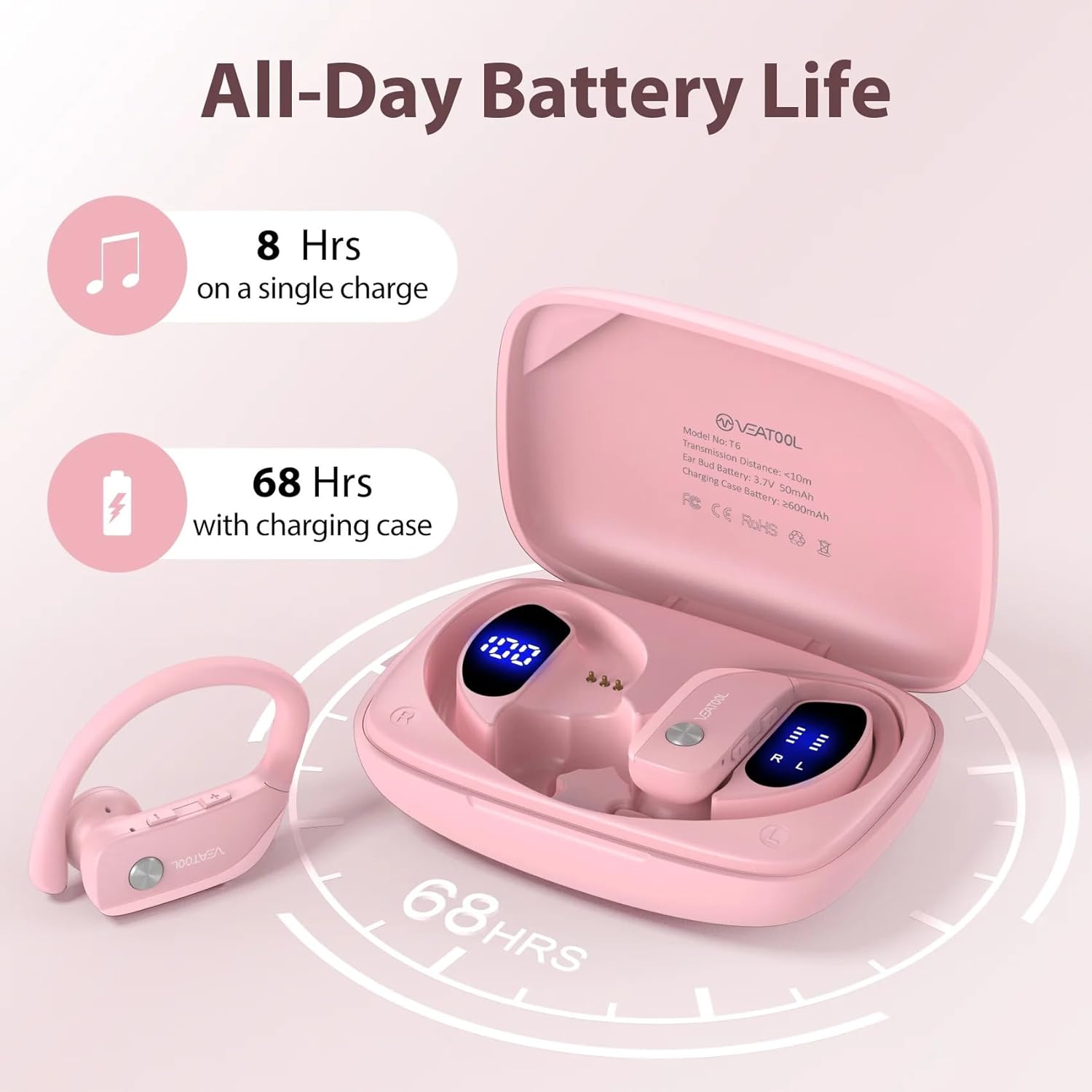
Image: Diagram showing the VEAT00L earbuds and charging case, highlighting the extended battery life of 8 hours on a single charge and 68 hours with the charging case, totaling 72 hours.
Batterilevetid: The earbuds provide approximately 8 hours of playback on a single charge. The charging case provides multiple additional charges, extending the total playtime to up to 72 hours.
2. Parring med din enhed
Ørepropperne går automatisk i parringstilstand, når de tages ud af opladningsetuiet.
- Open the charging case and remove both earbuds. They will automatically power on and connect to each other.
- Gå til Bluetooth-indstillingerne på din smartphone eller Bluetooth-aktiverede enhed.
- Søg efter new devices and select "VEAT00L" from the list.
- Når der er forbindelse, hører du en bekræftelsestone, og ørepropperne er klar til brug.
- Hvis parringen mislykkes, skal du sætte ørepropperne tilbage i etuiet, lukke låget, vente et par sekunder og derefter gentage trinnene.
Betjeningsvejledning
The VEAT00L earbuds feature intuitive touch controls for various functions.

Image: Close-up of a VEAT00L earbud showing various touch control icons and their corresponding functions, such as Answer, Hang Up, ON/OFF, Play/Pause, Previous/Next, Voice Assistant, Reject, and Volume +/-.
| Fungere | Handling |
|---|---|
| Tænd | Take earbuds out of charging case. |
| Sluk | Place earbuds back into charging case. |
| Afspil/pause musik | Et enkelt tryk på begge øretelefoner. |
| Næste spor | Dobbelttryk på den højre øreprop. |
| Forrige spor | Dobbelttryk på den venstre øreprop. |
| Lydstyrke op | Tryk tre gange på den højre øreprop. |
| Lydstyrke ned | Tryk tre gange på den venstre øreprop. |
| Besvar/afslut opkald | Enkelt tryk på begge øretelefoner under et indgående opkald. |
| Afvis opkald | Tryk og hold en af øretelefonerne nede i 2 sekunder under et indgående opkald. |
| Aktiver Voice Assistant | Tryk på en af øretelefonerne, og hold den nede i 3 sekunder. |
Opretholdelse
Proper care will extend the life of your VEAT00L earbuds.
- Rensning: Use a soft, dry, lint-free cloth to clean the earbuds and charging case. Do not use harsh chemicals or abrasive materials. For earwax buildup, gently clean the earbud mesh with a small, soft brush.
- Opbevaring: Når ørepropperne ikke er i brug, skal de opbevares i deres opladningsetui for at beskytte dem og holde dem opladede. Opbevares køligt og tørt, væk fra direkte sollys.
- Batteripleje: For at forlænge batteriets levetid skal du oplade ørepropperne og etuiet regelmæssigt, selvom de ikke bruges ofte. Undgå at aflade batteriet helt i længere perioder.
Fejlfinding
Hvis du støder på problemer med dine ørepropper, kan du prøve følgende løsninger:
| Problem | Løsning |
|---|---|
| Øretelefoner parres ikke med enheden. |
|
| Kun én øreprop virker. |
|
| Ingen lyd eller lav lydstyrke. |
|
| Opladningsetuiet oplader ikke. |
|
Specifikationer
| Feature | Detalje |
|---|---|
| Modelnavn | VEAT00L |
| Forbindelsesteknologi | Trådløs (Bluetooth) |
| Bluetooth version | 5.4 |
| Batterilevetid (ørepropper) | Op til 8 timer (enkelt opladning) |
| Samlet spilletid (med etui) | Op til 72 timer |
| Vandmodstandsniveau | IP7 vandtæt |
| Ørestykke form | Ørekrog |
| Kontroltype | Mediekontrol (berøring) |
| Inkluderede komponenter | øreoliven |
| Farve | Lyserød |
Garanti og support
For warranty information and technical support, please refer to the contact details provided with your purchase or visit the official VEAT00L webwebsted. Gem din købsbevis til garantikrav.
If you have any questions or require assistance, do not hesitate to contact our customer support team.
Ask a question about this manual
Ask about setup, troubleshooting, compatibility, parts, safety, or missing instructions. Manuals+ will review the question and use this page’s manual context to help answer it.