
Indledning
This manual provides essential information for the safe and efficient operation of your amazon basics X20R 20W Bluetooth Soundbar. Please read these instructions carefully before using the product and retain them for future reference.
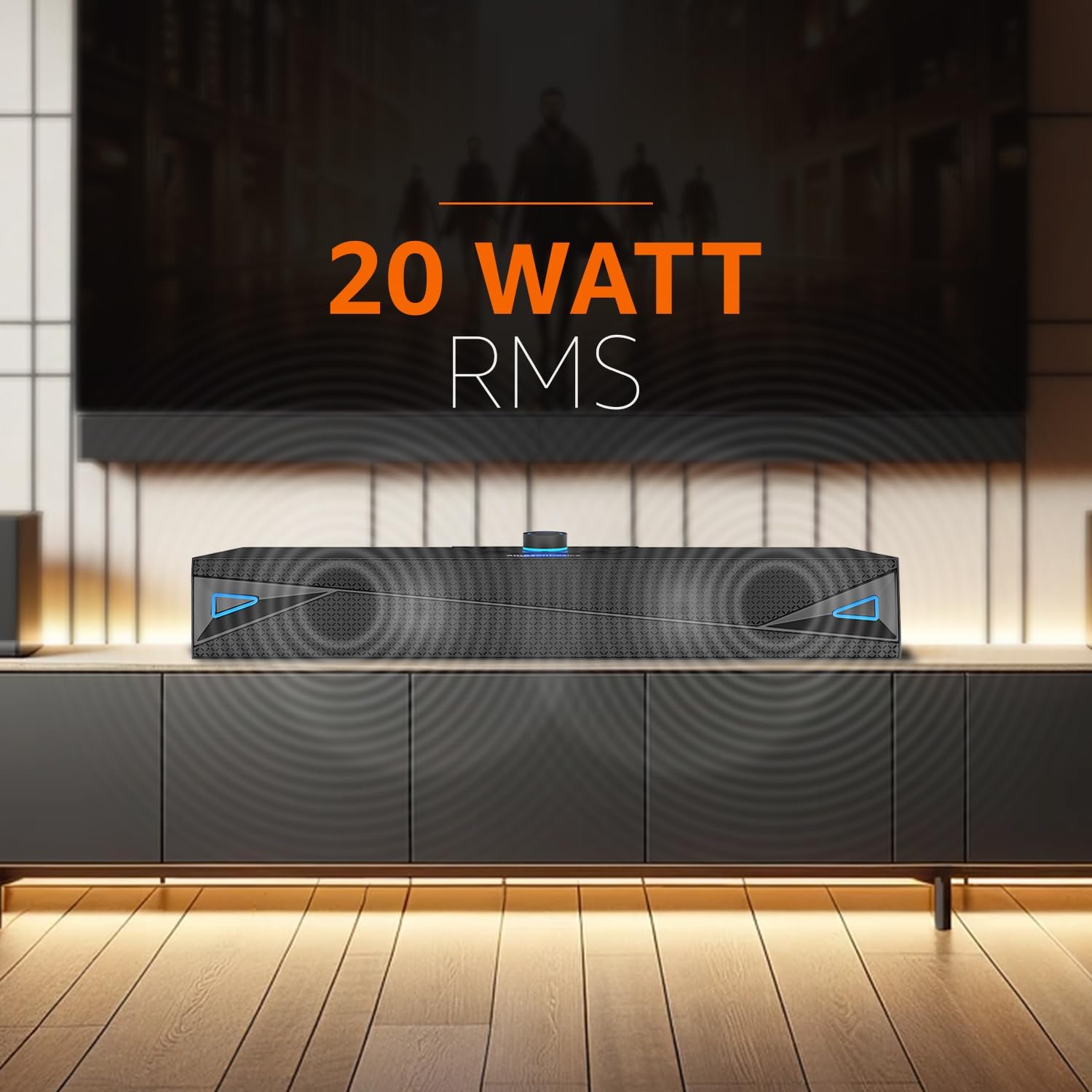
Figur 1: Forside view of the amazon basics X20R 20W Bluetooth Soundbar.
Hvad er der i æsken
Kontroller, at alle komponenter er til stede ved udpakning:
- 1N Soundbar
- 1N opladningskabel
- 1N AUX kabel
- 1N Brugervejledning
Produkt overview
Kontroller og indikatorer

Figur 2: Betjeningselementer på toppanelet.
The top panel features touch controls for power, volume adjustment, mode selection, and playback. A central knob typically controls volume and may also serve as a power button.
Porte og forbindelser

Figure 3: Rear panel input ports.
Bagpanelet tilbyder forskellige tilslutningsmuligheder:
- AUX-indgang: Til tilslutning af enheder via et 3.5 mm lydkabel.
- USB-port: Til afspilning fra USB-flashdrev.
- TF-kortslot: Til afspilning af Micro SD-kort.
- Charging Port (12V-1A): Til tilslutning af ladekablet.
Opsætning
- Charging the Soundbar: Connect the provided charging cable to the soundbar's charging port and a suitable power adapter. The LED indicator will show charging status. Ensure the soundbar is fully charged before first use for optimal battery life.
- Placering: Place the soundbar on a stable, flat surface, such as a tabletop, near your television or audio source. Ensure there are no obstructions blocking the sound output.
- Tænd: Press and hold the power button (often integrated with the volume knob) on the top panel until the soundbar powers on.
Betjeningsvejledning
Bluetooth-tilstand
- Power on the soundbar. It will automatically enter Bluetooth pairing mode, indicated by a flashing LED.
- Aktiver Bluetooth på din enhed (smartphone, tablet, bærbar computer), og søg efter tilgængelige enheder.
- Select "ABSBX20R" or a similar name from the list. Once connected, the LED indicator will become solid.
- Du kan nu afspille lyd fra din enhed via soundbaren.
AUX-indgangstilstand
- Connect one end of the provided 3.5mm AUX cable to the AUX input port on the soundbar.
- Connect the other end to the audio output jack of your external device (e.g., TV, MP3 player).
- Press the 'Mode' button on the soundbar until AUX mode is selected.
- Adjust the volume on both the soundbar and your connected device.
USB-afspilningstilstand
- Indsæt et USB-flashdrev med lyd files i USB-porten på soundbaren.
- The soundbar should automatically switch to USB mode. If not, press the 'Mode' button to select it.
- Use the playback controls (play/pause, next/previous track) on the soundbar to manage your music.
Micro TF Card Playback Mode
- Insert a Micro TF (SD) card containing audio files ind i TF-kortstikket på soundbaren.
- The soundbar should automatically switch to TF card mode. If not, press the 'Mode' button to select it.
- Use the playback controls on the soundbar to manage your music.
Generelle kontroller
- Tænd/sluk: Tryk og hold tænd/sluk-knappen nede.
- Lydstyrke op/ned: Rotate the volume knob or use dedicated volume buttons.
- Valg af tilstand: Press the 'Mode' button to cycle through Bluetooth, AUX, USB, and TF card inputs.
- Afspil/pause: Press the play/pause button during media playback.
- Næste / forrige nummer: Use the skip buttons during media playback.
Opretholdelse
- Rensning: Brug en blød, tør klud til at rengøre overfladen på soundbaren. Brug ikke flydende rengøringsmidler eller slibende materialer.
- Opbevaring: Når soundbaren ikke er i brug i længere perioder, skal den opbevares køligt og tørt, væk fra direkte sollys og ekstreme temperaturer.
- Batteripleje: To prolong battery life, avoid fully discharging the battery frequently. Charge the soundbar regularly, even if not in constant use.
- Vandtæthed: The product is indicated as waterproof. However, avoid submerging it in water or exposing it to heavy splashes for prolonged periods to prevent damage.
Fejlfinding
| Problem | Mulig årsag | Løsning |
|---|---|---|
| Ingen strøm | Batteriet er fladt; strømkablet er ikke tilsluttet. | Charge the soundbar; Ensure charging cable is securely connected. |
| Ingen lyd | Lydstyrken er for lav; Forkert inputtilstand; Enheden er ikke tilsluttet korrekt. | Increase volume on soundbar and source device; Select correct input mode; Reconnect device. |
| Bluetooth-parringsfejl | Soundbaren er ikke i parringstilstand; Enheden er for langt væk; Interferens. | Sørg for, at soundbaren er i parringstilstand; Flyt enheden tættere på; Sluk andre Bluetooth-enheder. |
| USB/TF-kort afspiller ikke | Ukorrekt file formatering; Kort/drev ikke isat korrekt; Beskadiget medie. | Sørg for lyd files are compatible; Reinsert card/drive; Try a different card/drive. |
Specifikationer
- Modelnavn: ABSBX20R
- Højttalertype: Soundbar
- Højttalers maksimale udgangseffekt: 20 watt
- Forbindelse teknologi: Bluetooth 5.3, Auxiliary, USB, Micro TF Card
- Strømkilde: Batteridrevet (2000mAh litium-ion)
- Gennemsnitlig batterilevetid: Op til 9 timer (ved 50 % volumen)
- Kontrolmetode: Røre
- Særlige funktioner: Built-in Microphone, Portable, USB Port
- Produktdimensioner: 6.2 x 41.8 x 7 cm
- Varens vægt: 681 g
- Farve: Grå
- Er vandtæt: Ja
- Inkluderede komponenter: Soundbar, Charging Cable, AUX Cable, User Manual
Garanti og support
This product comes with a Limited Warranty. For detailed warranty terms and conditions, please refer to the warranty information provided with your purchase or contact amazon basics customer support.
For further assistance, troubleshooting, or product inquiries, please visit the official amazon basics store or contact their customer service channels.
amazon basics Store: https://www.amazon.in/stores/amazonbasics/page/6EBA15C5-8084-4DBC-937C-A6F6FDE0A8C7