
Indledning
Tak for købetasing the Youshiko YC8071 Jumbo Radio Controlled Wall Clock. This clock is designed to provide accurate timekeeping through its radio-controlled function, automatically adjusting for daylight saving time. It also features a clear LCD display, indoor temperature, and an alarm function. Please read this manual carefully to ensure proper setup and operation.
Produktegenskaber
- Radiostyret tid: Automatically synchronizes with the MSF signal (UK version) for precise time.
- Automatisk sommertidsjustering: Automatically adjusts for Daylight Saving Time (Spring/Autumn).
- Stort LCD-display: Clear and easy-to-read display for time, date, and temperature.
- Datovisning: Shows full weekday and 3-digit month.
- Indendørs temperaturdisplay: Displays temperature in Celsius (°C) or Fahrenheit (°F).
- Dobbelt alarm med snooze: Two independent alarms with a snooze function.
- Tidsformat: Selectable 12 or 24-hour display format.
- Alsidig placering: Suitable for wall mounting or tabletop use with an integrated stand.
Pakkens indhold
- Youshiko YC8071 Jumbo Radio Controlled Wall Clock
- Instruktionsmanual
- (Batterier er ikke inkluderet)
Opsætning
1. Batteriinstallation
- Find batterirummet på bagsiden af uret.
- Åbn batterirummets dæksel.
- Isæt 2 x AA-batterier (medfølger ikke) i henhold til polaritetsmarkeringerne (+ og -).
- Luk batterirummets dæksel forsvarligt.

Billede: Bag view of the clock showing the battery compartment and integrated stand. The battery compartment is located centrally on the back.
2. Initial Setup and Radio Control Signal Reception
After battery installation, the clock will automatically begin searching for the radio control signal (MSF for UK and Ireland). This process may take several minutes. During this time, the radio control icon will flash on the display.
- Placer uret i nærheden af et vindue for optimal signalmodtagelse.
- Undgå at placere uret i nærheden af elektroniske enheder, der kan forårsage interferens (f.eks. tv'er, computere, mikrobølgeovne).
- Once the signal is received, the time and date will set automatically, and the radio control icon will become solid.
- The clock automatically checks the time daily to ensure accuracy.
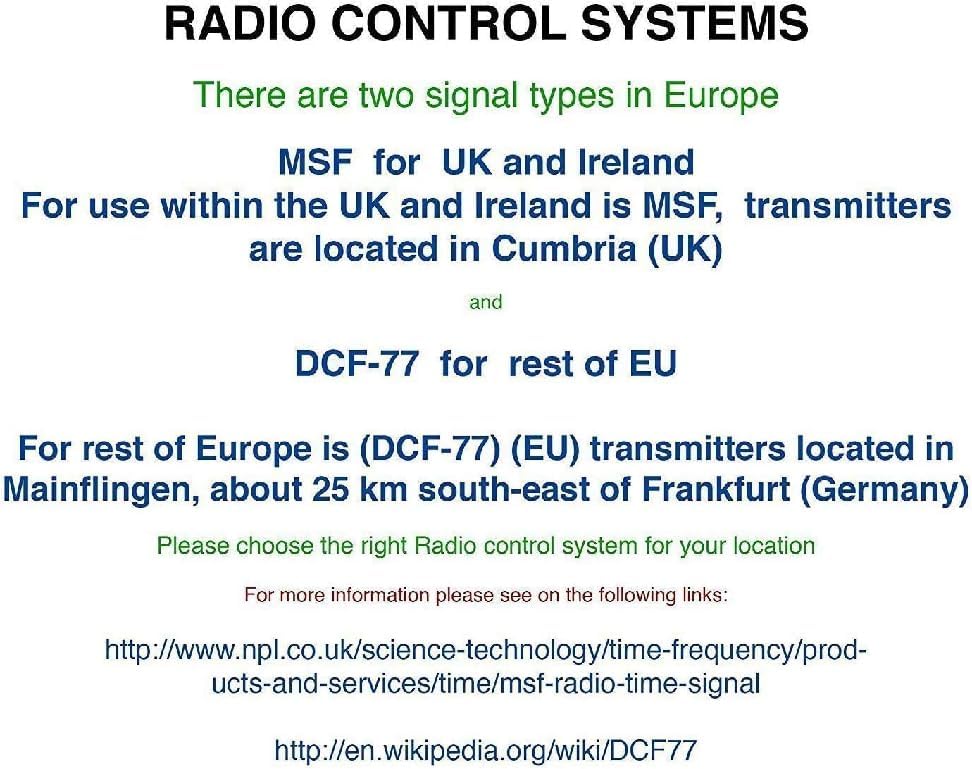
Billede: Diagram illustrating radio control systems. It specifies MSF for UK and Ireland, with transmitters in Cumbria (UK), and DCF-77 for the rest of the EU, with transmitters in Mainflingen, Germany. Users should choose the correct system for their location. This clock uses MSF.
If the signal is not received after a few hours, try relocating the clock to a different position or manually setting the time (see "Manual Settings" section).
Betjeningsvejledning
Display overview

Billede: The main display of the Youshiko YC8071 clock. It shows the date (e.g., 26/SEP), large digital time (e.g., 12:34), day of the week (e.g., SATURDAY), and indoor temperature (e.g., 27.8°C). Radio control signal, DST, and alarm indicators are also visible.
- Tid: Large digits display the current time.
- Dato: Displays day and month (e.g., 26/SEP).
- Ugedag: Full weekday name (e.g., SATURDAY).
- Temperatur: Indoor temperature in °C or °F.
- Ikon for radiostyring: Indicates signal reception status.
- DST-indikator: Viser om sommertid er aktiv.
- Alarmindikatorer: Ikoner for Alarm 1 og Alarm 2.
Knapper overview (Refer to back panel image)

Billede: Bag view of the clock, highlighting the control buttons. From left to right, these typically include buttons for settings, plus (+), minus (-), alarm, and memory (MEM).
- SET knap: Used to enter setting modes.
- + / - buttons: Used to adjust values or toggle settings.
- ALARM knap: Bruges til at indstille og aktivere alarmer.
- MEM button: Used for memory functions (e.g., min/max temperature).
Setting Time and Date Manually (If RC signal is unavailable)
- Tryk og hold på SÆT knappen, indtil displayet blinker.
- Brug + or - knapper til at justere den blinkende værdi (f.eks. time, minut, år, måned, dag).
- Trykke SÆT igen for at bekræfte indstillingen og gå videre til den næste værdi.
- Gentag indtil alle ønskede indstillinger er konfigureret.
- The clock will exit setting mode automatically after a few seconds of inactivity, or you can press SÆT repeatedly until normal display resumes.
Indstilling af alarm
- Tryk på ALARM knap én gang til view Alarm 1 gang. Tryk igen for Alarm 2.
- Mens viewfor at indstille et alarmtidspunkt, skal du trykke på og holde ALARM knappen, indtil alarmens time blinker.
- Brug + or - knapperne for at justere timetallet. Tryk på ALARM for at bekræfte.
- Adjust the minutes using + or -, og tryk derefter på ALARM for at bekræfte.
- For at aktivere/deaktivere en alarm skal du trykke på ALARM button repeatedly until the desired alarm icon (1 or 2) appears/disappears on the main display.
Snooze funktion
When an alarm sounds, press any button (except ALARM) to activate the snooze function. The alarm will temporarily stop and sound again after approximately 5-10 minutes. To stop the alarm completely, press the ALARM knap.
Ændring af temperaturenhed (°C/°F)
Tryk på MEM button to toggle between Celsius (°C) and Fahrenheit (°F) display for the indoor temperature.
12/24 timers format
I normal tidsvisningstilstand skal du trykke på + knappen for at skifte mellem 12-timers og 24-timers tidsformater.
Monteringsmuligheder
The Youshiko YC8071 clock offers two convenient placement options:
- Vægmontering: Use the integrated hanging hole on the back of the clock to mount it securely on a wall.
- Bordstativ: Extend the integrated stand on the back of the clock for stable placement on a desk, shelf, or table.
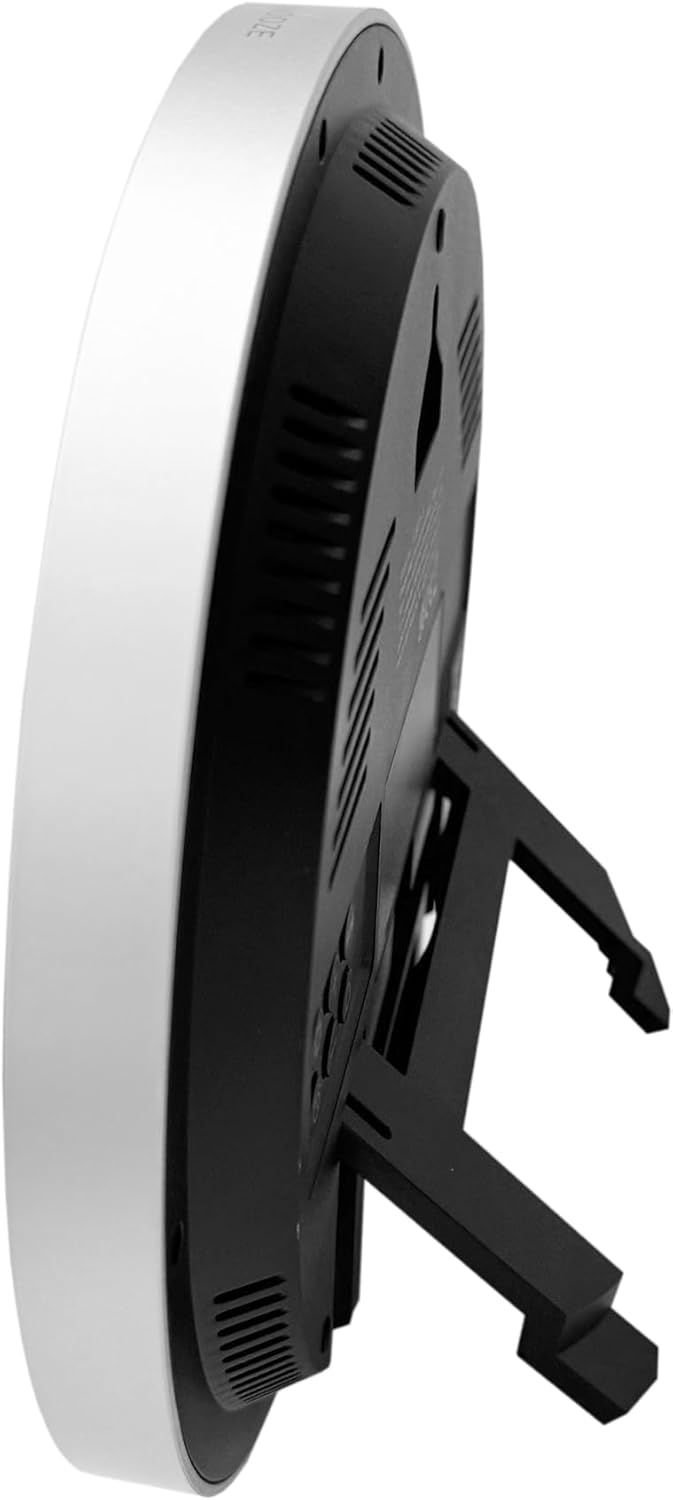
Billede: Side view of the clock with its integrated stand deployed, allowing it to stand upright on a flat surface.
Billede: Bag view of the clock, showing the recessed hanging hole for wall mounting and the stand folded flat against the back panel.
Fejlfinding
- Ingen visning / Svag visning:
- Kontroller batteriets polaritet.
- Udskift gamle batterier med nye.
- Incorrect Time / No Radio Signal:
- Ensure the clock is placed in an area with good signal reception (near a window, away from interference).
- Allow several hours for the clock to receive the signal.
- Manually set the time if the radio signal is consistently unavailable.
- Verify you are in an MSF signal reception area (UK/Ireland).
- Temperaturaflæsning unøjagtig:
- Ensure the clock is not exposed to direct sunlight or heat sources, which can affect the sensor.
- Allow time for the sensor to stabilize after moving the clock to a new environment.
- Alarmen lyder ikke:
- Kontroller om alarmen er aktiveret (alarmikonet er synligt på displayet).
- Sørg for, at alarmtidspunktet er indstillet korrekt.
Specifikationer
| Modelnummer | YC8071 |
| Mærke | Youshiko |
| Tidskontrol | Radio Controlled (MSF - UK/Ireland) |
| Display Type | LCD digital |
| Tidsformat | 12/24 timers valgbar |
| Temperaturområde | Indendørs temperatur (°C/°F) |
| Alarm | Dobbelt alarm med snooze |
| Strømkilde | 2 x AA batterier (medfølger ikke) |
| Dimensioner (H x B x D) | 20.5 x 20.5 x 2.8 cm (approx. 20.5 x 3.81 x 20.5 cm including stand) |
| Vægt | 430 g |
| Monteringsmuligheder | Wall mount or Tabletop stand |

Billede: Technical diagram illustrating the dimensions of the clock. It shows a diameter of 20.5 cm and various segment heights on the display, such as 2.9 cm for the main time digits.
Pleje og vedligeholdelse
- Rengør uret med en blød, tør klud. Brug ikke slibende rengøringsmidler eller opløsningsmidler.
- Undgå at udsætte uret for ekstreme temperaturer, direkte sollys eller høj luftfugtighed.
- Hvis uret ikke skal bruges i længere tid, skal batterierne fjernes for at forhindre lækage.
- Keep the clock away from strong magnetic fields or sources of radio interference.
Garanti og support
Youshiko products are manufactured to high-quality standards. For warranty information or technical support, please refer to the warranty card included with your purchase or visit the official Youshiko webwebsted. Gem venligst din købsbevis til garantikrav.