
Indledning
Thank you for choosing Docooler BT5.4 Wireless Earhook Headphones. This manual provides essential information for the proper setup, operation, and maintenance of your new headphones. Please read it carefully before use and retain it for future reference.

Image: The Docooler BT5.4 Wireless Earhook Headphones with their charging case, showcasindet ergonomiske design.
Opsætning
1. Opladning af hovedtelefoner og etuiet
Før første brug skal du sørge for, at både ørepropperne og opladningsetuiet er fuldt opladet.
- Opladningstid for øretelefoner: Cirka 40 minutter.
- Opladningsetui Opladningstid: Cirka 1 time.
Connect the provided charging cable to the charging case and a compatible USB power source. The charging case display will indicate the charging status.
2. Indledende parring
The Docooler BT5.4 headphones feature automatic power-on and fast pairing.
- Fjern begge ørepropper fra opladningsetuiet. De tændes automatisk og forsøger at parre med hinanden.
- On your Bluetooth-enabled audio device (smartphone, tablet, etc.), go to the Bluetooth settings.
- Søg efter available devices and select "Docooler BT5.4" (or similar name) from the list.
- Når der er forbindelse, hører du en bekræftelsestone, og ørepropperne er klar til brug.
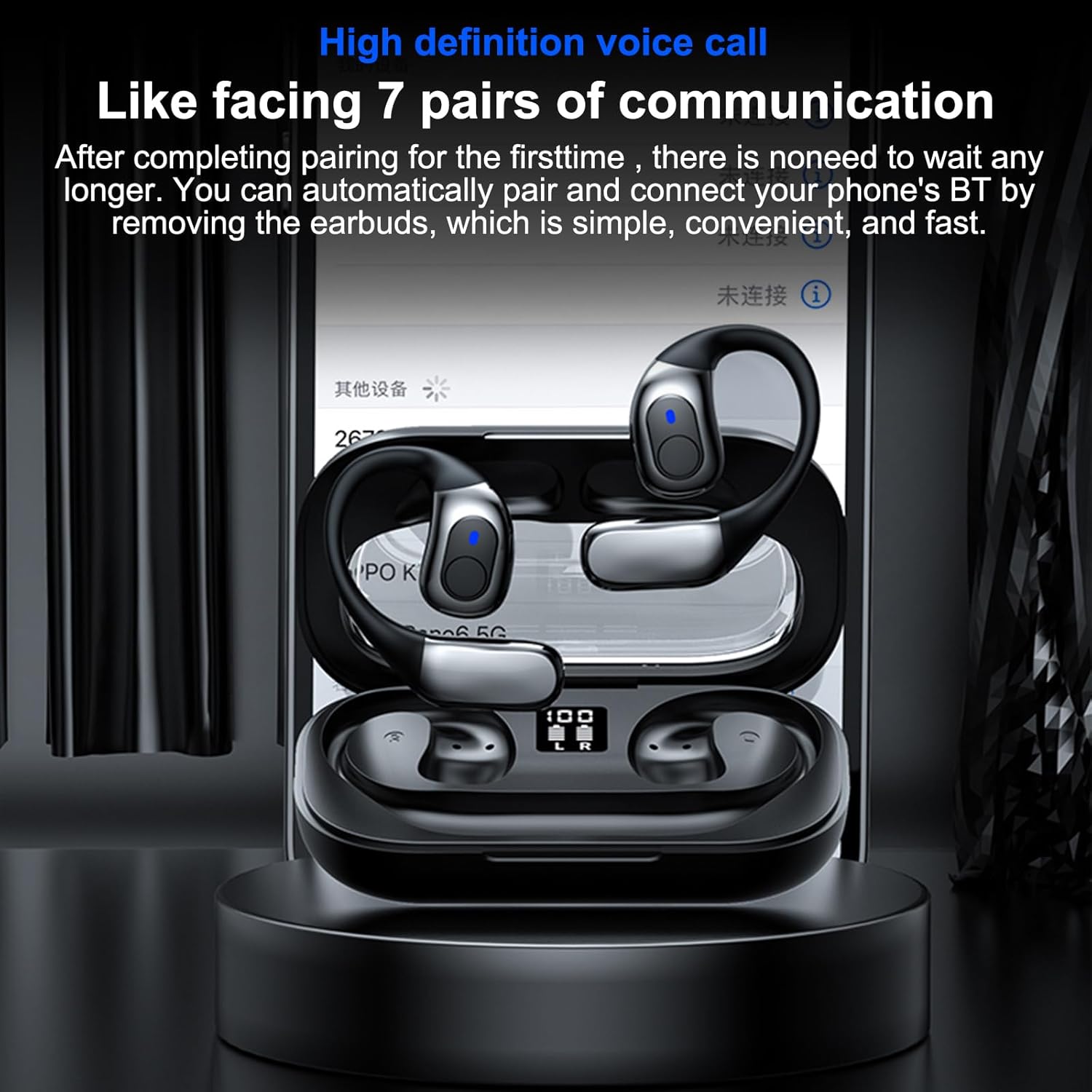
Image: The headphones in their charging case, illustrating the high-definition voice call feature and automatic pairing with a mobile device.
3. Automatisk genforbindelse
After the initial pairing, the headphones will automatically connect to your last paired device when removed from the charging case, provided Bluetooth is enabled on your device.
Betjeningsvejledning
1. Brug af hovedtelefoner
The ergonomic earhook design ensures a secure and comfortable fit. Place the earhook over your ear, positioning the earbud speaker towards your ear canal. The design allows for comfortable wear during various activities.

Billede: Et nærbillede view of the earhook design, highlighting its comfortable and non-intrusive fit for extended wear.
2. Grundlæggende funktioner
- Tænd/sluk: Automatically power on when removed from the case, and power off when placed back into the case.
- Afspil/pause: Tryk én gang på berøringsbetjeningsområdet på begge øretelefoner.
- Næste nummer: Dobbelttryk på berøringsbetjeningsområdet på den højre øreprop.
- Forrige nummer: Dobbelttryk på berøringsbetjeningsområdet på den venstre øretelefon.
- Besvar/afslut opkald: Tap the touch control area on either earbud once during an incoming call.
- Afvis opkald: Tryk og hold berøringskontrolområdet på begge øretelefoner nede i 2 sekunder under et indgående opkald.
- Aktiver stemmeassistent: Tryk tre gange på berøringsområdet på begge øretelefoner.
3. Brug af én øreprop
The headphones support true wireless stereo (TWS) and can be used individually. Simply remove one earbud from the charging case, and it will connect to your device. The other earbud can remain in the case or be used separately.
4. Low Latency Gaming Mode
Equipped with BT 5.4 technology, these headphones offer ultra-low latency, providing synchronized audio and video for an enhanced gaming experience. This feature minimizes delay, ensuring sound effects like gunshots and footsteps are heard in real-time.

Image: The headphones displayed with a mobile gaming interface, highlighting the ultra-low latency feature for synchronized audio and video during gameplay.
Opretholdelse
1. Rensning
The headphones are IPX5 life-grade waterproof, making them resistant to sweat and splashes. To clean, gently wipe the earbuds and charging case with a soft, damp cloth. Do not use abrasive cleaners or immerse the charging case in water.

Image: The headphones and charging case with water droplets, demonstrating their IPX5 waterproof and splash-proof capabilities, suitable for exercise.
2. Opbevaring
Når hovedtelefonerne ikke er i brug, skal de opbevares i deres opladningsetui for at beskytte dem mod støv og skader. Opbevares køligt og tørt, væk fra direkte sollys og ekstreme temperaturer.
3. Batteripleje
For at forlænge batterilevetiden skal du undgå at aflade hovedtelefonerne og opladningsetuiet helt ofte. Oplad dem regelmæssigt, selvom de ikke er i konstant brug.
Fejlfinding
If you encounter issues with your Docooler BT5.4 Wireless Earhook Headphones, please refer to the following common solutions:
- Ingen lyd:
- Ensure the headphones are charged and properly paired with your device.
- Kontroller lydstyrkeniveauet på både din enhed og hovedtelefonerne.
- Try reconnecting the headphones by placing them back in the case and taking them out again.
- Parringsproblemer:
- Make sure Bluetooth is enabled on your device and the headphones are within range (up to 10m).
- Glem enheden fra din telefons Bluetooth-indstillinger, og prøv at parre igen.
- Ensure both earbuds are removed from the charging case for initial pairing.
- Øretelefoner oplader ikke:
- Kontroller, at opladningskablet er korrekt tilsluttet til både etuiet og strømkilden.
- Tjek om selve opladningsetuiet har strøm.
- Ensure the earbuds are correctly seated in the charging case, and the charging contacts are clean.
- Intermitterende forbindelse:
- Move closer to your audio device to ensure you are within the 10m transmission range.
- Avoid environments with significant wireless interference (e.g., crowded Wi-Fi areas).
- Genstart både din enhed og hovedtelefonerne.
Specifikationer
| Feature | Specifikation |
|---|---|
| Bluetooth version | 5.4 |
| Sendeafstand | Op til 10m (uden forhindringer) |
| Drev diameter | 14 mm |
| Frekvensområde | 15-20KHz |
| Impedans | 32Ω |
| Opladningsetui Batterikapacitet | 3.7V 400mAh |
| Earbuds Battery Capacity (Each) | 3.7V 50mAh |
| Musikafspilningstid | Approximately 5 hours (depends on music volume) |
| Opladningstid for øretelefoner | Cirka 40 minutter |
| Opladningsetui Opladningstid | Cirka 1 time |
| Vandtæt vurdering | IPX5 |
| Pakkedimensioner | 6.18 x 3.94 x 1.77 tommer |
| Varens vægt | 5 ounce |
| Fabrikant | Docooler |
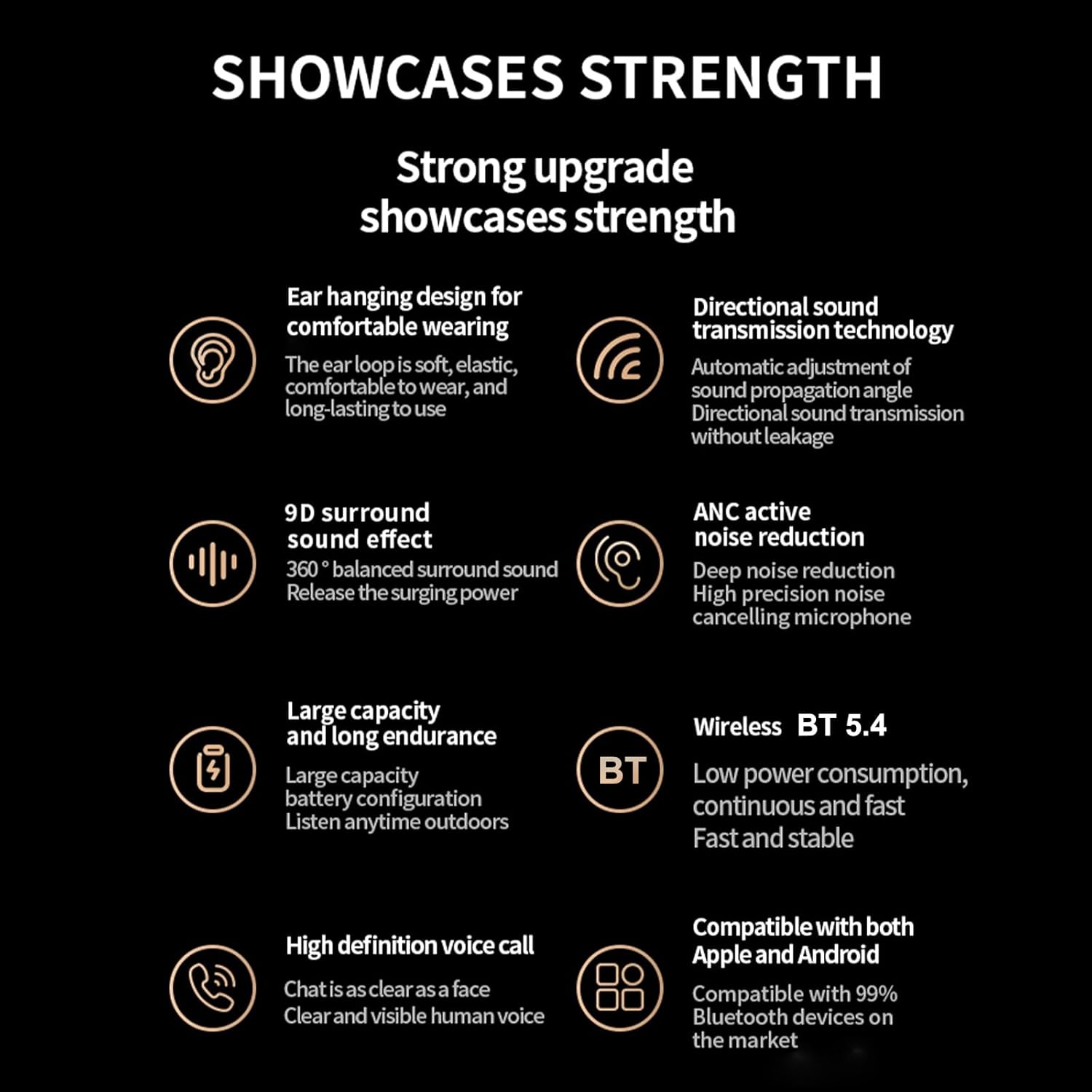
Billede: En overview of the headphones' key features, including BT 5.4, 9D surround sound, ANC, and high-definition voice calls.
Garanti og support
For warranty information and customer support, please refer to the documentation included with your purchase or visit the official Docooler webwebsted. Gem din købsbevis til garantikrav.