
DOOGEE DOOGEE Blade 10 Ultra
DOOGEE Blade 10 Ultra Smartphone Brugermanual
Model: DOOGEE Blade 10 Ultra
1. Introduktion
This manual provides comprehensive instructions for the safe and efficient use of your DOOGEE Blade 10 Ultra smartphone. Please read this manual carefully before using the device to ensure optimal performance and longevity.

Billede: Forside og bagside view of the DOOGEE Blade 10 Ultra smartphone, highlighting its rugged design and key features like NFC and Android 14.
2. Opsætning
2.1 Udpakning og første inspektion
Carefully unbox your DOOGEE Blade 10 Ultra and verify that all components are present and in good condition. The package should contain:
- 1 x DOOGEE Blade 10 Ultra Smartphone
- 1 x USB Type-C kabel
- 1 x oplader
- 1 x Tempered Glass Protector (pre-applied)
- 1 x brugermanual
2.2 Installation af SIM-kort og microSD-kort
Sådan installerer du dit/dine SIM-kort og/eller microSD-kort:
- Find SIM-kortbakken på siden af enheden.
- Indsæt SIM-kortudløserværktøjet i det lille hul ved siden af bakken for at åbne det.
- Place your Nano-SIM card(s) and/or microSD card into the designated slots. Ensure the gold contacts are facing down. The device supports up to 2TB external storage via microSD.
- Skub forsigtigt bakken tilbage i åbningen, indtil den klikker på plads.

Image: Illustration of the internal storage components, showing 8GB+12GB RAM and 256GB ROM, with support for up to 2TB microSD card.
2.3 First Power On and Basic Setup
Press and hold the power button until the DOOGEE logo appears. Follow the on-screen prompts to complete the initial setup, including language selection, Wi-Fi connection, Google account setup, and security settings.
2.4 Opladning af enheden
Connect the USB Type-C cable to the phone's charging port and the other end to the provided charger. Plug the charger into a power outlet. The battery indicator will show charging status. For optimal battery life, fully charge the device before first use.
3. Betjening af din smartphone
3.1 Overview of Android 14
Your DOOGEE Blade 10 Ultra runs on the latest Android 14 operating system, offering enhanced privacy features, improved security, and a more personalized user experience. Explore new customization options and streamlined notifications.

Image: The Android 14 system logo, emphasizing its smart, secure, and convenient features.
3.2 Display og navigation
The device features a 6.56-inch HD+ IPS waterdrop display with a 90Hz refresh rate for smooth visuals. Navigate the interface using touch gestures: swipe, tap, pinch-to-zoom, and long-press.
3.3 Kamerabrug
Capture high-quality photos and videos with the 50MP AI main camera and 8MP front camera. The Morpho Imaging Algorithm enhances your photography with various modes including HDR, Watermark, Video, Picture, Beauty, Pro Mode, Portrait, Gif, Panorama, and Filter.

Image: Visual representation of the 50MP main camera and 8MP front camera, detailing the various imaging modes available through the Morpho Imaging Algorithm.
3.4 Forbindelse
Your smartphone supports a wide range of connectivity options:
- Wi-Fi: Connect to 2.4G and 5G networks (802.11ac/a/b/g/n).
- Bluetooth: BT5.0 til tilslutning til trådløst tilbehør.
- NFC: Til kontaktløse betalinger og hurtig datadeling.
- OTG: On-The-Go support for connecting USB devices.
- Navigation: Integreret GPS, Glonass, Galileo og Beidou for præcis positionering.
- Mobilnetværk: Supports 2G GSM (B2/3/5/8), 3G WCDMA (B1/2/4/5/8), and 4G FDD (B1/2/3/4/5/7/8/18/19/20/25/26/28A/28B/66) bands.
3.5 Batteristyring
The DOOGEE Blade 10 Ultra is equipped with a large 5150mAh battery, providing extended usage times. To maximize battery life:
- Optimize screen brightness.
- Luk ubrugte baggrundsprogrammer.
- Deaktiver Wi-Fi, Bluetooth eller GPS, når de ikke er i brug.
- Expected battery life: up to 470 hours standby, 111.9 hours music, 25.5 hours talk, 16.7 hours video, 7.6 hours web gennemsyn.
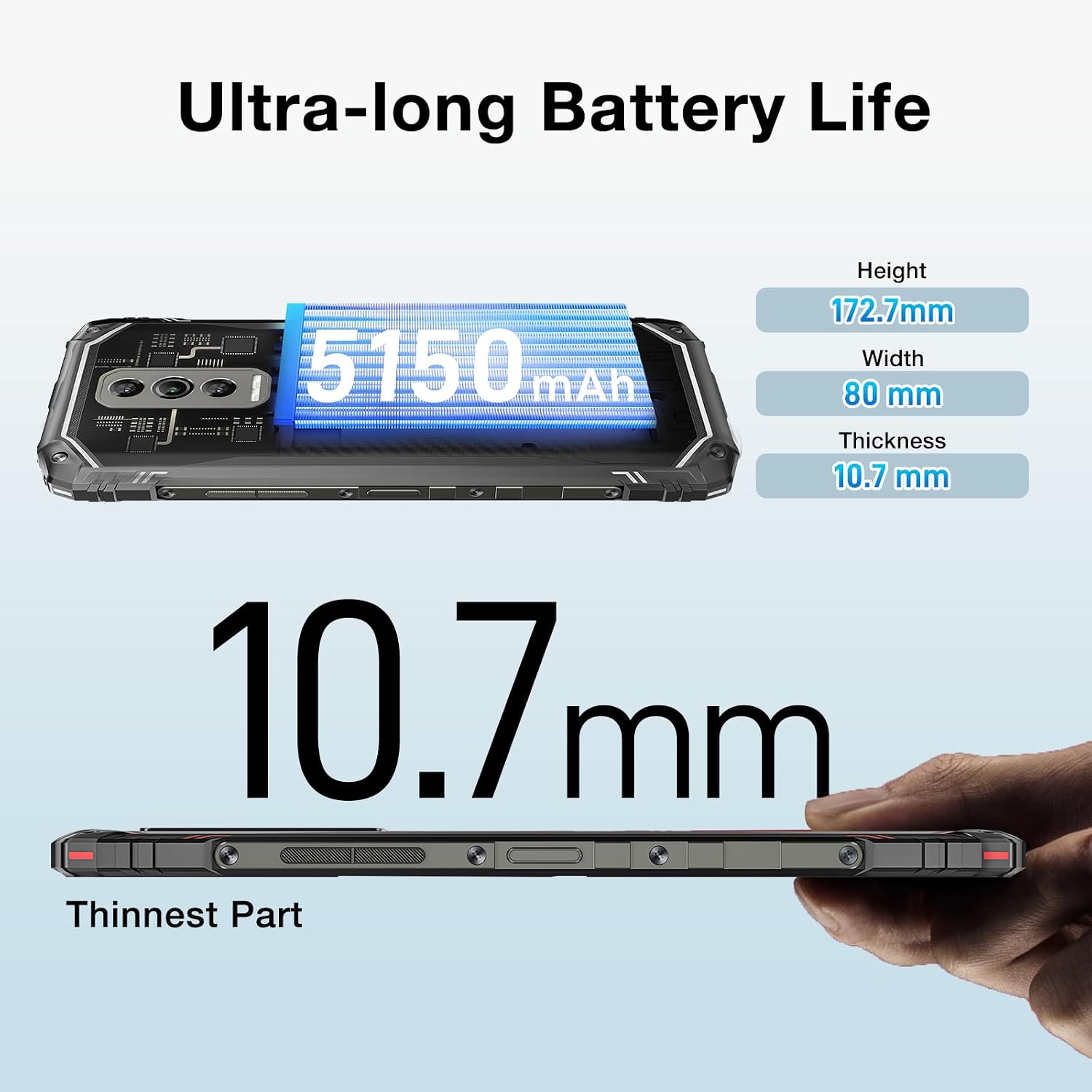
Image: The DOOGEE Blade 10 Ultra highlighting its 5150mAh battery capacity and physical dimensions (Height: 172.7mm, Width: 80mm, Thickness: 10.7mm).
3.6 Lagerstyring
The device comes with 256GB of internal storage (ROM) and up to 20GB of RAM (8GB physical + 12GB virtual). You can expand storage by up to 2TB using a microSD card. Regularly clear cache and unnecessary files for at opretholde optimal ydeevne.
3.7 Widevine L1-understøttelse
The DOOGEE Blade 10 Ultra supports Widevine L1, enabling high-definition streaming from popular platforms. Enjoy your favorite movies and shows in crisp, clear quality.
4. Vedligeholdelse
4.1 Rengøring af din enhed
Brug en blød, fnugfri klud til at rengøre skærmen og kabinettet på din telefon. Undgå at bruge skrappe kemikalier eller slibende materialer, der kan beskadige enheden. Tør let ved genstridige pletter.ampRengør kluden med vand eller en skærmrens.
4.2 Softwareopdateringer
Tjek regelmæssigt efter og installer softwareopdateringer for at sikre, at din enhed har de nyeste funktioner, sikkerhedsrettelser og forbedringer af ydeevnen. Gå til Indstillinger > System > Systemopdatering for at søge efter opdateringer.
4.3 Lagringsoptimering
To keep your phone running smoothly, periodically review and delete unnecessary apps, photos, videos, and files. Utilize cloud storage or transfer large files to a computer to free up internal space.
5. Fejlfinding
If you encounter issues with your DOOGEE Blade 10 Ultra, refer to the following common solutions:
| Problem | Løsning |
|---|---|
| Enheden tænder ikke | Sørg for, at batteriet er opladet. Tilslut den til opladeren i mindst 10 minutter, og prøv derefter at tænde den. Hvis den ikke reagerer, kan du udføre en tvungen genstart ved at holde tænd/sluk-knappen nede i 10-15 sekunder. |
| Opladningsproblemer | Check the USB cable and charger for damage. Try a different power outlet. Ensure the charging port is clean and free of debris. |
| Dårlig netværksforbindelse | Check if airplane mode is off. Restart the device. Verify SIM card is properly inserted. Contact your network provider if the issue persists. |
| Applikationer der går ned eller fryser | Clear the app's cache and data (Settings > Apps > [App Name] > Storage). Update the app to the latest version. If the problem continues, uninstall and reinstall the app. |
| Device running slow | Luk ubrugte baggrundsapps. Ryd cache og midlertidige files. Ensure sufficient storage space is available. Restart the device. |
5.1 Fabriksindstilling
If other troubleshooting steps fail, you may need to perform a factory reset. Advarsel: Dette vil slette alle data på din telefon. Sikkerhedskopier vigtige data, før du fortsætter. Gå til Indstillinger > System > Nulstil indstillinger > Slet alle data (fabriksnulstilling) og følg instruktionerne på skærmen.
6. Specifikationer
Detailed technical specifications for the DOOGEE Blade 10 Ultra:
| Feature | Specifikation |
|---|---|
| Model | DOOGEE Blade 10 Ultra |
| Operativsystem | Android 14 |
| Vise | 6.56-inch HD+ IPS Waterdrop, 90Hz Refresh Rate |
| Processor | Spreadtrum T606 Octa-core 1.6GHz (12nm) |
| VÆDDER | Op til 20 GB (8 GB fysisk + 12 GB virtuel) |
| Internt lager (ROM) | 256 GB |
| Udvidelig opbevaring | Op til 2 TB via microSD-kort |
| Hovedkamera | 50MP AI |
| Forreste kamera | 8 MP |
| Batterikapacitet | 5150mAh |
| Netværksbånd | 2G GSM: B2/3/5/8; 3G WCDMA: B1/2/4/5/8; 4G FDD: B1/2/3/4/5/7/8/18/19/20/25/26/28A/28B/66 |
| Wi-Fi | 2.4G/5G (802.11ac/a/b/g/n) |
| Bluetooth | BT5.0 |
| NFC | Understøttet |
| OTG | Understøttet |
| Navigation | GPS | Glonass | Galileo | beidou |
| Dimensioner (H x B x T) | 172.7 mm x 80 mm x 10.7 mm |
| Farve | Sort |

Image: Diagram illustrating the powerful Octa-core 1.6GHz processor, highlighting its boosted performance and reduced consumption.
7. Garanti og support
For warranty information, please refer to the warranty card included in your product packaging or visit the official DOOGEE website. For technical support or further assistance, please contact DOOGEE customer service through their official channels.
Ask a question about this manual
Ask about setup, troubleshooting, compatibility, parts, safety, or missing instructions. Manuals+ will review the question and use this page’s manual context to help answer it.