
Indledning
Thank you for choosing the Edyell EH1 Bluetooth Motorcycle Helmet Headset. This device is designed to provide clear communication, music playback, and FM radio functionality while riding, enhancing your safety and enjoyment. Please read this manual carefully before use to ensure proper operation and to maximize the product's lifespan.
Pakkens indhold
Tjek venligst pakken for følgende varer:
- Edyell EH1 Bluetooth Helmet Headset Unit
- Mikrofon (bom eller blød ledning, afhængigt af hjelmtype)
- Højttalere (par)
- USB Type-C opladerkabel
- Helmet Mounting Clips (clamp and adhesive base)
- Velcropuder til højttalere og mikrofon
- Brugermanual
Produkt overview
The Edyell EH1 features an intuitive design with advanced functionalities for motorcycle riders.
Smart LED Screen and RGB Lights
The headset is equipped with an LED display that shows essential information such as battery capacity, Bluetooth pairing status, and FM channel. Dynamic RGB lights provide visual feedback and enhance the aesthetic.
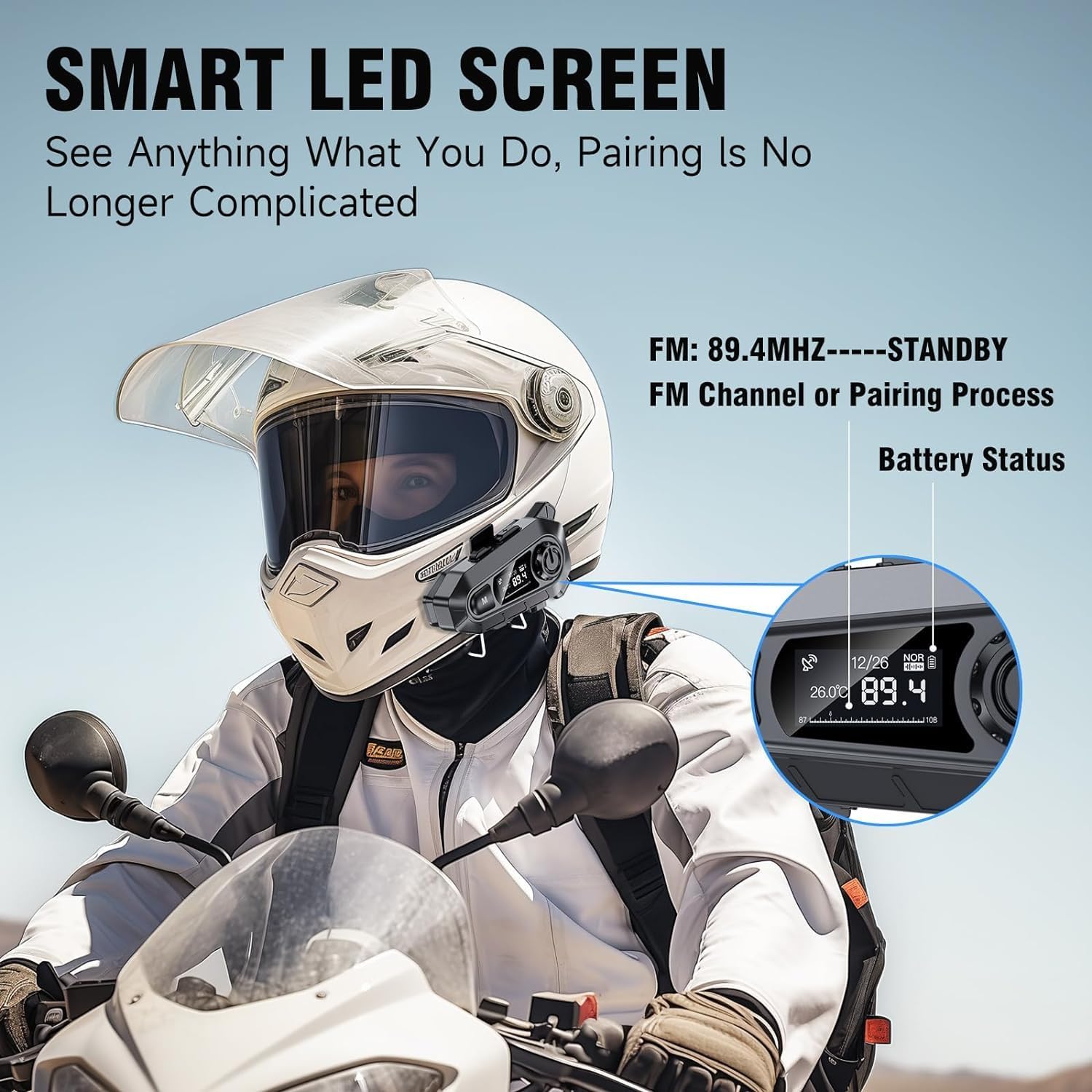
Billede: The Edyell EH1 headset mounted on a helmet, highlighting its smart LED screen which displays battery status, FM channel, and pairing information for easy monitoring.
High-Quality 50mm Speakers with ENC Noise Reduction
Experience superior audio quality with 50mm speakers, delivering enhanced volume and bass compared to standard 40mm speakers. Environmental Noise Cancellation (ENC) technology ensures clear audio even at high speeds.
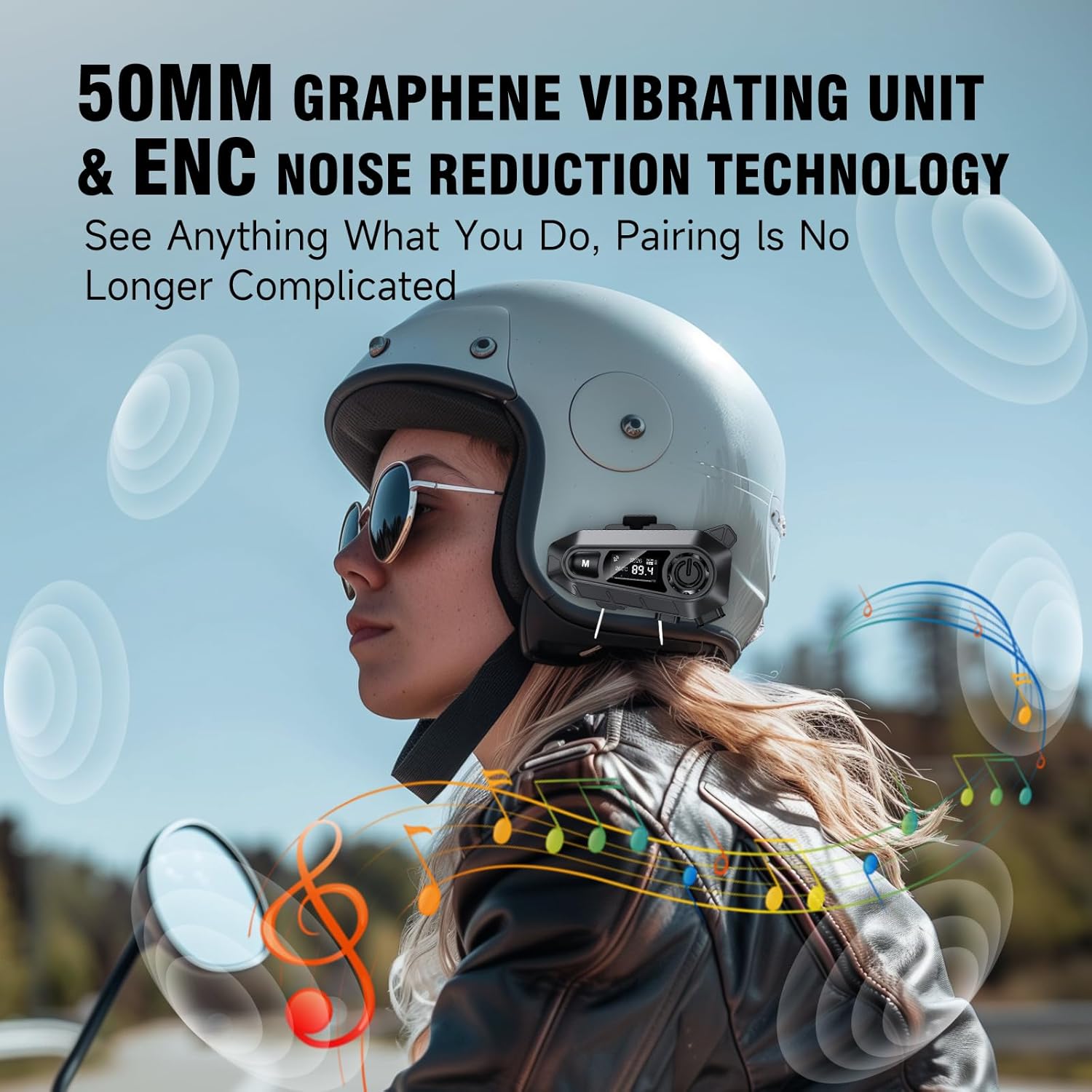
Billede: A rider wearing a helmet with the Edyell EH1 headset, illustrating the 50mm graphene vibrating unit and ENC noise reduction technology for high-quality audio and clear communication.
Langtidsholdbart batteri og hurtig opladning
Equipped with a 1000mAh battery, the EH1 provides up to 30 hours of music playback, 40 hours of talk time, and over 300 hours of standby time. The Type-C port allows for full charging in just 1.5 hours.

Billede: A close-up of the Edyell EH1 headset showing its Type-C fast charging port and indicating its 1000mAh battery capacity, with charging and usage times.
Automatic Call Answering and Voice Control
The headset automatically answers incoming calls within 10 seconds, allowing for hands-free communication. Activate your phone's voice assistant (Siri, Google Assistant) with a single button press for navigation, music control, and more.

Billede: A rider on a motorcycle demonstrating the voice assistant feature of the Edyell EH1 headset, showing prompts for "Previous song", "Open GPS", and "Hey Siri, Call Mike".
Universal Helmet Compatibility and IP67 Waterproof Rating
The Edyell EH1 is designed to be compatible with various helmet types. Its IP67 waterproof rating ensures durability and performance in diverse weather conditions.
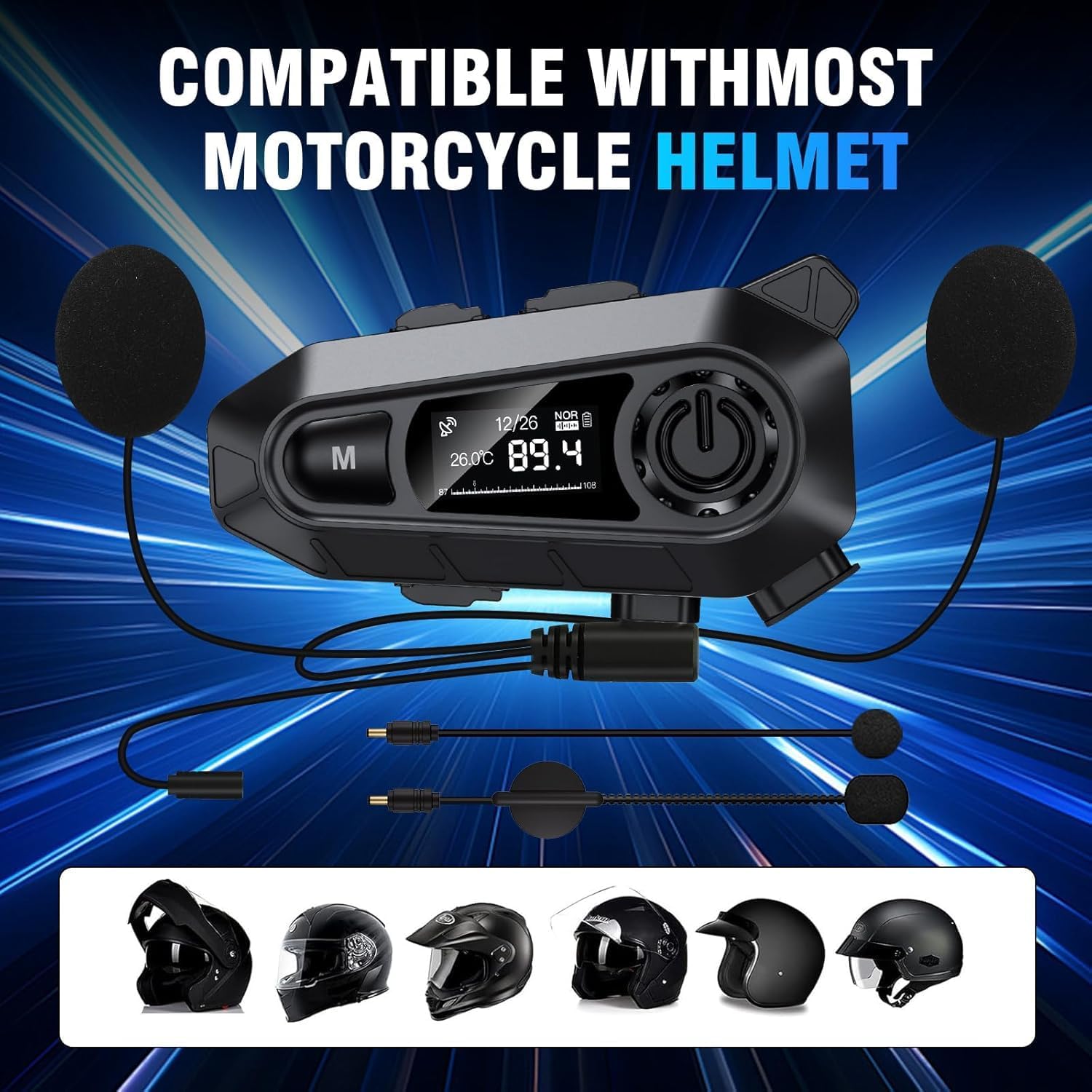
Billede: The Edyell EH1 headset with its speakers and microphone attachments, displayed alongside various helmet types to illustrate its broad compatibility.
Opsætning
1. Opladning af enheden
- Oplad headsettet helt før første brug.
- Connect the provided USB Type-C charging cable to the headset's charging port and to a USB power source (e.g., computer, wall adapter).
- LED-skærmen viser opladningsstatus. En fuld opladning tager cirka 1.5 timer.
2. Installing on Your Helmet
The EH1 can be installed using either the clamp montering eller klæbebeslaget.
- Clamp Montering:
- Løsn skruerne på clamp montere.
- Skub clamp between the outer shell and inner padding of your helmet on the left side.
- Spænd skruerne for at fastgøre cl'enamp.
- Slide the EH1 main unit onto the clamp indtil den klikker på plads.
- Klæbende montering:
- Rengør det ønskede monteringsområde på venstre side af din hjelm.
- Fjern beskyttelsesfilmen fra den selvklæbende montering.
- Firmly press the adhesive mount onto the helmet for 30 seconds. Allow 24 hours for the adhesive to fully cure before attaching the main unit.
- Slide the EH1 main unit onto the adhesive mount until it clicks into place.
3. Installation af højttalere og mikrofon
- Attach the Velcro pads to the back of the speakers and inside the helmet's ear pockets.
- Place the speakers inside the helmet's ear pockets, ensuring they are aligned with your ears for optimal sound.
- Attach the microphone Velcro pad to the inside of the helmet near your mouth. Position the microphone for clear voice pickup, typically on the left side.
- Route the speaker and microphone wires neatly under the helmet padding to the main unit's ports.
- Connect the speaker and microphone cables to their respective ports on the EH1 main unit.
Betjeningsvejledning
Tænd/sluk
- Tænd: Press and hold the Power button (usually the central large button) for 3 seconds until the LED screen lights up and you hear a prompt.
- Sluk: Press and hold the Power button for 3 seconds until the LED screen turns off and you hear a prompt.
Bluetooth-parring
- With the device off, press and hold the Power button for approximately 5-7 seconds until the LED screen shows "Pairing" and the RGB lights flash.
- On your mobile phone, enable Bluetooth and search for "Edyell EH1".
- Select "Edyell EH1" to connect. Once paired, the LED screen will show "Connected" and the RGB lights will stop flashing.
Musikafspilning
- Afspil/pause: Tryk kort på afbryderknappen.
- Næste nummer: Short press the "Next" button (often marked with a forward arrow).
- Forrige nummer: Short press the "Previous" button (often marked with a backward arrow).
Opkaldsstyring
- Besvar opkald: The headset will automatically answer incoming calls after 10 seconds. You can also short press the Power button to answer immediately.
- Afslut opkald: Tryk kort på tænd/sluk-knappen under et opkald.
- Afvis opkald: Tryk på tænd/sluk-knappen og hold den nede i 2 sekunder, når du modtager et opkald.
- Genopkald sidste nummer: Tryk to gange på tænd/sluk-knappen, når du ikke er i gang med et opkald.
Stemmeassistent
- Aktiver stemmeassistent: Short press the dedicated Voice Control button (often marked with a microphone icon or 'M' button). This will activate Siri or Google Assistant on your paired phone.
FM radio
- Tænd/sluk FM: Press and hold the 'M' button for 2 seconds to switch between Bluetooth and FM radio mode.
- Scan kanaler: In FM mode, short press the Power button to automatically scan and save available stations.
- Skift station: Short press the "Next" or "Previous" buttons to cycle through saved FM stations.
Lydstyrkekontrol
- Forøg lydstyrke: Short press the Volume Up button (often marked with '+').
- Skru ned for lydstyrken: Short press the Volume Down button (often marked with '-').
Opretholdelse
- Rensning: Brug en blød, damp cloth to clean the headset unit. Do not use harsh chemicals or abrasive cleaners.
- Vandeksponering: While the device is IP67 waterproof, avoid prolonged submersion. Ensure the charging port cover is securely closed when not charging.
- Opbevaring: Opbevar headsettet et køligt og tørt sted, når det ikke er i brug. Undgå ekstreme temperaturer.
- Batteripleje: To prolong battery life, charge the device regularly and avoid fully discharging it for extended periods.
Fejlfinding
| Problem | Mulig løsning |
|---|---|
| Enheden tænder ikke. | Sørg for, at batteriet er opladet. Tilslut det til en oplader, og prøv igen. |
| Kan ikke parres med telefonen. |
|
| Ingen lyd fra højttalere. |
|
| Mikrofon virker ikke. |
|
| FM-radioen modtager ikke stationer. |
|
Specifikationer
| Feature | Detalje |
|---|---|
| Modelnavn | Edyell EH1 (MBH-A1) |
| Mærke | Edyell |
| Forbindelsesteknologi | Trådløs (Bluetooth) |
| Hovedtelefonens formfaktor | On-Ear (Helmet Integrated) |
| Støjkontrol | Aktiv støjreduktion (ENC) |
| Impedans | 100 Ohm |
| Batterikapacitet | 1000 mAh |
| Opladningstid | Ca. 1.5 timer |
| Musik afspilningstid | Op til 30 timer |
| Taletid | Op til 40 timer |
| Standby tid | Over 300 timer |
| Vandtæt vurdering | IP67 |
| Kontrolmetode | Berøring, stemmestyring |
| Særlige funktioner | Sweatproof, Smart LED Screen, FM Radio, RGB Lights |
Garanti og support
The Edyell EH1 Bluetooth Motorcycle Helmet Headset comes with a 15 måneders garanti from Edyell India. If you encounter any quality issues with your product, please contact Edyell customer service for assistance. Our dedicated support team is always ready to help you with any queries or concerns.
For warranty claims or technical support, please refer to the contact information provided on the Edyell official webwebstedet eller din købsdokumentation.