
Indledning
Thank you for choosing the RYOBI FVL59K USB Lithium Compact Cordless Area Light Kit. This manual provides essential information for the safe operation, setup, maintenance, and troubleshooting of your new area light. Please read this manual thoroughly before using the product and retain it for future reference.
The RYOBI FVL59K is a versatile and portable lighting solution designed for various applications, offering up to 300 lumens of bright LED light. Its compact design, multiple hanging options, and durable construction make it ideal for job sites, workshops, emergencies, and outdoor activities.
Sikkerhedsoplysninger
Følg altid grundlæggende sikkerhedsforanstaltninger, når du bruger dette produkt, for at reducere risikoen for brand, elektrisk stød og personskade.
- Læs alle instruktioner: Gør dig bekendt med produktets funktioner og betjening inden brug.
- Do not stare directly into the light: The bright LED light can cause temporary vision impairment.
- Holde utilgængeligt for børn: Dette produkt er ikke et legetøj.
- Brug kun de angivne batterier og opladere: Using incompatible components may result in fire, electric shock, or injury.
- Do not expose to rain or wet conditions: Although water-resistant, prolonged exposure to water can damage the unit.
- Undgå ekstreme temperaturer: Do not store or operate the light in excessively hot or cold environments.
- Inspicer før brug: Check for any damage to the light, battery, or charging cable. Do not use if damaged.
Pakkens indhold
Bekræft, at alle nedenstående varer er inkluderet i din pakke:
- RYOBI USB Lithium Compact Cordless Area Light (FVL59)
- (1) 2Ah USB Lithium Battery
- USB opladningskabel
- Brugermanual (dette dokument)
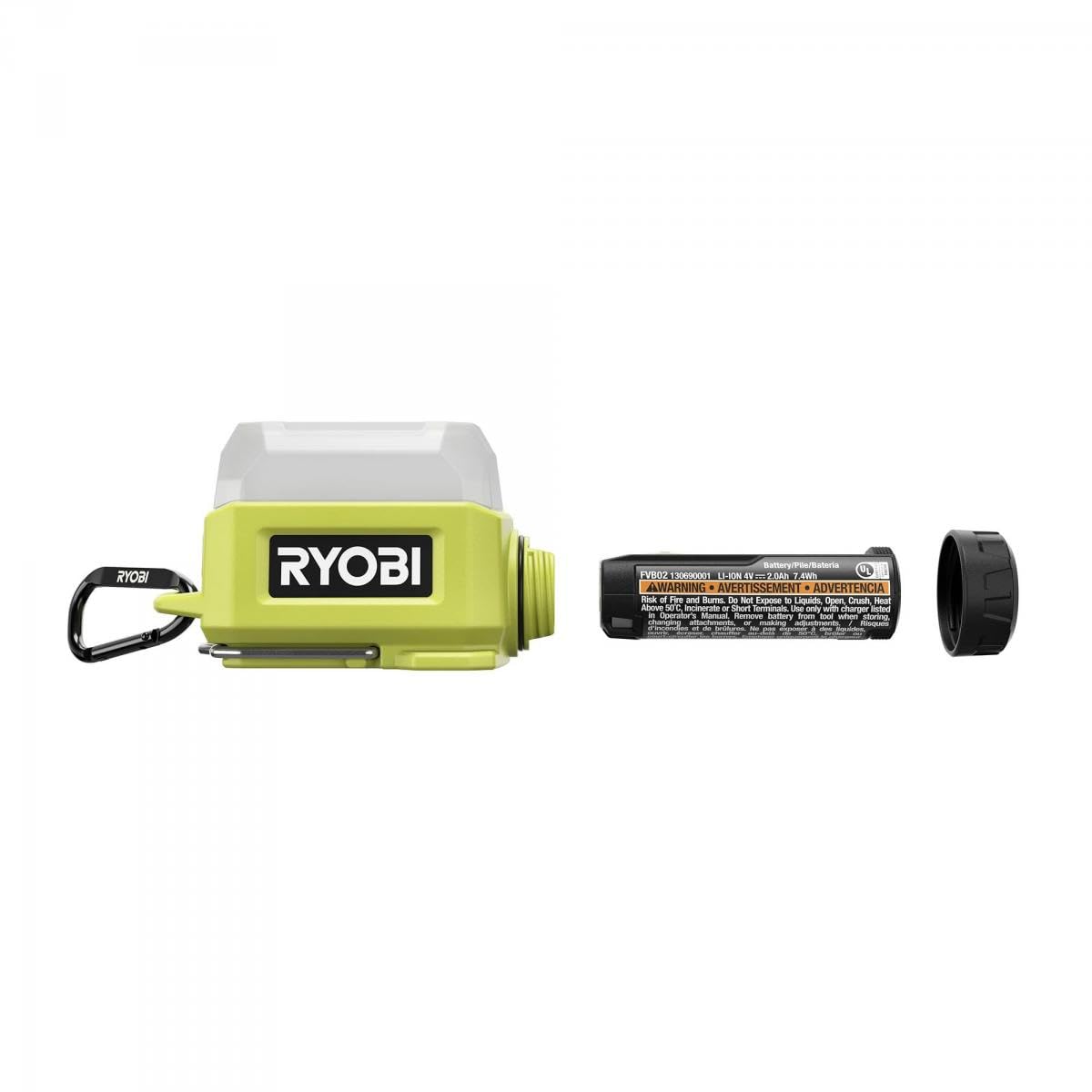
This image displays the RYOBI USB Lithium Compact Cordless Area Light, its included 2Ah USB Lithium battery, and the USB charging cable. The light features a lime green body with a white diffuser and a black carabiner-style hook.
Opsætning
Charging the USB Lithium Battery
- Locate the USB charging port on the 2Ah USB Lithium battery.
- Connect the small end of the provided USB charging cable to the battery's charging port.
- Connect the larger end of the USB charging cable to a standard USB power source (e.g., wall adapter, computer USB port, power bank).
- The battery's indicator lights will show the charging status. Allow the battery to fully charge before first use.
Inserting the Battery into the Area Light
- Ensure the area light is turned off.
- Locate the battery compartment on the area light. This is typically a cover that slides or latches open.
- Insert the charged 2Ah USB Lithium battery into the compartment, ensuring proper alignment with the terminals.
- Luk batteridækslet ordentligt, indtil det klikker på plads.
Betjeningsvejledning
Tænd/sluk og justering af lysstyrke
- To turn the light ON, press the power button located on the side of the unit. The light will typically turn on in its lowest brightness setting.
- To cycle through brightness settings (e.g., Low, Medium, High), press the power button repeatedly.
- To activate the Strobe mode, continue pressing the power button after the highest brightness setting, or refer to specific instructions on the device if a dedicated strobe button exists.
- To turn the light OFF, press the power button after cycling through all modes, or hold the power button down for a few seconds.
Monteringsmuligheder
The RYOBI FVL59K offers multiple ways to position your light for hands-free operation:
- Folding Metal Hanging Hook: Utilize the integrated folding metal hook to hang the light from pipes, wires, or other suitable structures.
- Included Carabiner: Attach the light using the carabiner to belt loops, tool bags, or other convenient points.
- RYOBI LINK Wall Storage Compatibility: The light is designed to integrate with the RYOBI LINK Wall Storage system for organized storage and quick access.
Opretholdelse
Rensning
- Always ensure the light is turned off and the battery is removed before cleaning.
- Wipe the exterior of the light with a clean, damp klæde. Brug ikke skrappe kemikalier eller slibende rengøringsmidler.
- Nedsænk ikke lyset i vand.
Opbevaring
- Store the light and battery in a cool, dry place, away from direct sunlight and extreme temperatures.
- For long-term storage, ensure the battery is partially charged (around 50%) to prolong its lifespan.
- Keep the battery and light separate if possible, or ensure the light is off to prevent accidental discharge.
Fejlfinding
| Problem | Mulig årsag | Løsning |
|---|---|---|
| Lyset tændes ikke. | Batteriet er ikke opladet. | Charge the USB Lithium battery fully. |
| Batteriet er ikke isat korrekt. | Ensure the battery is securely seated in the compartment. | |
| Faulty battery or light. | Test with a different, known-good RYOBI USB Lithium battery if available. Contact customer support if the issue persists. | |
| Batteriet oplades ikke. | USB-kablet er ikke tilsluttet korrekt. | Ensure both ends of the USB cable are firmly connected. |
| USB-strømkilden er ikke aktiv eller tilstrækkelig. | Prøv en anden USB-strømkilde eller vægadapter. | |
| Damaged USB cable or battery. | Try a different USB charging cable. If the battery still doesn't charge, it may be faulty. | |
| Lysudgangen er svag. | Batteriet er lavt. | Genoplad batteriet. |
| Lyset er i en lavere lysstyrketilstand. | Press the power button to cycle to a brighter setting. |
Specifikationer
| Feature | Detalje |
|---|---|
| Modelnummer | FVL59K |
| Lyskildetype | Lysdiode (LED) |
| Maksimal lysudbytte | 300 lumen |
| Strømkilde | Battery Powered (USB Lithium) |
| Batteritype | Lithium-Ion (2Ah USB Battery included) |
| Battery Life (on low) | Op til 52 timer |
| Vandmodstandsniveau | Vandtæt (IP54) |
| Materiale | Metal |
| Finish Type | Pulverlakeret |
| Monteringstype | Wall Mount (via RYOBI LINK), Hanging Hook, Carabiner |
| Særlige funktioner | Adjustable brightness, Strobe mode |
| Varens vægt | 3.2 ounce |
Garantioplysninger
RYOBI products are manufactured to high-quality standards and are backed by a manufacturer's warranty. For specific warranty terms and conditions, including duration and coverage, please refer to the warranty card included with your product or visit the official RYOBI webwebsted. Gem din købsbevis til garantikrav.
Støtte
If you have any questions about the operation, maintenance, or safety of your RYOBI FVL59K USB Lithium Compact Cordless Area Light Kit, please contact RYOBI Customer Service. You can find contact information, FAQs, and additional resources on the official RYOBI webwebsted:
Webwebsted: www.ryobitools.com
Please have your model number (FVL59K) and serial number ready when contacting support.