
FIFINE M9
Brugermanual til FIFINE M9 trådløst lavaliermikrofonsystem
Model: M9 | Brand: FIFINE
1. Introduktion
The FIFINE M9 Wireless Lavalier Microphone System is designed for content creators, vloggers, and anyone needing high-quality audio capture on the go. This compact and versatile system offers clear sound, long battery life, and broad compatibility with various devices, including smartphones, tablets, and DSLR cameras. Its intuitive controls and portable design make it an ideal tool for recording interviews, vlogs, live streams, and more.
2. Hvad er der i æsken

Figure 2.1: FIFINE M9 Wireless Lavalier Microphone System with charging case, two transmitters, and one receiver.
- Wireless Condenser Microphone Transmitter (x2)
- Modtager (x1)
- Opladningsetui (x1)
- USB-C to USB-C/A Cable (x1)
- 3.5mm TRS to 3.5mm TRS Cable (x1)
- 3.5mm TRS to 3.5mm TRRS Cable (x1)
- Detachable Furry Windscreen (x2)
- Brugermanual (x1)
3. Opsætningsvejledning
3.1 Indledende opladning
Before first use, ensure the charging case and microphones are fully charged. Connect the charging case to a power source using the provided USB-C cable. The indicator lights on the case will show charging status.

Figure 3.1: The FIFINE M9 charging case provides up to 30 hours of total usage time for the microphones.
3.2 Tilslutning til enheder
The FIFINE M9 system offers broad compatibility. The receiver automatically pairs with the transmitters when powered on.
- For iPhone 15 Series, Android Phones/Tablets (Type-C port), iPad with Type-C port: Use the included USB-C to USB-C/A cable to connect the receiver to your device.
- For iPhone/iPad with Lightning Port: Connect the included 3.5mm TRRS to 3.5mm TRS cable with a Lightning adapter (not included), then plug them into your device and connect to the receiver.
- Til DSLR-kameraer: Use the included 3.5mm TRS to 3.5mm TRS cable to connect the receiver to your camera's microphone input.

Figure 3.2: Easy setup for mobile recording, simply plug the receiver into your smartphone.

Figure 3.3: Connecting the FIFINE M9 receiver to a DSLR camera for high-quality audio capture.
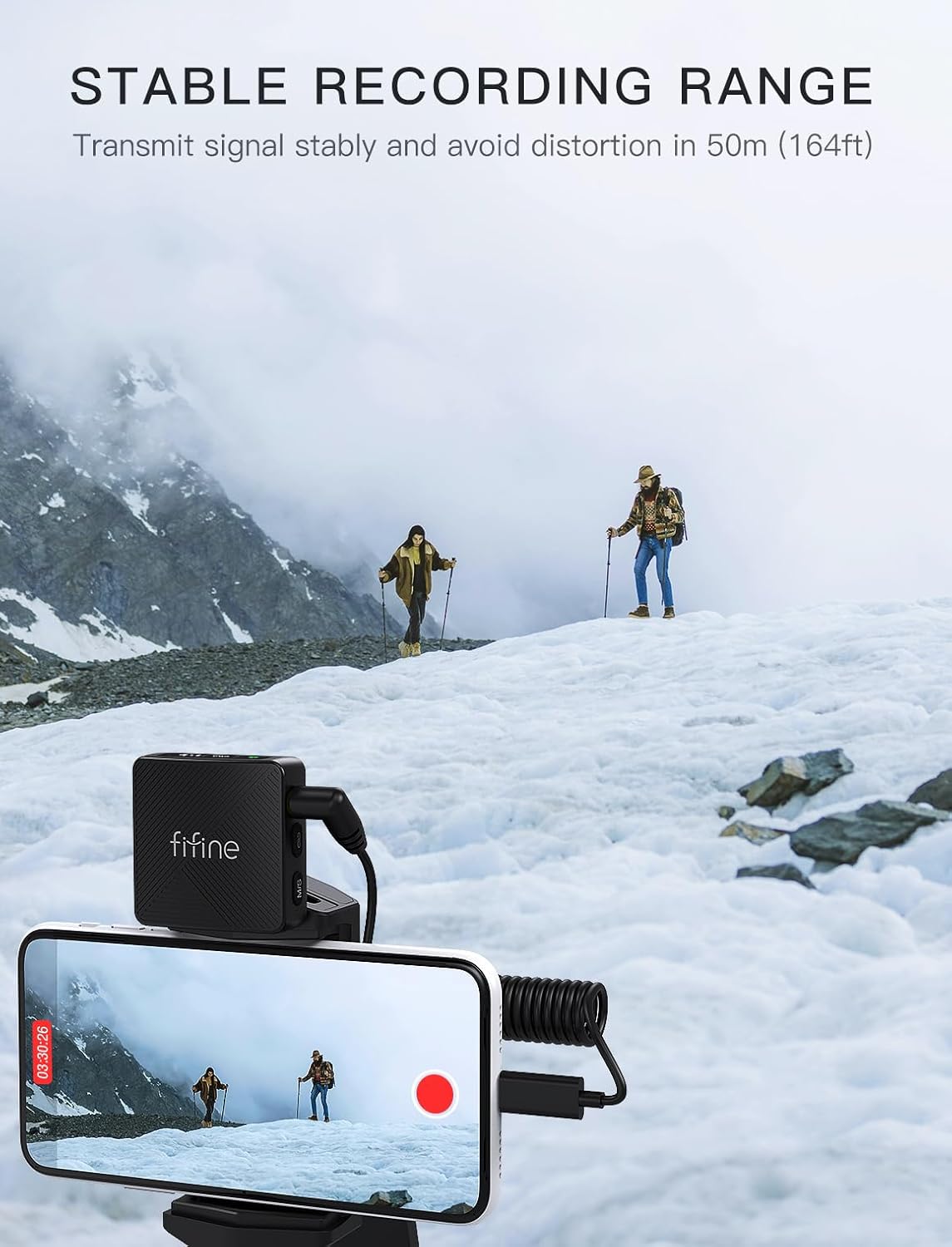
Figure 3.4: Comprehensive compatibility options for the FIFINE M9 system.
4. Betjeningsvejledning
4.1 Tænd/sluk
To power on the transmitters and receiver, simply remove them from the charging case. They will automatically power on and attempt to pair. To power off, place them back into the charging case.
4.2 Volume Control and Noise Cancellation
The receiver features a display screen that provides immediate feedback on audio levels and connection status. You can adjust the volume, mute the microphone, or activate noise cancellation directly via the easy-access keys on the transmitter units.
- Lydstyrkejustering: Use the dedicated volume buttons on the transmitter to cycle through 3 volume settings.
- Mute-funktion: Press the mute button on the transmitter to temporarily silence the microphone.
- Støjreduktion: Activate the noise cancellation feature for clearer audio in noisy environments.

Figure 4.1: Intuitive controls for managing audio settings on the FIFINE M9.
4.3 Recording Range and Battery Life
The system provides a stable recording range of up to 164 feet (50 meters), allowing for flexible content creation. The charging case extends the total usage time to approximately 30 hours, with the ability to charge the microphones nearly 3 times. Dual-channel recording ensures continuous operation even while charging.

Figure 4.2: The FIFINE M9 offers a stable recording range of up to 164 feet (50 meters).
5. Vedligeholdelse
For at sikre din FIFINE M9 trådløse lavaliermikrofons levetid og optimale ydeevne, skal du følge disse vedligeholdelsesretningslinjer:
- Rensning: Use a soft, dry cloth to wipe down the transmitters, receiver, and charging case. Avoid using harsh chemicals or abrasive materials.
- Opbevaring: Store the system in its charging case when not in use to protect it from dust and physical damage. Keep it in a cool, dry place away from direct sunlight and extreme temperatures.
- Batteripleje: For long-term storage, charge the batteries to about 50% every three months to prevent deep discharge and extend battery life.
- Forrudepleje: The furry windscreens can be gently cleaned with mild soap and water if they become dirty. Ensure they are completely dry before reattaching.
6. Fejlfinding
If you encounter issues with your FIFINE M9 system, please refer to the following common troubleshooting steps:
| Problem | Mulig årsag | Løsning |
|---|---|---|
| Ingen lydudgang |
|
|
| Dårlig lydkvalitet / Støj |
|
|
| Mikrofonen parres ikke |
|
|
7. Specifikationer
| Feature | Detalje |
|---|---|
| Mærke | FIFIN |
| Modelnavn | M9 |
| Mikrofon formfaktor | Lavalier |
| Polar mønster | Omnidirektionel |
| Forbindelsesteknologi | Trådløs |
| Connector Type | 3.5 mm Jack |
| Minimum frekvens | 20 Hz |
| Maksimal frekvens | 20 KHz |
| Signal-støjforhold | 80 dB |
| Støjniveau | 110 dB |
| Strømkilde | Batteridrevet |
| Antal batterier | 1 LR44 batterier påkrævet. (inkluderet) |
| Batteritype | Lithium polymer |
| Materiale | Acrylonitril-butadienstyren |
| Farve | Sort |
| Varens vægt | 13.7 ounce |
| Pakkedimensioner | 6.1 x 5 x 2.44 tommer |
| Kompatible enheder | Laptop/Personal Computer, Tablet, Camera, iPhone15 Series, Smartphone |
| Anbefalede anvendelser | Indendørs/Udendørs |
| Dato først tilgængelig | 26. juli 2024 |
| UPC | 850058839400 |
8. Garanti og support
FIFINE products are designed and manufactured to the highest quality standards. For information regarding warranty coverage, technical support, or service inquiries, please refer to the official FIFINE webwebstedet eller kontakt deres kundesupport direkte. Gem din købskvittering som købsbevis i tilfælde af garantikrav.
Online support: www.fifine.com/support
Ask a question about this manual
Ask about setup, troubleshooting, compatibility, parts, safety, or missing instructions. Manuals+ will review the question and use this page’s manual context to help answer it.