
1. Introduktion
This manual provides detailed instructions for the installation, operation, and maintenance of your INLAND QN450 1000GB M.2 2280 NVMe Solid State Drive (SSD). The QN450 SSD utilizes a PCIe 4.0 Gen4x4 interface, offering high-speed data transfer rates suitable for various computing needs, including personal use, gaming, and business applications. Please read this manual thoroughly before proceeding with installation or use.

Image 1.1: The INLAND QN450 1000GB M.2 2280 NVMe SSD.
2. Sikkerhedsforanstaltninger
- Sluk altid computeren og afbryd den fra strømkilden, før du installerer eller fjerner interne komponenter.
- Discharge any static electricity from your body by touching a grounded metal object (e.g., the computer chassis) before handling the SSD.
- Hold SSD'en i kanterne for at undgå at røre ved de gyldne stik eller komponenter.
- Keep the SSD away from liquids and extreme temperatures.
3. Pakkens indhold
Bekræft, at din pakke indeholder følgende varer:
- INLAND QN450 M.2 NVMe SSD
- Mounting screw (may be included with your motherboard or laptop)
4. Systemkrav
- An available M.2 slot on your motherboard or laptop that supports NVMe PCIe Gen4x4. The SSD is backward compatible with PCIe Gen3x4 slots, but performance will be limited to Gen3 speeds.
- Compatible operating system: Windows 8, 10, or 11.
- The SSD is also compatible with Sony PlayStation 5 for storage expansion.

Image 4.1: The INLAND QN450 SSD is widely compatible with various systems.
5. Installation
5.1. Installation af stationær pc
- Forbered dit system: Power off your computer and unplug the power cable. Open the computer case.
- Find M.2-stikket: Identify an available M.2 slot on your motherboard. Refer to your motherboard's manual for exact location and any necessary standoff/screw installation.
- Indsæt SSD'en: Gently insert the INLAND QN450 SSD into the M.2 slot at a 30-degree angle, ensuring the gold contacts are fully seated.
- Sikr SSD'en: Push the SSD down until it is parallel with the motherboard. Secure it with the M.2 screw.
- Luk sagen: Saml computerens kabinet igen, og tilslut strømkablet igen.
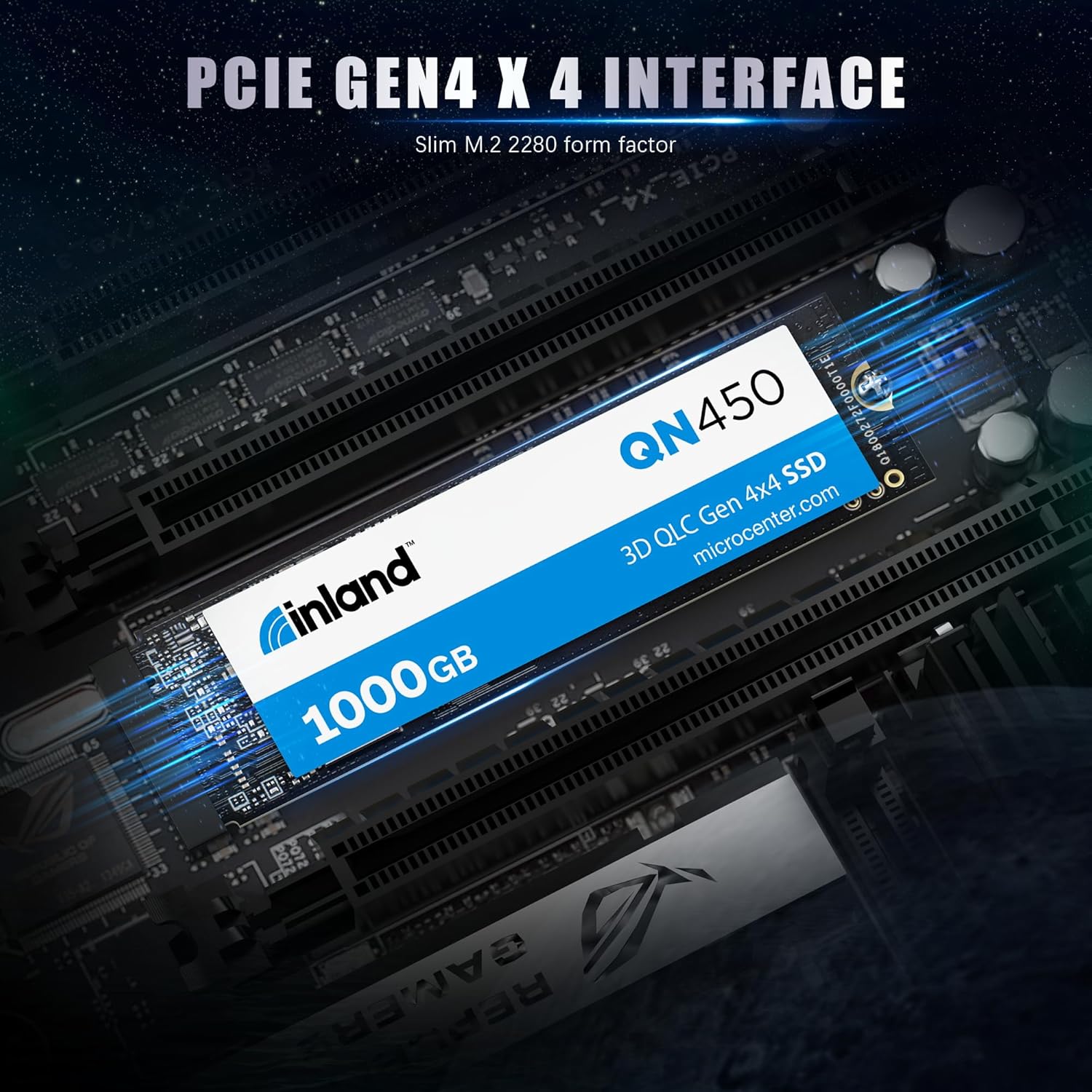
Image 5.1: The INLAND QN450 SSD featuring a PCIe Gen4x4 interface.
5.2. Installation af bærbar computer
Laptop installation steps vary significantly by model. Consult your laptop's service manual for specific instructions on accessing and installing an M.2 SSD.
- Prepare your laptop: Power off your laptop, disconnect the power adapter, and remove the battery if it is external.
- Adgang til M.2-stikket: Carefully remove the laptop's bottom cover to access the internal components.
- Indsæt og fastgør: Locate the M.2 slot, insert the SSD, and secure it with the provided screw or clip.
- Saml igen: Replace the bottom cover and battery.
6. Indledende opsætning og drift
After physical installation, the SSD needs to be initialized and formatted before it can be used for storage.
6.1. Windows-operativsystem
- Start din computer: Start your computer normally.
- Åbn Diskhåndtering: Højreklik på Start-knappen og vælg 'Diskhåndtering'.
- Initialiser disk: A window will pop up asking you to initialize the new SSD. Select 'GPT (GUID Partition Table)' for modern systems and drives larger than 2TB. Click 'OK'.
- Opret nyt simpelt volumen: Right-click on the 'Unallocated' space of your new SSD and select 'New Simple Volume'.
- Follow the wizard: Assign a drive letter, choose a file system (NTFS is recommended for Windows), and perform a quick format. Click 'Finish'.
Your INLAND QN450 SSD is now ready for use. You can transfer files, install applications, or use it as a boot drive.
7. Vedligeholdelse
Proper maintenance ensures the longevity and optimal performance of your SSD.
- Aktivér TRIM: Ensure TRIM is enabled in your operating system. Windows typically enables TRIM by default for SSDs. TRIM helps the SSD manage data more efficiently, preventing performance degradation over time.
- Undgå defragmentering: Do not defragment your SSD. Defragmentation is designed for HDDs and can reduce the lifespan of an SSD without providing any performance benefits.
- Firmwareopdateringer: Periodically check the INLAND website for firmware updates for your QN450 SSD. Firmware updates can improve performance, stability, and compatibility.
- Overvåg SSD-tilstand: Use S.M.A.R.T. (Self-Monitoring, Analysis, and Reporting Technology) tools to monitor the health and status of your SSD. Many third-party utilities are available for this purpose.

Image 7.1: The INLAND QN450 SSD features advanced power management and reliability features.
8. Fejlfinding
8.1. SSD ikke fundet
- Check physical connection: Ensure the SSD is correctly seated in the M.2 slot and the screw is tightened.
- Tjek BIOS/UEFI-indstillinger: Enter your system's BIOS/UEFI settings and ensure the M.2 slot is enabled and configured for NVMe. Some motherboards require specific settings for M.2 slots.
- Driver installation: For nogle ældre operativsystemer eller specifikke bundkortchipsæt skal NVMe-drivere muligvis installeres. Tjek producenten af din bundkort. webwebsted.
- Diskhåndtering: Verify if the drive appears in Disk Management (Windows) as an uninitialized disk. If so, proceed with initialization and formatting as described in Section 6.
8.2. Langsom ydeevne
- PCIe slot: Ensure the SSD is installed in a PCIe Gen4x4 compatible M.2 slot to achieve advertised speeds. If installed in a Gen3 slot, performance will be limited.
- TRIM-status: Verify that TRIM is enabled for the SSD.
- Drivere: Ensure you have the latest NVMe drivers installed.
- Termisk nedregulering: High temperatures can cause performance degradation. Ensure adequate airflow in your system and consider a heatsink for the M.2 SSD if temperatures are consistently high.

Image 8.1: Performance metrics of the INLAND QN450 SSD.
9. Specifikationer
| Feature | Specifikation |
|---|---|
| Modelnavn | QN450 |
| Digital lagerkapacitet | 1000 GB |
| Harddisk interface | PCIE x 4 |
| Forbindelsesteknologi | PCIe |
| Formfaktor | M.2 2280 tommer |
| Læs Speed | Op til 5000 MB/s |
| Skrivehastighed | Up to 3500 MB/s (Sequential Writes) |
| Random Read/Write IOPS | 350K/450K IOPS |
| MTTF (gennemsnitlig tid til fejl) | 1.5 millioner timer |
| TBW (Total Bytes Written) | 300 TBW |
| Særlige funktioner | Backward Compatible, Power Management Support (APST / ASPM / L1.2), SMART and TRIM commands, Advanced Wear Leveling, Bad Block Management, Over-Provision |
| Kompatible enheder | Desktop, Gaming Console (Sony PlayStation 5), Laptop, Tablet, Television |
| Varens vægt | 0.02 kilo |
10. Garanti og support
INLAND products are designed for reliability and performance. For information regarding the warranty period and terms for your QN450 SSD, please refer to the warranty card included with your product or visit the official INLAND website. For technical support, troubleshooting assistance, or to inquire about warranty claims, please contact INLAND customer service or the retailer from whom you purchased the product.
Du kan finde flere oplysninger og supportressourcer på INLAND Store on Amazon.