
Indledning
Thank you for choosing the AMIR WA162 LCD Display Alarm Clock. This manual provides detailed instructions for setting up, operating, and maintaining your new alarm clock. Please read this manual thoroughly before use to ensure proper function and to maximize your user experience.
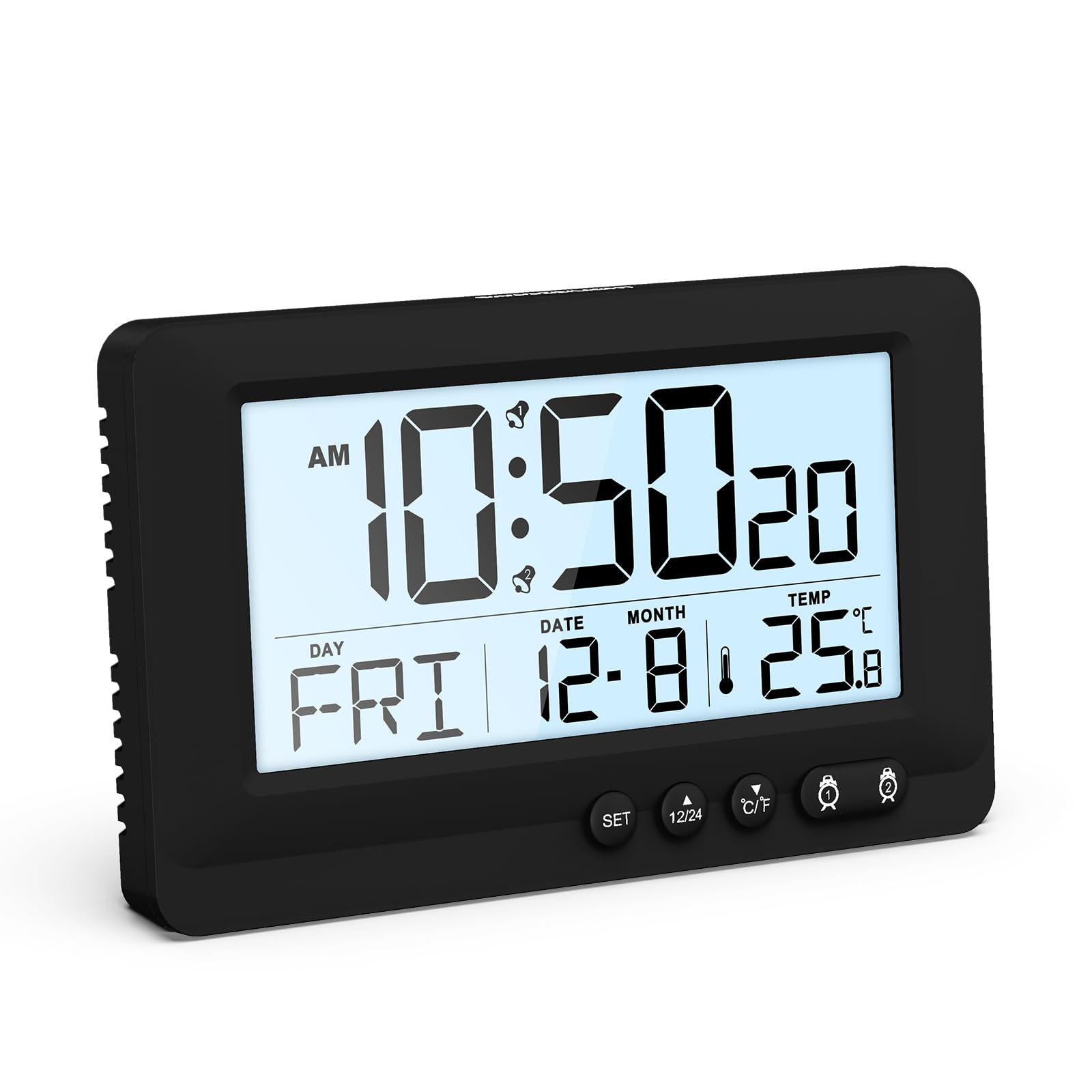
Figure 1: AMIR WA162 LCD Display Alarm Clock with key features highlighted. The clock displays time, date, day, and temperature. Icons below indicate 12/24H time, temperature, snooze, battery powered, week display, calendar, dual alarm, and 5-second backlight.
Sikkerhedsoplysninger
- Udsæt ikke enheden for ekstreme temperaturer, direkte sollys eller høj luftfugtighed.
- Undgå at tabe eller udsætte enheden for kraftige stød.
- Forsøg ikke selv at skille enheden ad eller reparere den. Kontakt kvalificeret servicepersonale.
- Opbevares utilgængeligt for børn.
- Bortskaf batterier i henhold til lokale regler.
Pakkens indhold
- 1 x AMIR WA162 LCD Display Alarm Clock
- 1 x Brugermanual (dette dokument)
Bemærk: Der kræves 2 AAA-batterier og disse er ikke inkluderet i pakken.
Produkt overview
The AMIR WA162 is a versatile LCD alarm clock designed for clarity and ease of use. It features a large display, dual alarms, snooze function, backlight, and temperature display.

Figur 2: Forside view of the alarm clock with display elements and control buttons labeled for easy identification. Labels include Alarm 1, Hour, AM, Alarm 2, Week, Month & Date, 12/24H switch, °C/°F switch, Minute, Second, Temperature, and SNOOZE/LIGHT button.
Nøglefunktioner:
- Large LCD Display: Clear and easy to read time, date, day, and temperature.
- Dual Alarm: Set two separate alarms for different schedules.
- Snooze Function: Provides 5 extra minutes of sleep.
- 5-Second Touch Backlight: Soft, non-glaring illumination for night viewing.
- Temperature Display: Shows ambient temperature in Celsius or Fahrenheit.
- 12/24 Hour Format: Switch between standard and military time.
- Battery Powered: Portable and cable-free operation.

Figure 3: The AMIR WA162 alarm clock is suitable for various environments, including bedrooms, offices, camping trips, and travel.
Opsætning
1. Batteriinstallation
- Find batteridækslet på bagsiden af vækkeuret.
- Skub dækslet åbent.
- Isæt 2 nye AAA-batterier, og sørg for at polerne vender korrekt (+ og -).
- Luk batterirummets dæksel forsvarligt.

Figure 4: Battery compartment on the back of the clock. Insert 2 AAA batteries (not included) as shown, observing correct polarity.
2. Første opstart
Once batteries are installed, the clock will power on automatically and display a default time. You will then need to set the current time and date.
Betjeningsvejledning
Indstilling af tid og dato
- Tryk og hold på SÆT button for approximately 3 seconds until the display flashes. This indicates you are in setting mode.
- Tryk på SÆT button repeatedly to cycle through the settings: Year → Month → Day → 12/24H Format → Hour → Minute.
- Mens en værdi blinker, skal du bruge OP (▲) or NED (▼) knapper for at justere værdien.
- Når du har indstillet minutterne, skal du trykke på SÆT again to exit setting mode. If no button is pressed for 10 seconds, the clock will automatically exit setting mode.
Indstilling af alarmer (Alarm 1 og Alarm 2)
- Tryk på ALARM 1 (🕑) button once to display the current Alarm 1 time.
- Tryk og hold på ALARM 1 (🕑) button for approximately 3 seconds until the Alarm 1 time flashes.
- Brug OP (▲) or NED (▼) knapperne for at indstille den ønskede alarmtime. Tryk på ALARM 1 (🕑) for at bekræfte.
- Brug OP (▲) or NED (▼) buttons to set the desired alarm minute. Press ALARM 1 (🕑) to confirm and exit Alarm 1 setting mode.
- To activate/deactivate Alarm 1, press the ALARM 1 (🕑) Tryk kortvarigt på knappen. Et alarmikon vil vises/forsvinde på displayet.
- Gentag trin 1-5 for ALARM 2 (🕑) ved hjælp af ALARM 2 (🕑) knap.
Snooze funktion
Når en alarm lyder, skal du trykke på den store SNOOZE / LYS button on top of the clock. The alarm will pause for 5 minutes and then sound again. The snooze icon will flash on the display.

Figure 5: Activating the snooze function by pressing the SNOOZE/LIGHT button. This provides an additional 5 minutes before the alarm sounds again.
For at stoppe alarmen helt, tryk på en hvilken som helst anden knap (f.eks. SÆT, UP, NED, ALARM 1, ALARM 2) or let it ring for 2 minutes until it automatically turns off.
Baggrundsbelysningsfunktion
Tryk kort på SNOOZE / LYS button to activate the backlight. The backlight will illuminate for approximately 5 seconds, providing soft, non-glaring visibility in low light conditions.

Figure 6: The clock display with and without the 5-second touch backlight activated, illustrating its soft illumination for night viewing.
Temperature Display (°C/°F Switch)
The clock displays the ambient temperature. To switch between Celsius (°C) and Fahrenheit (°F), briefly press the ° C / ° F button located on the front of the clock.
12/24 Hour Format Switch
To switch between 12-hour (with AM/PM indicator) and 24-hour (military time) formats, briefly press the 12/24H button located on the front of the clock.
Opretholdelse
Rensning
- Tør uret af med en blød, tør klud.
- Brug ikke slibende rengøringsmidler, opløsningsmidler eller kemiske spray, da disse kan beskadige skærmen ellerasing.
Udskiftning af batteri
- Når displayet bliver svagt, eller uret fungerer uregelmæssigt, er det tid til at udskifte batterierne.
- Følg trinene til batteriinstallation i afsnittet "Opsætning".
- Udskift altid begge batterier samtidig med nye AAA-batterier.
Fejlfinding
| Problem | Mulig årsag | Løsning |
|---|---|---|
| Skærmen er tom eller svag. | Batterierne er lave eller forkert installeret. | Udskift batterierne med nye AAA-batterier, og sørg for at polariteten vender korrekt. |
| Alarmen lyder ikke. | Alarmen er ikke aktiveret eller indstillet forkert. | Ensure the alarm icon is displayed. Re-set the alarm time. |
| Tid/dato er forkert. | Time/Date was not set or batteries were removed. | Indstil tid og dato igen ved at følge instruktionerne i "Indstilling af tid og dato". |
| Backlight does not work. | Batterierne er lave. | Udskift batterierne. |
Specifikationer
- Model: WA162
- Mærke: AMIR
- Skærmtype: LCD
- Farve: Sort
- Materiale: Plast
- Strømkilde: 2 x AAA batterier (medfølger ikke)
- Særlige funktioner: Alarm, Backlight, Snooze, Temperature Display
- Produktdimensioner: 14.3B x 8.6H centimeter
- Varens vægt: 0.15 kilo
- Indendørs/udendørs brug: Indendørs
- Monteringstype: Bordplade
Garanti og support
AMIR products are designed for reliability and performance. For any questions, technical support, or warranty inquiries, please refer to your purchase documentation or contact the retailer where the product was purchased. Please retain your proof of purchase for warranty claims.