
Jazmm CD-W16
Jazmm CD-W16 Boombox CD-kassetteafspiller med Bluetooth brugermanual
Model: CD-W16
Indledning
Tak for købetasing the Jazmm CD-W16 Boombox CD Cassette Player. This versatile audio system combines multiple playback options including CD, cassette, FM radio, Bluetooth, USB, TF card, and AUX-IN. It features 10W HiFi stereo speakers, a built-in rechargeable battery, and a convenient remote control for an enhanced listening experience. Please read this manual carefully before use to ensure proper operation and to maximize the product's lifespan.
Vigtige sikkerhedsinstruktioner
- Læs alle instruktioner, før du betjener enheden.
- Gem denne vejledning til fremtidig reference.
- Udsæt ikke enheden for regn eller fugt for at forhindre brand eller elektrisk stød.
- Bloker ikke ventilationsåbninger. Installer i overensstemmelse med producentens anvisninger.
- Må ikke installeres i nærheden af varmekilder såsom radiatorer, varmeapparater, komfurer eller andre apparater (inklusive ampløftere), der producerer varme.
- Beskyt netledningen mod at blive trådt på eller klemt, især ved stik, stikkontakter og det sted, hvor de kommer ud af apparatet.
- Brug kun tilbehør/tilbehør specificeret af producenten.
- Træk stikket ud af dette apparat under tordenvejr, eller når det ikke skal bruges i længere perioder.
- Overlad al service til kvalificeret servicepersonale. Service er påkrævet, når apparatet er blevet beskadiget på nogen måde, såsom strømforsyningsledning eller stik er beskadiget, væske er blevet spildt, eller genstande er faldet ind i apparatet, apparatet har været udsat for regn eller fugt, ikke fungerer normalt , eller er blevet droppet.
- Åbn ikke c'enasing. Der er ingen dele indeni, som kan serviceres af brugeren.
Pakkens indhold
- Jazmm CD-W16 Boombox CD Cassette Player
- Fjernbetjening
- Type-C USB-opladningskabel
- Brugermanual
Produkt overview
The Jazmm CD-W16 offers a comprehensive audio experience with its multi-functional design. Below is an overview of its key features and components.

Billede: Forside view of the Jazmm CD-W16 Boombox, highlighting its seven playback modes: CD Player, FM Radio, TF Card Playback, USB Playback, Tape Player, AUX-IN Playback, and Bluetooth 5.1.
Nøglefunktioner:
- 7-in-1 Playback: CD, Cassette, FM Radio, Bluetooth 5.1, USB, TF Card, AUX-IN.
- CD-kompatibilitet: Supports CD, CDR, CDRW, MP3, WMA formats.
- Kassetteafspiller og -optager: Play tapes and record audio.
- FM-radio: Automatic scanning, 30 preset stations.
- High-Fidelity lyd: Dual 10W HiFi speakers with advanced noise reduction.
- 5 EQ Sound Modes: NORMAL, ROCK, POP, JAZZ, CLASS.
- Genopladeligt batteri: Built-in 5000mAh battery for portable use (5-8 hours playback).
- Forbindelse: USB port, TF card slot, 3.5mm AUX-IN, 3.5mm Headphone Jack.
- Bekvemmelighed: Remote control, portable handle, Type-C charging.
Opsætning
1. Tænd og opladning
The Jazmm CD-W16 features a built-in 5000mAh rechargeable battery. Before first use, it is recommended to fully charge the device.
- Connect the provided Type-C USB charging cable to the Type-C port on the boombox.
- Connect the other end of the cable to a 5V/2A USB power adapter (not included), a power bank, or a car charger.
- The charging indicator will illuminate. Once fully charged, the indicator may change color or turn off, depending on the unit's design.
- A full charge typically provides 5-8 hours of playback time.

Image: The Jazmm CD-W16 Boombox being charged via Type-C USB cable from various sources including a wall charger, power bank, and car charger, illustrating its 5000mAh rechargeable battery.
2. Første opstart
Tryk på MAGT button on the unit or remote control to turn on the boombox. The display will light up, indicating the current mode.
Betjeningsvejledning
1. Generelle kontroller
Familiarize yourself with the control buttons on the unit and the remote control.
- POWER -knap: Tænder/slukker enheden.
- MODE/FUNCTION Button: Switches between CD, TAPE, FM, Bluetooth, USB, TF, AUX-IN modes.
- LYDSTYRKE +/-: Justerer afspilningslydstyrken.
- PLAY/PAUSE knap: Starter eller sætter afspilning på pause.
- STOP knap: Stopper afspilning.
- FORRIGE/NÆSTE knapper: Springer til forrige eller næste spor/station.
- EQ knap: Cycles through sound equalizer modes (NORMAL, ROCK, POP, JAZZ, CLASS).
- REPEAT knap: Cycles through repeat modes (Repeat One, Repeat All, Repeat Folder).
2. CD-afspilning
- Tryk på MODE/FUNKTION knappen for at vælge CD -tilstand.
- Open the CD compartment cover gently.
- Place a CD (CD, CDR, CDRW, MP3, WMA format) onto the spindle with the label side facing up.
- Close the CD compartment cover. The unit will begin reading the disc and playback will start automatically.
- Brug AFSPIL/PAUSE, STOP, FORRIGE NÆSTE knapper til at styre afspilning.
- Tryk på GENTAGE button to select repeat modes (e.g., repeat one track, repeat all tracks).
3. Kassetteafspilning og -optagelse
- Tryk på MODE/FUNKTION -knappen for at vælge TAPE-tilstand.
- Åbn døren til kassetterummet.
- Insert a cassette tape into the compartment and close the door.
- Tryk på SPIL knappen for at starte afspilning.
- At optage:
- Ensure a blank cassette tape is inserted.
- Select the desired audio source (e.g., FM radio, AUX-IN, or use the built-in microphone).
- Tryk på OPTAGE button (usually red) on the unit. Playback from the source will begin, and recording will start simultaneously onto the tape.
- Tryk på STOP knappen for at afslutte optagelsen.
4. Betjening af FM-radio
- Tryk på MODE/FUNKTION knappen for at vælge FM-tilstand.
- Træk teleskopantennen ud for optimal modtagelse.
- Automatisk scanning: Tryk og hold på AFSPIL/PAUSE button (or a dedicated SCAN button if available) to automatically scan and save available FM stations. The unit can save up to 30 preset stations.
- Manuel indstilling: Brug FORRIGE NÆSTE knapperne til manuelt at indstille de ønskede frekvenser.
- Genkaldelse af forudindstillinger: Use the number buttons on the remote control or dedicated preset buttons on the unit to select saved stations.
5. Bluetooth-parring
The boombox supports Bluetooth 5.1 for wireless audio streaming.
- Tryk på MODE/FUNKTION button to select Bluetooth (BT) mode. The display will show "BT" and an indicator will flash, signifying it's in pairing mode.
- Aktiver Bluetooth på din Bluetooth-aktiverede enhed (smartphone, tablet, bærbar computer), og søg efter tilgængelige enheder.
- Select "Jazmm CD-W16" (or similar name) from the list of devices.
- Once paired, the boombox will emit a confirmation sound, and the Bluetooth indicator will stop flashing.
- You can now play audio from your device through the boombox.
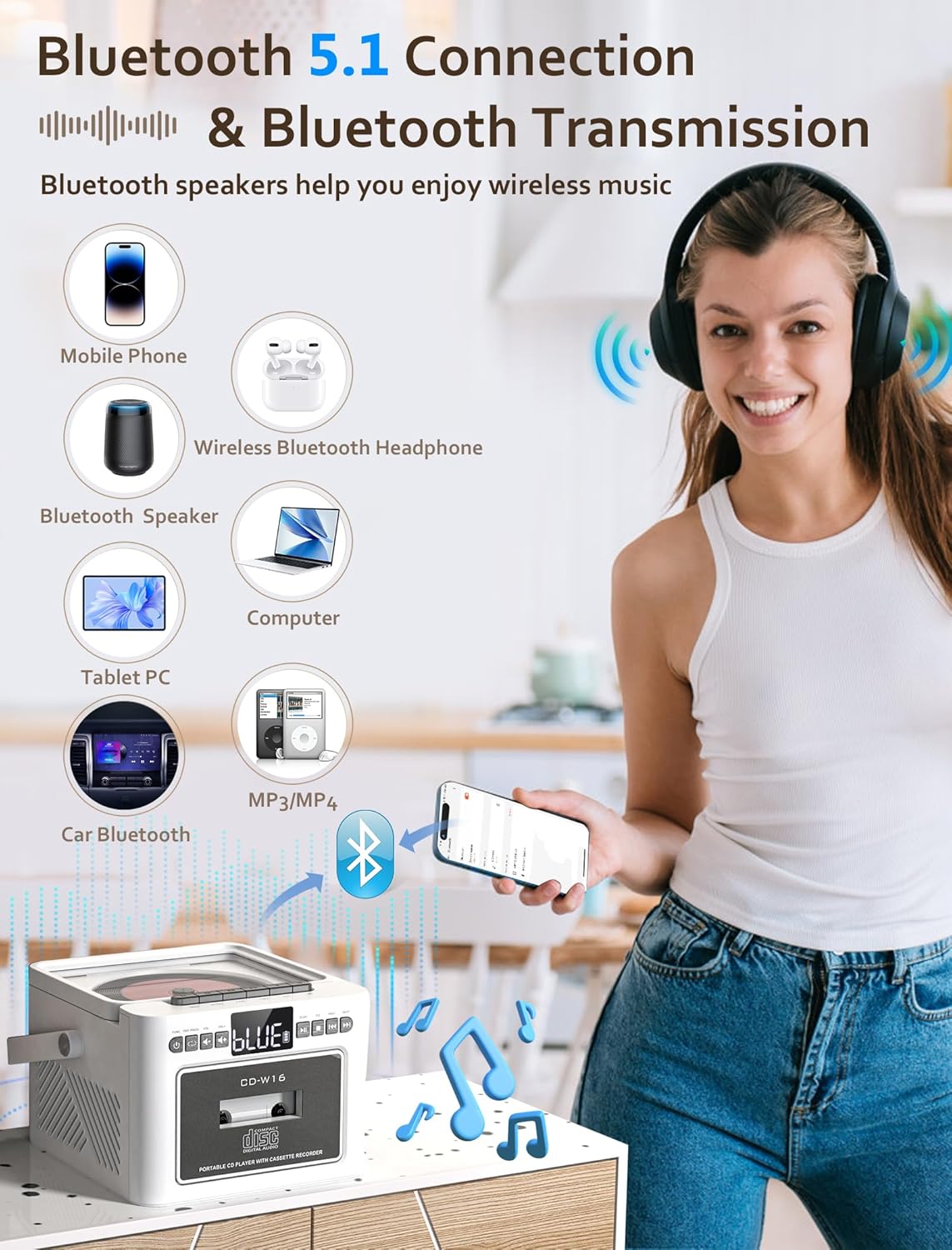
Image: The Jazmm CD-W16 Boombox demonstrating its Bluetooth 5.1 connectivity, wirelessly streaming music from a mobile phone, and connecting to other devices like Bluetooth speakers, headphones, tablets, computers, and car Bluetooth systems.
6. USB / TF-kortafspilning
- Insert a USB flash drive into the USB port or a TF (Micro SD) card into the TF card slot.
- Tryk på MODE/FUNKTION button to select USB or TF mode. The unit will automatically detect and begin playing compatible audio files (MP3, WMA).
- Brug AFSPIL/PAUSE, STOP, FORRIGE NÆSTE knapper til at styre afspilning.
7. AUX-IN Playback
- Connect an external audio device (e.g., MP3 player, smartphone) to the AUX-IN port on the boombox using a 3.5mm audio cable (not included).
- Tryk på MODE/FUNKTION knappen for at vælge AUX-IN-tilstand.
- Control playback directly from your connected external device. The boombox will act as a speaker.
8. EQ Sound Modes
The Jazmm CD-W16 offers 5 equalizer presets to optimize your listening experience for different music genres.
- Tryk på EQ button repeatedly to cycle through the available modes: NORMAL, ROCK, POP, JAZZ, CLASS.
- Select the mode that best suits your audio content.
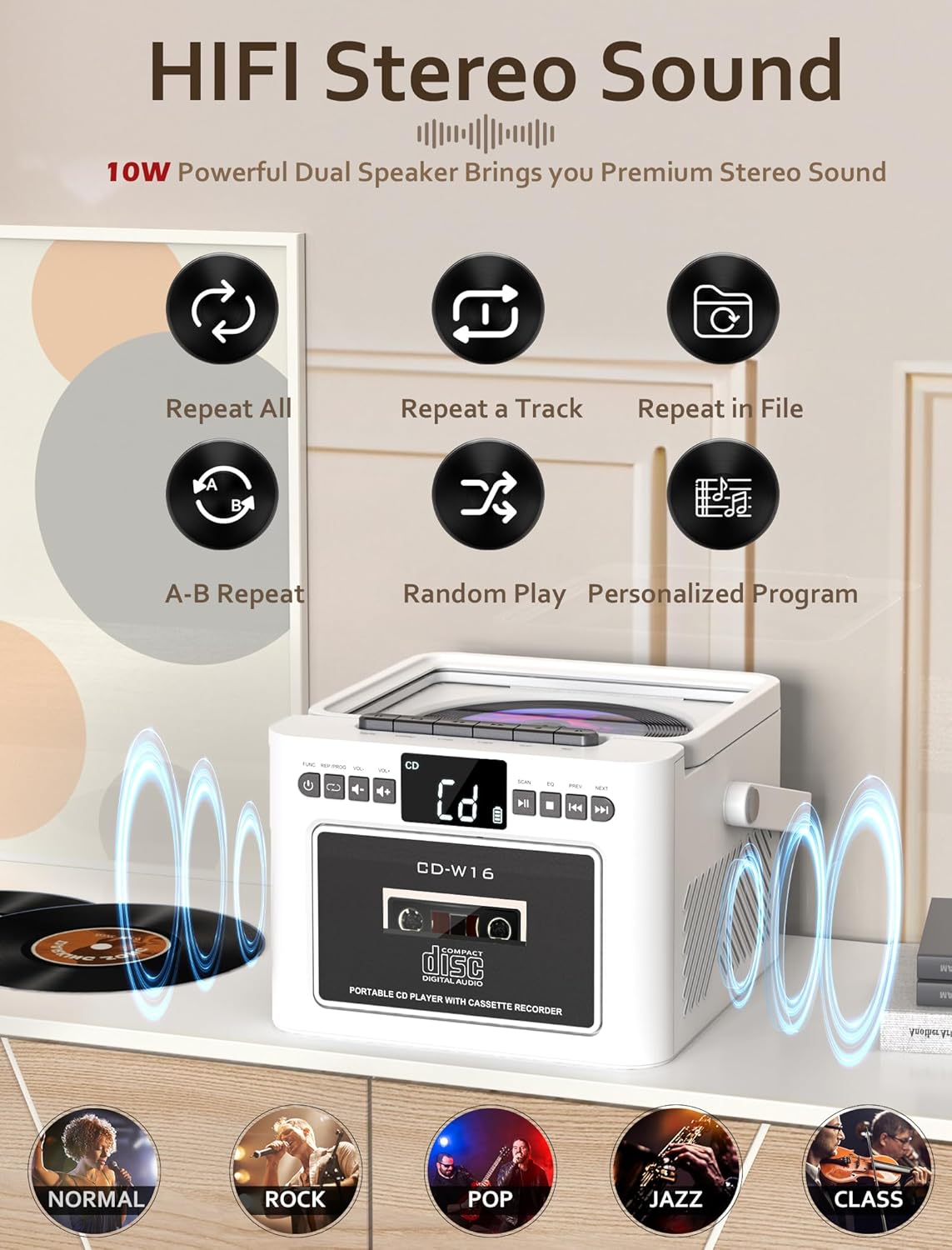
Image: The Jazmm CD-W16 Boombox illustrating its 10W HIFI stereo sound output and the five available EQ sound modes: Normal, Rock, Pop, Jazz, and Class.
9. Brug af fjernbetjeningen
The included remote control allows convenient operation from a distance of up to 7 meters. Ensure there are no obstructions between the remote and the boombox's IR receiver.
- Insert batteries into the remote control (type usually AAA, refer to remote's battery compartment).
- The remote control duplicates most functions available on the main unit, including power, mode selection, volume, track skipping, play/pause, stop, EQ, and repeat.
- For FM radio, the remote may also offer direct number input for station frequencies or preset recall.
Opretholdelse
1. Rensning
- Tag altid stikket ud af stikkontakten før rengøring.
- Brug en blød, tør klud til at tørre de udvendige overflader af.
- For genstridige mærker, gnid letampRengør kluden med vand og et mildt rengøringsmiddel, og tør derefter straks efter.
- Brug ikke slibende rengøringsmidler, voks eller opløsningsmidler, da de kan beskadige finishen.
- For the CD lens, use a specialized CD lens cleaning kit. Do not touch the lens directly.
- For the cassette head, use a cassette head cleaning solution and swab.
2. Opbevaring
- When not in use for extended periods, store the boombox in a cool, dry place, away from direct sunlight and extreme temperatures.
- Remove any discs or tapes from the compartments before storage.
- If storing for a very long time, it is advisable to periodically charge the built-in battery to maintain its health.
Fejlfinding
| Problem | Mulig årsag | Løsning |
|---|---|---|
| Ingen strøm | Battery depleted; Power cable not connected; Unit off. | Charge the battery; Ensure power cable is securely connected; Press the POWER button. |
| Ingen lyd | Volume too low; Mute activated; Incorrect mode selected; Headphone connected. | Increase volume; Check if mute is active; Select correct playback mode; Disconnect headphones. |
| CD'en afspiller ikke | Disc dirty/scratched; Disc inserted incorrectly; Unsupported disc format; CD compartment not closed. | Clean or replace disc; Insert disc label-side up; Ensure disc is CD/CDR/CDRW/MP3/WMA; Close compartment firmly. |
| Kassettebåndet afspiller/optager ikke | Tape damaged; Tape inserted incorrectly; Cassette heads dirty. | Use a functional tape; Insert tape correctly; Clean cassette heads. |
| Dårlig FM -modtagelse | Antenne ikke strakt ud; Område med svagt signal; Interferens. | Fully extend the telescopic antenna; Reposition the unit; Move away from electronic devices causing interference. |
| Bluetooth-parring mislykkedes | Boombox not in pairing mode; Device Bluetooth off; Out of range; Already paired to another device. | Ensure boombox is in BT pairing mode; Enable Bluetooth on your device; Move device closer; Disconnect from other devices. |
| Fjernbetjening virker ikke | Batteries depleted/incorrectly inserted; Obstruction between remote and unit; Remote sensor blocked. | Replace/reinsert batteries; Remove obstructions; Ensure remote sensor on unit is clear. |
Specifikationer
| Feature | Detalje |
|---|---|
| Model | CD-W16 |
| Mærke | Jazmm |
| Afspilningstilstande | CD, Cassette, FM Radio, Bluetooth, USB, TF Card, AUX-IN |
| CD-kompatibilitet | CD, CDR, CDRW, MP3, WMA |
| Bluetooth version | 5.1 |
| Højttaler output | 2 x 10W (Stereo) |
| Strømkilde | Built-in 5000mAh Rechargeable Battery, Type-C 5V/2A Input |
| Batterilevetid | Ca. 5-8 timer (afhængigt af brug) |
| Forbindelse | USB Port, TF Card Slot, 3.5mm AUX-IN, 3.5mm Headphone Jack |
| Fjernbetjenings rækkevidde | Op til 7 meter |
| Kompatible enheder | Smartphones, bærbare computere, tablets, MP3-afspillere |
Garanti og support
Jazmm offers a lifetime warranty on this portable CD player boombox. For any product inquiries, technical support, or warranty claims, please contact our customer service team. We provide 24/7 world-class customer service to assist you.
Se venligst din købsdokumentation eller sælgers oplysninger for specifikke kontaktoplysninger.
Ask a question about this manual
Ask about setup, troubleshooting, compatibility, parts, safety, or missing instructions. Manuals+ will review the question and use this page’s manual context to help answer it.