
Indledning
This manual provides essential information for the setup, operation, and maintenance of your omiXimo Gaming PC, model XEON016. This high-performance system is equipped with an Intel Xeon processor, an NVIDIA RTX 4060 graphics card, 16GB DDR4 RAM, and a 1000GB SSD, designed for demanding computing tasks including gaming and content creation.
Please read this manual thoroughly before using your new PC to ensure proper installation and optimal performance.
Produktegenskaber
- INTEL XEON Processor: Offers robust performance for multitasking and gaming applications.
- NVIDIA RTX 4060 Graphics Card: Delivers high-fidelity visuals and smooth frame rates for an immersive gaming experience.
- 16 GB DDR4 RAM: Giver ample memory for running multiple applications and demanding games simultaneously without performance degradation.
- 1000 GB SSD Storage: Ensures rapid system boot-up, quick application loading, and fast file overførsler.
- Forinstalleret Windows 11 Pro: The operating system is pre-installed, allowing for immediate use upon setup.
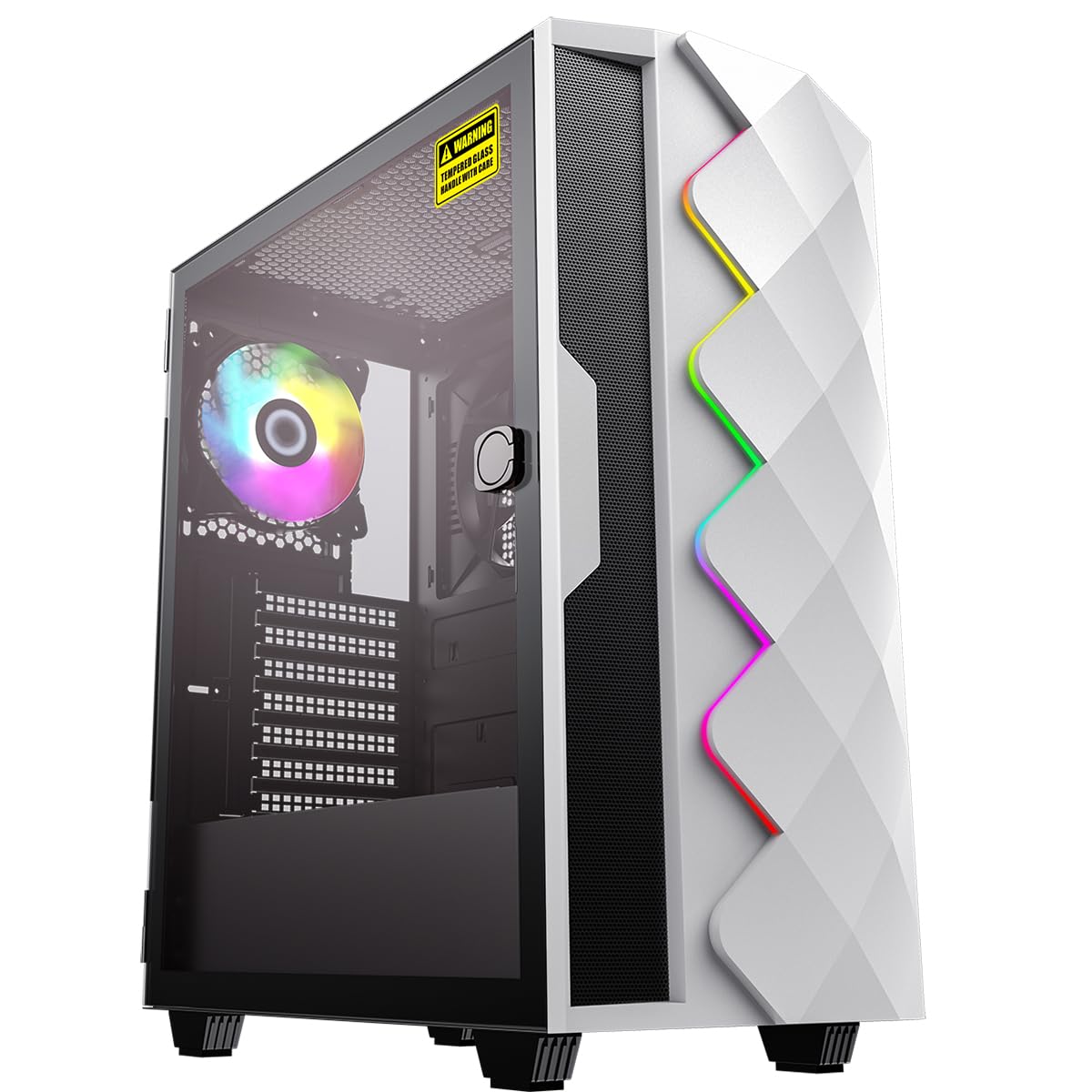
Figur 1: Forside view of the omiXimo Gaming PC XEON016.
Opsætningsvejledning
- Udpakning: Carefully remove the PC and all accessories from the packaging. Retain packaging for future transport or warranty claims.
- Tilslutning af eksterne enheder:
- Connect your monitor(s) to the graphics card ports (HDMI, DisplayPort) located at the rear of the PC.
- Tilslut dit tastatur og din mus til de tilgængelige USB-porte.
- Hvis du bruger et kabelbaseret netværk, skal du tilslutte et Ethernet-kabel til LAN-porten.
- Tilslut højttalere eller hovedtelefoner til lydstikkene.
- Strømtilslutning: Connect the power cable to the PC's power supply unit (PSU) and then to a wall outlet.
- Første boot: Press the power button on the front of the PC. The system will initiate the Windows 11 Pro setup process. Follow the on-screen instructions to complete the initial setup, including language, region, and user account creation.

Figur 2: Bagside view of the PC showing various connection ports.
Betjeningsvejledning
Tænd/sluk
- For at tænde: Tryk på tænd/sluk-knappen på frontpanelet.
- For at lukke ned: Click the Start button in Windows, then select Power > Shut down. Avoid direct power-off unless necessary to prevent data loss.
- For at genstarte: Klik på Start-knappen i Windows, og vælg derefter Tænd/sluk > Genstart.
Tilslutning til et netværk
- Kablet forbindelse: Ensure an Ethernet cable is connected from your router to the PC's LAN port. The connection should be automatically detected.
- Trådløs forbindelse: If your PC includes a Wi-Fi adapter, click the network icon in the system tray, select your Wi-Fi network, enter the password, and connect.
Installation af software
Software can be installed from various sources:
- Microsoft Store: Access the Microsoft Store app to download and install applications.
- Web Downloads: Download installation files (.exe, .msi) from official websites and run them to install software.
Opretholdelse
Rensning
- Ydre: Brug en blød, damp klud til at rengøre de udvendige overflader. Undgå slibende rengøringsmidler.
- Støvfiltre: Regularly check and clean the dust filters (if present) on the case to maintain optimal airflow.
- Interne komponenter: For internal cleaning, it is recommended to consult a professional or refer to advanced guides. Ensure the PC is powered off and unplugged before opening the case.
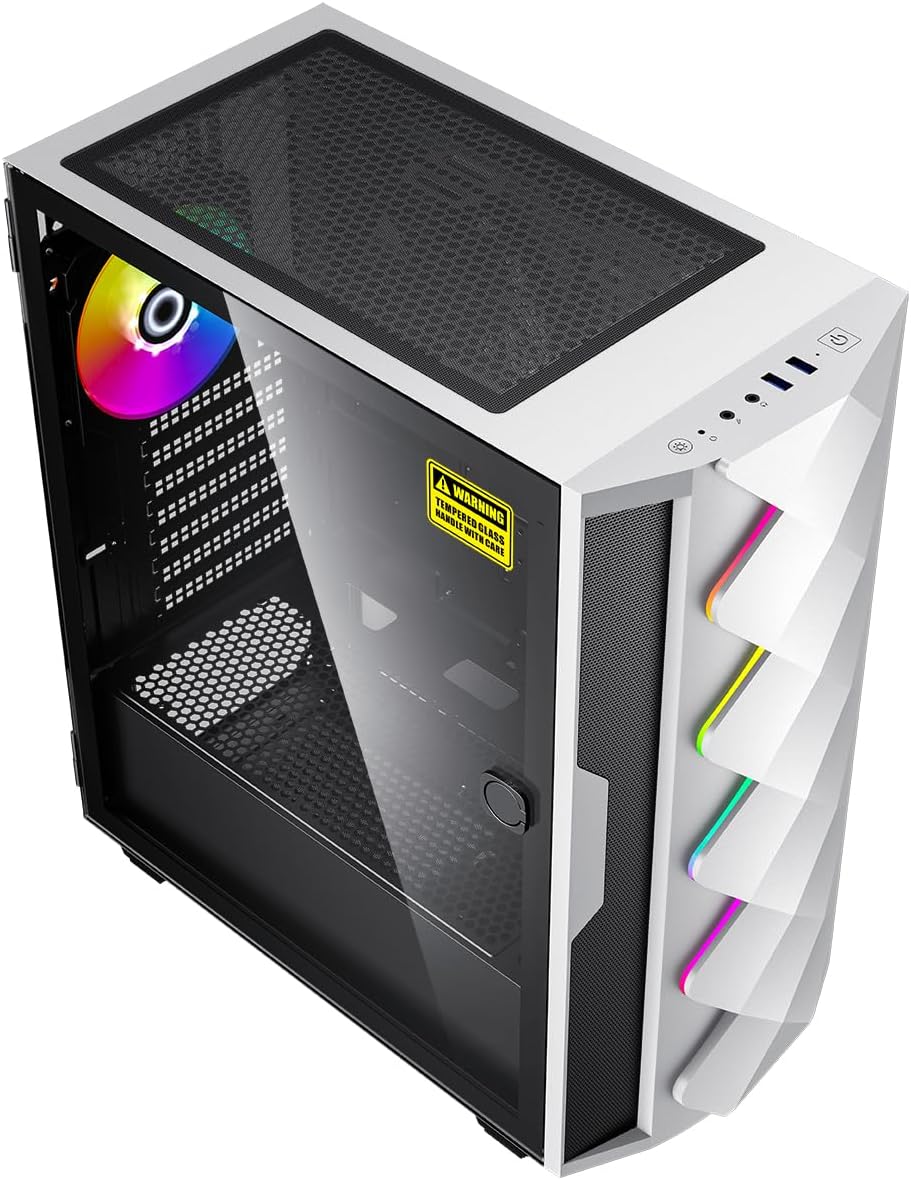
Figur 3: Intern view of the PC, showing components and potential dust filter locations.
Softwareopdateringer
Regularly update your operating system, drivers, and applications to ensure security, stability, and performance. Windows Update can be accessed via Settings > Windows Update.
Ventilation
Ensure the PC is placed in a well-ventilated area, away from direct sunlight or heat sources. Do not block the air vents on the case.
Fejlfinding
| Problem | Mulig årsag | Løsning |
|---|---|---|
| PC'en tænder ikke. | Power cable loose, power outlet faulty, PSU issue. | Check power cable connections. Try a different power outlet. Ensure PSU switch is ON. |
| Ingen visning på skærmen. | Monitor cable loose, monitor off, incorrect input selected, graphics card issue. | Ensure monitor is powered on and connected to the graphics card. Check monitor input settings. |
| Systemet er langsomt eller reagerer ikke. | For mange kørende programmer, utilstrækkelig RAM, malware, forældede drivere. | Close unnecessary programs. Check Task Manager for resource usage. Run antivirus scan. Update drivers. |
| PC is overheating. | Blocked vents, dust buildup, fan malfunction. | Ensure proper ventilation. Clean dust filters. Check fan operation. |
Specifikationer
| Komponent | Detalje |
|---|---|
| Mærke | omiXimo |
| Modelnummer | XEON016 |
| Processor | Intel Xeon (3.5 GHz) |
| Grafikkort | NVIDIA GeForce RTX 4060 (8 GB GDDR6) |
| VÆDDER | 16 GB DDR4 (Max. 64 GB supported) |
| Opbevaring | 1000 GB SSD (Note: Some specifications mention 512GB, but product description indicates 1000GB total capacity) |
| Operativsystem | Windows 11 Pro |
| USB 2.0 porte | 2 |
| USB 3.0 porte | 4 |
| HDMI porte | 1 |
| Optisk drev | Ingen |
| Hardware platform | PC |
| Farve | Sort |
Garanti og support
For warranty information and technical support, please refer to the documentation included with your purchase or visit the official omiXimo webwebsted. Gem din købsbevis til garantikrav.
If you encounter issues not covered in this manual, please contact omiXimo customer support for assistance.