
1. Introduktion
This manual provides instructions for the ZWP XRS551-D replacement remote control. This remote is designed to operate various Vizio Soundbar models, offering a direct replacement experience without the need for complex programming.

Billede: Forside view of the ZWP XRS551-D replacement remote control, showcasing dens knaplayout.
1.1 Compatible Soundbar Models
The ZWP XRS551-D remote control is compatible with the following Vizio Soundbar models:
- SB3531-D0
- SB3621N-E8
- SB3651-E6
- SB3651E6
- SB3820-C6
- SB3851-D0
- SB4031-D5
- SB4051-D5
- SB351-D0
The remote control is constructed from high-quality ABS material, ensuring durability and a comfortable grip. It features an ergonomic design for ease of use and quick response times.

Image: A graphic highlighting the ZWP XRS551-D remote control's smart and quality features, including stable link, 0.2-second fast response, easy grip and control, and power-saving capabilities.
2. Opsætning
2.1 Batteriinstallation
Fjernbetjeningen kræver to AAA-batterier (medfølger ikke). Følg disse trin for at installere dem:
- Find batterirummet på bagsiden af fjernbetjeningen.
- Skub batteridækslet nedad for at åbne det.
- Isæt to AAA-batterier, og sørg for at polerne (+ og -) vender korrekt som angivet i batterirummet.
- Skub batteridækslet tilbage på plads, indtil det klikker sikkert.

Billede: A view of the back of the ZWP XRS551-D remote control with the battery cover removed, showing the battery compartment and the correct orientation for inserting two AAA batteries. Two AAA batteries are depicted next to the remote, with a red 'X' over them to indicate they are not included. The image also highlights an ultra-long standby time of up to 6 months.
2.2 Førstegangsbrug
No programming is required. Once batteries are installed, the remote control is ready for immediate use with compatible Vizio Soundbar models. Simply point the remote towards your soundbar and begin operation.

Image: A hand holding the ZWP XRS551-D remote control, with text indicating "Perfectly Compatible" and "No Setup Required," illustrating the ease of initial use.
3. Betjeningsvejledning
3.1 Grundlæggende funktioner
The remote control provides standard functions for your Vizio Soundbar. Familiarize yourself with the button layout for optimal control:
- Power knap: Tænder eller slukker for soundbaren.
- Lydstyrke op/ned: Justerer lydstyrken på soundbaren.
- Mute-knap: Slår lyden fra eller til på soundbaren.
- Input knap: Cycles through available audio inputs (e.g., HDMI, Optical, Bluetooth).
- Menu-knap: Accesses the soundbar's menu options for settings adjustments.
- Navigationsknapper (Op/Ned/Venstre/Højre/OK): Bruges til menunavigation og valg.
- Play/Pause, Skip Forward/Backward: Controls media playback when applicable (e.g., Bluetooth audio).
3.2 Remote Control Range and Angle
The remote operates using infrared (IR) technology. Ensure a clear line of sight between the remote control and the soundbar's IR receiver for optimal performance. The maximum effective range is approximately 10 meters (26 feet). It supports multi-angle induction up to 120 degrees, allowing for flexible positioning.
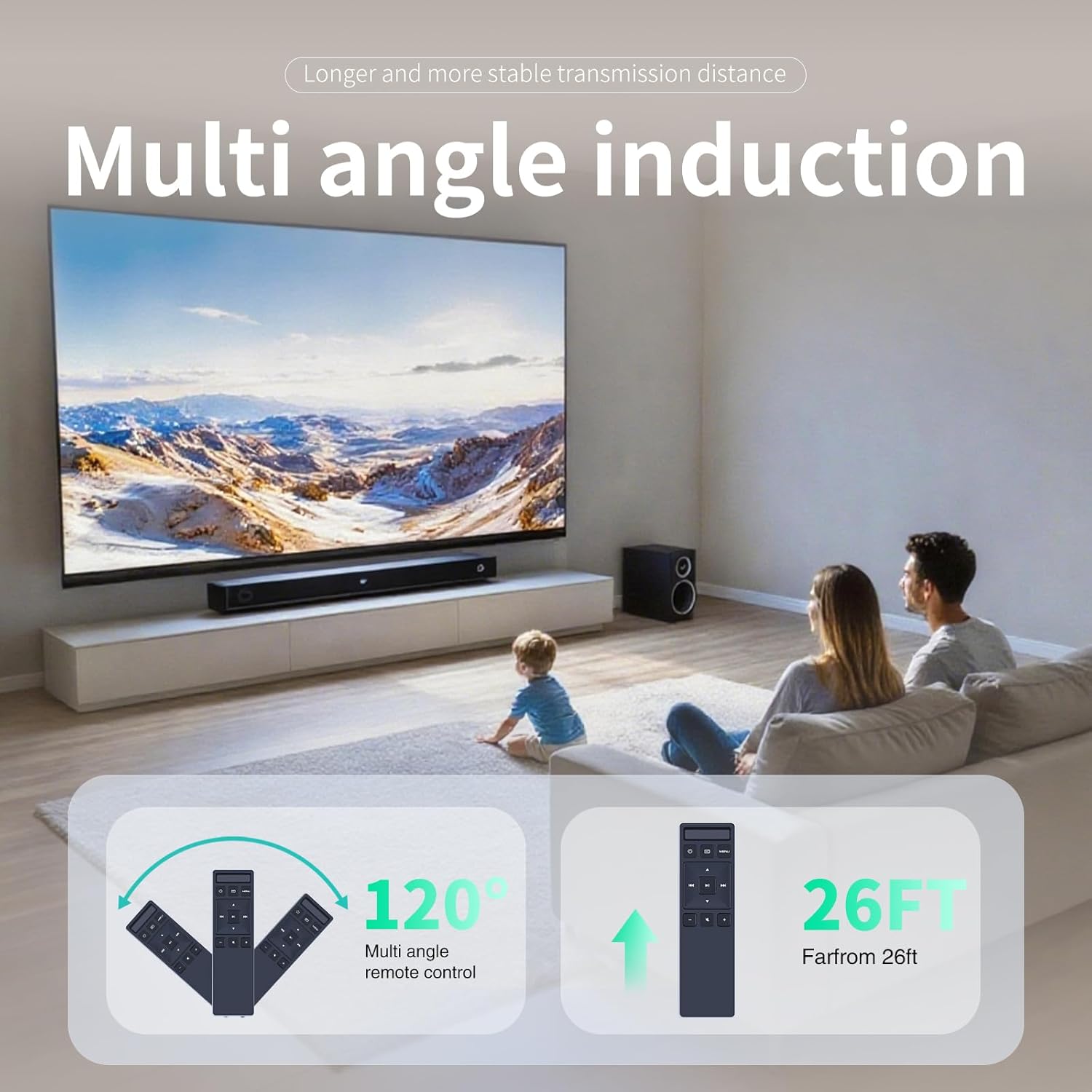
Image: An illustration demonstrating the ZWP XRS551-D remote control's operational range and angle. It shows the remote functioning effectively up to 26 feet and at angles up to 120 degrees.
4. Vedligeholdelse
4.1 Rengøring
To clean the remote control, wipe it with a soft, dry cloth. Do not use liquid cleaners, solvents, or abrasive materials, as these may damage the surface or internal components.
4.2 Udskiftning af batteri
Replace batteries when the remote control's responsiveness decreases or it stops functioning. Always replace both AAA batteries simultaneously with new ones. Do not mix old and new batteries or different battery types, as this can lead to improper operation or battery leakage.
4.3 Opbevaring
If the remote control will not be used for an extended period, remove the batteries to prevent leakage and potential damage to the device. Store the remote in a cool, dry place away from direct sunlight and extreme temperatures.
5. Fejlfinding
5.1 Fjernbetjeningen svarer ikke
- Tjek batterier: Ensure batteries are inserted correctly with the proper polarity (+ and -). Replace with fresh AAA batteries if necessary.
- Synslinje: Verify there are no obstructions between the remote control and the soundbar's IR receiver.
- Afstand: Ensure you are within the effective operating range (approximately 10 meters or 26 feet).
- Soundbar-strøm: Confirm the soundbar is powered on and functioning correctly.
5.2 Intermitterende funktionalitet
- Batteriniveau: Low batteries can cause inconsistent performance. Replace them with fresh ones.
- Interferens: Strong light sources (e.g., direct sunlight, fluorescent lights) or other infrared devices might interfere with the remote's signal. Try operating the remote in a different environment or adjusting lighting conditions.
6. Specifikationer
6.1 Generelt
- Model: XRS551-D
- Mærke: ZWP
- Farve: Sort
- Materiale: ABS af høj kvalitet
- Forbindelse teknologi: Infrarød (IR)
- Controller type: Knap kontrol
- Maks. antal understøttede enheder: 1 (Soundbar)
6.2 Strøm
- Batteritype: 2 x AAA (Alkaline anbefales, medfølger ikke)
- Standby tid: Up to 6 months (approximate, with fresh batteries)
6.3 Dimensioner og vægt
- Længde: 7.28 tommer (18.49 cm)
- Bredde: 1.92 tommer (4.88 cm)
- Højde: 1.02 tommer (2.59 cm)
- Varens vægt: 2.4 ounce (68 gram)

Image: A visual representation of the ZWP XRS551-D remote control highlighting its ergonomic design and precise dimensions: Length 7.28 inches, Width 1.92 inches, and Height 1.02 inches.
7. Garanti og support
The ZWP XRS551-D remote control is manufactured with high-quality materials and undergoes quality assurance checks to ensure reliable performance. For any questions, technical assistance, or support inquiries, please contact the seller directly through your purchase platform.
Information regarding specific warranty terms and conditions may be available from your point of purchase or by contacting the seller.