
AceGamer PS-P-White
AceGamer RGB Charging Dock for PlayStation Portal - User Manual
Model: PS-P-White
1. Introduktion
Tak for købetasing the AceGamer RGB Charging Dock for PlayStation Portal. This portable charging station is designed to provide a stable and efficient charging solution for your PlayStation Portal console, featuring customizable RGB lighting and essential protection features. Please read this manual carefully before use to ensure proper operation and maintenance.
2. Pakkens indhold
- AceGamer RGB Charging Dock (1 unit)
- Type-C opladningskabel (1 enhed)
- Brugervejledning (dette dokument)
3. Produktfunktioner
- Dedicated Charging: Specifically designed for the PlayStation Portal console.
- RGB belysning: Features 7 distinct lighting modes for personalized aesthetics.
- Hurtig opladning: Efficient power delivery for fast charging.
- Sikkerhedsbeskyttelse: Indbygget overstrøm, overvoltage, og under-bindtage beskyttelse.
- Ergonomisk design: 30-degree comfortable viewing angle for the PlayStation Portal.
- Stabil base: Equipped with anti-slip mats for secure placement.
- Forbindelse: USB Type-C input for power.
4. Opsætningsvejledning
- Tilslut strøm: Insert the provided Type-C charging cable into the charging dock's input port and connect the other end to a suitable USB power adapter (not included).

Figure 4.1: Connecting the Type-C power cable to the charging dock.
- Place PlayStation Portal: Carefully align your PlayStation Portal console with the charging connector on the dock and gently place it into position. Ensure a secure connection for charging. The dock is designed to hold the Portal at a 30-degree angle for optimal viewing.

Figure 4.2: PlayStation Portal placed on the charging dock at a 30-degree angle.
- Anti-slip Stability: The base of the charging dock is equipped with anti-slip mats to prevent accidental movement. Ensure the dock is placed on a flat, stable surface.
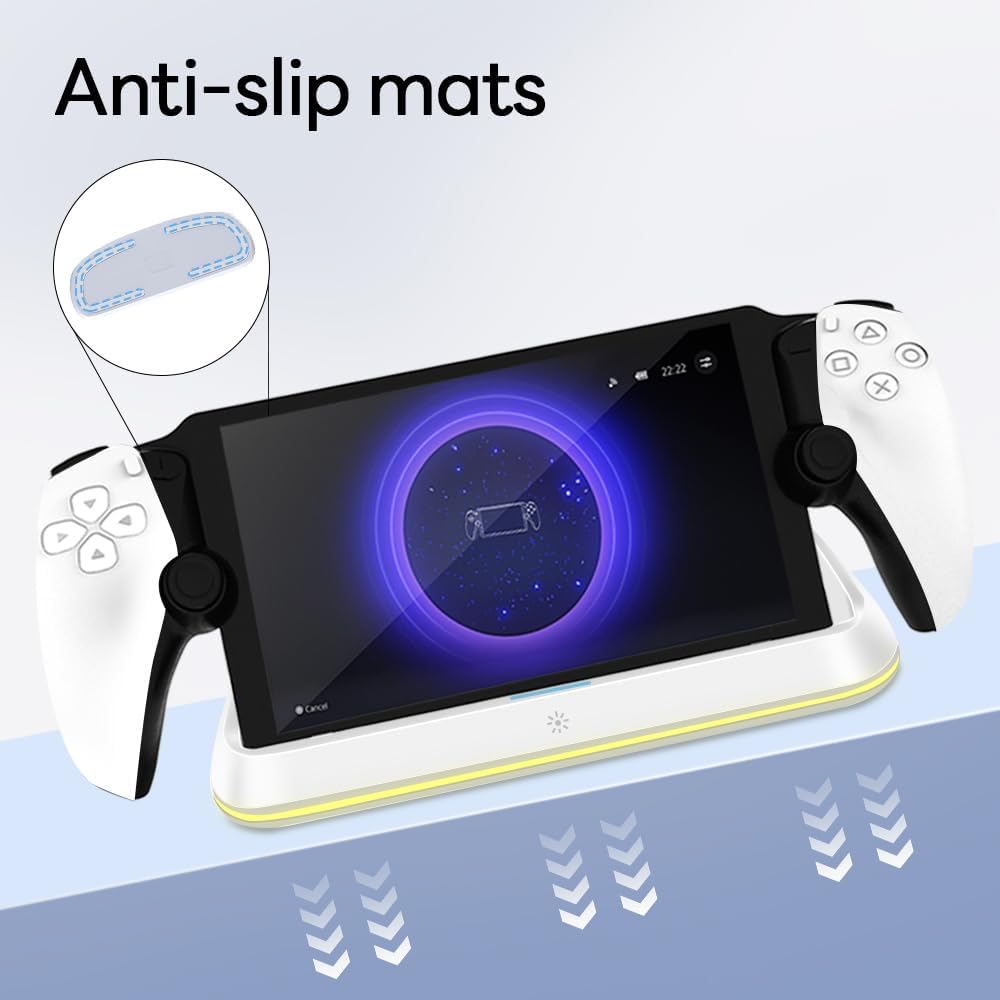
Figure 4.3: Anti-slip mats on the charging dock for enhanced stability.
- Visuel guide: For a visual demonstration of the setup process, please refer to the video below.
Video 4.1: Demonstration of connecting the power supply and placing the PlayStation Portal onto the charging dock.
5. Betjeningsvejledning
- Charging the PlayStation Portal: Once the PlayStation Portal is correctly seated on the dock and the dock is powered, charging will begin automatically. A full charge typically takes approximately 3.5 hours. The dock includes protection against over-current, over-voltage, og under-bindtage to safeguard your device.

Figure 5.1: Charging indicators and safety protection features.
- RGB-lysstyring: The charging dock features a touch-sensitive button to control the RGB lighting. Press the button to cycle through 7 different lighting modes or to turn the lights off.

Figure 5.2: RGB lighting modes and touch control button.
6. Vedligeholdelse
- Keep the charging dock clean and free from dust. Use a soft, dry cloth for cleaning.
- Undgå at udsætte enheden for ekstreme temperaturer, fugt eller direkte sollys.
- Brug ikke slibende rengøringsmidler eller opløsningsmidler, da disse kan beskadige overfladen.
- Ensure the charging port and connector are free of debris before placing the PlayStation Portal.
7. Fejlfinding
- Enheden oplader ikke:
- Ensure the Type-C cable is securely connected to both the dock and the power adapter.
- Kontroller, at strømadapteren fungerer korrekt og er tilsluttet en stikkontakt.
- Check if the PlayStation Portal is properly seated on the charging connector.
- Prøv at bruge et andet Type-C-kabel eller en anden strømadapter.
- RGB-lys virker ikke:
- Ensure the charging dock is powered on.
- Press the touch light button to cycle through modes or turn the lights on.
- Unstable placement:
- Ensure the dock is placed on a flat, level surface.
- Check if the anti-slip mats are clean and intact.
8. Specifikationer
| Mærke | AceGamer |
| Modelnummer | PS-P-White |
| Kompatible enheder | PlayStation-portalen |
| Input bindtage | 5 volt |
| Wattage | 7 watt |
| Connector Type | USB Type-C (for power input) |
| Særlige funktioner | RGB Lighting, Fast Charging, Over-current Protection, Over-voltage-beskyttelse, undervolumentage Beskyttelse |
| Dimensioner | Cirka 22.5 x 8.9 x 8.4 cm |
| Vægt | Cirka 290 g |
9. Garanti og support
AceGamer products are designed and manufactured to the highest quality standards. For warranty information or technical support, please contact the retailer where you purchased the product or visit the official AceGamer website for customer service contact details. Please retain your proof of purchase for warranty claims.
Ask a question about this manual
Ask about setup, troubleshooting, compatibility, parts, safety, or missing instructions. Manuals+ will review the question and use this page’s manual context to help answer it.