
Indledning
This manual provides detailed instructions for the ELISWEEN Wireless Controller, Model RM. This controller is designed for use with Nintendo Switch, Switch Lite, and Switch OLED consoles, offering enhanced gaming features and ergonomic design.
Key features include programmable back buttons, adjustable turbo function, dual vibration motors, and a 6-axis gyro sensor for precise motion control.
Pakkens indhold
- ELISWEEN Wireless Controller (Model RM)
- USB-C ladekabel
- Brugermanual
Controller layout
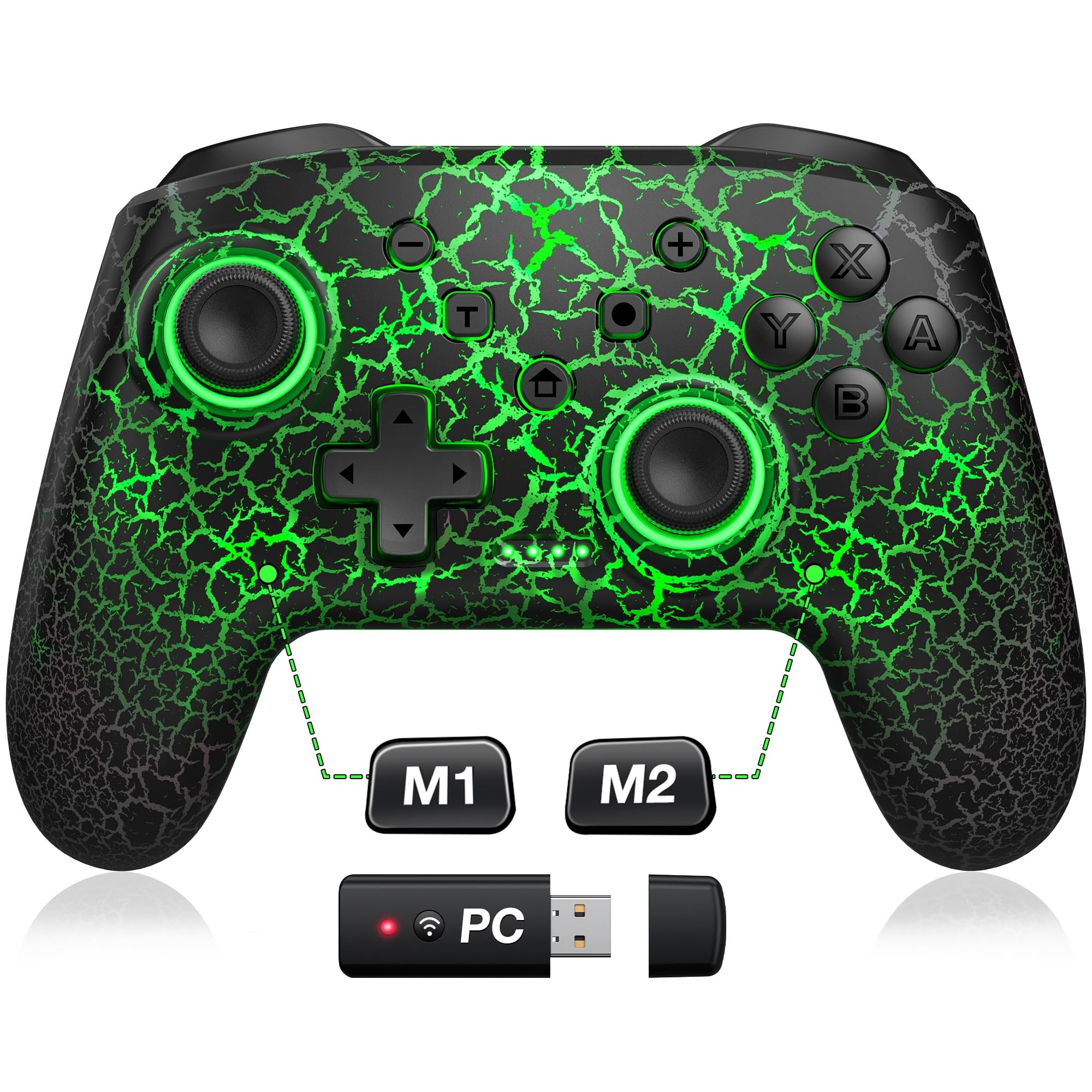
Front view of the ELISWEEN Wireless Controller, highlighting the main buttons and joysticks.
The controller features standard Nintendo Switch button layout including A, B, X, Y buttons, D-pad, Left and Right joysticks, L/R and ZL/ZR shoulder buttons, and various system buttons (Home, +, -, Capture, T for Turbo, and a button for LED control).
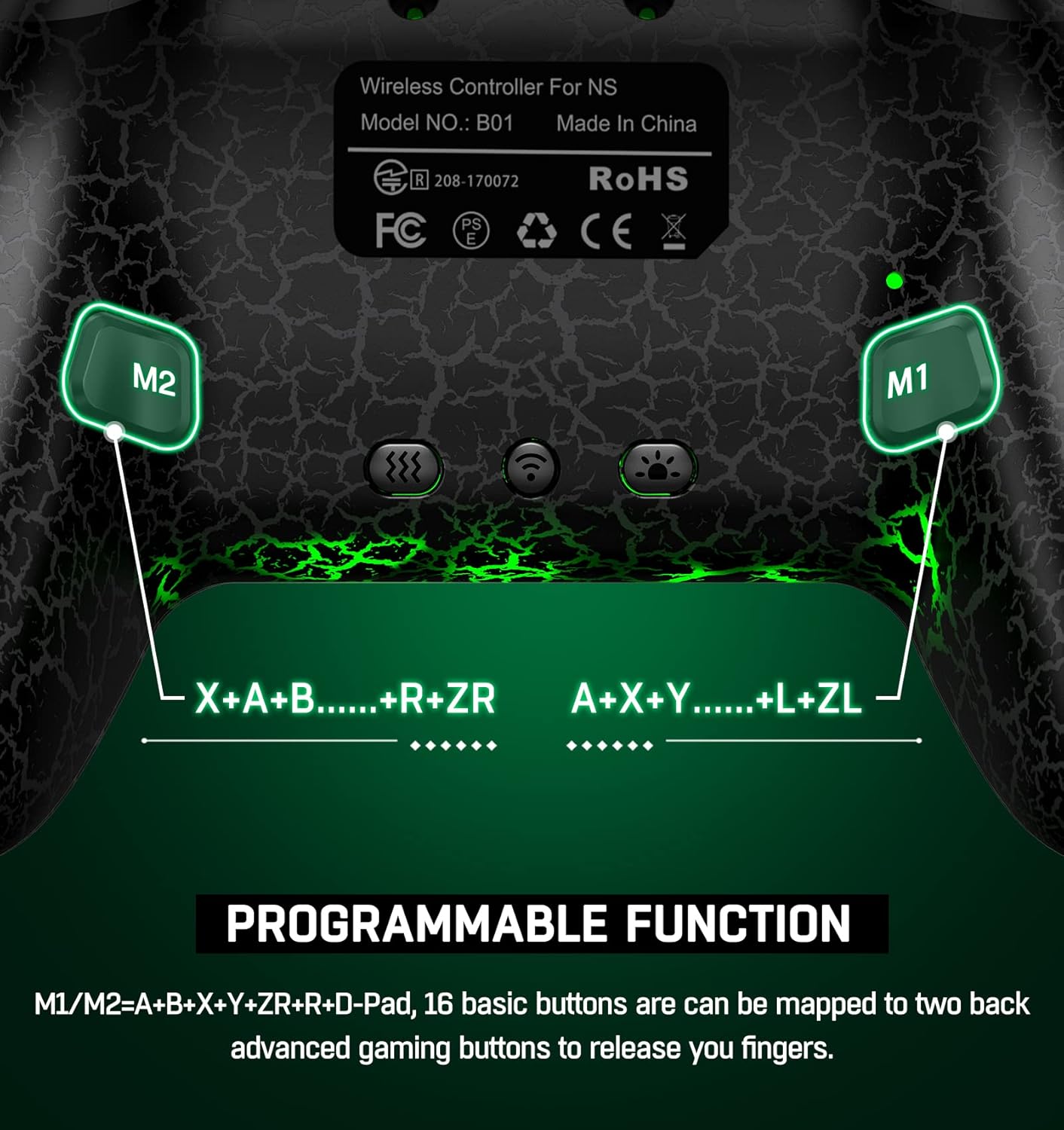
Bag view of the controller, showing the M1 and M2 programmable back buttons.
Additionally, there are two programmable back buttons, M1 and M2, located on the underside of the controller for custom assignments.
Opsætning og tilslutning
Første parring (første gangs brug)
- Sørg for, at din Nintendo Switch-konsol er tændt.
- Vælg HOME-menuen Controllere > Skift greb/rækkefølge.
- On the ELISWEEN controller, press and hold the Y + HJEM buttons simultaneously for 3-5 seconds until the LED indicators begin to flash rapidly.
- Once the controller is successfully paired, the player LED(s) on the controller will light up solid.
Genopretter forbindelse
After initial pairing, simply press the HJEM button on the controller to wake up your Nintendo Switch console and automatically reconnect. (Note: Wake-up function does not support Switch 2.)
Betjeningsvejledning
Programmerbare bagsideknapper (M1/M2)
The M1 and M2 buttons on the back can be programmed for single or multi-key functions.
The controller features two programmable back buttons, M1 and M2. These buttons can be assigned to single or multiple key inputs (A, B, Y, L, ZL, R, ZR, D-pad) to enhance gameplay comfort and efficiency.
- Enkelt programmering: Tryk og hold på Program knap (usually a small button near M1/M2) and the desired M button (M1 or M2). Then press the single button you wish to map (e.g., 'A'). Release all buttons. The M button is now programmed.
- Multiprogrammering: Tryk og hold på Program knap and the desired M button (M1 or M2). Then press the sequence of buttons you wish to map (e.g., 'A' then 'B' then 'Y'). Release all buttons. The M button is now programmed to the sequence.
- To clear a programmed button, repeat the programming steps without pressing any input buttons after selecting the M button.
Turbofunktion
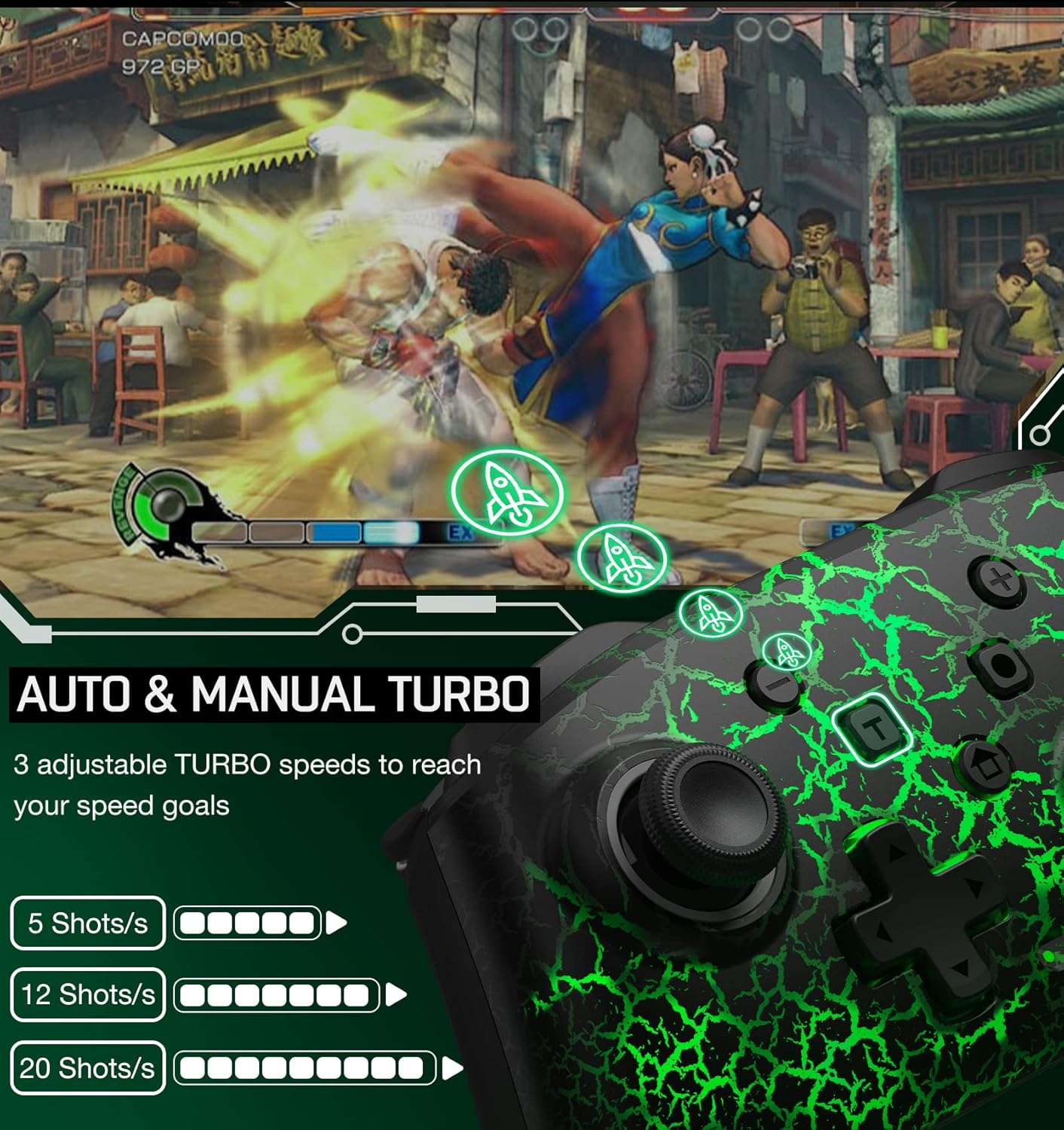
Illustration of the Auto & Manual Turbo function with three adjustable speeds: 5, 12, or 20 shots per second.
The controller supports both auto and manual turbo modes with three adjustable speeds: 5 shots/s, 12 shots/s, or 20 shots/s. Any of the A/B/X/Y/L/ZL/R/ZR buttons can be set to turbo.
- Manuel turbo: Tryk og hold på T (Turbo) button, then press the button you want to set for turbo (e.g., 'A'). Now, holding down 'A' will activate turbo.
- Auto Turbo: Tryk og hold på T (Turbo) button, then press the button you want to set for turbo (e.g., 'A') a second time. Now, 'A' will continuously activate turbo without needing to be held down.
- Juster turbohastighed: While in turbo mode, press the T (Turbo) button og den Op/ned D-pad to cycle through the three speed settings.
- Klar turbo: Tryk og hold på T (Turbo) button, then press the turbo-enabled button a third time to disable turbo for that button. To clear all turbo settings, press and hold the T (Turbo) button i 5 sekunder.
Vibration Function & Gyro Sensor

Visual representation of the 4-level vibration intensity and the 6-axis gyro sensor for motion control.
The controller features dual vibration motors with 3-level adjustable intensity (weak, medium, strong) for immersive feedback. It also includes a 6-axis gyro sensor for precise motion control in compatible games.
- Juster vibration: Tryk på Vibrationsjusteringsnøgle (refer to controller diagram for location, often a small button on the back or a combination with the T button) to cycle through vibration intensities.
- The 6-axis gyro sensor is automatically active for games that support motion controls.
Skærmbillede Funktion
The controller includes a dedicated screenshot button (often labeled with a camera icon) to capture in-game moments. Some models may support continuous screenshot functionality.
Opladning og batterilevetid

Information on the controller's battery capacity (1000mAh), charge time (3 hours), and play time (up to 16 hours).
The controller is equipped with a 600mAh rechargeable battery (some models may feature 1000mAh). A full charge typically takes 2-3 hours and provides approximately 10-15 hours of continuous gameplay.
- Connect the controller to a USB power source using the provided USB-C charging cable.
- The LED indicators will show charging status and turn off or change color when fully charged.
- The controller features an automatic shutdown function: if there is no operation for more than 5 minutes, the controller will enter sleep mode to conserve battery.
Kompatibilitet

The controller is compatible with multiple devices, including Nintendo Switch, PC, iOS, and Android.
This wireless controller is compatible with Nintendo Switch, Switch Lite, and Switch OLED consoles. It may also support other platforms such as PC, iOS, and Android devices, depending on the specific model and firmware.
Specifikationer
| Feature | Detalje |
|---|---|
| Mærkenavn | ELISWEEN |
| Modelnavn | RM |
| Kompatible enheder | Nintendo Switch |
| Controller type | Gamepad |
| Forbindelsesteknologi | Trådløs |
| Yderligere funktioner | Ergonomic, Programmable Buttons, Turbo Function, Gyro Sensor, Vibration |
| Strømkilde | Batteridrevet |
| Batterikapacitet | 600 mAh (approx. 10-15 hours play time) |
| Opladningstid | 2-3 timer |
| Farve | Black Light Receiver |
Opretholdelse
- Hold controlleren ren ved at tørre den af med en tør, blød klud.
- Undgå at udsætte controlleren for ekstreme temperaturer, fugtighed eller direkte sollys.
- Forsøg ikke at adskille eller ændre controlleren, da dette kan ugyldiggøre garantien og forårsage skade.
- Opbevar controlleren et sikkert sted, når den ikke er i brug, for at forhindre utilsigtet skade.
Fejlfinding
Controlleren opretter ikke forbindelse
- Sørg for, at controlleren er tilstrækkeligt opladet.
- Verify that the console is in the "Change Grip/Order" screen during initial pairing.
- Prøv at genstarte både controlleren og Nintendo Switch-konsollen.
- Sørg for, at ingen andre trådløse enheder forårsager interferens.
Knapper reagerer ikke
- Kontroller, om controlleren er korrekt tilsluttet konsollen.
- Reset the controller by pressing a small reset button (if available, often a pinhole on the back) or by holding the HOME button for an extended period.
- Ensure the game you are playing supports the controller's functions.
Vibration or Gyro Not Working
- Confirm that the game supports vibration and motion controls.
- Check the controller's settings on the Nintendo Switch to ensure these features are enabled.
- Ensure the vibration intensity is not set to 'None'.
Garanti og support
ELISWEEN provides technical support for this wireless controller. If you encounter any technical problems or have questions, please contact customer service. We aim to reply within 24 hours to provide assistance.
For specific warranty details, please refer to the product packaging or contact the seller directly. The product is fulfilled by Amazon and sold by ELISWEEN.