
MOUNTUP MU1105-W-07
MOUNTUP MU1105-W-07 Mobile Gas Spring Monitor/TV Stand Instruction Manual
Model: MU1105-W-07
Indledning
Tak for købetasing the MOUNTUP MU1105-W-07 Mobile Gas Spring Monitor/TV Stand. This manual provides detailed instructions for assembly, operation, maintenance, and troubleshooting to ensure safe and optimal use of your product. Please read this manual thoroughly before installation and retain it for future reference.
Produktegenskaber
- Kompatibilitet: Supports monitors and small TVs up to 36 inches, with a load capacity of 3-12 KG.
- VESA-standarder: Compatible with VESA patterns 75x75mm, 100x100mm, 100x200mm, 200x100mm, and 200x200mm.
- Gas Spring System: Allows smooth and effortless height adjustment with a touch, ranging from 924mm to 1214mm from the floor.
- Multi-vinkel justering: Features tilt (up 90°/down 90°), swivel (left 90°/right 90°), and 180° rotation for flexible viewing orientations (portrait or landscape).
- Mobilitet: Equipped with five 360° rotating casters for easy movement across various surfaces, making it suitable for homes, offices, meeting rooms, schools, and hospitals.
- Integreret hylde: Includes a shelf for accessories.
- Kabelstyring: Built-in system within the stand pole to conceal and organize cables for a tidy appearance.
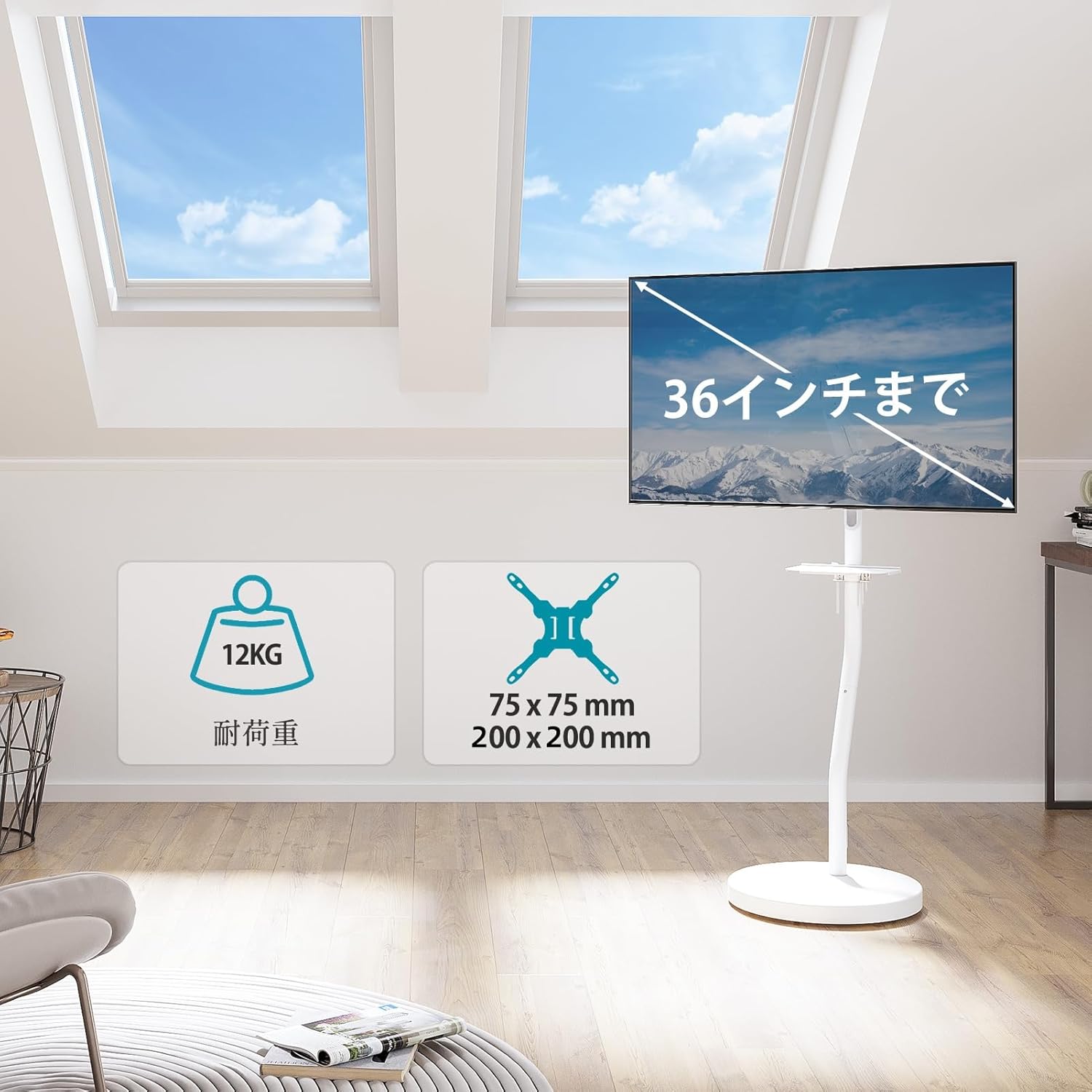
Billede: Overview of the MOUNTUP MU1105-W-07 stand, highlighting its maximum 36-inch display support, 12KG load capacity, and VESA compatibility (75x75mm to 200x200mm).
Sikkerhedsoplysninger
Overhold venligst følgende sikkerhedsforanstaltninger for at forhindre personskade eller beskadigelse af produktet:
- Overskrid ikke den maksimale lastekapacitet på 12 kg.
- Ensure the VESA mounting pattern of your display matches the stand's compatibility.
- Assemble the stand on a flat, stable surface.
- Tighten all screws securely during assembly. Do not overtighten.
- Hold børn og kæledyr væk fra stativet under montering og betjening.
- Move the stand carefully, especially on uneven surfaces, to prevent tipping.
Opsætningsinstruktioner
1. Udpakning og deleverifikation
Carefully remove all components from the packaging. Verify that all parts listed in the package contents (not explicitly provided, but implied) are present and undamaged. If any parts are missing or damaged, do not proceed with assembly and contact customer support.
2. Basissamling
Attach the main support pole to the circular base. Ensure the casters are securely attached to the base for mobility. The base has a height of 5cm from the floor.

Image: Detailed dimensions of the stand, including the VESA mounting area (Min: 75x75mm, Max: 200x200mm), shelf dimensions (254mm x 154mm), and base height (5cm from floor).
3. VESA Plate Attachment to Display
Identify the correct screws for your monitor/TV's VESA mounting holes. Attach the VESA plate to the back of your display. Do not overtighten the screws.
4. Montering af skærmen
Carefully lift your display with the attached VESA plate and hook it onto the stand's arm. Secure the display to the arm using the provided locking mechanism or screws.
5. Shelf and Cable Management Installation
Install the accessory shelf at your desired height on the main pole. Route all necessary cables through the integrated cable management system within the stand pole to maintain a clean and organized setup.

Image: The stand with a monitor, illustrating the removable shelf and the cable management system within the main pole for a neat appearance.
Betjeningsvejledning
1. Højdejustering
The integrated gas spring allows for smooth, stepless height adjustment. Gently push or pull the monitor to your desired height between 92.4 cm and 121.4 cm from the floor. No tools are required for this adjustment.

Image: The stand illustrating the gas spring mechanism for easy height adjustment, showing the range from 92.4cm to 121.4cm.
2. Angle Adjustment (Tilt, Swivel, Rotation)
- Vip: The display can be tilted up to 90° upwards and 90° downwards. Adjust the tilt to reduce glare and optimize viewkomfort.
- Drejelig: The display can be swiveled 90° to the left and 90° to the right. This allows for flexible viewing angles in different parts of a room.
- Rotation: The display can be rotated 180° to switch between landscape and portrait orientations without needing to loosen screws.

Image: Demonstrates the stand's multi-angle capabilities, including 360° rotation, ±90° tilt (up/down), and ±90° swivel (left/right).
3. Mobilitet
The stand is equipped with five 360° rotating casters. To move the stand, gently push it to the desired location. Ensure the path is clear of obstacles. For stability, engage the caster locks if available (not explicitly mentioned but common for mobile stands).

Image: The stand in a room, highlighting the casters on the base for easy movement and cleaning.
Opretholdelse
- Rensning: Tør stativet af med en blød kludamp klud. Undgå slibende rengøringsmidler eller opløsningsmidler, der kan beskadige overfladen.
- Inspektion: Kontrollér regelmæssigt alle skruer og forbindelser for at sikre, at de er stramme og sikre.
- Gasfjeder: The gas spring is designed for long-term use and generally requires no maintenance. If you notice any issues with height adjustment, contact customer support.
Fejlfinding
| Problem | Mulig årsag | Løsning |
|---|---|---|
| Monitor sags or does not hold position. | Gas spring tension is too low or monitor weight exceeds capacity. | Ensure monitor weight is within 3-12 KG. Adjust gas spring tension if an adjustment mechanism is present (refer to specific product diagrams if available). If issues persist, contact support. |
| Stand is difficult to move. | Hjulene er låst eller blokeret. | Unlock casters. Clear any obstructions around the casters. Clean casters if dirt is accumulated. |
| Skærmen er ikke i vater. | Mounting plate or VESA bracket is not properly aligned. | Re-check the attachment of the VESA plate to the display and the display to the stand arm. Adjust as necessary. |
Specifikationer
- Model: MU1105-W-07
- Farve: Hvid
- Materiale: Legeret stål
- Monteringstype: Gulvmontering
- Kompatible enheder: TV, Monitor
- Skærmstørrelseskompatibilitet: Up to 36 inches (e.g., 17, 22, 24, 27, 32, 36 inches)
- Belastningskapacitet: 3 KG to 12 KG
- VESA-kompatibilitet: 75x75mm, 100x100mm, 100x200mm, 200x100mm, 200x200mm
- Højdejusteringsområde: 924mm to 1214mm (from floor)
- Vippevinkel: Op 90° / Ned 90°
- Drejevinkel: Left 90° / Right 90°
- Rotation: 180°
- Pakkedimensioner: 57 x 57 x 13.5 cm
- Pakkevægt: 12.44 kg
Garanti og support
Dette produkt leveres med en 2 års kvalitetsgaranti from the date of purchase. In the unlikely event of any issues, such as defects or missing parts, please contact our customer support team.
To contact support, please follow these steps:
- Go to your "Account Service".
- Navigate to "Order History".
- Select the "Seller" for this product.
- Click "Ask a question?".
Our team will assist you promptly.
Ask a question about this manual
Ask about setup, troubleshooting, compatibility, parts, safety, or missing instructions. Manuals+ will review the question and use this page’s manual context to help answer it.