
Produkt overview
This manual provides instructions for the ZWP Replacement Remote Control, designed for Samsung NEO QLED Crystal 4K CU7000 and DU7200 Series Smart TVs. This remote offers a seamless replacement experience with easy pairing and dedicated shortcut buttons for popular streaming services.

Figure 1: ZWP Replacement Remote Control. This image shows the full view af fjernbetjeningen, hvilket fremhæver dens ergonomiske design og knaplayout.
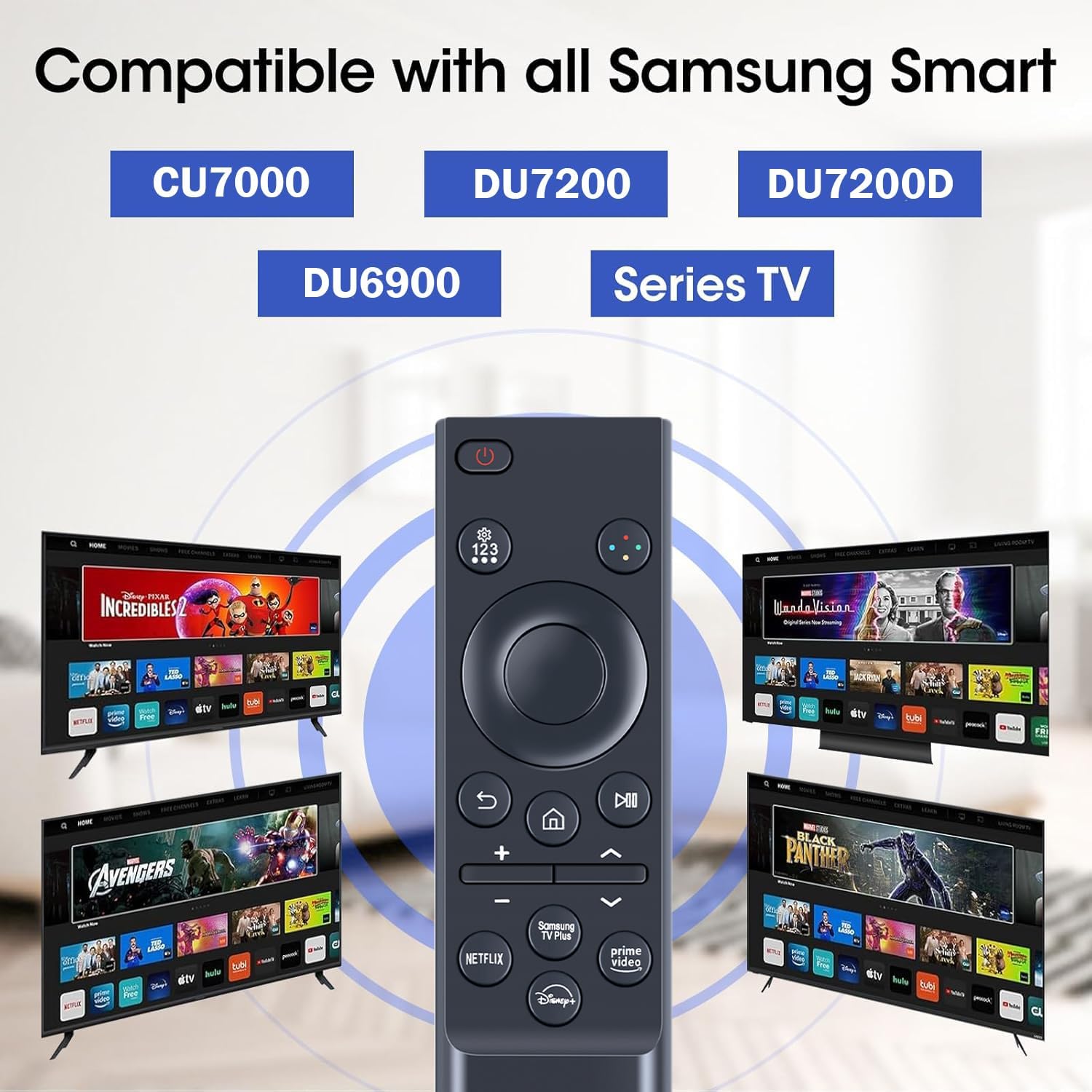
Figure 2: Compatibility with Samsung Smart TV Models. This image illustrates the remote's compatibility with various Samsung Smart TV series, including CU7000, DU7200, and DU6900.
Opsætning
1. Batteriinstallation
Fjernbetjeningen kræver to AAA-batterier (medfølger ikke). Følg disse trin for at installere dem:
- Find batterirummets dæksel på bagsiden af fjernbetjeningen.
- Skub dækslet nedad for at åbne rummet.
- Isæt to AAA-batterier, og sørg for, at de positive (+) og negative (-) poler er justeret korrekt med markeringerne inde i batterirummet.
- Skub dækslet tilbage på plads, indtil det klikker sikkert.

Figure 3: Battery Installation. This image shows the remote control's battery compartment and how to correctly insert two AAA batteries.
2. Parring af fjernbetjeningen
To pair the remote control with your Samsung Smart TV, follow these instructions:
- Sørg for, at dit tv er tændt.
- Ret fjernbetjeningen mod tv'et.
- Tryk og hold nede "Retur"og"Afspil/pause" buttons simultaneously for more than 3 seconds.
- A pairing message will appear on your TV screen. Follow the on-screen prompts to complete the pairing process.
- If pairing fails, repeat this step.
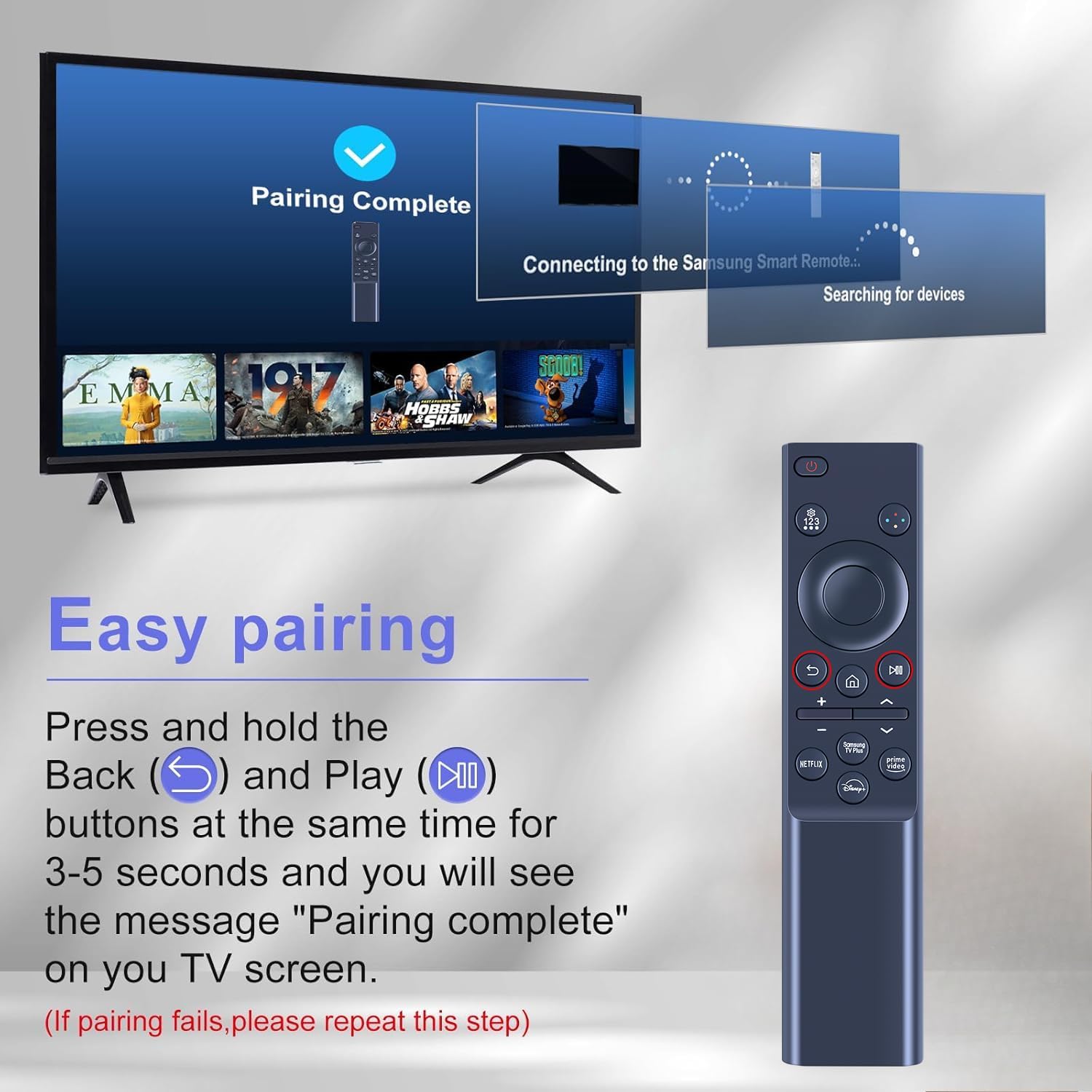
Figure 4: Easy Pairing Process. This image demonstrates the steps to pair the remote control with a Samsung Smart TV, showing the "Return" and "Play/Pause" buttons to hold.
Betjeningsvejledning
Grundlæggende funktioner
- Power knap: Tryk for at tænde eller slukke for tv'et.
- Navigationstastatur (retningsknapper og Enter): Bruges til at navigere i menuer og vælge muligheder.
- Lydstyrkeknapper (+/-): Juster tv-lydstyrken.
- Kanalknapper (op/ned): Skift tv-kanaler.
- Hjemknappen: Access the TV's Smart Hub or main menu.
- Tilbage knap: Gå tilbage til den forrige skærm eller menu.
- Afspil/pause knap: Styr medieafspilning.
Genvejsknapper
The remote control features dedicated shortcut buttons for quick access to popular streaming services:
- Netflix: Direkte adgang til Netflix-applikationen.
- Prime Video: Direkte adgang til Amazon Prime Video-applikationen.
- Disney+: Direct access to the Disney+ application.
- Samsung TV Plus: Direct access to Samsung TV Plus.

Figure 5: Channel Shortcut Keys. This image highlights the dedicated shortcut buttons for Netflix, Prime Video, Samsung TV Plus, and Disney+ on the remote control.
Control Range and Performance
The remote control offers precise control from a distance of up to 40 feet (approximately 12 meters) and supports multi-angle control up to 120 degrees. Its design ensures a stable and quick response for an optimal user experience.

Figure 6: Long Distance Precise Control. This image illustrates the remote's effective operating range of 26 feet and a 120-degree multi-angle control capability.
Opretholdelse
Udskiftning af batteri
Replace batteries when the remote's responsiveness decreases or it stops functioning. Always use new AAA batteries and dispose of old batteries responsibly according to local regulations.
Rensning
For at rengøre fjernbetjeningen skal du forsigtigt tørre dens overflade af med en blød, tør klud. Ved genstridigt snavs kan du bruge en let tør klud.amp en tør klud. Undgå at bruge slibende rengøringsmidler, opløsningsmidler eller for meget fugt, da disse kan beskadige fjernbetjeningen.
Fejlfinding
| Problem | Mulig årsag | Løsning |
|---|---|---|
| Fjernbetjeningen svarer ikke. | Lave eller døde batterier; fjernbetjening ikke parret. | Replace batteries. Re-pair the remote control following the "Pairing the Remote Control" instructions. |
| Knapperne reagerer ikke eller er klistrede. | Dirt or debris under buttons; internal malfunction. | Clean the remote surface. If problem persists, contact customer support. |
| Begrænset rækkevidde eller intermitterende styring. | Obstructions between remote and TV; interference; low batteries. | Ensure clear line of sight to TV. Check for sources of interference. Replace batteries. |
| Remote does not control TV after pairing. | Incorrect TV model; pairing not successful. | Verify TV model compatibility. Repeat pairing process carefully. |
Specifikationer
- Modelnumre: BN59-01388A, BN59-01388H, TM2240A
- Kompatible enheder: Samsung NEO QLED Crystal 4K CU7000, DU7200 Series Smart TVs (e.g., UN43CU7000, UN50CU7000, UN55CU7000, UN58CU7000, UN65CU7000, UN70CU7000, UN75CU7000, UN85CU7000, UN43DU7200, UN50DU7200, UN55DU7200, UN60DU7200, UN65DU7200, UN70DU7200, UN75DU7200, UN85DU7200)
- Strømkilde: 2 x AAA batterier (medfølger ikke)
- Kontrolafstand: Op til ca. 12 meter (40 fod)
- Dimensioner: 3 x 1.2 x 10 tommer (ca. 7.6 x 3 x 25.4 cm)
- Varens vægt: 1.58 ounce (ca. 44.79 gram)
- Materiale: ABS (Environmentally friendly)
- Farve: Sort
Garanti og support
ZWP provides up to 1 year of after-sales service for this replacement remote control. For any dissatisfaction or issues during use, please contact ZWP customer support. Your product quality and satisfaction are our basic principles.
For support, please refer to the contact information provided with your purchase or visit the ZWP official webwebsted.