
Indledning
The VTech KidiMagic Galaxy Light is a versatile 9-in-1 device designed for children aged 6 to 12 years. It functions as an alarm clock, FM radio, speaker, and features an aurora borealis projector, interactive light effects, and various games and activities. This manual provides instructions for proper setup, operation, and maintenance of your device.
Sikkerhedsoplysninger
- ADVARSEL: Ikke egnet til børn under 36 måneder på grund af små dele.
- Hold altid børn under opsyn under brug.
- Do not immerse the device in water. Clean with a dry cloth only.
- Use only the recommended batteries or VTech power adapter (sold separately).
- Holdes væk fra varmekilder og direkte sollys.
Pakkens indhold
- 1 KidiMagic Galaxy Light unit
- 4 LR6-AA batteries (for demonstration purposes)
- 1 Audio cable (for external music player connection)
Produkt overview
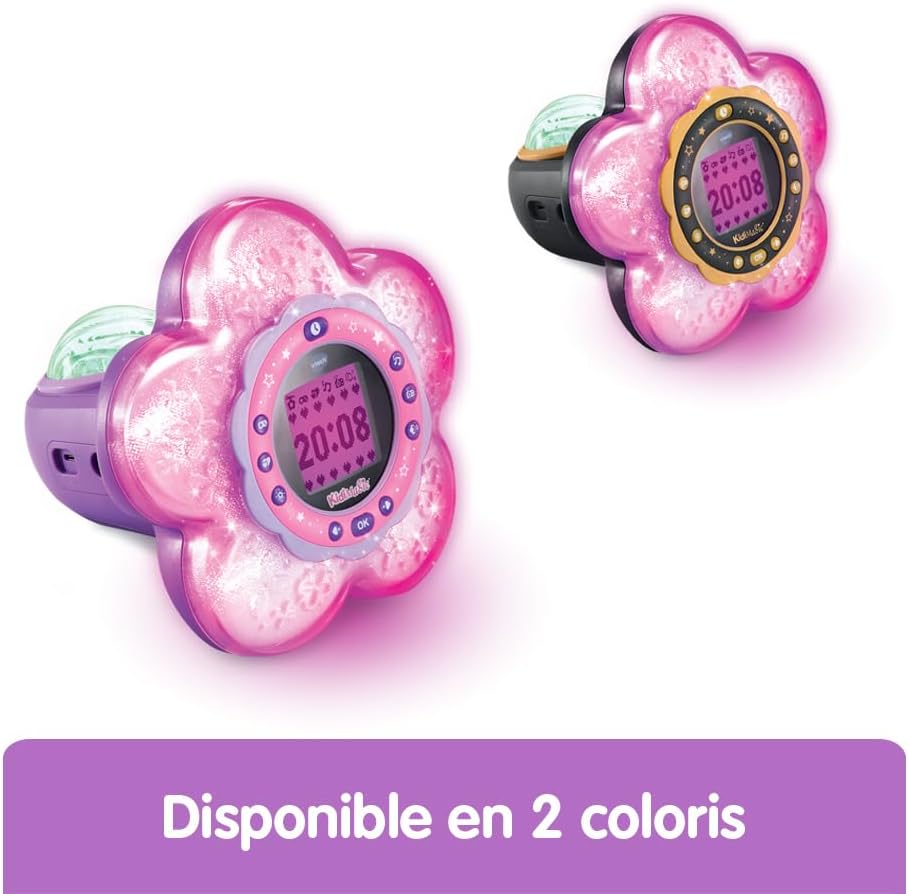
Familiarize yourself with the main components and controls of your KidiMagic Galaxy Light.

Billede: Front view of the KidiMagic Galaxy Light, illustrating the time display and the aurora borealis projection feature.

Billede: Tilbage view of the KidiMagic Galaxy Light, highlighting the battery compartment and various connection ports.
Kontrol og display:
- LCD skærm: Displays time, game information, and settings.
- Sensor: Located on top, detects hand movements for light effects.
- Knapper: Various buttons for navigation, settings, and game control.
- Højttaler: Integreret højttaler til lydudgang.
- Lydindgangsstik: For connecting external music players.
- Batterirum: Located at the back.
Opsætning
1. Batteriinstallation
- Find batterirummet på bagsiden af enheden.
- Åbn batterirummets dæksel med en skruetrækker.
- Isæt 4 nye LR6-AA-batterier, og sørg for at polerne vender korrekt (+/-).
- Sæt dækslet på igen, og stram skruen.
Alternatively, the device can be powered by a VTech duo AC adapter (002181), sold separately.
2. Første opstart
Press the Power button to turn on the device. The screen will light up, and you may be prompted to set the time.
Grundlæggende betjening
Indstilling af tid
- Access the 'Settings' menu using the navigation buttons.
- Select 'Time' and adjust the hour and minute using the arrow buttons.
- Confirm your selection with the 'OK' button.
Indstilling af en alarm
- Navigate to the 'Alarm' menu.
- Choose an alarm slot and set the desired wake-up time.
- Select an alarm melody from the available options.
- Confirm to activate the alarm.
Lydstyrkejustering
Use the dedicated volume buttons (usually marked with '+' and '-') to increase or decrease the sound level.
Automatisk sluk
The device features an automatic shut-off timer to conserve battery life. You can set it to 60 minutes, 120 minutes, 240 minutes, or disable the sleep mode entirely through the settings menu.
Funktioner
Aurora Borealis Projection
The KidiMagic Galaxy Light projects beautiful aurora borealis effects onto the ceiling, creating a celestial atmosphere in the room. This feature can be activated and customized through the light settings.

Billede: A child interacting with the KidiMagic Galaxy Light, demonstrating the dynamic light effects and color changes.
Interactive Light Effects and Color Changes
Wave your hand over the magic sensor on the device to change its color and activate 12 different light effects and 7 color variations. This allows for personalized ambiance.
FM radio
Tune into your favorite FM radio stations. The device can store preferred stations for quick access.
External Music Player (MP3) Connection
Connect an external music player, such as an MP3 player, using the included audio cable. This transforms the KidiMagic Galaxy Light into a speaker, allowing you to play your own music.

Billede: Side view of the KidiMagic Galaxy Light, emphasizing its capability to function as a musical speaker when connected to an external device.
Integrated Games
The device includes 4 enchanting games for entertainment:
- Buzzy Adventure
- Skjul og søg
- Magic Mushroom
- Magisk Have
Billede: A child engaged in playing one of the integrated games on the KidiMagic Galaxy Light's screen.
Magic Activities
Explore 6 magical activities designed for fun and relaxation:
- Krystalkugle
- Magic Card
- Your Elf of the Day
- Emotion Management
- Positive Emotions
- Lempelse
Opretholdelse
- Rensning: Tør enheden af med en let damp klæde. Brug ikke skrappe kemikalier eller slibende rengøringsmidler.
- Udskiftning af batteri: Replace batteries when the device's performance diminishes or if the screen becomes dim. Follow the battery installation steps.
- Opbevaring: Store the device in a cool, dry place away from direct sunlight when not in use for extended periods. Remove batteries if storing for several months.
Fejlfinding
Enheden tænder ikke:
- Kontroller, om batterierne er isat korrekt med den rigtige polaritet.
- Udskift med nye batterier.
- If using an AC adapter, ensure it is properly connected and functional.
Skærmen er svag eller flimrer:
- Batterierne er muligvis lave. Udskift dem.
- Sørg for, at enheden ikke udsættes for ekstreme temperaturer.
Lydproblemer:
- Kontroller lydstyrkeindstillingerne.
- If using an external music player, ensure the audio cable is fully inserted and the external device's volume is up.
Specifikationer
| Modelnummer | 572705 |
| Dimensioner (L x B x H) | 18.5 x 18 x 17.3 cm |
| Vægt | 635 gram |
| Anbefalet alder | 6 - 10 years (Manufacturer's minimum: 72 months, maximum: 120 months) |
| Strømkilde | 4 x LR6-AA batteries (included for demo) or VTech AC adapter (sold separately) |
| Materiale | Plast |
| Sprog | Fransk (Produktindhold) |
| Funktioner | Alarm Clock, FM Radio, Speaker, Aurora Projection, 12 Light Effects, 7 Colors, 6 Magic Activities, 4 Games |
Garanti og support
For garantioplysninger og kundesupport henvises til den dokumentation, der fulgte med dit køb, eller besøg den officielle VTech webwebsted. Gem din købsbevis i tilfælde af garantikrav.