
1. Introduktion
The Bewinner Wireless Video Doorbell System provides advanced home security with a 1080p WiFi peephole camera, a 4.3-inch IPS LCD display, and PIR motion detection. This system allows for remote monitoring, two-way communication, and video recording via a mobile application, ensuring comprehensive surveillance for your home, apartment, or office.
2. Nøglefunktioner
- Smart Digital Peephole Vieweh: Wireless connection to your WiFi router for monitoring via smartphones and tablets. Features noise reduction, one-way or two-way intercom, visitor viewing, video calls, snapshots, and recording, all controlled through a mobile app.
- PIR Detection & HD Recording: 1080p camera with a 120° wide-angle lens, automatic day/night sensitivity adjustment, and a 4.3-inch IPS color LCD screen. PIR motion detection triggers push notifications and video recording within seconds, providing 24-hour security.
- Language Support & Storage: Supports English and Chinese languages with voice prompts. Compatible with memory cards up to 128GB (not included) for HD snapshots, video recordings, and playback.
- User Sharing Support: Easy setup by holding the reset button, scanning the QR code with the doorbell via the app, and following voice instructions.
- Easy Installation & Long Standby: Up to 30 days of standby time (3-5 calls per day) with the 5000mAh high-capacity battery. Low battery alerts and easy charging via USB Type-C port.
3. Produktkomponenter

This image displays the complete Bewinner Wireless Video Doorbell System, including the indoor monitor, the outdoor peephole camera, and a smartphone demonstrating the live view and two-way communication features of the mobile application.

This image shows the precise measurements of both the indoor display unit and the outdoor peephole camera, aiding in installation planning.
4. Opsætning og installation
Follow these steps to install your Bewinner Wireless Video Doorbell System:

This image provides a visual, step-by-step guide for installing the Bewinner Wireless Video Doorbell System, detailing how to mount the indoor unit and connect the outdoor camera.
- Trin 1: Select two screws that fit the thickness of your door and insert them into the bolt machine.
- Trin 2: At the gate, thread the wire through the doorway.
- Trin 3: After straightening out the wires as shown in the figure, thread the screw through the hanging plate.
- Trin 4: Tighten the screws successively to fix the hanging plate.
- Trin 5: Buckle the upper wire protection cover.
- Trin 6: The system is now ready for use after installation.
For initial setup and user sharing, hold the reset button on the device, then scan the QR code displayed in the mobile application with the doorbell camera. Follow the voice instructions to complete the pairing process.
5. Betjeningsvejledning
5.1 Brug af mobilapplikationer
The Bewinner Video Doorbell System is primarily controlled via a dedicated mobile application (compatible with Android and iOS). After successful installation and pairing, you can:
- View live video feed of visitors at your door.
- Engage in one-way or two-way audio communication with visitors.
- Receive video calls directly to your smartphone or tablet.
- Capture snapshots and record video footage.
- Access playback of recorded events.

This image highlights the Full HD video quality, showing a clear view of a person at the door on both the indoor monitor and the connected mobile application interface.
5.2 Bevægelsesdetektion
The integrated PIR motion detection feature automatically triggers notifications and video recording when movement is detected at your door. You will receive push notifications on your connected mobile device.

This image demonstrates the 130-degree wide-angle view and the PIR motion detection capability, showing a notification on a smartphone indicating detected motion at the door.
5.3 Nattesyn
The doorbell camera features HD Night Vision, automatically switching between day and night modes to ensure clear image quality even in low-light conditions.

This image visually explains the HD Night Version feature, showing how the camera automatically switches between day and night modes to provide optimal image quality, with an outdoor camera view.
5.4 Smart Home-integration
The system supports integration with smart home platforms like Alexa and Google Assistant for announcements and live viewing.

This image illustrates the doorbell's compatibility with smart home assistants like Alexa and Google, showing a delivery person at the door and the live feed displayed on a smart tablet, along with an announcement notification.
6. Vedligeholdelse
6.1 Batteriopladning
The indoor monitor features a built-in 5000mAh high-capacity lithium battery. When the battery level is low, you will receive alerts. Charge the device easily via the USB Type-C port.
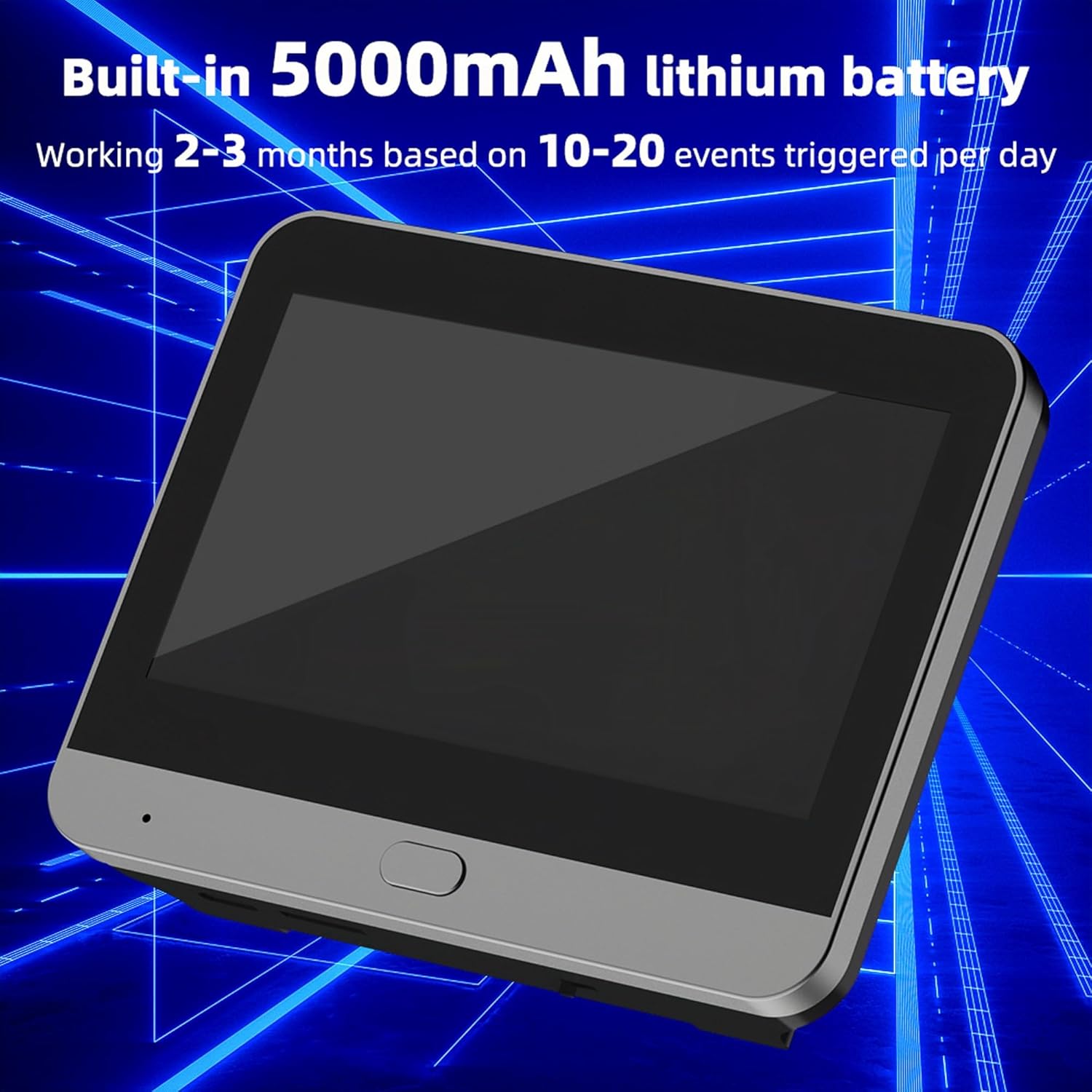
Et nærbillede view of the indoor monitor, emphasizing its built-in 5000mAh lithium battery, which provides extended standby time.
6.2 Storage Card Management
If using a memory card (up to 128GB, not included), ensure it is properly inserted and formatted as per the app's instructions for optimal recording and playback performance. Regularly review og administrere gemt fodertage for at forhindre kortet i at blive fyldt.
7. Fejlfinding
- Forbindelsesproblemer: Ensure your WiFi username is not longer than 32 characters and does not contain special symbols or Chinese characters, as this may affect connectivity.
- App kompatibilitet: This product connects via Wi-Fi. Ensure you are using the correct mobile application as specified in the product documentation. This device is not compatible with the Tuya SmartLife app.
- Ingen video/lyd: Check your internet connection and ensure the device is properly powered. Verify that the mobile app has necessary permissions on your smartphone or tablet.
- PIR Detection Not Working: Ensure the PIR sensor is not obstructed and that sensitivity settings in the app are configured correctly.
8. Specifikationer
| Feature | Specifikation |
|---|---|
| Mærke | Bewinner |
| Modelnummer | Bewinner4wodcrgts8 |
| Trådløs kommunikationsteknologi | Wi-Fi |
| Batterikapacitet | Indbygget 5000mAh lithiumbatteri |
| Skærmstørrelse | 4.3-tommer IPS LCD |
| Videooptagelsesopløsning | 1080p |
| Vidvinkelobjektiv | 120 grader |
| Særlige funktioner | Night Vision, PIR Motion Detection, 2-Way Audio |
| Max Storage Card Support | 128GB (not included) |
| Controller type | iOS, Android |
| Pakkedimensioner | 18.8 x 12.5 x 7.6 cm |
| Vægt | 550 gram |
9. Garanti og support
For warranty information, technical assistance, or customer support, please refer to the product packaging or contact Bewinner customer service directly through their official channels. Information regarding spare parts availability is currently not provided.