
ZEBRONICS ZEB-PixaPlay 58
ZEBRONICS PIXAPLAY 58 Smart Projektor Brugermanual
Model: ZEB-PixaPlay 58
Produkt overview
The ZEBRONICS PIXAPLAY 58 is a smart projector designed for home entertainment and office use. It features 11500 lumens of brightness, supports 4K content, and projects an image up to 533cm (210 inches) in size. Equipped with a quad-core processor, it offers seamless performance and includes built-in Wi-Fi, Bluetooth, and app support for a comprehensive multimedia experience. The projector also features a long-life LED lamp and multiple connectivity options.
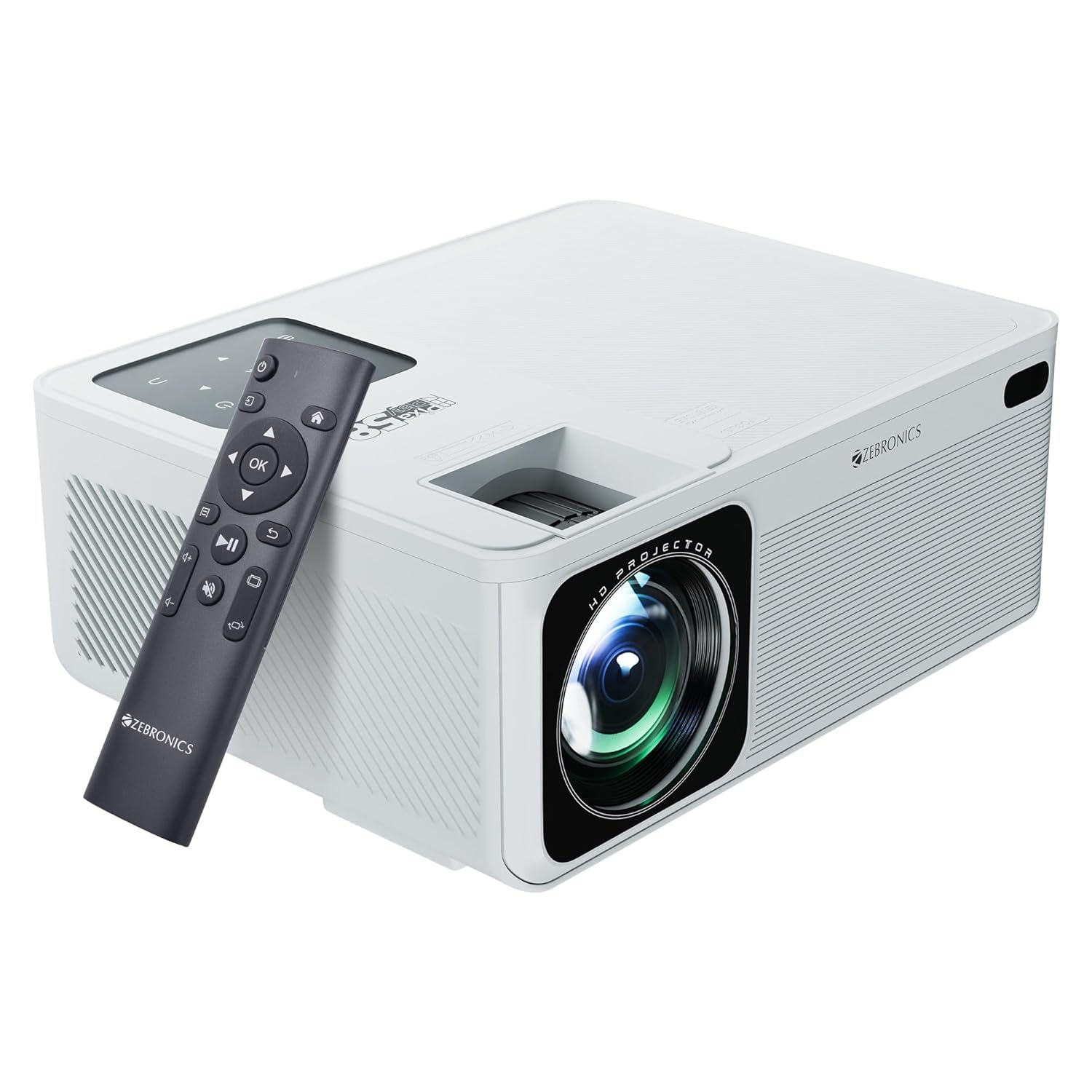
Image: The ZEBRONICS PIXAPLAY 58 Smart Projector shown with its remote control, highlighting its compact design and front lens.
Pakkens indhold
Ved udpakning skal du kontrollere, at alle komponenter er til stede:
- Projector - 1 unit
- Fjernbetjening - 1 enhed
- QR Code - 1 unit (for digital resources)
- Power Cable (not explicitly listed but implied for operation)
Opsætningsvejledning
1. Placering
Position the projector on a stable, flat surface or mount it according to your preference. Ensure there is adequate ventilation around the device to prevent overheating. The projector is designed for tabletop mounting.

Image: The projector positioned on a surface, demonstrating its projection capability in a home environment.
2. Strømtilslutning
- Tilslut strømkablet til projektorens strømindgang.
- Sæt den anden ende af strømkablet i en passende stikkontakt.
3. Første opstart
Tryk på tænd/sluk-knappen på projektoren eller fjernbetjeningen for at tænde enheden. Projektoren starter op og viser hovedgrænsefladen.
4. Fokus- og Keystone-justering
Adjust the focus ring near the lens to achieve a clear image. Use the keystone correction feature to square the image if the projector is not perfectly perpendicular to the screen. This can typically be done via a physical adjustment on the projector or through the on-screen menu.
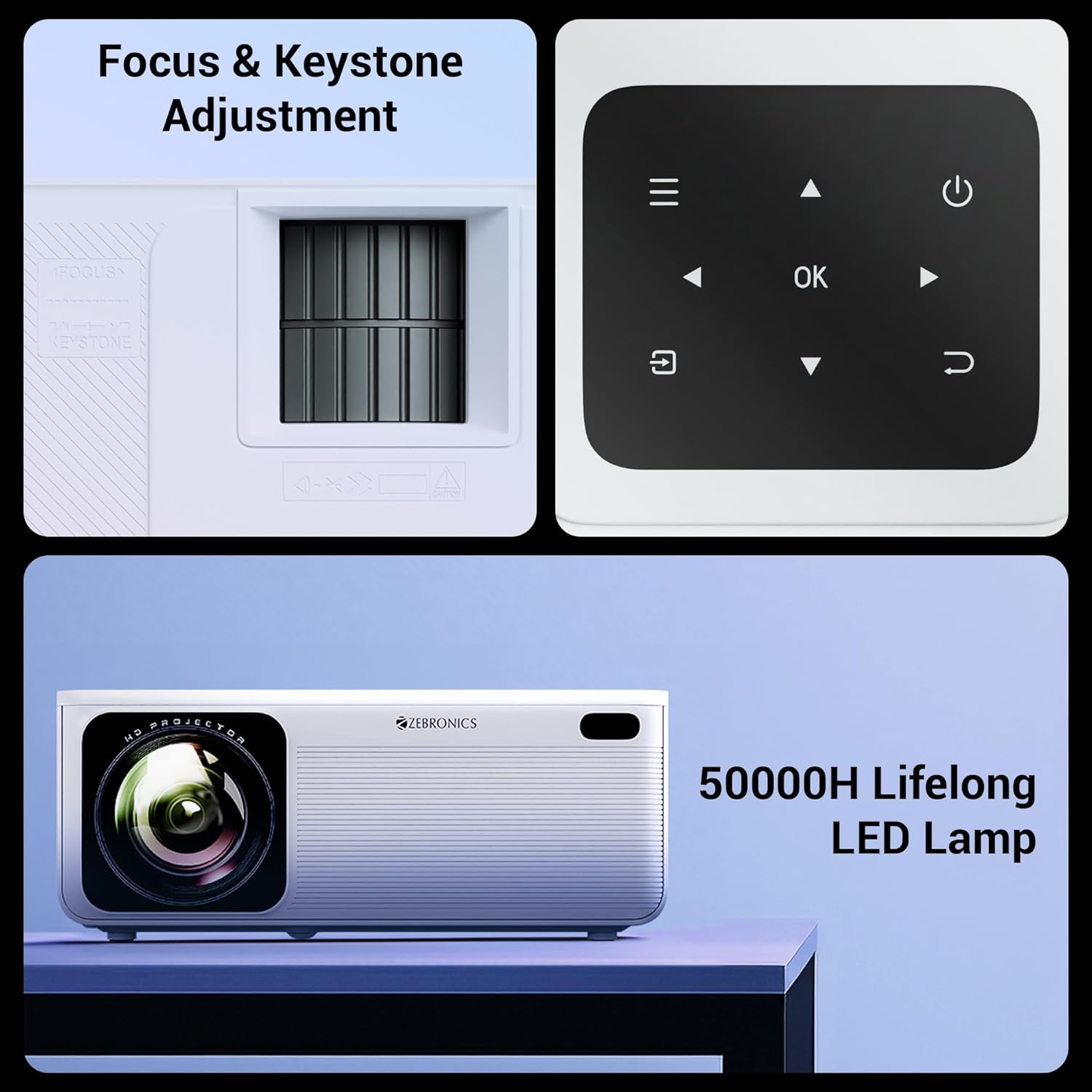
Billede: Detaljeret view of the projector's manual focus and keystone adjustment mechanisms, along with the integrated control panel buttons.
Betjeningsvejledning
1. Tilslutningsmuligheder
The ZEB-PixaPlay 58 offers versatile connectivity:
- HDMI: Connect up to three HDMI devices (laptops, gaming consoles, Blu-ray players) using the HDMI 1, HDMI 2, and HDMI 3 ports.
- USB: Two USB ports (USB 1, USB 2) are available for connecting USB drives for media playback.
- Bluetooth v5.0: Pair with external audio devices like speakers or headphones wirelessly.
- Wi-Fi: Connect to your home network for online streaming and app access. Supports both 2.4GHz and 5GHz bands.
- AV IN: Til tilslutning af ældre enheder med AV-udgang.
- AUX OUT: For connecting to external audio systems via a 3.5mm audio jack.

Image: The rear panel of the projector displaying its various connectivity ports, including HDMI, USB, AV IN, and AUX OUT.
2. Smart Features and App Support
The projector runs on an Android-based system with a quad-core processor, allowing for direct installation and use of various applications. You can download OTT apps or utilize built-in ones for streaming content.

Image: A projected screen showing the user interface with various application icons, indicating built-in app support and smart functionality.
3. Skærmspejling
Effortlessly mirror content from your Android and iOS devices:
- Miracast: For Android devices. Ensure both the projector and your Android device are connected to the same Wi-Fi network. Select Miracast on the projector and initiate screen mirroring from your device.
- iOS Screen Mirroring: For Apple devices. Ensure both the projector and your iOS device are connected to the same Wi-Fi network. Select the iOS screen mirroring option on the projector and use AirPlay/Screen Mirroring from your iOS device's Control Center.
Opretholdelse
1. LED Lamp Liv
The ZEB-PixaPlay 58 features a long-life LED lamp with an estimated lifespan of 50,000 hours. This significantly reduces the need for lamp udskiftning.
2. Rensning
- Linse: Brug en blød, fnugfri klud, der er specielt designet til optiske linser. Brug ikke slibende rengøringsmidler eller overdreven kraft.
- Ydre: Tør projektorens yderside af med en blød, tør klud. Undgå at bruge flydende rengøringsmidler direkte på overfladen.
- Ventilationsporte: Periodically check and gently clean the ventilation ports to ensure unobstructed airflow, which is crucial for maintaining optimal operating temperature.
Fejlfinding
This section addresses common issues you might encounter with your ZEB-PixaPlay 58 projector.
| Problem | Mulig årsag | Løsning |
|---|---|---|
| Intet billede eller sløret billede | Incorrect focus, input source not selected, cable not connected properly. | Adjust the focus ring. Ensure the correct input source (HDMI, USB) is selected. Check all cable connections. |
| Ingen lyd | Volume too low, external audio device not connected, incorrect audio output setting. | Increase volume. Check Bluetooth connection or AUX OUT connection. Ensure projector's audio output is set correctly. |
| Fjernbetjeningen reagerer ikke | Low batteries, obstruction, remote not paired (if Bluetooth). | Replace batteries. Ensure no obstructions between remote and projector. Re-pair the remote if it's a Bluetooth model. |
| Problemer med Wi-Fi-forbindelse | Forkert adgangskode, uden for rækkevidde, routerproblemer. | Verify Wi-Fi password. Move projector closer to router. Restart router and projector. |
| Skærmspejling virker ikke | Devices not on same network, mirroring feature not activated. | Ensure both devices are connected to the same Wi-Fi network. Activate Miracast/iOS mirroring on the projector. |
| Projector overheating/shuts down | Blokeret ventilation, langvarig brug i varme omgivelser. | Sørg for, at ventilationsportene er frie. Brug den i et godt ventileret område. Lad projektoren køle af. |
Specifikationer
| Feature | Detalje |
|---|---|
| Mærke | ZEBRONIK |
| Modelnavn | ZEB-PixaPlay 58 |
| Produktdimensioner | 10.6 x 32.5 x 10.6 cm |
| Varens vægt | 2 kg |
| Displayteknologi | LCD |
| Display Type | LED |
| Indfødt opløsning | 1920 x 1080 pixel (Fuld HD) |
| Understøttet opløsning | Op til 4K |
| Lysstyrke | 11500 Lumens (Max.) |
| Billedkontrastforhold | 1500:1 |
| Aspektforhold | 16:9 |
| Max skærmstørrelse | Op til 533 cm (210 tommer) |
| LED Lamp Liv | 50,000 timer |
| Processor | Quad-Core processor |
| Forbindelse | Bluetooth v5.0, HDMI (x3), USB (x2), AV IN, AUX OUT, Wi-Fi (2.4GHz & 5GHz) |
| Særlige funktioner | Built-In Wi-Fi, Portable, Wireless, App Support, Miracast, iOS Screen Mirroring |
| Monteringstype | Bordplademontering |
| Opdateringshastighed | 60 Hz |

Image: A visual representation of the projector's dimensions, indicating its compact size.
Garanti og support
For warranty claims, technical support, or service inquiries, please contact ZEBRONICS customer service. Refer to your purchase documentation or the official ZEBRONICS webwebstedet for de mest opdaterede garantivilkår og kontaktoplysninger.
Manufacturer: Zebronics India Private Limited
Address: No.13/7, Smith Road, Royapettah, Chennai-600002
Ask a question about this manual
Ask about setup, troubleshooting, compatibility, parts, safety, or missing instructions. Manuals+ will review the question and use this page’s manual context to help answer it.