
1. Introduktion
This manual provides essential information for setting up, operating, and maintaining your HP Series 5 27-inch FHD Monitor. Please read these instructions carefully before using your monitor to ensure optimal performance and safety.
The HP Series 5 27-inch FHD Monitor is designed for comfortable viewing with features like Eye Safe certification, 99% sRGB color accuracy, IPS technology for wide viewing angles, a 100 Hz refresh rate, and an anti-glare screen. Its micro-edge design offers an immersive visual experience.
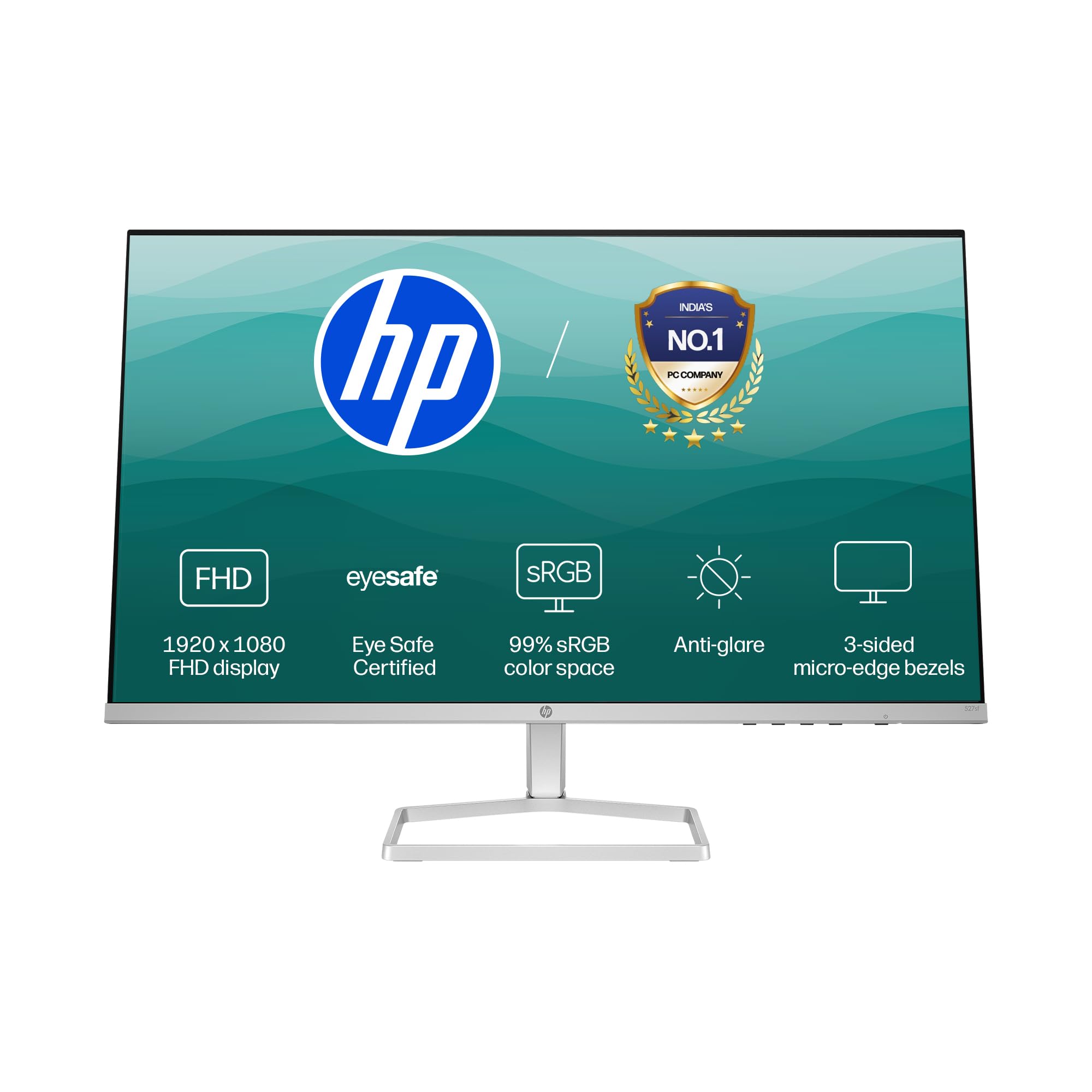
Image: HP Series 5 27-inch FHD Monitor, showcasing its sleek design on a desk.
2. Hvad er der i æsken
Kontroller, at alle komponenter er til stede i emballagen:
- HP Series 5 27-inch FHD Monitor
- Monitorstativ (base og hals)
- HDMI kabel
- Strømadapter
- AC strømledning
- Dokumentation (hurtig installationsvejledning, garantikort)

Image: Illustration of the monitor and its included accessories: monitor, HDMI cable, power adapter, and AC power cord.
3. Opsætningsvejledning
3.1 Samling af skærmstativet
- Tag forsigtigt skærmens og stativets komponenter ud af emballagen.
- Fastgør stativets hals til skærmpanelet. Sørg for, at den klikker sikkert på plads.
- Attach the stand base to the stand neck. Tighten any screws if provided, typically located on the underside of the base.
- Placer den samlede skærm på en stabil, plan overflade.
3.2 Tilslutning af skærmen
The monitor supports both HDMI and VGA connections.
- Strømtilslutning: Connect the power adapter to the monitor's power input port, then plug the AC power cord into the adapter and a wall outlet.
- Videoforbindelse:
- For HDMI: Connect one end of the HDMI cable to an HDMI port on your computer and the other end to one of the two HDMI 1.4 ports on the monitor.
- For VGA: Connect one end of the VGA cable to the VGA port on your computer and the other end to the VGA port on the monitor.
- Sørg for, at alle kabler er korrekt tilsluttet.

Billede: Bagside view of the HP Series 5 monitor, highlighting the VGA port and two HDMI 1.4 ports for device connectivity.
4. Betjening af monitoren
4.1 Tænd/sluk
Press the power button, usually located on the bottom right bezel or rear of the monitor, to turn the monitor on or off. The power indicator light will illuminate when the monitor is on.
4.2 Navigation i OSD-menuen (On-Screen Display)
Use the physical buttons on the monitor (typically on the bottom right or rear) to access and navigate the On-Screen Display (OSD) menu. This menu allows you to adjust various display settings.
- Valg af input: Use the OSD or a dedicated input button to switch between connected devices (e.g., HDMI 1, HDMI 2, VGA). The monitor may also auto-detect active inputs.
- Lysstyrke/kontrast: Juster disse indstillinger, så de passer til dine viewing environment. The monitor offers 300 nits brightness for clear visuals.
- Farveindstillinger: Fine-tune color temperature, gamma, and other color parameters. The monitor provides 99% sRGB color accuracy for vivid and realistic colors.
- Billedtilstande: Select from preset picture modes optimized for different content types (e.g., Standard, Gaming, Movie).

Image: The HP Series 5 monitor showcasing its bright display, emphasizing 300 nits brightness for clear visuals.

Image: The HP Series 5 monitor displaying rich and realistic colors, highlighting its 99% sRGB color accuracy.
4.3 Øjenkomfortfunktioner
The monitor is equipped with HP Eye Ease and Eyesafe certification, which limits blue light emissions to reduce eye strain without compromising color accuracy. This feature is always-on and does not require OSD adjustments.

Image: The HP Series 5 monitor displaying a dynamic scene, demonstrating its low blue light feature for comfortable extended viewing.
4.4 IPS Technology and Refresh Rate
IPS (In-Plane Switching) technology ensures consistent image accuracy and vivid colors across wide 178-degree horizontal and vertical viewing angles. The 100 Hz refresh rate provides smooth scrolling and fluid motion, enhancing your viewoplevelse.

Image: The HP Series 5 monitor displaying a colorful jungle scene, highlighting the vivid colors and crystal-clear viewing from all angles due to IPS technology.
5. Vedligeholdelse
5.1 Rengøring af monitoren
- Sluk altid skærmen og tag netledningen ud, inden rengøring.
- Brug let en blød, fnugfri klud damprengøres med vand eller et ikke-slibende skærmrensemiddel.
- Tør forsigtigt skærmen og de ydre overflader af. Undgå at trykke for hårdt.
- Do not use alcohol, ammonia-based cleaners, or abrasive materials, as these can damage the anti-glare coating and plastic surfaces.
5.2 Generel pleje
- Undgå at placere tunge genstande på skærmen eller dens kabler.
- Hold skærmen væk fra direkte sollys, varmekilder og overdreven fugtighed.
- Sørg for korrekt ventilation omkring skærmen for at forhindre overophedning.
- Utilize the integrated cable containment features to manage wires and reduce clutter.

Billede: Bagside view of the HP Series 5 monitor, illustrating its design for less clutter around the workspace with integrated cable management.
6. Fejlfinding
Hvis du støder på problemer med din skærm, kan du bruge følgende almindelige løsninger:
- Ingen strøm: Ensure the power cord is securely connected to the monitor and a working power outlet. Check the power adapter connection.
- Intet billede/signal: Verify that the video cable (HDMI or VGA) is correctly connected to both the monitor and your computer. Ensure the correct input source is selected via the OSD menu. Try restarting your computer.
- Flimrende eller forvrænget billede: Check the video cable for damage or loose connections. Ensure your computer's display resolution and refresh rate are compatible with the monitor's specifications.
- Display Anomalies (e.g., light bleeding): While minor variations can occur, if you notice significant or distracting light bleeding, especially from the edges, ensure the monitor is properly seated on its stand and that no external pressure is being applied to the screen. If the issue persists, contact HP support.
- Knapper reagerer ikke: Unplug the monitor's power cord, wait 15 seconds, then plug it back in and try again.
7. Specifikationer
| Feature | Specifikation |
|---|---|
| Mærke | HP |
| Modelnummer | 94F45AA |
| Skærmstørrelse | 27 tommer (68.6 cm) |
| Opløsning | FHD 1080p (1920 x 1080) |
| Aspektforhold | 16:9 |
| Beskrivelse af skærmoverfladen | Anti-glare |
| Kontrastforhold | 1500:1 |
| Opdateringshastighed | 100 Hz |
| Display Type | LCD (IPS Panel) |
| Viewi vinkel | 178 Degrees (Horizontal/Vertical) |
| Billedlysstyrke | 300 nits |
| Svartid | 5 millisekunder |
| Forbindelse | 2 x HDMI 1.4, 1 x VGA |
| Adaptiv synkronisering | FreeSync |
| Produktegenskaber | Flicker-Free, HP Eye Ease with Eyesafe certification |
| Varedimensioner (D x B x H) | 18.8D x 60.8B x 43.7H Centimeter |
| Varens vægt | 3.2 kilo |
| UPC | 197498944876 |
8. Garantioplysninger
This HP Series 5 27-inch FHD Monitor comes with a 3 års garanti på stedet. Please retain your proof of purchase for warranty claims. For detailed terms and conditions, refer to the warranty card included in your product packaging or visit the official HP support webwebsted.
9. Support
For further assistance, technical support, or service inquiries, please contact HP Customer Support. You can find contact information on the official HP webwebstedet eller i den dokumentation, der følger med din skærm.
For ergonomic setup guidance, refer to the HP Display Center software, which can help you customize your comfort settings.
Fabrikant: HP, HP India Sales Pvt. Ltd.
Importørens kontaktoplysninger: HP India Sales Private Limited, No. 24, Kothari Arena, Hosur Main Road, Adugodi, Bangalore, Karnataka, India, 560030
10. Miljøoplysninger
The HP Series 5 monitor is designed with sustainability in mind:
- Designed from recycled materials and ocean-bound plastics.
- EPEAT® registered.
- ENERGY STAR®-certificeret.

Image: The HP Series 5 monitor displayed with environmental elements, emphasizing its construction from recycled materials and ocean-bound plastics, EPEAT registration, and ENERGY STAR certification.