
1. Introduktion
The BOTE MAGNEBoom Surge is a portable, waterproof Bluetooth speaker designed for watersports and outdoor activities. It features a rugged construction, MAGNEPOD compatibility for secure attachment to BOTE watercraft, and dual pairing capabilities for enhanced stereo sound. This manual provides essential information for the safe and effective use of your speaker.
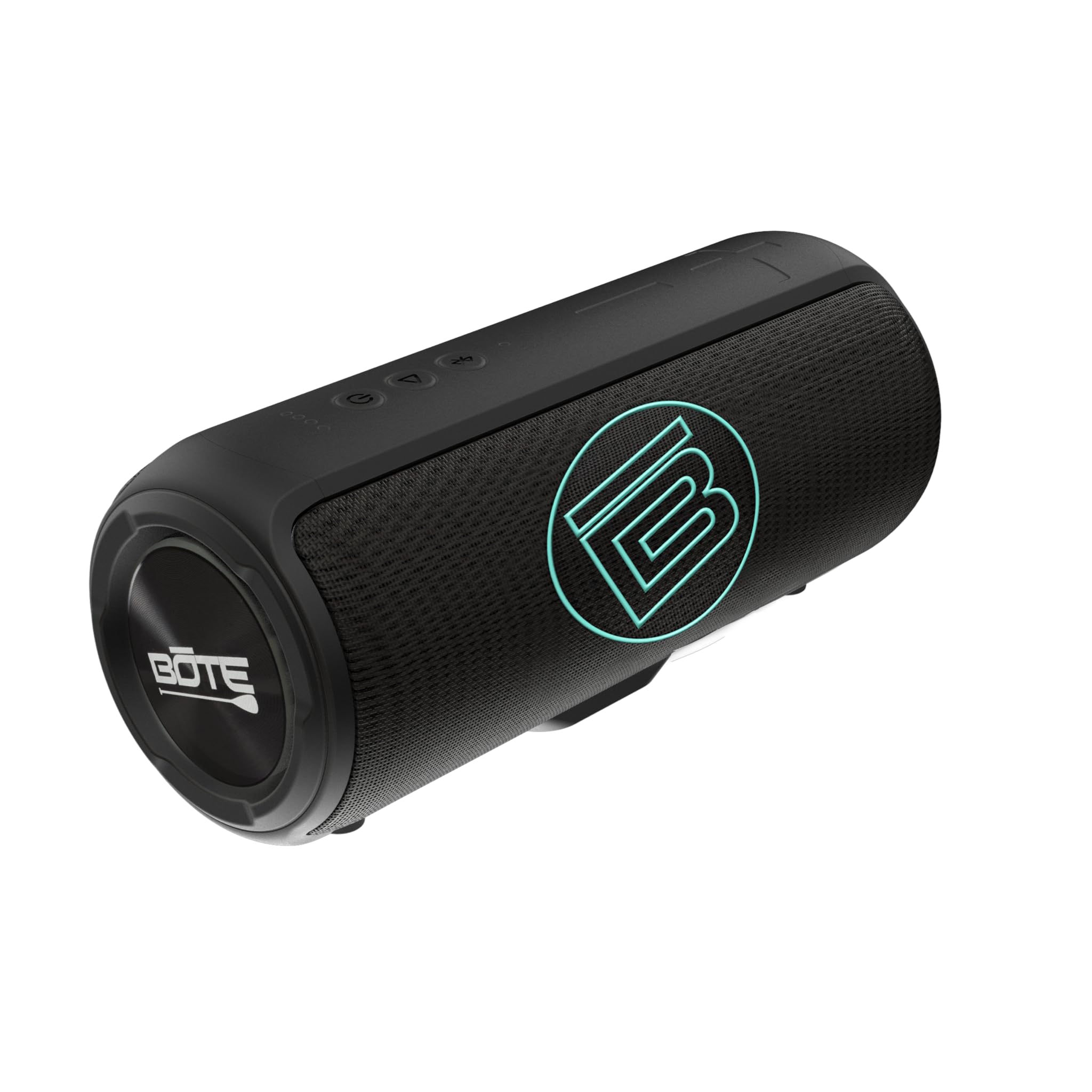
Billede 1.1: Forside view of the BOTE MAGNEBoom Surge speaker, showcasing its sleek black design and BOTE logo.
2. Pakkens indhold
Kontroller venligst, at alle varer er til stede i din pakke:
- One (1) BOTE MAGNEBoom Surge Speaker
- One (1) USB-C to USB Charging Cable
- One (1) User Manual (this document)
3. Produktfunktioner
The MAGNEBoom Surge speaker offers the following key features:
- IPX7 vandtæt bedømmelse: Fully submersible up to 1 meter for 30 minutes. The speaker also floats.
- MAGNEPOD Compatible: Integrated magnet for secure attachment to BOTE MAGNEPOD-equipped surfaces.
- Dobbelt parring: Wirelessly connect two MAGNEBoom Surge speakers for stereo sound.
- Lang spilletid: Op til 8 timers kontinuerlig lydafspilning på en enkelt opladning.
- Bluetooth 5-forbindelse: Stable wireless connection with a range of up to 10 meters.
- AUX-indgang: Til kabelbaseret forbindelse til lydenheder.
- USB-C opladning: Moderne og praktisk opladningsgrænseflade.
- Stemmekontrol mikrofon: Til håndfri opkald og interaktion med stemmeassistent.

Image 3.1: Diagram highlighting key features of the BOTE MAGNEBoom Surge, including its waterproof design, 8-hour playtime, voice control microphone, and MAGNEPOD compatibility.
4. Opsætning
4.1 Opladning af højttaleren
Before first use, fully charge your MAGNEBoom Surge speaker.
- Locate the USB-C charging port, usually protected by a waterproof seal.
- Open the seal and connect the provided USB-C cable to the speaker.
- Connect the other end of the USB cable to a 5V 2A USB power adapter (not included) or a computer's USB port.
- Opladningsindikatorlampen lyser. Den slukker eller skifter farve, når opladningen er færdig.
- Ensure the waterproof seal is securely closed after charging to maintain water resistance.
4.2 Tænd/sluk
- To power on, press and hold the Power button until you hear an audible prompt and the indicator light illuminates.
- To power off, press and hold the Power button again until you hear an audible prompt and the indicator light turns off.
4.3 Bluetooth -parring
Sådan tilslutter du din højttaler til en Bluetooth-aktiveret enhed:
- Ensure the speaker is powered on and in pairing mode (indicator light will flash, usually blue). If not, briefly press the Bluetooth button.
- Gå til Bluetooth-indstillinger på din enhed (smartphone, tablet osv.), og aktiver Bluetooth.
- Søg efter available devices. Select 'MAGNEBoom Surge' from the list.
- Når der er tilsluttet, vil højttaleren afgive en hørbar bekræftelse, og indikatorlampen vil lyse konstant.
4.4 Dual Pairing (Stereo Sound)
To pair two MAGNEBoom Surge speakers for a stereo audio experience:
- Ensure both MAGNEBoom Surge speakers are powered on and not connected to any other Bluetooth device.
- On one speaker (this will be your primary speaker), press the Dual Pairing button (often indicated by a chain link or infinity symbol). The indicator light will flash.
- On the second speaker, press the Dual Pairing button.
- The speakers will automatically connect to each other. You will hear an audible confirmation.
- Tilslut nu din enhed til den primære højttaler via Bluetooth som beskrevet i afsnit 4.3. Lyden afspilles i stereo gennem begge højttalere.
4.5 AUX-forbindelse
For wired audio playback:
- Open the waterproof seal covering the AUX input port.
- Connect a 3.5mm audio cable (not included) from your audio device to the speaker's AUX input.
- Højttaleren skifter automatisk til AUX-tilstand.
- Ensure the waterproof seal is securely closed after use to maintain water resistance.
5. Betjeningsvejledning
5.1 Grundlæggende kontroller
The MAGNEBoom Surge features intuitive buttons for controlling playback and volume:
- Power knap: Tryk og hold for at tænde/slukke.
- Afspil/pause knap: Tryk én gang for at afspille eller sætte lyd på pause.
- Lydstyrke op (+): Tryk for at øge lydstyrken. Tryk og hold nede for at springe til næste nummer.
- Skrue ned for lyden (-): Tryk for at sænke lydstyrken. Tryk og hold nede for at springe til forrige nummer.
- Bluetooth/Dual Pairing Button: Press briefly to enter Bluetooth pairing mode. Press and hold (or press twice, depending on model) to initiate dual pairing.
5.2 Using the MAGNEPOD
The integrated MAGNEPOD system allows for secure attachment to compatible BOTE watercraft and accessories.
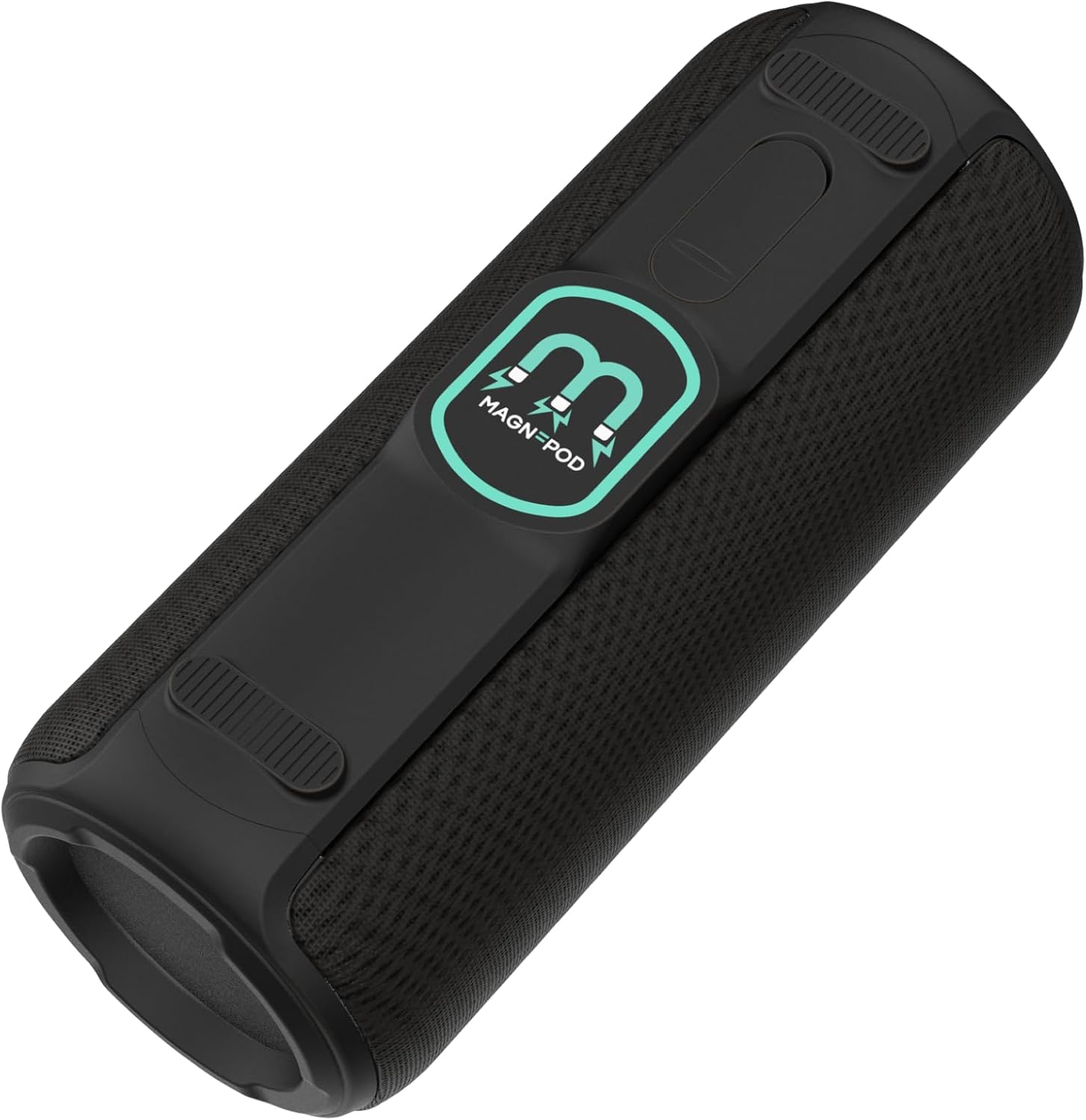
Billede 5.1: Vinklet view of the BOTE MAGNEBoom Surge, highlighting the MAGNEPOD attachment system on its base.
- Locate the MAGNEPOD receiver on your BOTE product.
- Align the MAGNEPOD on the bottom of the speaker with the receiver.
- Gently place the speaker onto the receiver. The magnets will securely hold the speaker in place.
- To remove, simply lift the speaker from the MAGNEPOD receiver.

Image 5.2: The BOTE MAGNEBoom Surge speaker securely attached to a BOTE KULA cooler, demonstrating its MAGNEPOD compatibility during use on the water.
6. Vedligeholdelse
6.1 Rengøring
Sådan bevarer du din højttalers udseende og funktionalitet:
- After use in saltwater, rinse the speaker thoroughly with fresh water.
- Tør højttaleren af med en blød, damp klæde. Brug ikke slibende rengøringsmidler eller opløsningsmidler.
- Sørg for, at alle porte er tørre, før du oplader eller tilslutter kabler.
6.2 Opbevaring
When not in use, store the speaker in a cool, dry place away from direct sunlight and extreme temperatures. Ensure all port covers are securely closed.
7. Fejlfinding
| Problem | Mulig årsag | Løsning |
|---|---|---|
| Højttaleren tænder ikke. | Lavt batteri. | Oplad højttaleren ved hjælp af det medfølgende USB-C-kabel. |
| Kan ikke parres via Bluetooth. | Højttaleren er ikke i parringstilstand; enhedens Bluetooth er slået fra; for langt fra enheden. | Ensure speaker is in pairing mode (flashing light). Turn on device Bluetooth. Move speaker closer to device (within 10m). |
| Ingen lyd. | Lydstyrken er for lav; forkert inputtilstand; enheden afspiller ikke. | Increase speaker and device volume. Check if in Bluetooth or AUX mode. Ensure audio is playing on your device. |
| Dual pairing fails. | Speakers already connected to another device; incorrect pairing sequence. | Disconnect both speakers from any devices. Follow dual pairing instructions carefully (Section 4.4). |
8. Specifikationer
| Feature | Specifikation |
|---|---|
| Modelnummer | BMB-SU-BLK |
| Mål (L x B x D) | 9.25 cm x 3.5 cm x 3.75 cm |
| Vægt | 1.8 lbs |
| Vandmodstand | IPX7 (Waterproof up to 1 meter) |
| Bluetooth version | 5.0 |
| Bluetooth rækkevidde | Op til 10 meter (33 fod) |
| Batteritype | Li-ion |
| Batterikapacitet | 2500 mAh |
| Spilletid | Op til 8 timer |
| Opladningsindgang | USB-C, 5V 2A |
| Højttalerkonfiguration | 2x 6W 45mm speakers, 1x 18W 66mm speaker |
| Lydudgangstilstand | Stereoanlæg |
| Forbindelse | Bluetooth, AUX |
9. Garantioplysninger
The BOTE MAGNEBoom Surge speaker is covered by a 30-dages begrænset garanti fra købsdatoen. Denne garanti dækker fabrikationsfejl ved normal brug. Den dækker ikke skader forårsaget af misbrug, ulykker, uautoriserede ændringer eller normal slitage. Gem venligst din købsbevis i tilfælde af garantikrav.
10. Support
For further assistance, technical support, or warranty inquiries, please visit the official BOTE website or contact BOTE customer service. Refer to your product packaging or the BOTE webhjemmeside for de seneste kontaktoplysninger.