
1. Produktet er slutview
The WOOPKER AK35 is a compact 2.0 channel stereo audio amplifier designed for home use. It features Bluetooth 5.0 connectivity, USB and SD card inputs, AUX input, and controls for bass, treble, and master volume. This amplifier delivers clear and powerful sound for various audio setups.
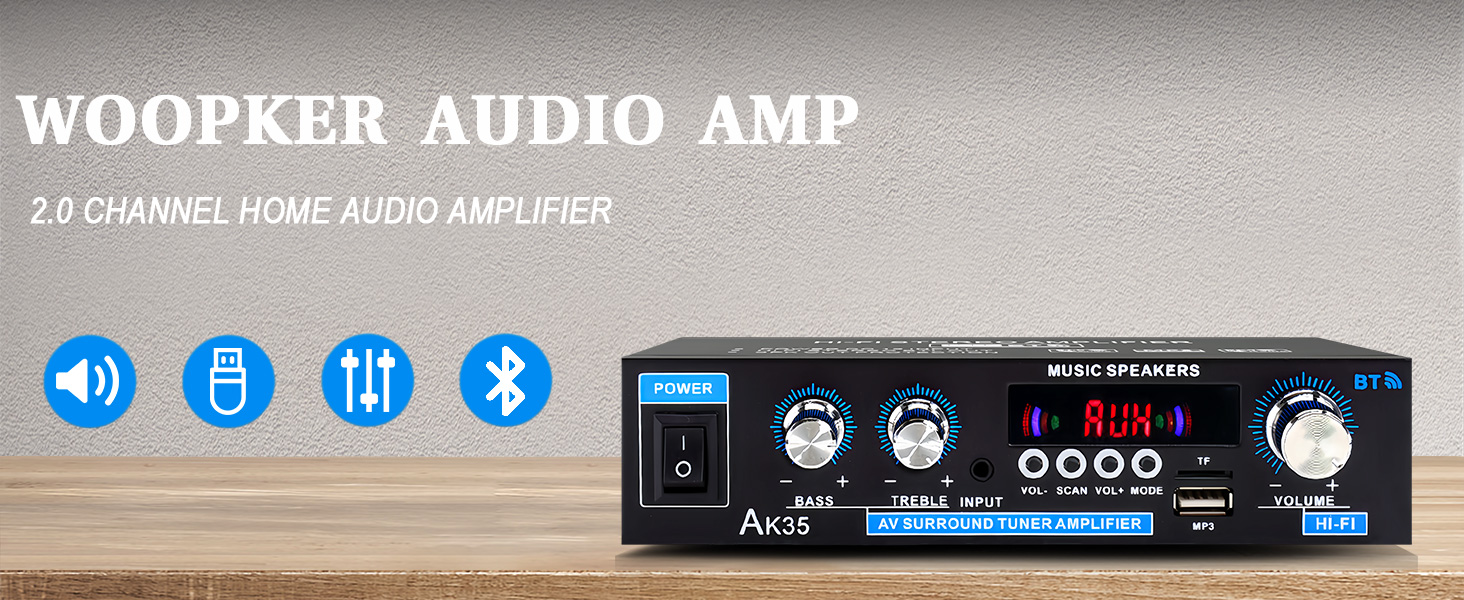
Billede 1.1: Forside view of the AK35 Stereo Audio Amplivligere.
2. Pakkens indhold
Bekræft at alle varer er til stede i pakken:
- 1x AK35 Audio Amplivligere
- 1x strømkabel
- 1x Brugermanual (dette dokument)
- 1x fjernbetjening
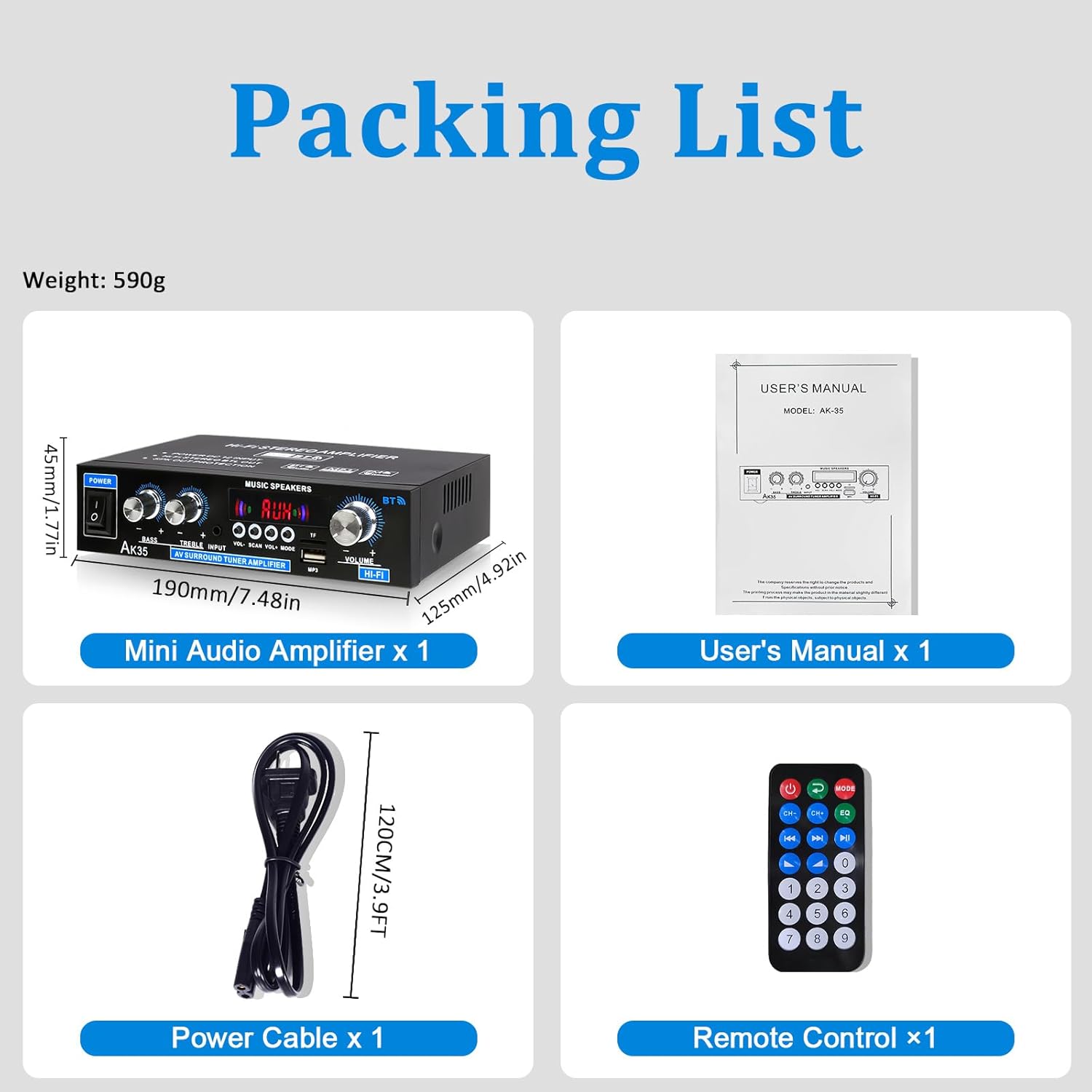
Image 2.1: Contents of the AK35 amplifer-pakke.
3. Opsætningsvejledning
3.1 Betjeningselementer på frontpanelet
Gør dig bekendt med frontpanelets kontroller og indikatorer:

Image 3.1: Front Panel Layout of the AK35 Amplivligere.
- Afbryderen: Drejer amplifier ON/OFF.
- Basknap: Justerer lavfrekvent lydudgang.
- Diskant-knap: Justerer højfrekvent lydudgang.
- Lydindgang: Selects the audio source (AUX, USB, SD, Bluetooth, FM).
- LED display: Shows current mode, track information, or frequency.
- Hovedvolumen: Styrer den overordnede udgangslydstyrke.
- Funktionsknapper: Includes VOL-, SCAN, VOL+, MODE for navigation and control.
- TF/USB Port: For connecting USB flash drives or SD cards (via adapter).
3.2 Bagpaneltilslutninger
Understand the rear panel for proper connectivity:

Image 3.2: Rear Panel Layout of the AK35 Amplivligere.
- Audio Input Jack (RCA): Connect external audio sources via RCA cables.
- Speaker Output Jack (L/R): Tilslut passive højttalere.
- DC 12V/5A strømindgang: Til DC-strømforsyning.
- AC 110-240V Power Input: Til vekselstrømsforsyning.
- FM radio antenne: Tilslut den medfølgende FM-antenne for radiomodtagelse.
3.3 Højttalertilslutning
Follow these steps to connect your speakers:

Image 3.3: Speaker Connection Diagram.
- Before connecting speakers, distinguish the positive (+) and negative (-) terminals. The positive terminal is usually red, and the negative terminal is black.
- Press the clasp on the back of the AK35 amplifier and insert bare speaker wires into the speaker clasp corresponding to the positive and negative terminals.
- Ensure proper polarity (+ to + and - to -) for both left and right channels.
- Avoid plugging and unplugging USB drives, SD cards, RCA audio cables, or speaker cables while the amplifier er tændt.
3.4 Strømtilslutning
Connect the power cable to the AC power input on the rear panel and then to a suitable power outlet.
Video 3.4: Demonstrates connecting speaker wires and powering on the AK35 amplivligere.
4. Betjeningsvejledning
4.1 Tænd/sluk
Flip the Power Switch on the front panel to turn the amplifier ON eller OFF.
4.2 Valg af inputtilstand
Press the 'MODE' button on the front panel or remote control to cycle through available input sources: Bluetooth (BT), AUX, USB, SD, and FM Radio.
4.3 Bluetooth -parring
Sådan tilslutter du en Bluetooth-enhed:
- Skift til amplifier to Bluetooth mode (the LED display will show "BLUE").
- Aktivér Bluetooth på din mobilenhed eller computer.
- Søg efter "AK35" in the list of available devices and select it to pair.
- Når det er parret, vil ampLifier bekræfter forbindelsen, og du kan streame lyd trådløst.

Image 4.3: Bluetooth 5.0 connectivity for wireless music streaming.
Video 4.3: Demonstrates Bluetooth pairing and music playback with the AK35 amplivligere.
4.4 USB/SD-kortafspilning
Insert a USB flash drive or an SD card (with an adapter) into the TF/USB port. The ampLifier skifter automatisk til USB/SD-tilstand og begynder at afspille lyd files. Use the Function Buttons (VOL-, SCAN, VOL+) to control playback.
4.5 Brug af AUX-indgang
Connect an external audio source (e.g., CD player, DVD player, computer) to the RCA Audio Input Jacks on the rear panel using an RCA cable. Switch the amplifier to AUX mode to play audio from the connected device.
4.6 FM radio
Ensure the FM antenna is connected to the rear panel. Switch the amplifier to FM mode. Use the 'SCAN' button to auto-scan and save available radio stations. Use VOL- and VOL+ to navigate through saved stations.
4.7 Volume, Bass, and Treble Adjustment
Adjust the Master Volume knob for overall sound level. Use the Bass and Treble knobs to fine-tune the low and high frequencies according to your preference.

Image 4.7: Remote control for easy adjustment of amplifier indstillinger.
5. Vedligeholdelse
5.1 Rengøring
Tør af amplifier's exterior with a soft, dry cloth. Do not use liquid cleaners or solvents, as they may damage the finish or internal components.
5.2 Opbevaring
Når den ikke er i brug i længere perioder, skal den opbevares ampOpbevar apparatet på et køligt, tørt sted væk fra direkte sollys og ekstreme temperaturer.
6. Fejlfinding
| Problem | Mulig årsag | Løsning |
|---|---|---|
| Ingen strøm | Strømkabel ikke tilsluttet; Strømafbryder slukket; Strømstik defekt. | Sørg for, at strømkablet er korrekt tilsluttet. Tænd for strømafbryderen. Test stikkontakten med en anden enhed. |
| Ingen lydudgang | Incorrect input mode; Speaker wires loose; Volume too low; Audio source issue. | Select the correct input mode. Check speaker wire connections. Increase master volume. Verify audio source is playing and connected correctly. |
| Bluetooth forbinder ikke | AmpFjernbetjeningen er ikke i BT-tilstand; Enheden er ikke i parringstilstand; Interferens. | Skifte amplifier to BT mode. Ensure your device's Bluetooth is on and searching. Move closer to the amplivligere. |
| USB/SD-kort afspiller ikke | Ukorrekt file formatering; Kort/drev ikke isat korrekt; Beskadiget files. | Sørg for lyd files are in supported formats (e.g., MP3). Reinsert the USB drive/SD card. Try a different USB drive/SD card. |
7. Specifikationer
- Model: AK35
- Spidseffekt: 100W + 100W
- Nominel effekt (RMS): 30W x 2
- Kanaler: 2.0
- Bluetooth version: 5.0
- Indgange: AUX (RCA), USB, SD Card, Bluetooth, FM Radio
- Kontrolelementer: Bass, Treble, Master Volume
- Strømindgang: DC 12V/5A, AC 110-240V
- Varens vægt: 1.28 pund (ca. 580 g)
- Pakkedimensioner: 8.03 x 6.93 x 2.13 tommer (ca. 20.4 x 17.6 x 5.4 cm)
8. Garanti og support
WOOPKER products are designed for reliability and performance. For warranty information or technical support, please refer to the contact details provided with your purchase or visit the official WOOPKER webwebsted. Gem din købskvittering for garantikrav.