
RED5 Raptor 4K (F5 Pro)
RED5 Raptor 4K FPV Drone Brugermanual
Model: Raptor 4K (F5 Pro)
Indledning
Welcome to the user manual for your RED5 Raptor 4K FPV Drone. This foldable quadcopter drone features a 4K camera for live streaming and recording via Wi-Fi, a 2.4 GHz radio frequency remote control, and a compact design for portability. This manual provides essential information for setting up, operating, maintaining, and troubleshooting your drone to ensure a safe and enjoyable experience.
The RED5 Raptor 4K drone is designed for ease of use, with features such as foldable arms and a carry case for convenient transport. Its small size and low weight mean that registration is not required in the UK for flight or operation.
Pakkens indhold
Når du åbner pakken, skal du sørge for, at alle følgende komponenter er til stede:
- RED5 Raptor 4K Drone
- Fjernbetjening
- USB Charger (for drone and controller)
- Accessories (e.g., spare propellers, propeller guards)
- Instruction Leaflet (this manual)
Opsætningsvejledning
1. Udfoldning af dronen
Gently unfold the drone's arms until they click into place. Ensure all four arms are fully extended and locked before flight.

Image: The RED5 Raptor 4K drone with its four arms fully extended, ready for flight.
2. Opladning af batterier
The drone and remote control come with rechargeable batteries and USB charging cables. Connect the provided USB cables to a low-voltage USB power source (e.g., a computer USB port or a 5V/1A USB wall adapter).
- Drone Batteri: Insert the drone battery into its compartment and connect the charging cable.
- Fjernbetjenings batteri: The remote control requires 3 AA batteries (included). Ensure they are inserted with correct polarity. The remote control also has a rechargeable component for its display.
Allow sufficient time for a full charge before first use. Charging indicators will typically change color or turn off when charging is complete.
3. Installing the App and Connecting Wi-Fi
To utilize the 4K camera's live streaming and recording features, download the official RED5 Raptor app on your smartphone. The app can typically be found by scanning a QR code in the included quick-start guide or by searching in your device's app store.
Once installed:
- Tænd for dronen.
- On your smartphone, go to Wi-Fi settings and connect to the drone's Wi-Fi network (usually named something like "RED5_Raptor_XXXX").
- Open the RED5 Raptor app. The app should automatically connect to the drone, displaying the live camera feed.
Note: Some users have reported the app setup can be fiddly, and the Wi-Fi password may be limited to exactly 8 digits. Ensure a stable connection for optimal performance.
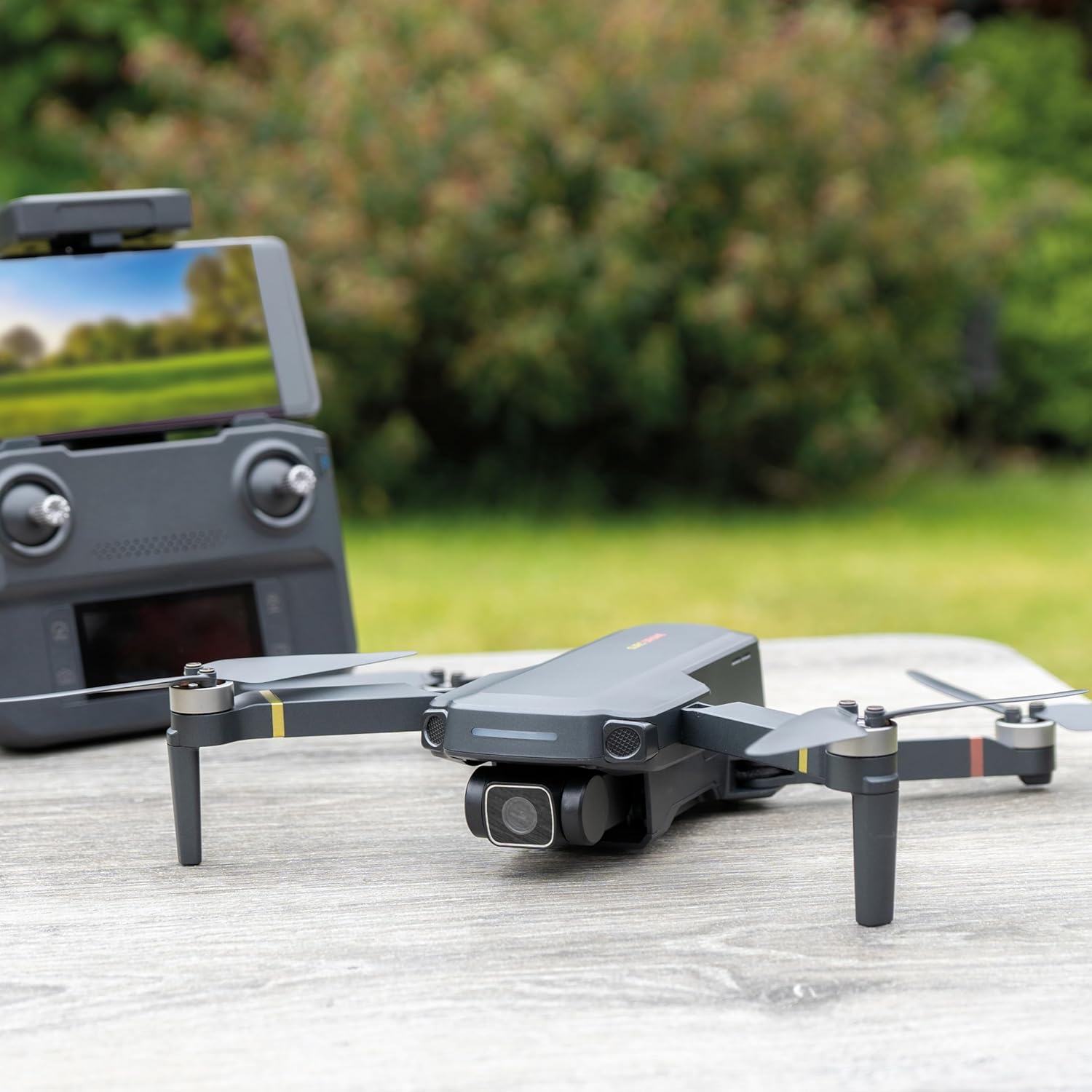
Image: The RED5 Raptor 4K drone positioned next to its remote control, which has a smartphone mounted to display the live camera feed.
Betjeningsvejledning
1. Tjekliste før flyvning
- Sørg for, at batterierne til dronen og fjernbetjeningen er fuldt opladet.
- Kontroller, at propellerne er sikkert fastgjort og fri for skader.
- Confirm the drone arms are fully unfolded and locked.
- Verify a stable Wi-Fi connection between the drone and your smartphone app.
- Perform a GPS lock acquisition in an open area. This may take some time, especially if indoors or near obstructions.
2. Basic Controls (2.4 GHz Remote Control)
Familiarize yourself with the remote control layout. The remote features joysticks for flight control and dedicated buttons for various functions.

Billede: Et nærbillede view of the RED5 Raptor 4K drone's remote control, showing its display screen with flight telemetry data and control sticks.
- Venstre joystick: Styrer højde (op/ned) og rotation (drejning til venstre/højre).
- Højre joystick: Styrer bevægelse fremad/bagud (pitch) og venstre/højre bevægelse (roll).
- Take-off/Landing Button: Starter automatisk start eller landing.
- Tilbage-til-hjem-knap: Commands the drone to return to its take-off point (requires GPS lock).
- Hastighedsknap: Justerer flyvehastighedstilstande.
- Foto/video-knapper: Activates the camera to take photos or start/stop video recording.
3. Flight Environment Considerations
Choose an open, clear area for flight, away from obstacles, people, and animals. While the drone is lightweight and does not require UK registration, it is susceptible to wind. Even a small breeze can cause the drone to drift, requiring constant correction. Always maintain visual line of sight with the drone.
4. Avancerede funktioner
- 4K-kamera: The built-in 2160p 4K camera allows for high-resolution photo and video capture. Images and videos can be live-streamed and recorded securely via Wi-Fi to the app on your smartphone.
- 360 Degree Flip: The drone is capable of performing 360-degree flips. Refer to the app or remote control instructions for activating this feature.
Opretholdelse
1. Batteripleje og opladning
Proper battery care is crucial for extending the lifespan of your drone's batteries.
- Brug altid de medfølgende USB-opladerkabler.
- Charge batteries only with low-voltage power supplies (e.g., 5V/1A USB ports). High-wattage chargers may not be compatible or could damage the batteries.
- Overoplade ikke batterierne eller aflade dem helt.
- Opbevar batterierne på et køligt, tørt sted, når de ikke er i brug.
- The claimed battery life is approximately 20 minutes, but actual flight time may vary based on flight conditions and usage.
2. Rengøring og opbevaring
Keep your drone clean to ensure optimal performance.
- Use a soft, dry cloth to wipe down the drone body and propellers.
- Remove any debris from the motors and propeller shafts.
- When storing, fold the drone's arms to make it compact. Utilize the included foldable drone carry case for protection during transport and storage.

Image: The compact, grey zippered carry case designed for the RED5 Raptor 4K drone, providing protection and portability.
Fejlfinding
| Problem | Mulig årsag | Løsning |
|---|---|---|
| Dronen letter ikke eller reagerer ikke på kontroller. |
|
|
| App connection issues / No live feed. |
|
|
| Drone driver afsted under flyvning. |
|
|
| Batterier oplades ikke. |
|
|
Specifikationer
| Feature | Detalje |
|---|---|
| Mærke | RED5 |
| Modelnavn | Raptor 4K |
| Modelnummer | F5 Pro |
| Produktdimensioner (åben) | 27.5 x 30 x 5.5 cm |
| Produktdimensioner (foldet) | 14 cm x 9 cm x 5.5 cm |
| Varens vægt | 1.8 kg |
| Videooptagelsesopløsning | 4K (2160p) |
| Effektiv stillopløsning | 16 MP |
| Forbindelsesteknologi | Wi-Fi, 2.4 GHz Radio Frequency |
| Særlige funktioner | 360 Degree Flip, Lightweight, Foldable, Compact, Rechargeable |
| Batterier påkrævet | Drone: Rechargeable (included), Remote: 3 AA batteries (included) |
| Batterikapacitet | 1600 mioamp Hours (Drone) |
| Færdighedsniveau | Alle |
Garanti og support
For information regarding warranty coverage, please refer to the purchase documentation or contact the retailer where the RED5 Raptor 4K Drone was purchased.
For technical support, spare parts, or further assistance, please visit the official RED5 webwebstedet eller kontakt deres kundeserviceafdeling. Kontaktoplysninger findes typisk på produktemballagen eller mærkets officielle webwebsted.