
1. Introduktion
The ESSAGER Bluetooth 5.1 Aux Adapter is a versatile 2-in-1 device designed to enhance your audio experience by providing seamless wireless connectivity. It functions as both a Bluetooth receiver (RX) and a Bluetooth transmitter (TX), allowing you to convert traditional wired audio systems into wireless ones or enable non-Bluetooth devices to transmit audio to Bluetooth headphones or speakers. This manual provides detailed instructions for setup, operation, and maintenance of your device.

Figure 1: The ESSAGER Bluetooth 5.1 Aux Adapter, a compact and versatile audio device.
2. Nøglefunktioner
- Dual-Functionality: Seamlessly switch between Receiver (RX) and Transmitter (TX) modes to suit various audio needs.
- Nem opsætning: Simple pairing process with a 3-second button press for quick device connection.
- Forbedret forbindelse: Transforms non-Bluetooth devices into wireless audio hubs, supporting older speakers, car stereos, TVs, and MP3 players.
- Langtidsholdbart batteri: Equipped with a 140 mAh polymer battery, offering up to 5 hours of continuous use on a 1.5-hour charge. Supports charging while in operation.
- High-Fidelity lyd: Features a built-in HD noise-canceling microphone for clear calls and superior audio transmission.
- Holdbart design: Incorporates a flexible connector crafted from high-rebound TPU material, allowing for easy navigation in narrow spaces.
- Udvidet rækkevidde: Provides reliable Bluetooth connectivity with a transmission distance of up to 10 meters.
3. Produktet er slutview
Familiarize yourself with the components and indicators of your ESSAGER Bluetooth adapter.

Figur 2: Forside view of the ESSAGER Bluetooth adapter, highlighting the power button, indicator light, and mode switch.
- Power knap: Used for powering on/off and initiating pairing.
- Indikatorlys: Displays device status (e.g., pairing mode, connected, charging).
- RX/TX Switch: Skifter mellem modtager- og sendertilstande.
- 3.5 mm lydstik: Connects to audio input/output ports of external devices.
- USB-C opladningsport: Til opladning af det interne batteri.

Figure 3: The flexible 3.5mm audio jack of the ESSAGER adapter, designed for easy connection in tight spaces.
4. Opsætning og drift
4.1 Opladning af enheden
Before first use, fully charge the adapter. Connect the provided USB-C charging cable to the adapter's charging port and the other end to a USB power source (e.g., computer USB port, wall adapter). The indicator light will show charging status and turn off or change color when fully charged. A full charge takes approximately 1.5 hours and provides up to 5 hours of continuous use.
4.2 Tænd/sluk
- For at tænde: Tryk på tænd/sluk-knappen og hold den nede i cirka 3 sekunder, indtil indikatorlampen lyser.
- For at slukke: Tryk på tænd/sluk-knappen og hold den nede i cirka 3 sekunder, indtil indikatorlampen slukker.
4.3 Mode Selection (Receiver / Transmitter)
Use the RX/TX switch on the side of the adapter to select the desired mode:
- RX (modtager) tilstand: For receiving audio from a Bluetooth device (e.g., smartphone) and outputting it to a non-Bluetooth audio system (e.g., car stereo, wired speakers).
- TX (sender) tilstand: For transmitting audio from a non-Bluetooth audio source (e.g., TV, MP3 player, airplane entertainment system) to Bluetooth headphones or speakers.
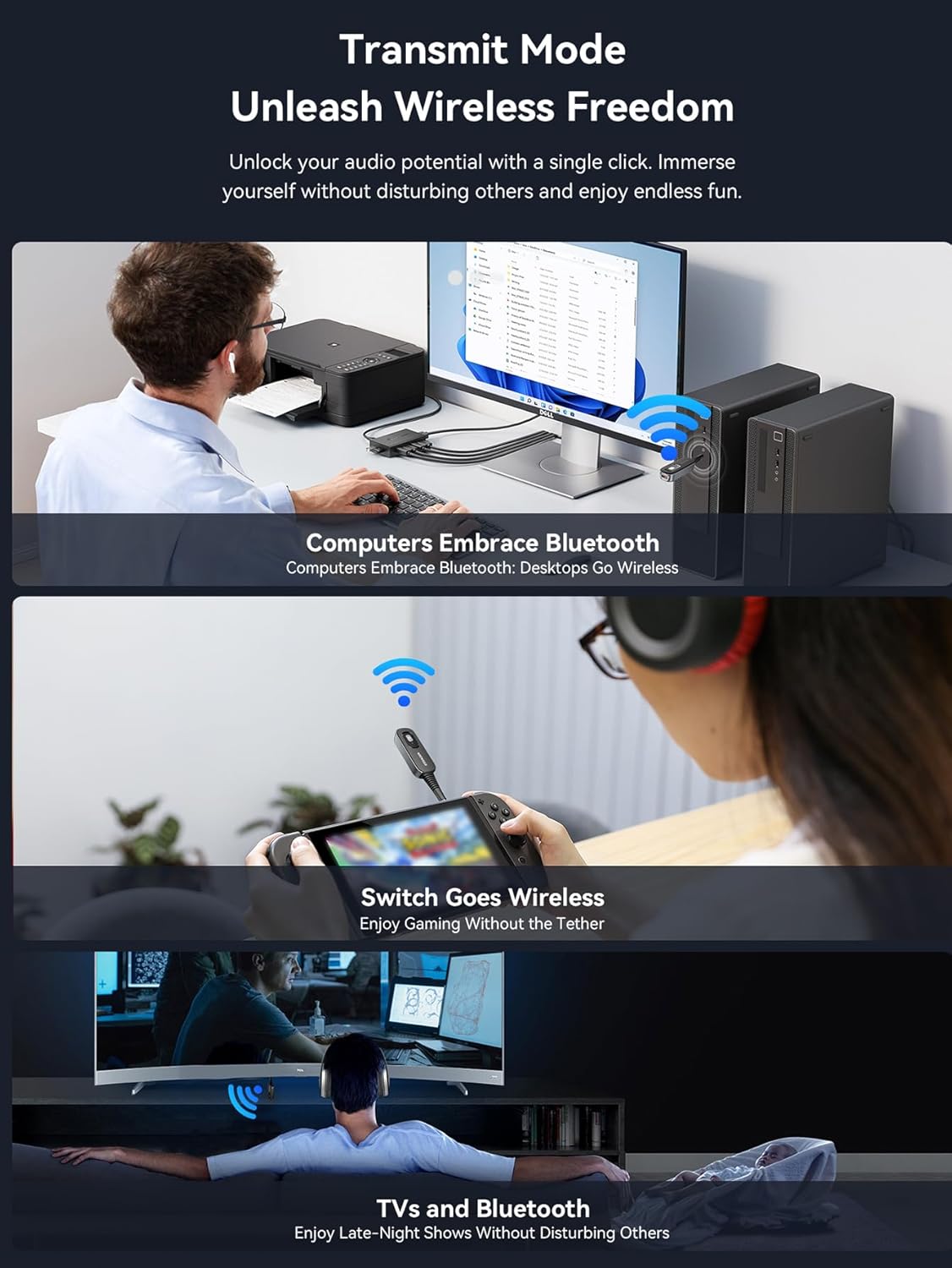
Figure 4: Visual guide for connecting the ESSAGER adapter in both Transmitter (TX) and Receiver (RX) modes.
4.4 Operating in Receiver (RX) Mode
In RX mode, the adapter receives audio from your Bluetooth-enabled device and sends it to a wired audio system.
- Switch the adapter to RX mode.
- Connect the 3.5mm audio jack of the adapter into the AUX-indgang port of your non-Bluetooth audio system (e.g., car stereo, home speaker, amplivligere).
- Power on the adapter. The indicator light will flash, indicating it's in pairing mode.
- On your Bluetooth-enabled device (e.g., smartphone, tablet), go to Bluetooth settings and search for new devices. Select "ESSAGER B0D3V55J9M" (or similar name) from the list.
- Once paired, the indicator light will become solid, and you can now stream audio wirelessly to your connected audio system.

Figure 5: The ESSAGER adapter integrated into a car's audio system for wireless music and hands-free calls.

Figure 6: The ESSAGER adapter enabling wireless audio streaming to a home stereo system in Receiver mode.
4.5 Operating in Transmitter (TX) Mode
In TX mode, the adapter transmits audio from a wired source to your Bluetooth headphones or speakers.
- Switch the adapter to TX mode.
- Connect the 3.5mm audio jack of the adapter into the lydudgang port of your non-Bluetooth audio source (e.g., TV, MP3 player, airplane entertainment system).
- Power on the adapter. The indicator light will flash, indicating it's in pairing mode.
- Sæt dine Bluetooth-hovedtelefoner eller -højttalere i parringstilstand.
- The adapter will automatically search for and connect to nearby Bluetooth audio devices. Once paired, the indicator light will become solid, and audio from your source will be transmitted wirelessly.
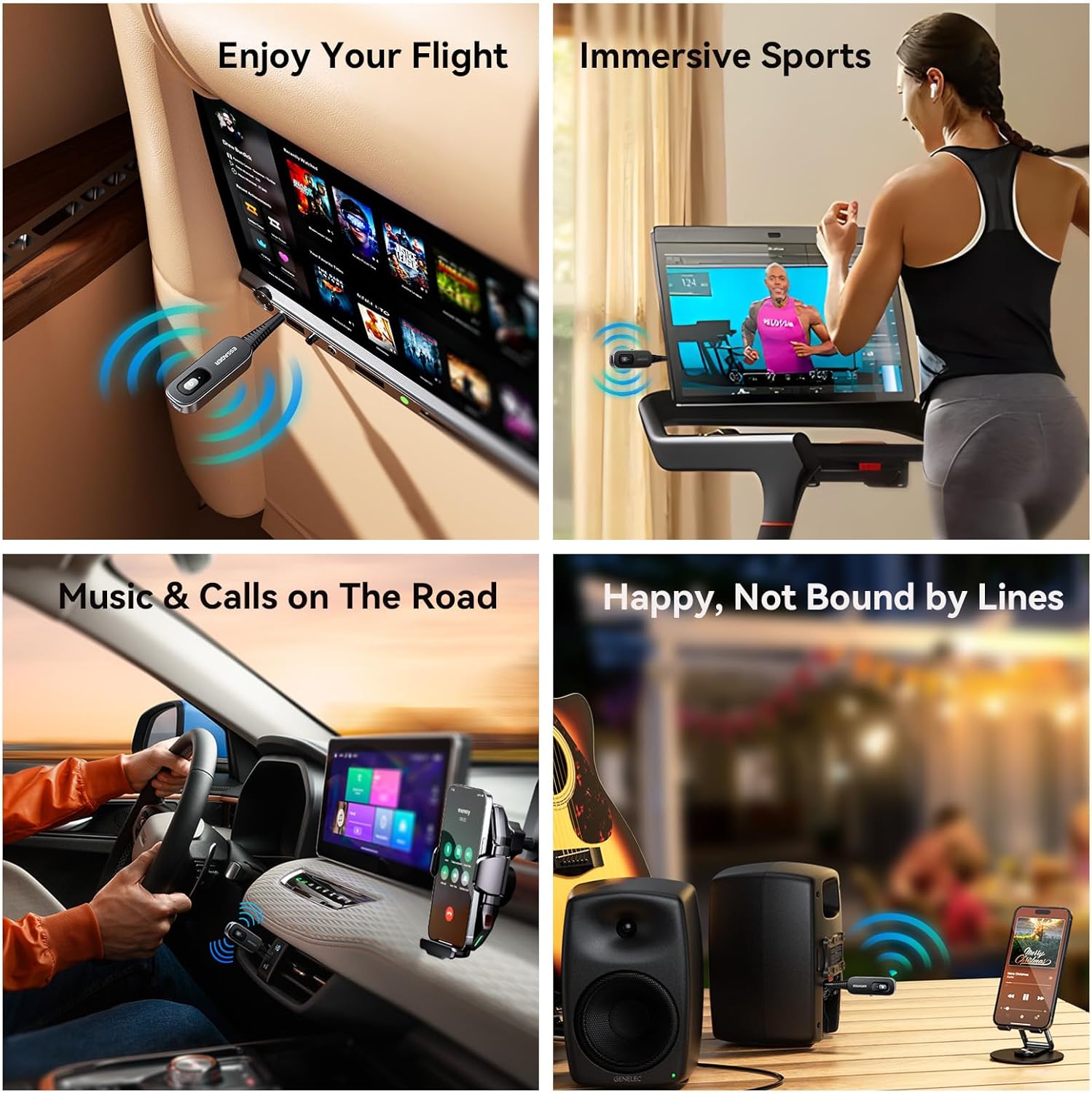
Figure 7: Using the ESSAGER adapter to enjoy wireless audio from an airplane's entertainment system.

Figure 8: The ESSAGER adapter providing wireless audio for immersive sports experiences on a treadmill.
4.6 Hands-Free Calling (RX Mode Only)
When in RX mode and connected to your smartphone, the built-in HD noise-canceling microphone allows for clear hands-free calls. Press the power button once to answer or end a call. Press and hold to reject a call.
5. Specifikationer
| Feature | Detalje |
|---|---|
| Produktdimensioner | 2.36 x 2.36 x 0.79 tommer (60 x 60 x 20 mm) |
| Varens vægt | 1.41 ounce (40 gram) |
| Bluetooth version | 5.1 |
| Forbindelsesteknologi | AUX |
| Strømkilde | Battery Powered (140 mAh polymer battery) |
| Opladningstid | Ca. 1.5 timer |
| Brugstid | Op til 5 timer |
| Transmissionsafstand | Op til 10 meter (33 fod) |
| Speciel funktion | Low Latency, HD Noise-Canceling Microphone |

Figure 9: The ESSAGER adapter offers a stable 10-meter Bluetooth transmission range.
6. Fejlfinding
- Enheden vil ikke tænde: Sørg for, at enheden er fuldt opladet. Tilslut den til en strømkilde med USB-C-kablet.
- Kan ikke parres med en Bluetooth-enhed:
- Sørg for, at adapteren er i den korrekte tilstand (RX for modtagelse, TX for transmission).
- Make sure both the adapter and the target Bluetooth device are in pairing mode (indicator light flashing).
- Ensure devices are within the 10-meter transmission range.
- Sluk og tænd begge enheder, og prøv derefter at parre igen.
- Ingen lyd eller dårlig lydkvalitet:
- Check all cable connections (3.5mm jack) are secure.
- Adjust volume levels on both the adapter and the connected audio device/source.
- Ensure the adapter is correctly paired and connected.
- Flyt enheder tættere på hinanden for at forbedre signalstyrken.
- Check if there is interference from other wireless devices.
- Kort batterilevetid: Ensure the device is fully charged before use. Battery performance may degrade over time with extensive use.
7. Vedligeholdelse
- Rengør enheden med en blød, tør klud. Brug ikke flydende rengøringsmidler eller aerosoler.
- Opbevar adapteren et køligt, tørt sted væk fra direkte sollys og ekstreme temperaturer.
- Undgå at tabe eller udsætte enheden for kraftige stød.
- Forsøg ikke at skille enheden ad eller reparere den selv, da dette vil ugyldiggøre garantien og kan forårsage skade.
8. Sikkerhedsoplysninger
Læs og overhold følgende sikkerhedsretningslinjer:
- Ensure proper handling of the 140 mAh polymer battery. Avoid exposure to extreme temperatures and humidity.
- This device may cause interference with other wireless devices. Use in various environments may require caution.
- Hold enheden væk fra vand og andre væsker.
- Do not use the device while driving if it distracts you from operating the vehicle safely.
- Bortskaf enheden og dens batteri på en ansvarlig måde i henhold til lokale regler.
9. Garanti og support
ESSAGER products are designed for reliability and performance. For warranty information or technical support, please refer to the product packaging or contact your retailer. You can also visit the official ESSAGER store on Amazon for more information: ESSAGER Store.