
MACALLY BTZKEY
MACALLY BTZKEY Bluetooth Full-size Keyboard User Manual
Model: BTZKEY
1. Introduktion
This manual provides detailed instructions for the MACALLY BTZKEY Bluetooth Full-size Keyboard, designed for seamless integration with Apple devices. It features a Japanese layout, a numeric keypad, and multi-pairing capabilities for up to three devices. Please read this manual thoroughly before using the product to ensure proper operation and longevity.

Figure 1: MACALLY BTZKEY Bluetooth Full-size Keyboard
2. Pakkens indhold
Kontroller venligst pakkens indhold for at sikre, at alle varer er til stede:
- MACALLY BTZKEY Bluetooth Full-size Keyboard
- USB-C ladekabel
- Brugermanual
3. Opsætning
3.1 Opladning af tastaturet
The keyboard comes with a built-in 780mAh rechargeable battery. Before initial use, it is recommended to fully charge the keyboard.
- Connect the included USB-C cable to the charging port on the keyboard.
- Connect the other end of the USB-C cable to a USB power adapter (not included) or a powered USB port on your computer.
- Opladningsindikatorlampen lyser under opladning og slukker, når den er fuldt opladet.
Note: The USB-C cable provided is for charging only and does not support data transfer.

Figure 2: Charging the MACALLY BTZKEY Keyboard
3.2 Parring med enheder
The MACALLY BTZKEY keyboard supports pairing with up to three Bluetooth-enabled devices (MacBook, iMac, iPhone, iPad). You can easily switch between these devices.
- Sørg for, at tastaturet er opladet og tændt.
- Enable Bluetooth on your device (Mac, iPad, iPhone).
- On the keyboard, press and hold one of the dedicated device keys (B1, B2, or B3) for 3-5 seconds until the corresponding indicator light above the key flashes rapidly. This indicates the keyboard is in pairing mode.
- On your device, go to Bluetooth settings and select "BTZKEY" from the list of available devices.
- Når den er tilsluttet, holder indikatorlampen op med at blinke og lyser konstant i et par sekunder, hvorefter den slukker.
- To switch between paired devices, simply press the corresponding device key (B1, B2, or B3). The keyboard will automatically connect to the last paired device on that channel.
Tip til fejlfinding: If pairing fails, it is recommended to delete all existing pairing records for the keyboard on your device and attempt to reconnect.

Figure 3: Multi-Sync Bluetooth Functionality
4. Betjeningsvejledning
4.1 Mac-Specific Layout and Shortcut Keys
This keyboard is designed with a 111-key macOS-specific layout, providing a familiar and efficient typing experience for Apple users. It includes 14 dedicated shortcut keys for quick access to common Mac functions.
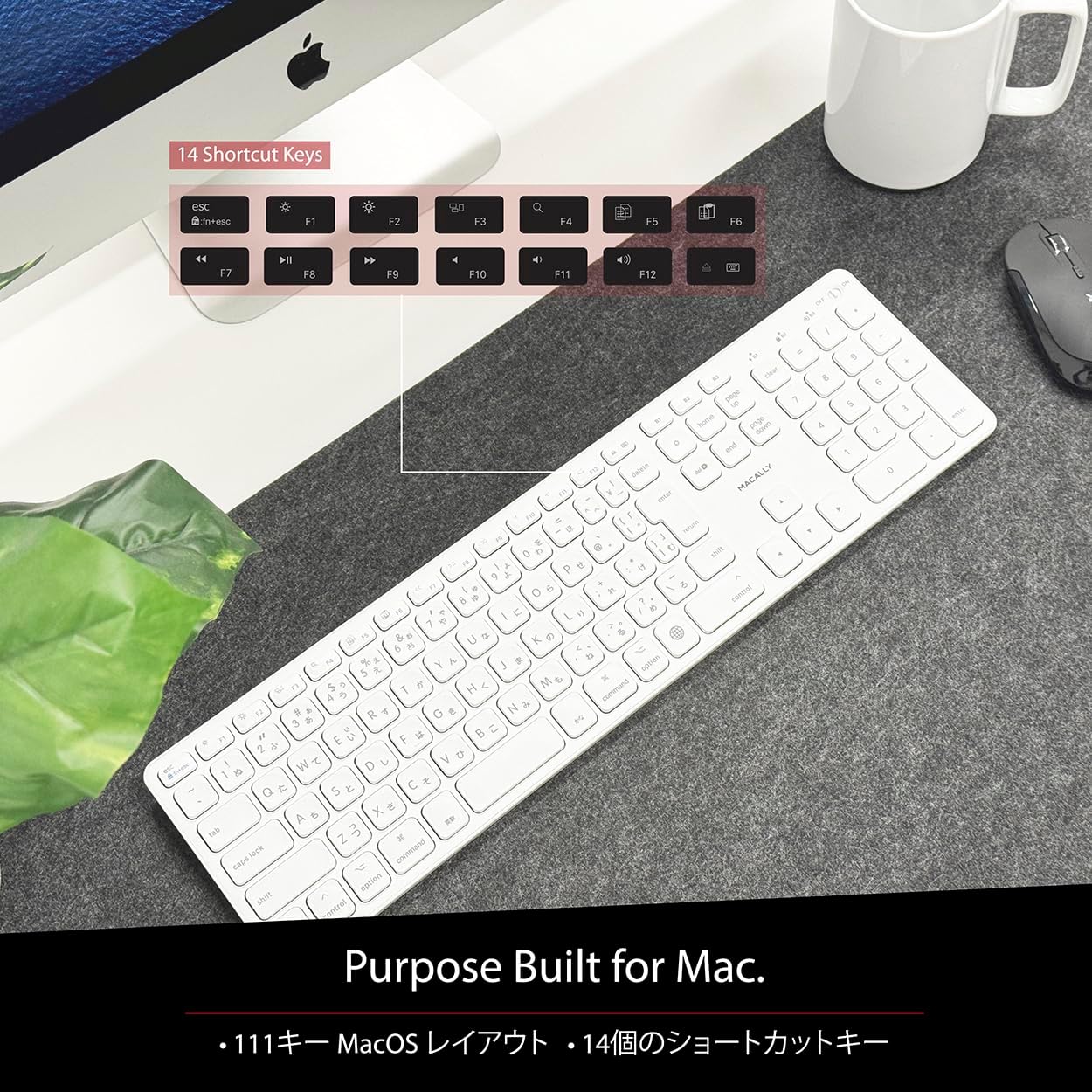
Figure 4: Mac-Specific Layout and Shortcut Keys
4.2 Scissor-Switch Keycaps
The keyboard utilizes quiet scissor-switch keys, offering a smooth, tactile, and quiet typing experience. This design ensures comfortable and efficient typing, whether for extended periods or quick tasks.
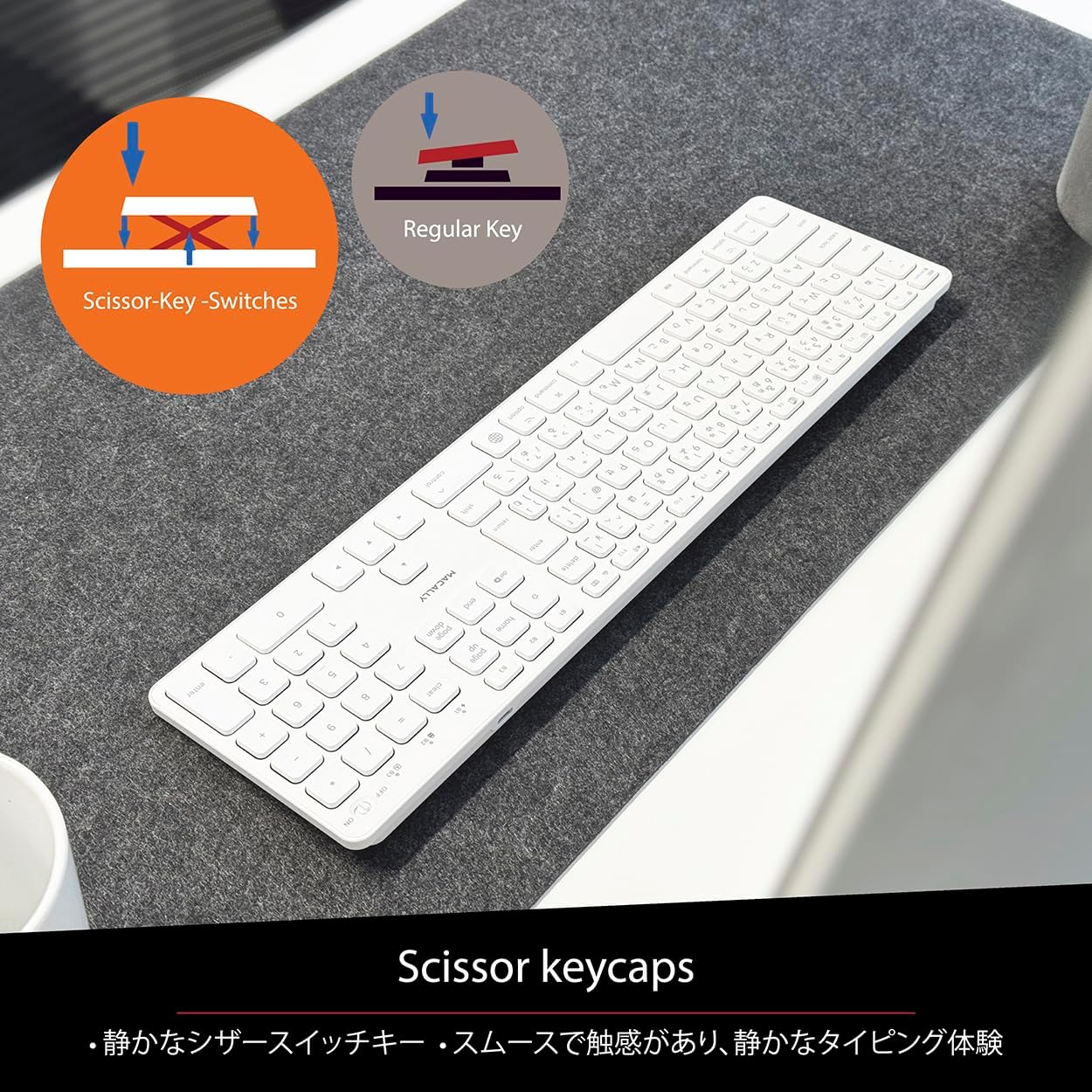
Figure 5: Scissor-Key-Switches Mechanism
4.3 Ergonomi og design
The keyboard features an integrated kickstand for comfortable typing angles, reducing strain during use. Its slim profile, approximately 0.8 inches (2cm) thick, ensures portability and ergonomic use, complementing any workspace.
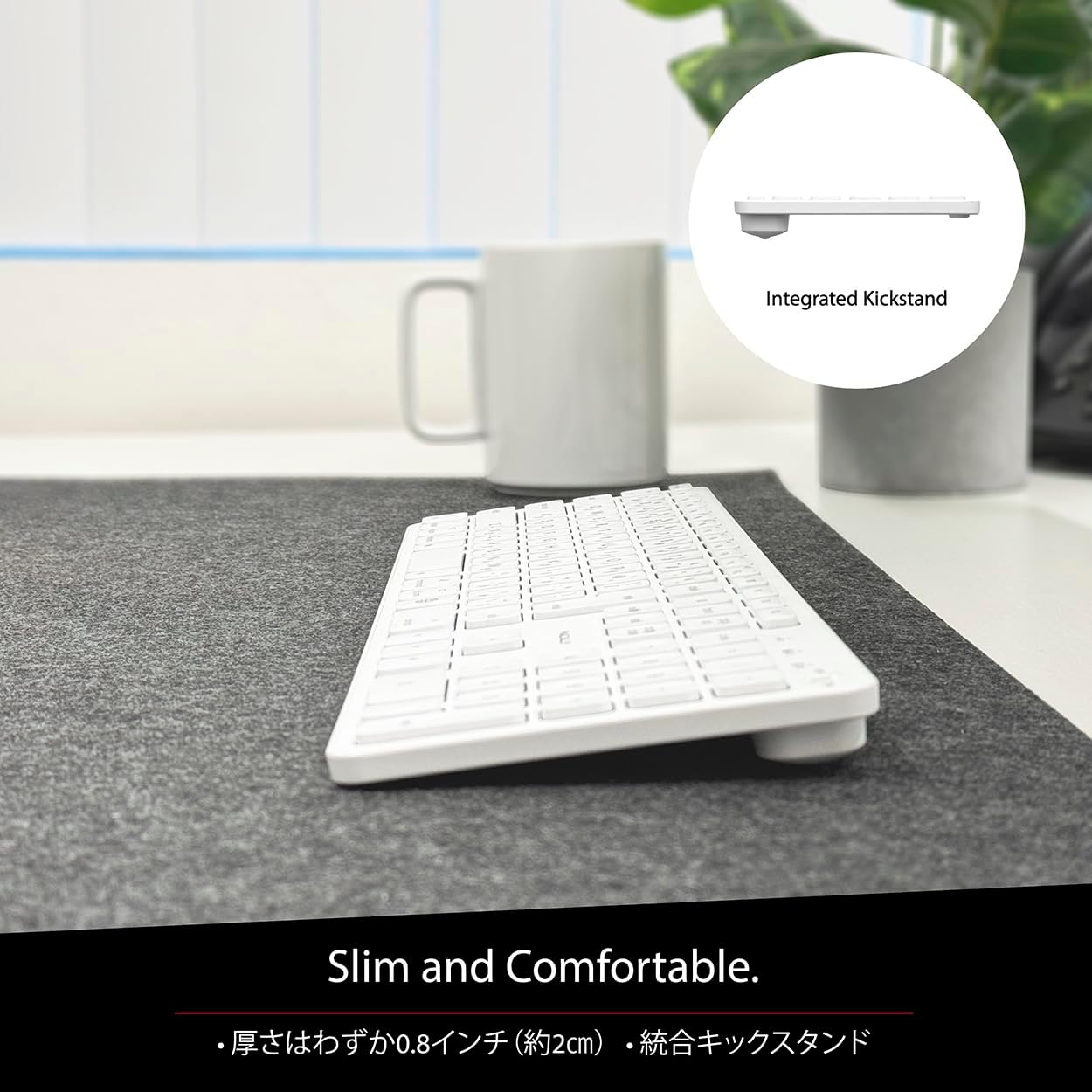
Figure 6: Slim Design with Integrated Kickstand
5. Vedligeholdelse
For at sikre dit tastaturs levetid og optimale ydeevne skal du følge disse retningslinjer for vedligeholdelse:
- Rensning: Brug en blød, fnugfri klud lidt dampSkyl med vand eller en mild rengøringsopløsning for at tørre tastaturets overflade af. Undgå skrappe kemikalier eller slibende materialer.
- Fjernelse af støv: Brug trykluft til at fjerne støv og snavs mellem tasterne.
- Batteripleje: Avoid exposing the keyboard to extreme temperatures. Charge the keyboard regularly, even if not in frequent use, to maintain battery health.
- Opbevaring: When not in use for extended periods, store the keyboard in a cool, dry place away from direct sunlight.
6. Fejlfinding
If you encounter issues with your MACALLY BTZKEY keyboard, please refer to the following common problems and solutions:
| Problem | Mulig årsag | Løsning |
|---|---|---|
| Tastaturet opretter ikke forbindelse/parrer ikke | Bluetooth off, low battery, pairing conflict | Ensure Bluetooth is enabled on device. Charge keyboard. Delete existing pairing records on device and re-pair. |
| Keys unresponsive or repeating characters | Low battery, software glitch, interference | Charge keyboard. Restart device. Re-pair keyboard. Minimize interference from other wireless devices. |
| Kan ikke skifte mellem enheder | Device not properly paired to channel | Ensure each device is paired to a unique channel (B1, B2, B3). Re-pair if necessary. |
| Kort batterilevetid | Frequent use, aging battery | Ensure full charge before use. Reduce backlight usage if applicable (not on this model). Battery life may decrease over time. |
Hvis problemet fortsætter efter at have prøvet disse løsninger, bedes du kontakte kundesupport.
7. Specifikationer
| Feature | Beskrivelse |
|---|---|
| Mærke | Macally |
| Fabrikant | MAKALISK |
| Serie | BTZKEY |
| Produktmål (L x B x H) | 42 x 14 x 2 cm |
| Produkt Modelnummer | BTZKEY |
| Farve | Hvid |
| Batterier medfølger | Ja |
| Lithium batteripakke | Batterier indeholdt i udstyret |
| Lithium batteri vægt | 2 g |
| Varens vægt | 610 g |
| Kompatible enheder | Laptop (MacBook Pro/Air, iMac, Mac Mini, Mac Pro, iPad, iPhone) |
| Forbindelsesteknologi | Bluetooth |
| Tastaturbeskrivelse | Office tastatur |
| Anbefalet anvendelse af produktet | Forretning |
| Speciel funktion | Genopladelig |
| Antal nøgler | 111 |
| Inkluderede komponenter | USB kabel |
8. Garanti og support
For detailed warranty information, technical support, and customer service, please refer to the official MACALLY website or contact their support channels directly. It is recommended to keep your purchase receipt as proof of purchase for any warranty claims.
9. Officielle produktvideoer
Official product videos, if available and relevant, would be embedded here to provide visual guidance on setup, features, or troubleshooting. Please note that video content is subject to availability and may require an internet connection to view.
(No official seller videos were available in the provided product data to embed at this time.)