
Sonew Sonewd871ac4bgi
Sonow Smart Cylinder Door Lock User Manual
Model: Sonewd871ac4bgi
1. Introduktion
This manual provides comprehensive instructions for the installation, operation, and maintenance of your Sonow Smart Cylinder Door Lock. Please read this manual thoroughly before installation and use to ensure proper function and safety. This smart lock offers multiple unlocking methods including fingerprint, app, password, and traditional key, enhancing security and convenience for your home or office.
2. Sikkerhedsoplysninger
- Forsøg ikke selv at skille låsen ad eller reparere den. Kontakt kvalificeret personale for service.
- Hold låsen væk fra vand og direkte sollys for at forhindre skader.
- Ensure the correct battery type is used and installed according to polarity.
- Store physical keys in a secure location outside the property.
- Regularly check the lock for any signs of wear or damage.
3. Pakkens indhold
Bekræft at alle varer er til stede i pakken:
- 1 x Fingerprint Lock Cylinder
- 1 x USB ladekabel
- 2 x Mekaniske nøgler
- 1 x nøgle
- 1 x QR Code Tutorial (for app download/setup)
- Indbygget lithiumbatteri (300mAh)

4. Specifikationer
| Feature | Detalje |
|---|---|
| Materiale | Stainless Steel, Brass, Aluminum Alloy |
| Batteri | 300mAh Lithium Battery (Built-in) |
| Fingeraftrykskapacitet | Up to 100 unique fingerprints |
| Oplåsningsmetoder | Fingerprint, Bluetooth APP, Password, Remote Authorization, Mechanical Key |
| Dørtykkelseskompatibilitet | 60-110 mm (justerbar) |
| Produktdimensioner | 8.27 cm L x 3.15 cm B |
| Varens vægt | 1.45 pund |
5. Opsætning og installation
The Sonow Smart Cylinder Lock is designed for easy installation, typically replacing an existing cylinder without the need for drilling new holes.
5.1. Kompatibilitetskontrol
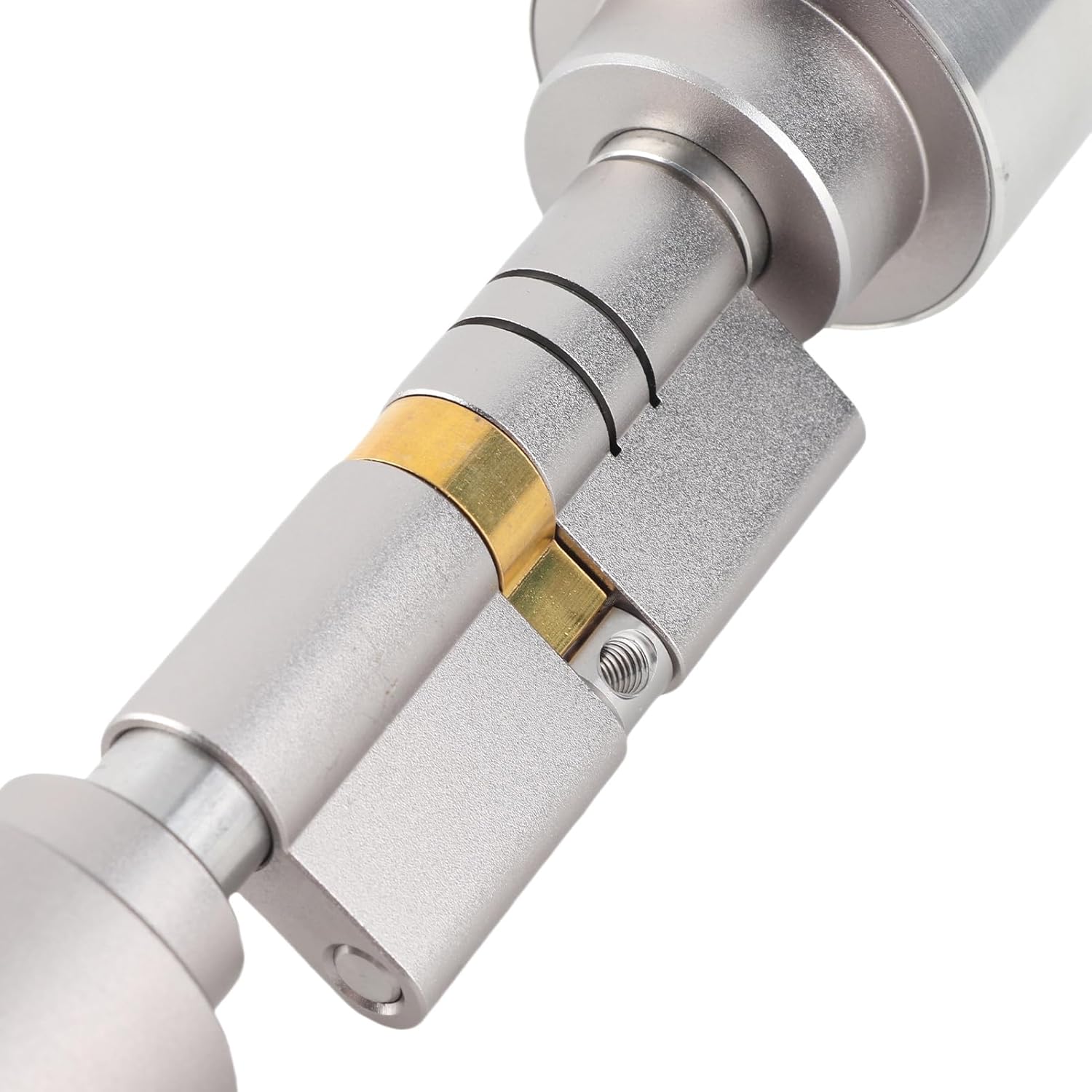
Ensure your door thickness is between 60mm and 110mm. The lock cylinder is adjustable to fit various door thicknesses.

5.2. Installationstrin
- Fjern eksisterende cylinder: Unscrew and remove your current door cylinder.
- Adjust Lock Length: Using the provided wrench, adjust the length of the Sonow Smart Cylinder Lock to match your door's thickness. Refer to Image 5.1 and 5.2 for guidance.
- Insert New Cylinder: Carefully insert the adjusted smart cylinder into the door.
- Sikker lås: Fasten the smart cylinder using the screws from your previous lock or the provided hardware, ensuring it is firmly in place.
- Test funktionalitet: Before closing the door, test the lock's mechanism with a mechanical key to ensure smooth operation.


6. Betjeningsvejledning
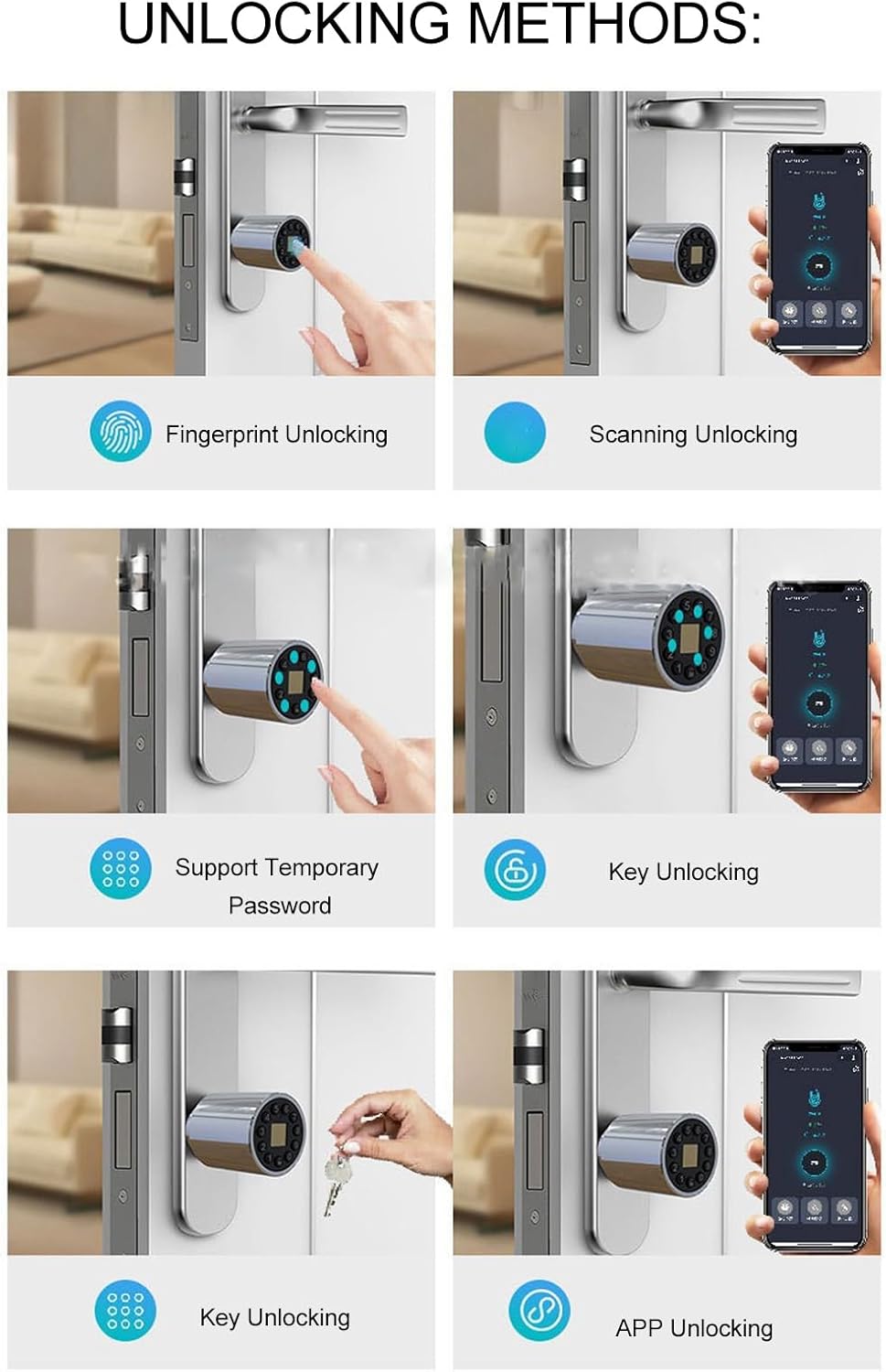
The Sonow Smart Cylinder Lock offers multiple convenient ways to unlock your door.
6.1. Oplåsning med fingeraftryk
- Registrer fingeraftryk: Follow the instructions in the companion mobile application (QR code provided in package) to enroll your fingerprints. Up to 100 fingerprints can be stored.
- Lås op: Place your enrolled finger firmly on the fingerprint sensor. The lock will unlock in approximately 0.5 seconds upon successful recognition.


6.2. Bluetooth APP Unlocking
- Download app: Scan the QR code provided in the package to download the official Sonow smart lock application.
- Par enhed: Follow the in-app instructions to pair your smartphone with the smart lock via Bluetooth.
- Lås op: Open the app, select your lock, and tap the unlock button.
6.3. Password Unlocking
- Indstil adgangskoder: Use the mobile app to set permanent or temporary passwords.
- Lås op: Enter your password on the lock's keypad. For enhanced security, you can enter random numbers before or after your correct code (anti-peep function).
6.4. Remote Authorization
Through the mobile application, you can remotely authorize access by generating temporary passwords or granting app access to guests, even when you are not physically present.
6.5. Mekanisk nøgleoplåsning
I tilfælde af batteriafladning eller elektronisk funktionsfejl kan låsen altid åbnes med de medfølgende mekaniske nøgler. Sæt nøglen i det skjulte nøglehul og drej den for at låse op.
7. Vedligeholdelse
7.1. Batteristyring
The lock is equipped with a 300mAh lithium battery. It features a low-power design, allowing it to last approximately 180 days with an average of ten unlocks per day. When the battery is low, the lock will provide an alert. Recharge the battery using the provided USB charging cable.
Note: The lock can be charged via a standard USB power source. Ensure the charging port is clean and dry before connecting the cable.
7.2. Rensning
Wipe the lock's exterior with a soft, dry cloth. Avoid using abrasive cleaners or solvents, as these can damage the finish or electronic components.
7.3. Firmwareopdateringer
Periodically check the mobile application for available firmware updates. Keeping the firmware updated ensures optimal performance and security features.
8. Fejlfinding
- Låsen svarer ikke: Check battery level. If low, recharge using the USB cable. If fully charged, try using the mechanical key.
- Fingeraftryk ikke genkendt: Ensure your finger is clean and dry. Try re-enrolling your fingerprint through the app if issues persist.
- Problemer med app-forbindelse: Ensure Bluetooth is enabled on your smartphone and you are within range of the lock. Restart the app or your phone if necessary.
- Lock malfunction: If the lock experiences a malfunction, only the lock core needs to be replaced, not the entire lock body. Contact customer support for assistance.
9. Garanti og support
For warranty information, technical support, or service inquiries, please refer to the contact details provided with your purchase documentation or visit the official Sonow webwebsted. Gem din købsbevis til garantikrav.
Online ressourcer: For additional support and frequently asked questions, visit the Sonow Store on Amazon.
Ask a question about this manual
Ask about setup, troubleshooting, compatibility, parts, safety, or missing instructions. Manuals+ will review the question and use this page’s manual context to help answer it.