
Indledning
The Edifier W830NB Wireless Over Ear Headphones offer a premium audio experience with advanced features designed for comfort and performance. These headphones are equipped with cutting-edge technology to deliver high-resolution sound, effective noise cancellation, and extended playtime, making them ideal for various listening environments.

Figure 1: Edifier W830NB Wireless Over Ear Headphones.
Nøglefunktioner:
- Hi-Res-lyd med LDAC: Features 40mm large dynamic drivers and supports LDAC high-definition decoding for Hi-Res Wireless audio, transmitting at a transfer rate of 990kbps, offering 3X music detail of standard Bluetooth codes.
- -45dB Active Noise Cancellation: Upgraded hybrid digital noise-canceling technology achieves noise reduction of up to -45dB, with four selectable ANC modes.
- Fordybende rumlig lyd: Utilizes a three-dimensional sound stage algorithm for a cinema-level surround atmosphere.
- Forlænget spilletid og hurtig opladning: Offers up to 94 hours of continuous music playback with ANC off, and 10 hours of use from a 15-minute charge.
- DNN Noise Reduction for Clear Calls: Deep Neural Network (DNN) technology intelligently separates human voices from noise for clear conversations.
- All-day Comfort & Foldable Design: Ergonomic design with soft earpads and an adjustable headband, weighing approximately 265g, with a fully foldable design for portability.
- Seneste Bluetooth V5.4-teknologi: Ensures a more stable and smooth connection.
- Multipoint forbindelse: Capable of connecting to two Bluetooth audio devices simultaneously (feature disabled by default, enable via EDIFIER ConneX App).
- Indstillinger, der kan tilpasses: Three preset EQs available in the EDIFIER ConneX App, which also supports custom EQs.
Opsætning
Opladning af hovedtelefoner
Before first use, fully charge your Edifier W830NB headphones. Connect the included USB-C audio cable to the charging port on the headphones and the other end to a compatible USB power source. A full charge provides up to 94 hours of playback with Active Noise Cancellation (ANC) off, or 54 hours with ANC on. For quick power, a 15-minute charge can provide up to 10 hours of listening time.

Figure 2: Charging and Playtime Overview.
Bluetooth-parring
Sådan parrer du dine hovedtelefoner med en enhed:
- Sørg for, at hovedtelefonerne er opladet og tændt.
- Activate Bluetooth on your source device (e.g., smartphone, laptop).
- The headphones should appear in the list of available Bluetooth devices as "EDIFIER W830NB". Select it to connect.
- Når forbindelsen er oprettet, vil en stemmemeddelelse bekræfte den gennemførte parring.
The W830NB headphones feature the latest Bluetooth V5.4 technology for a stable and smooth connection. They also support multipoint connection, allowing simultaneous connection to two devices. This feature can be enabled via the EDIFIER ConneX App.

Figure 3: Bluetooth V5.4 and Multipoint Connection.
Betjening af hovedtelefonerne
Kontrol overview
The Edifier W830NB headphones feature intuitive button controls located on the earcup. Refer to the diagram below for specific functions:

Figure 4: Headphone Control Diagram.
Aktive støjreduktionstilstande (ANC)
The W830NB headphones offer upgraded hybrid digital noise-canceling technology, reducing noise by up to -45dB. You can switch between four ANC modes to suit your environment:
- Høj støjreduktion: For maksimal støjreduktion i meget støjende miljøer.
- Lav støjreduktion: For moderate noise reduction.
- Vindreduktion: Specielt designet til at minimere vindstøj.
- Omgivende lyd: Giver dig mulighed for at høre dine omgivelser, mens du stadig nyder din lyd.
Press the dedicated ANC button on the earcup to cycle through these modes.

Figure 5: Active Noise Cancellation Features.
Rumlig lyd
Experience immersive audio with the three-dimensional sound stage algorithm. This feature creates a cinema-level surround atmosphere, enhancing your listening experience for movies, games, and music.

Figure 6: Immersive Spatial Audio.
Crystal-Clear Call Quality
The integrated Deep Neural Network (DNN) noise reduction technology ensures your calls are crystal clear, even in noisy environments. It intelligently recognizes speech and precisely separates human voices from background noise.

Figure 7: DNN Noise Reduction for Calls.
Spiltilstand
Activate Game Mode for a more immersive gaming experience. With a low latency of 0.08 seconds and enhanced game sound effects, you'll enjoy responsive and engaging gameplay.

Figure 8: Game Mode for Enhanced Experience.
Opretholdelse
Generel pleje og rengøring
- Tør hovedtelefonerne af med en blød, tør klud. Brug ikke skrappe kemikalier eller slibende materialer.
- Undgå at udsætte hovedtelefonerne for ekstreme temperaturer, fugtighed eller direkte sollys.
- The headphones are not water resistant. Avoid contact with liquids.
- Store the headphones in their folded position in a protective case when not in use to prevent damage.
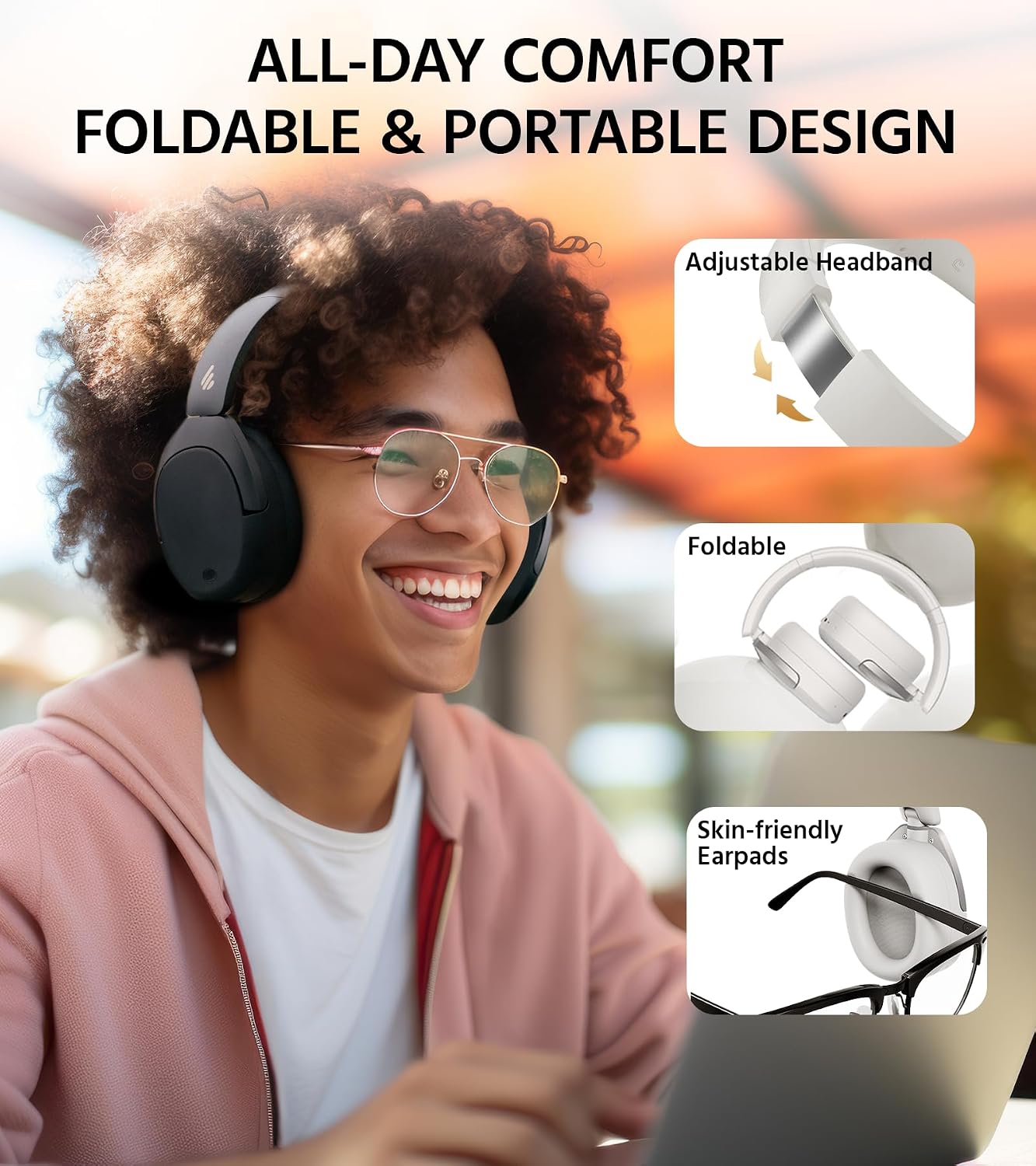
Figure 9: Comfort and Foldable Design.
Fejlfinding
Fælles problemer og løsninger
- Ingen strøm: Sørg for, at hovedtelefonerne er fuldt opladede.
- Kan ikke parres: Sørg for, at Bluetooth er aktiveret på din enhed, og at hovedtelefonerne er i parringstilstand. Prøv at genstarte begge enheder.
- Ingen lyd: Check the volume levels on both the headphones and your connected device. Ensure the headphones are correctly paired.
- Dårlig lydkvalitet: Ensure there are no obstructions between the headphones and the device. Try moving closer to the device. Check if LDAC is enabled in the app for Hi-Res audio.
- ANC ikke effektiv: Ensure the earcups form a good seal around your ears. Adjust the ANC mode via the controls or the EDIFIER ConneX App.
EDIFIER ConneX App
The EDIFIER ConneX App allows you to personalize your listening experience and manage various settings. It offers features such as:
- Adjusting ANC modes.
- Selecting from three preset EQs or creating custom EQs.
- Accessing the 'find my product' feature.
- Controlling other settings and features.

Figure 10: EDIFIER ConneX App Interface.
Specifikationer
| Feature | Specifikation |
|---|---|
| Modelnavn | W830NB |
| Støjkontrol | Aktiv støjreduktion |
| Forbindelsesteknologi | Trådløs (Bluetooth V5.4) |
| Audio driver størrelse | 40 millimeter (dynamisk driver) |
| Frekvensområde | 20 Hz - 40,000 Hz |
| Batterilevetid | 94 Hours (ANC Off) |
| Opladningstid | 15 minutter (til 10 timers brug) |
| Hovedtelefonstik | Type-C |
| Varens vægt | 267 gram (9.4 ounce) |
| Materiale | Plast, Metal |
| Vandmodstandsniveau | Ikke vandafvisende |
| Kontroltype | APP, Button |
| Øreplacering | Over Ear |
Garanti & Support
Produktgaranti
This product comes with a one-year warranty, guaranteeing its performance and providing you with reliable support. Please retain your proof of purchase for warranty claims.
Kundesupport
For any inquiries, technical assistance, or warranty claims, please contact Edifier customer support through their official webwebstedet eller kontaktoplysningerne på din produktemballage. Du kan også besøge Edifier-butik på Amazon for mere information og ressourcer.