
1. Introduktion
Thank you for choosing the HAPYTHDA Timer Outlet Plug. This device provides convenient wireless control for your household appliances, featuring a remote control with countdown timer functions and robust safety protections. Please read this manual thoroughly before use to ensure proper operation and safety.

Billede 1.1: Overview of the HAPYTHDA Timer Outlet Plug and Remote Control.
2. Pakkens indhold
- 3 x HAPYTHDA Remote Control Outlets
- 1 x trådløs fjernbetjening
- 1 x CR2032-batteri (forudinstalleret i fjernbetjening)
- 1 x brugsanvisning
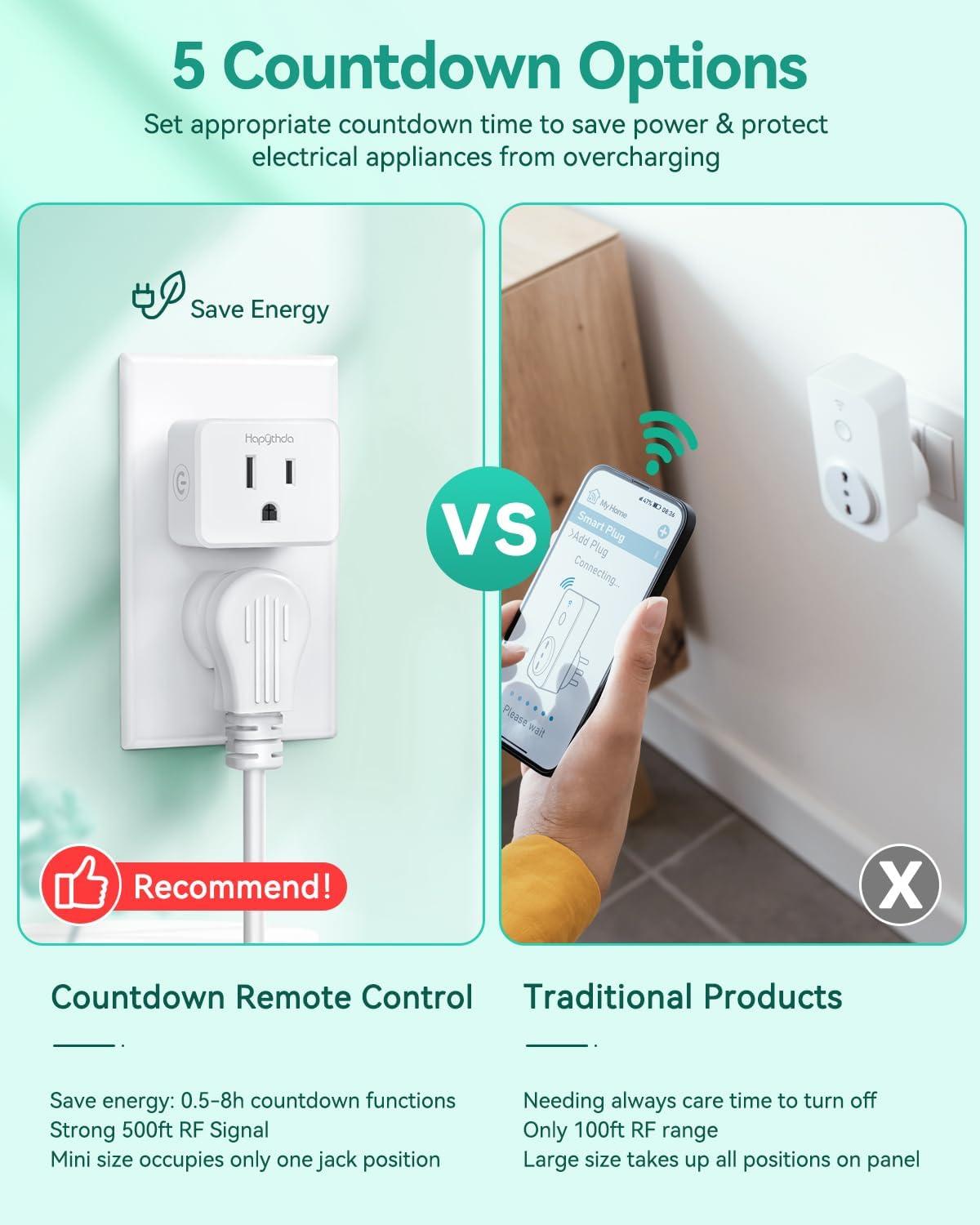
Image 2.1: The package includes three remote control outlets and one remote.
3. Sikkerhedsinstruktioner
- Overskrid ikke den maksimale belastning på 15A/1500W.
- For indoor use only. Avoid exposure to moisture or extreme temperatures.
- Sørg for, at stikket er sat helt ind i stikkontakten.
- Enheden må ikke skilles ad eller modificeres.
- Opbevares utilgængeligt for børn.
- Tag enheden ud af stikkontakten før rengøring.
Integrerede sikkerhedsfunktioner:

Electric Shock-proof: Prevents energization when only one side is plugged in.

Zero Crossing Trigger: Extends appliance life by switching at zero voltage.

Anti-Surge 4000V: Provides enhanced protection against power surges.

V0 Fire-Resistant: Constructed with fireproof PC material for high temperature resistance.
4. Opsætning og parring
Indledende opsætning:
- Plug the HAPYTHDA remote control outlet into a standard wall socket.
- Connect your appliance to the remote control outlet.
- The remote control is pre-paired with the outlets for immediate use.

Image 4.1: The system requires no wiring for installation.
Pairing Additional Outlets or Remotes:
If you need to pair a new outlet to the remote or re-pair an existing one:
- Plug the outlet into a wall socket.
- Press and hold the small button on the side of the outlet until its indicator light flashes.
- While the light is flashing, press the desired 'ON' or 'OFF' button (e.g., ON-1 or OFF-1) on the remote control.
- The outlet's indicator light will stop flashing and remain solid, indicating successful pairing.

Image 4.2: Simple plug-and-play setup for quick use.
5. Betjeningsvejledning
Basic On/Off Control:
- Press the 'ON' button corresponding to the paired outlet number (e.g., ON-1) to turn the appliance on.
- Press the 'OFF' button corresponding to the paired outlet number (e.g., OFF-1) to turn the appliance off.
- Tryk på knappen 'ALL ON' for at tænde alle parrede stikkontakter samtidigt.
- Tryk på knappen 'ALL OFF' for at slukke alle parrede stikkontakter samtidigt.
Nedtællingstimerfunktion:
The remote control features 5 countdown settings: 0.5, 1, 2, 4, and 8 hours. This function automatically turns off the connected appliance after the selected duration.
- Ensure the appliance is turned on via the remote.
- Press the desired countdown button (0.5H, 1H, 2H, 4H, or 8H) on the remote.
- The outlet's indicator light will blink red to confirm the timer is active.
- The appliance will automatically turn off once the countdown expires.

Image 5.1: Utilize the countdown timer to save energy and prevent overcharging.
Fjernbetjeningens rækkevidde:
The remote control operates using an RF signal, offering a wide range:
- Indendørs: 70-160 feet (through walls and doors)
- Udendørs: Up to 500 feet (in open areas)

Image 5.2: The strong RF signal ensures reliable connection across distances.
6. Specifikationer
| Feature | Specifikation |
|---|---|
| Modelnummer | SW-CK2&SW-R06*3 |
| Nuværende vurdering | 15 Amps |
| Wattage | 1500 watt |
| Kontrolmetode | Remote Control (RF) |
| Fjern rækkevidde | Up to 500ft (open area) |
| Indstillinger for nedtællingstimer | 0.5H, 1H, 2H, 4H, 8H |
| Materiale | PC (V0 Fire-Resistant) |
| Anti-Surge Protection | 4000V |
| Fjernbetjening batteritype | 1 x CR2032 (inkluderet) |
| Outlet Dimensions (approx.) | 1.77 x 1.49 x 0.98 tommer |
| Remote Dimensions (approx.) | 5.31 x 1.57 x 0.51 tommer |

Image 6.1: Compact design of the outlet and remote, showing dimensions.
7. Fejlfinding
- Stikkontakten reagerer ikke på fjernbetjeningen:
a. Ensure the outlet is properly plugged into a live wall socket.
b. Check if the remote control battery (CR2032) needs replacement. To replace, carefully open the remote's battery compartment.
c. Re-pair the outlet with the remote control following the steps in Section 4. - Apparatet tænder/slukker ikke:
a. Verify the appliance itself is functioning correctly when plugged directly into a wall socket.
b. Ensure the appliance's power switch is in the 'ON' position if it has one. - Limited remote range:
a. While the system has a strong RF signal, thick walls or metal structures can reduce range. Try repositioning the outlet or remote.
b. Ensure there are no strong sources of electromagnetic interference nearby. - Countdown timer not working:
a. Ensure the outlet was turned ON by the remote before activating the countdown function.
b. The countdown timer needs to be set each time you want to use it; it does not remember previous settings.
8. Garanti og support
HAPYTHDA provides up to five years of warranty service for this product. For any questions, technical assistance, or warranty claims, please contact HAPYTHDA customer support. We offer lifelong consulting services to ensure your satisfaction.
Contact information can typically be found on the HAPYTHDA official webwebsted eller via din købsplatform.