
1. Introduktion
Tak for købetasing the plplaaoo Cordless Table LampDenne manual indeholder vigtige oplysninger for sikker og effektiv betjening af din nyeampLæs den grundigt inden brug, og gem den til senere brug.
2. Sikkerhedsinstruktioner
- Udsæt ikke lamp for vand eller for høj fugtighed.
- Undgå at skille eller modificere l'enamp, da dette kan annullere garantien og udgøre sikkerhedsrisici.
- Brug kun det medfølgende USB Type-C-kabel til opladning.
- Behold lamp away from heat sources and direct sunlight to prevent battery damage.
- Sørg for at lamp placeres på en stabil, plan overflade for at forhindre væltning.
- Denne lamp er kun designet til indendørs brug.
3. Pakkens indhold
Bekræft at alle varer er til stede i din pakke:
- 1 x Cordless Table Lamp
- 1 x USB Type-C opladningskabel

4. Produktet er slutview
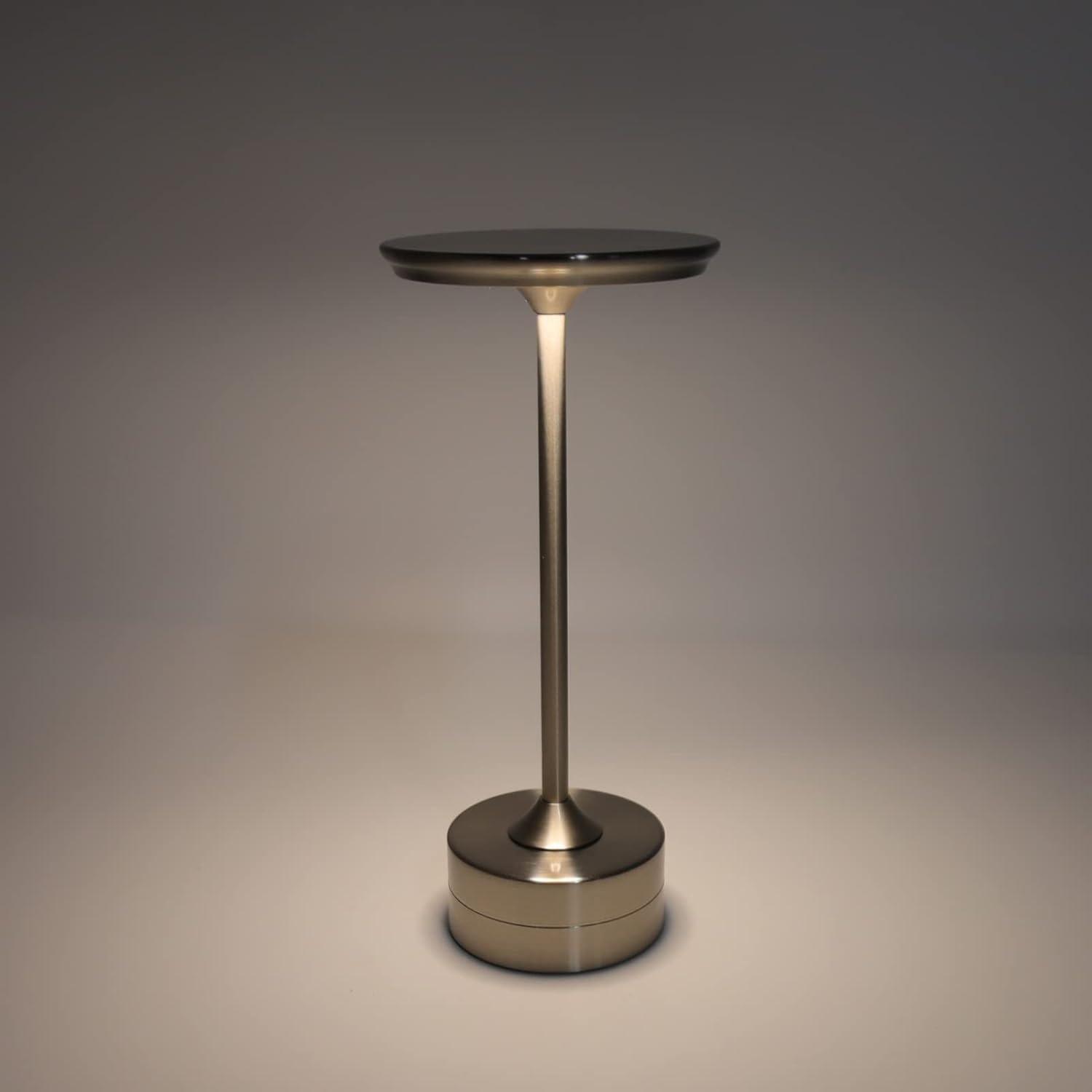
The plplaaoo Cordless Table Lamp features a sleek design with a durable iron, aluminum, and acrylic construction. It includes a built-in 2000mAh rechargeable lithium battery, offering 10-15 hours of working time on a full charge. The lamp provides three light sources: white light, warm light, and ordinary light, with adjustable brightness up to 150lm.


5. Opsætning
Indledende opladning
Oplad batteriet helt før første brug.amp. Connect the provided USB Type-C cable to the charging port on the lamp's base and plug the other end into a compatible USB power adapter (not included).
- Find USB Type-C-opladningsporten i bunden af l'en.amp.
- Insert the USB Type-C cable into the lamp's opladningsport.
- Connect the USB-A end of the cable to a standard USB power adapter (e.g., phone charger, computer USB port).
- The charging indicator (if present) will show the charging status. Allow several hours for a full charge.
6. Betjeningsvejledning
Tænd/sluk og justering af lysstyrke
Lamp features both a bottom switch and a top touch control for operation.
- Bundkontakt: Flip the switch on the bottom of the lamp to the 'ON' position to enable the touch control function.
- Top Touch Control: Gently touch the top surface of the lamp to cycle through the three light modes: white light, warm light, and ordinary light. Continue touching to adjust brightness levels within each mode.
- For at slukke for lamp, either cycle through all light modes until it turns off via touch control, or flip the bottom switch to the 'OFF' position.


7. Vedligeholdelse
- Rensning: Tør lamp med en blød, tør klud. Brug ikke slibende rengøringsmidler eller opløsningsmidler.
- Opbevaring: Når den ikke er i brug i længere perioder, skal den opbevaresamp in a cool, dry place. Ensure the battery is partially charged before storage to prolong its lifespan.
- Batteripleje: For at bevare batteriets sundhedstilstand skal du undgå at aflade det helt ofte. Genoplad lamp når lysudbyttet bliver mærkbart svagt.
8. Fejlfinding
| Problem | Mulig årsag | Løsning |
|---|---|---|
| Lamp tændes ikke. | Battery is depleted. Bottom switch is off. | Oplad lamp using the USB Type-C cable. Ensure the bottom switch is in the 'ON' position. |
| Lyset er svagt eller flimrer. | Lavt batteri. | Genoplad lamp. |
| Cannot change light mode/brightness. | Bottom switch is off. Touch control malfunction. | Ensure the bottom switch is 'ON'. Try restarting the lamp by turning the bottom switch off and on again. |
| Lamp oplader ikke. | Faulty cable or adapter. Charging port issue. | Try a different USB Type-C cable and power adapter. Ensure the cable is fully inserted. |
9. Specifikationer
| Feature | Detalje |
|---|---|
| Model | B0D2LG61MQ |
| Materiale | Jern, aluminium, akryl |
| Højde | Ca. 28.5 cm / 11.2 tommer |
| Diameter | Ca. 13 cm / 5.1 tommer |
| Vægt | Approx. 0.66 kg / 23.4 oz |
| Indbygget batteri | Litium 2000mAh |
| Lyskilde | White light, Warm light, Ordinary light (3 levels brightness) |
| Max lysstyrke | 150 lm |
| Opladningsmetode | USB Type-C |
| Kontrollere | Bottom switch, Top touch control |

10. Garanti og support
This product is covered by a standard manufacturer's warranty. For specific warranty details, please refer to the product packaging or contact the retailer where you purchased the item. For technical support or inquiries, please visit the official plplaaoo store or contact customer service.