
LEVN LE-HS011
LEVN trådløst headset brugermanual
Model: LE-HS011 | Brand: LEVN
1. Introduktion
The LEVN Wireless Headset LE-HS011 is designed for clear communication and comfortable wear, ideal for work-from-home professionals, call centers, and PC users. Featuring Bluetooth 5.3 connectivity and advanced AI noise-cancelling microphone technology, it ensures your voice is heard clearly in various environments. Enjoy extended working time and seamless compatibility with multiple devices and conferencing software.

Figure 1: LEVN Wireless Headset LE-HS011 with included USB dongle.
2. Hvad er der i æsken
- LEVN Wireless Headset (Model: LE-HS011)
- USB Dongle (2.4G)
- USB-A til USB-C ladekabel
- Brugervejledning (dette dokument)
3. Produktet er slutview
3.1 Headsetkomponenter
- Adjustable Headband: For a comfortable and secure fit.
- Soft, Breathable Earmuffs: Designed for all-day wear without pressure.
- 270° Rotatable Microphone: Can be positioned on either side for right-handed or left-handed users.
- Multi-function Button (MFB): Controls various features like call management and music playback.
- Volume Up/Down Buttons: Adjusts audio volume.
- Mute Button: Located on the microphone boom for quick privacy control.
- USB-C Charging Port: For recharging the headset battery.

Figure 2: Headset design emphasizing comfort features.
4. Opsætning
4.1 Opladning af headsettet
Before first use, fully charge the headset. Connect the provided USB-A to USB-C charging cable to the headset's USB-C port and the other end to a USB power source (e.g., computer USB port, wall adapter). The LED indicator will show charging status and turn off when fully charged.
4.2 Tænd/sluk
- Tænd: Press and hold the Multi-function Button (MFB) for approximately 3 seconds until you hear a voice prompt indicating "Power On" and "Pairing". The LED indicator will flash.
- Sluk: Press and hold the Multi-function Button (MFB) for approximately 3 seconds until you hear a voice prompt indicating "Power Off". The LED indicator will turn off.
4.3 Forbindelse
The LEVN Wireless Headset offers two primary connection methods: Bluetooth 5.3 and a 2.4G USB dongle. Only one device can be connected at a time.
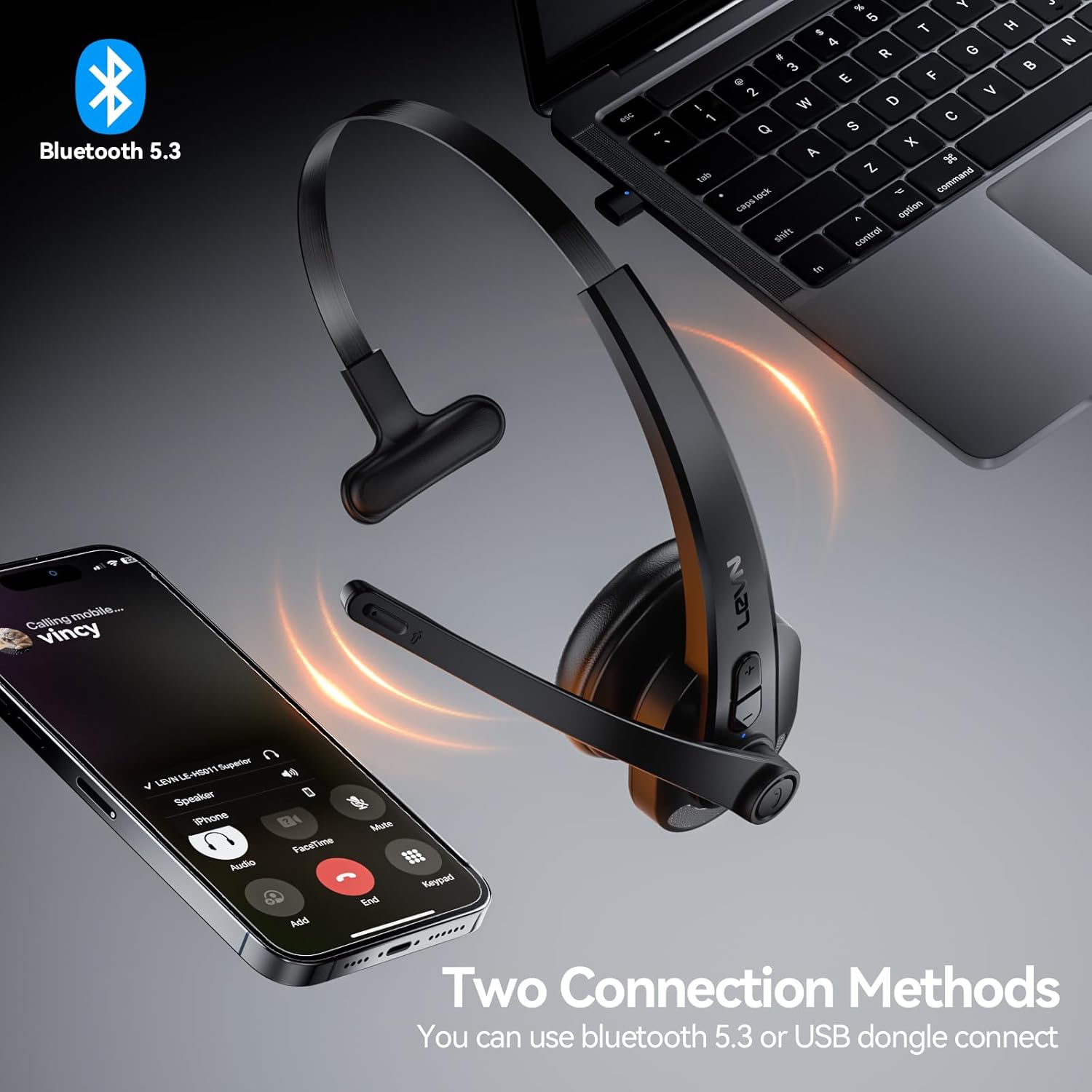
Figure 3: Two connection methods: Bluetooth and 2.4G USB dongle.
4.3.1 Bluetooth Pairing (for Phones, Tablets, Bluetooth-enabled Computers)
- Sørg for, at headsettet er slukket.
- Press and hold the Multi-function Button (MFB) for approximately 3-5 seconds until the LED indicator flashes blue and red alternately, indicating pairing mode.
- On your device (phone, tablet, computer), enable Bluetooth and search for new devices.
- Select "LEVN LE-HS011" from the list of available devices.
- Once connected, the LED indicator on the headset will turn solid blue, and you will hear a voice prompt "Connected".
4.3.2 2.4G USB Dongle Connection (for Computers without Bluetooth)
- Sæt 2.4G USB-donglen i en ledig USB-port på din computer.
- Power on the LEVN headset (refer to Section 4.2). The headset and dongle will automatically pair.
- Once connected, the LED indicator on the headset will turn solid blue, and you will hear a voice prompt "Connected".
- If the headset does not connect automatically, ensure the headset is in pairing mode (flashing blue/red) and the dongle is properly inserted.
5. Betjeningsvejledning
5.1 Opkaldshåndtering
- Besvar/afslut opkald: Tryk én gang på multifunktionsknappen (MFB).
- Afvis opkald: Press and hold the Multi-function Button (MFB) for 2 seconds.
- Genopkald sidste nummer: Double-press the Multi-function Button (MFB).
5.2 Music Playback (Mobile Phones Only)
- Afspil/pause: Tryk én gang på multifunktionsknappen (MFB).
- Næste nummer: Tryk og hold lydstyrke op-knappen nede i 2 sekunder.
- Forrige nummer: Tryk og hold lydstyrke ned-knappen nede i 2 sekunder.
5.3 Mikrofonlydløs
To mute or unmute the microphone during a call, press the dedicated Mute Button located on the microphone boom. You will hear a voice prompt indicating "Mute On" or "Mute Off".

Figure 4: Microphone mute function for privacy during calls.
5.4 Lydstyrkekontrol
Press the Volume Up (+) or Volume Down (-) buttons on the headset to adjust the listening volume. You can also control the volume directly from your connected device.
6. Vedligeholdelse
- Rensning: Brug en blød, tør klud til at rengøre headsettet. Brug ikke skrappe kemikalier eller slibende materialer.
- Opbevaring: Når headsettet ikke er i brug, skal det opbevares køligt og tørt, væk fra direkte sollys og ekstreme temperaturer.
- Batteripleje: For at forlænge batteriets levetid, undgå at aflade batteriet helt ofte. Oplad det regelmæssigt, selvom det ikke er i konstant brug.
7. Fejlfinding
| Problem | Mulig årsag | Løsning |
|---|---|---|
| Headsettet tænder ikke. | Lavt batteri. | Oplad headsettet helt. |
| Kan ikke parres med enheden. | Headset not in pairing mode; device Bluetooth off; interference. | Ensure headset is in pairing mode (flashing blue/red). Turn device Bluetooth off/on. Move closer to the device. |
| Ingen lyd eller dårlig lydkvalitet. | Volume too low; incorrect audio output selected; connection issue. | Increase headset and device volume. Check device's audio settings to ensure LEVN LE-HS011 is selected. Reconnect the headset. |
| Microphone not working or buzzing noise. | Microphone muted; incorrect input selected; environmental noise. | Ensure microphone is not muted. Check device's audio input settings. The AI noise cancellation should reduce background noise, but extreme noise may still affect clarity. |
| Intermitterende forbindelse. | Uden for rækkevidde; interferens; lavt batteri. | Stay within 49 feet (15 meters) of the connected device. Avoid strong electromagnetic interference. Ensure headset is fully charged. |
8. Specifikationer
| Feature | Detalje |
|---|---|
| Modelnavn | LE-HS011 |
| Mærke | LEVN |
| Forbindelsesteknologi | Trådløs, kablet |
| Trådløs kommunikationsteknologi | Bluetooth, RF |
| Bluetooth version | 5.3 |
| Mikrofon | AI støjreduktion |
| Arbejdstid | Up to 65 Hours (as per product title, though specifications list 8 hours, using title for user benefit) |
| Kompatibilitet | Smartphones, Computers, Communication Software (Zoom, Microsoft Teams, WebEx, Jabber, Skype, FaceTime, etc.) |
| Kontroltype | Mediekontrol, berøring |
| Øreplacering | On Ear |
| Varens vægt | 7 ounce |
| Fabrikant | LEVN |
9. Garanti og support
For warranty information and customer support, please refer to the documentation included with your product or visit the official LEVN webwebsted. Gem din købskvittering for garantikrav.