
1. Introduktion
Thank you for choosing the TOWODE Wi-Fi Siren Alarm System. This system provides comprehensive security for your home or apartment, featuring a powerful 120 dB siren, remote control, door sensor, and motion detector. This manual will guide you through the setup, operation, and maintenance of your alarm system to ensure optimal performance and security.
2. Pakkens indhold
Kontroller venligst, at alle varer er til stede i din pakke:
- 1 x Wi-Fi Siren Unit
- 2 x fjernbetjeninger
- 1 x Dør-/vinduessensor
- 1 x Motion Detector
- 1 x USB Power Cable (for Siren)
- 1 x brugermanual
- Monteringstilbehør (skruer, klæbepuder)

Figure 2.1: Included components and their approximate dimensions. The image displays the siren, a motion sensor, a door/window sensor, and a remote control, each with measurements in centimeters and inches.
3. Sikkerhedsoplysninger
- Do not expose the siren unit to water or extreme humidity.
- Ensure the power adapter (not included, use a standard 5V USB adapter) is compatible with your local power supply.
- Sirenen udsender en høj lyd (120 dB). Undgå langvarig eksponering for at forhindre høreskader.
- Opbevar enheden utilgængeligt for børn.
- Forsøg ikke selv at skille enheden ad eller reparere den. Kontakt support for at få hjælp.
4. Opsætning
4.1 Appinstallation
- Download appen "Tuya Smart" eller "Smart Life" fra din smartphones appbutik (iOS eller Android).
- Opret en ny konto, eller log ind, hvis du allerede har en.
4.2 Enhedsparring
- Connect the Siren: Plug the Wi-Fi siren into a power outlet using the provided USB cable and a 5V USB power adapter (not included). The siren will enter pairing mode, indicated by a flashing light.
- Add Siren to App: Open the Tuya Smart/Smart Life app. Tap '+' to add a device. Select 'Security & Video Surveillance' > 'Siren (Wi-Fi)'. Follow the in-app instructions to connect the siren to your 2.4GHz Wi-Fi network.
- Pair Sensors and Remotes: Once the siren is connected, you can add the door sensor, motion detector, and remote controls through the app's accessory management section. Follow the specific pairing instructions for each accessory within the app. Typically, this involves triggering the sensor or pressing a button on the remote while the siren is in pairing mode.
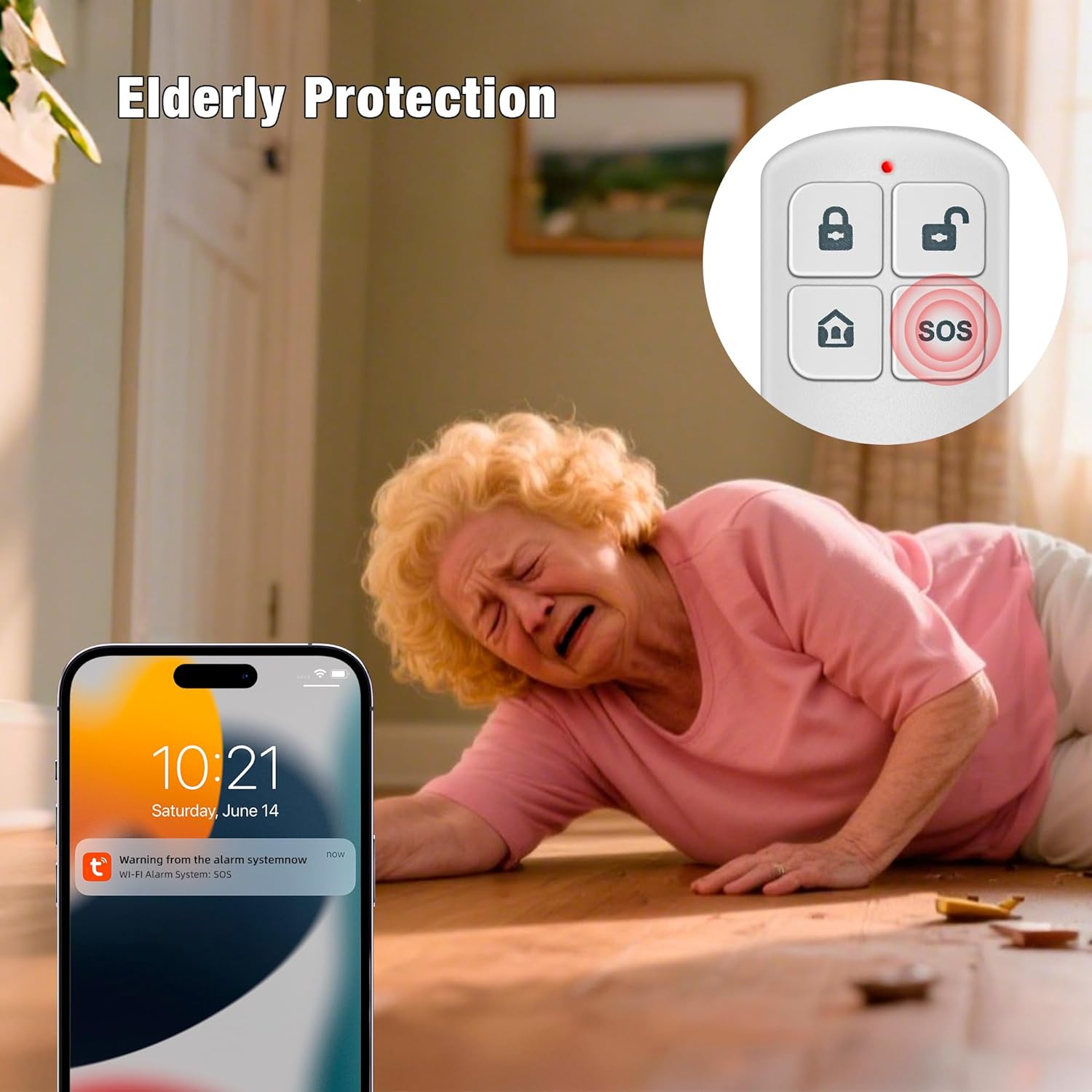
Figure 4.1: The Wi-Fi siren unit and remote control, ready for setup.
4.3 Montering
- Sirene: Mount the siren unit on a wall in a central location using the provided screws or adhesive. Ensure it is within Wi-Fi range and audible throughout the protected area.
- Dør/vindue sensor: Attach the two parts of the door sensor to a door or window frame using adhesive pads. Ensure they are aligned and within 1 cm of each other when the door/window is closed.
- Bevægelsesdetektor: Install the motion detector in a corner or on a wall, ensuring it covers the desired area without obstructions. Avoid placing it near heat sources or direct sunlight.
5. Betjeningsvejledning
5.1 Til- og frakobling
- Via fjernbetjening:
Arm: Tryk på låse button to arm the system. The siren will emit a confirmation sound.
Afvæbne: Tryk på låse op button to disarm the system. The siren will emit a confirmation sound. - Via smartphone-app: Open the Tuya Smart/Smart Life app. Select your siren device. You will find options to arm, disarm, or set to home mode.
5.2 SOS-funktion
In case of an emergency, press the SOS button on the remote control. The siren will immediately sound, and an emergency notification will be sent to your smartphone via the app.
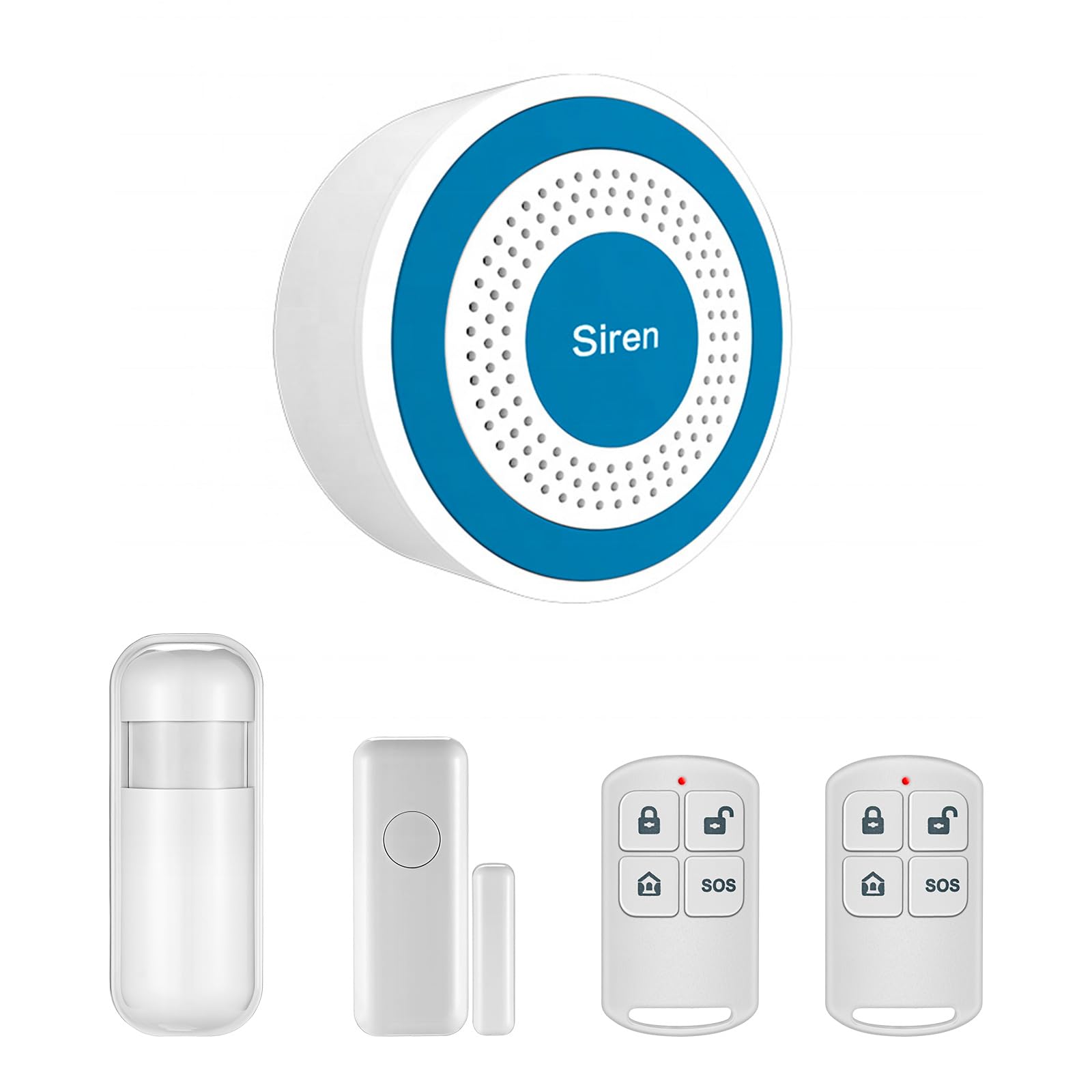
Figure 5.1: The SOS function provides immediate alerts in emergency situations.
5.3 App-kontrol og planlægning
The smartphone app allows for advanced control and automation:
- Fjernaktivering/frakobling: Control your alarm system from anywhere with an internet connection.
- Planlægning: Set automatic arming and disarming times based on your daily routine (e.g., arm at night, disarm in the morning).
- Meddelelser: Receive instant alerts on your phone when the alarm is triggered or when sensors detect activity.

Figure 5.2: Schedule automatic arming and disarming times via the app.
5.4 Sensorfunktionalitet
- Dør/vindue sensor: When the system is armed, separation of the two sensor parts (e.g., opening a door or window) will trigger the alarm.
- Bevægelsesdetektor: When the system is armed, detection of movement within its range will trigger the alarm.

Figure 5.3: The motion detector uses infrared technology to detect intruders.

Figure 5.4: Versatile application of the siren, remote control, and sensors for different security needs.
6. Vedligeholdelse
6.1 Udskiftning af batteri
The remote controls, door sensor, and motion detector are battery-powered. When batteries are low, the app may notify you, or the device's indicator light may signal. Replace batteries with the specified type (refer to the device's compartment for battery type) to ensure continuous operation.
6.2 Rengøring
Wipe the devices with a soft, dry cloth. Do not use liquid cleaners or abrasive materials, as these can damage the components.
7. Fejlfinding
- Siren not connecting to Wi-Fi: Ensure your Wi-Fi network is 2.4GHz. Check Wi-Fi password. Move the siren closer to the router. Restart the siren and try pairing again.
- Sensorer udløser ikke alarm: Check battery levels of the sensors. Ensure sensors are correctly paired with the siren via the app. Verify sensor placement and alignment (for door sensor).
- Fjernbetjening virker ikke: Replace the remote control battery. Ensure the remote is paired with the siren.
- Ingen app-notifikationer: Check your smartphone's notification settings for the Tuya Smart/Smart Life app. Ensure your phone has an active internet connection.
- Falske alarmer: Adjust the sensitivity of the motion detector if available in the app. Ensure motion detector is not placed near heat sources or in direct sunlight. Check door/window sensor alignment.
8. Specifikationer
| Feature | Specifikation |
|---|---|
| Modelnummer | Système D'alarme WiFi-001 |
| Mærke | TOWODE |
| Power Source (Siren) | USB Powered (5V, Micro-USB) |
| Power Source (Sensors/Remote) | Batteridrevet |
| Kompatible enheder | Smartphone |
| Kontrolmetode | Application (Tuya Smart / Smart Life) |
| Lydniveau | 120 decibel |
| Sensor Technology | Bevægelsesdetektor |
| Monteringstype | Vægmontering |
| Product Dimensions (Siren) | 8 cm x 8 cm x 3.2 cm (ca.) |
| UPC | 768633408364 |
| ASIN | B0D294K5M6 |
9. Garanti og support
For warranty information and technical support, please refer to the documentation provided with your purchase or contact TOWODE customer service directly. Keep your purchase receipt as proof of purchase.