1. Introduktion
This manual provides detailed instructions for the installation, operation, and maintenance of your Leadfan Wireless Apple CarPlay & Android Auto Car Radio. This 9-inch IPS touchscreen stereo is designed specifically for Toyota Camry models from 2006 to 2011, offering advanced features such as GPS navigation, Bluetooth 5.1, WiFi connectivity, rear camera support, voice control, and steering wheel control compatibility.
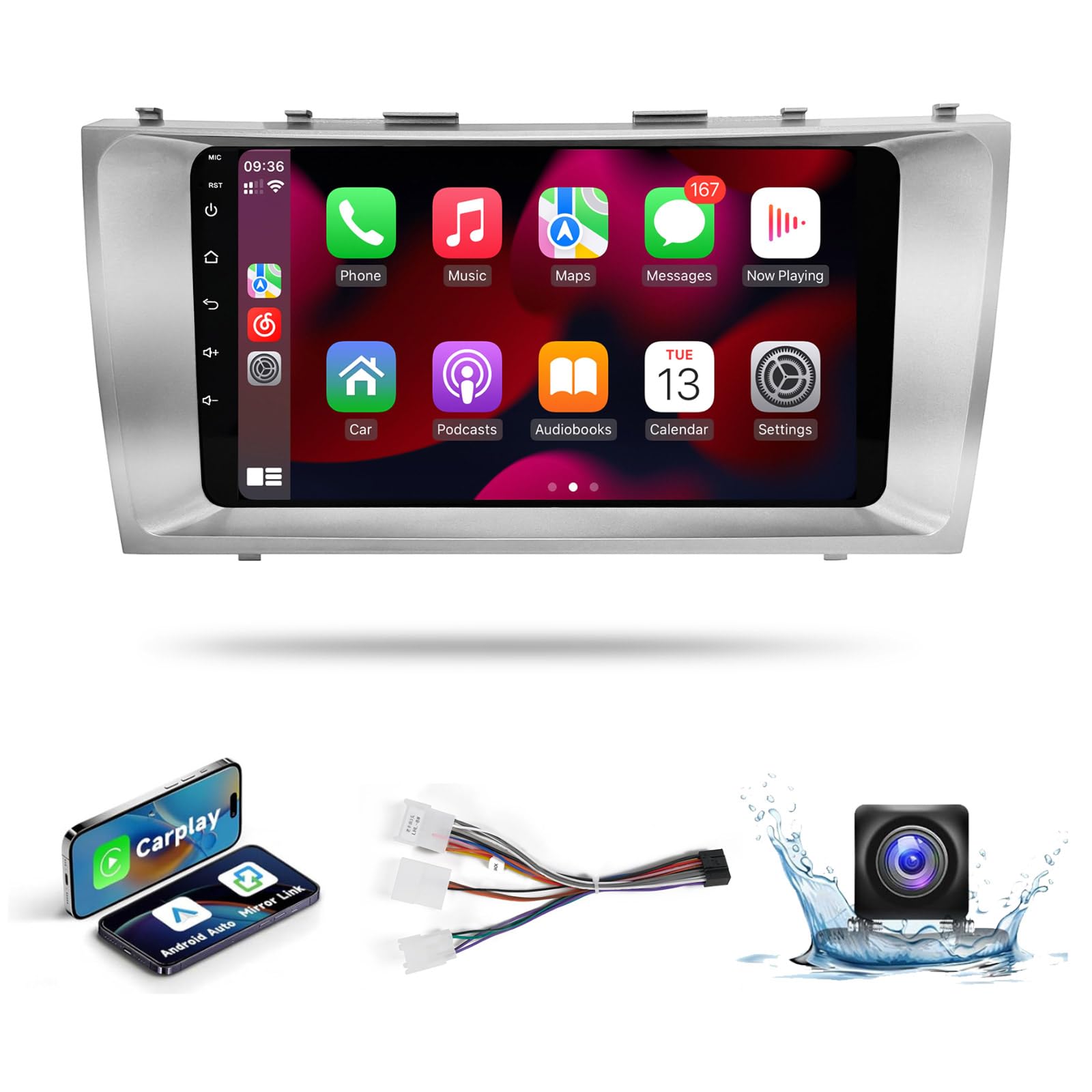
Image: Leadfan 9-inch IPS Touch Screen Car Radio for Toyota Camry 2006-2011, showing the unit's sleek design and integration.
2. Pakkens indhold
Bekræft, at alle nedenstående varer er inkluderet i din pakke. Hvis der mangler eller er beskadigede varer, bedes du kontakte kundesupport.
- Car Radio Unit (9-inch IPS Touch Screen)
- Strømkabel
- RCA-kabel
- USB -kabel (x2)
- GPS antenne
- Bag View Kamera
- Bag View Kamerakabel
- Ekstern mikrofon
- Frame Removal Tool
- Brugermanual

Billede: En omfattende view of all components included in the Leadfan car radio package, laid out neatly on a surface.
3. Produktfunktioner
- Køretøjskompatibilitet: Custom-designed for Toyota Camry 2006-2011 models, ensuring a seamless fit and integration with the factory dashboard.
- Høj ydeevne: Equipped with 2GB RAM and 32GB ROM for smooth operation and fast response times. Features a 1080P IPS Touchscreen for clear visuals.
- Trådløs forbindelse: Supports Wireless Apple CarPlay and Android Auto for seamless smartphone integration, allowing access to navigation, music, calls, and apps via the touchscreen or voice assistant.
- Funktionalitet for spejllink: Enables screen mirroring from your smartphone to the car stereo display.
- Navigation & Internet: Built-in GPS navigation module and support for WiFi/Hotspot connectivity for online navigation apps, streaming, and other internet-based content.
- Lydforbedringer: Integrated FM radio with automotive-grade chipset for strong signal reception. DSP Equalizer (EQ) for customized sound effects and improved audio quality.
- Sikkerhed og bekvemmelighed: Supports HD backup camera with automatic display switching when reversing. Compatible with existing steering wheel controls (SWC) for volume adjustment, track changes, and call management.
4. Opsætning og installation
Proper installation is crucial for optimal performance. It is recommended to have this unit installed by a professional if you are unfamiliar with car audio systems.
4.1. Kontrol før installation
Before beginning installation, ensure the vehicle's battery is disconnected. Verify all components from the package contents list are present.
4.2. Ledningsforbindelser
The unit features a plug-and-play wiring harness for simplified installation. Connect the power cable, RCA cables, USB cables, GPS antenna, and rear view camera cable to their respective ports on the car radio and your vehicle's wiring system. Refer to the wiring diagram in the included user manual for specific connections.

Image: A visual comparison highlighting the simpler plug-and-play wiring of the Leadfan product compared to the complex wiring of traditional car stereos.
4.3. Fysisk installation
Carefully remove the factory radio from your Toyota Camry. Install the Leadfan car radio unit into the dashboard opening, ensuring all clips and mounting points align. Secure the unit in place. The custom-molded design ensures a perfect fit without gaps.

Image: The Leadfan car radio seamlessly integrated into the dashboard of a Toyota Camry, showcasing the finished installation effect.
4.4. Initial Power-Up and Calibration
After installation, reconnect the vehicle's battery. Power on the unit. It is recommended to perform a screen calibration for optimal touch response.
Video: En overview of the Leadfan Car Radio for Toyota Camry, demonstrating its features and initial setup steps.
5. Betjeningsvejledning
5.1. Grundlæggende betjening
The 9-inch IPS touchscreen provides intuitive control over all functions. Use the on-screen icons to navigate between applications such as Music, Video, Radio, Navigation, and Settings.
5.2. Trådløs Apple CarPlay og Android Auto
Connect your smartphone wirelessly via Bluetooth and Wi-Fi to activate Apple CarPlay or Android Auto. This allows you to access your phone's navigation, music, messaging, and calling features directly on the car radio display. Voice commands are supported for hands-free operation.

Image: The car radio screen showing both Wireless Apple CarPlay and Android Auto interfaces, demonstrating seamless smartphone integration.
5.3. GPS-navigation og WiFi
The built-in GPS module provides accurate navigation. Connect to a WiFi hotspot (e.g., from your smartphone) to download online maps, stream content from platforms like YouTube, or access other internet services directly on the unit.

Image: The car radio screen showing a GPS navigation map on one side and various application icons, indicating WiFi hotspot functionality.
5.4. FM Radio & EQ Settings
Tune into your favorite FM radio stations. The integrated DSP Equalizer allows you to customize audio settings for a personalized listening experience. Adjust frequency bands to enhance bass, treble, or vocal clarity.

Image: The car radio screen showing the FM radio interface on the top and detailed DSP Equalizer settings on the bottom, allowing audio customization.
5.5. Bluetooth 5.1
Pair your smartphone via Bluetooth 5.1 for hands-free calling and wireless audio streaming. The system supports phonebook synchronization and displays call information on the screen.

Image: The car radio screen showing the Bluetooth 5.1 interface, with options for making calls and playing music wirelessly from a connected smartphone.
5.6. Split Screen-funktionalitet
Brug split-screen-funktionen til at køre to applikationer samtidigt. F.eks.ample, you can have navigation displayed on one side and music playback controls on the other.
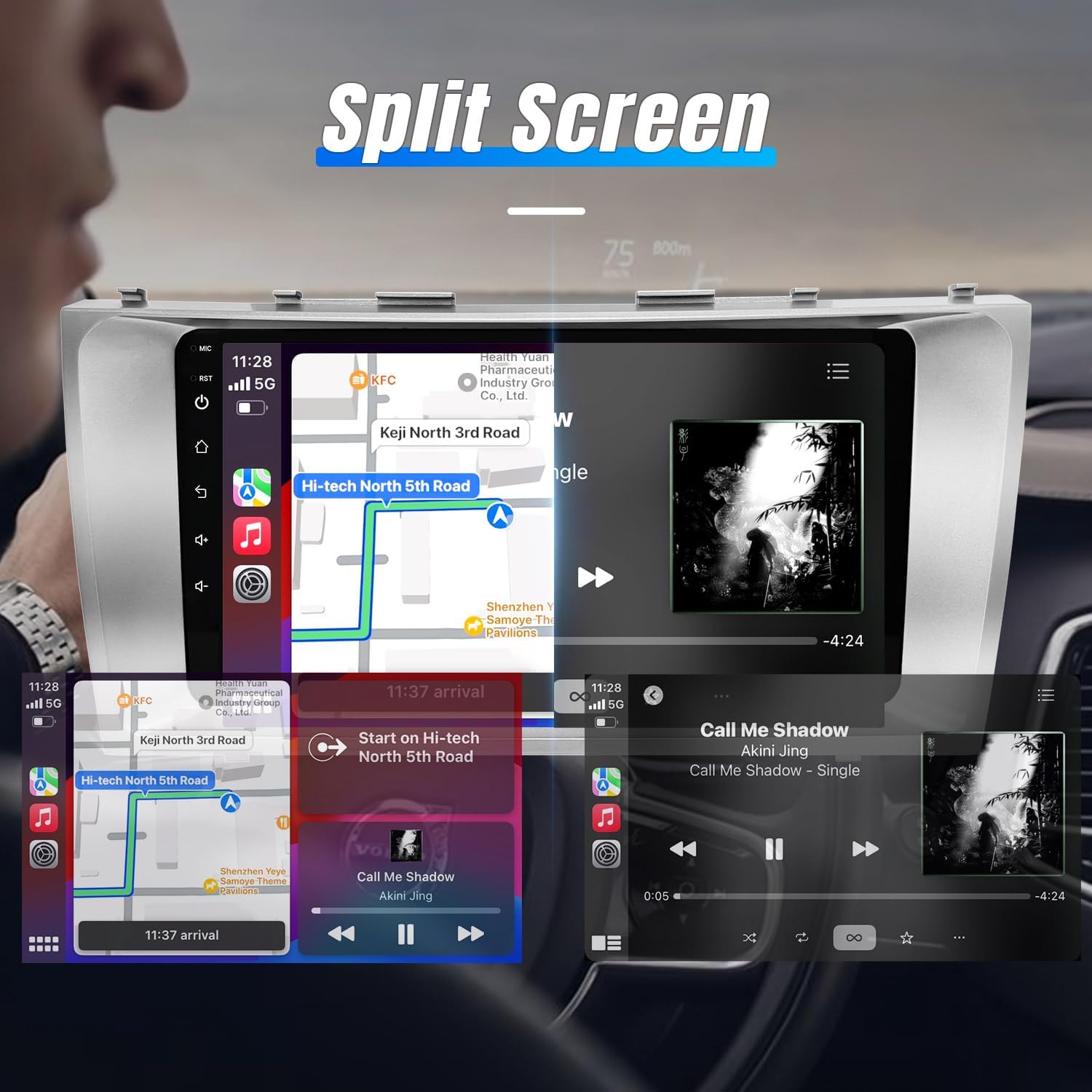
Image: The car radio screen demonstrating the split-screen feature, showing a navigation map on one side and a music player interface on the other.
5.7. Bagside View Camera & Steering Wheel Control (SWC)
When the vehicle is in reverse, the display automatically switches to the rear view kamerafeed, hvilket giver en klar view of the area behind your car. The unit is compatible with your vehicle's existing steering wheel controls, allowing you to manage audio and calls without taking your hands off the wheel.
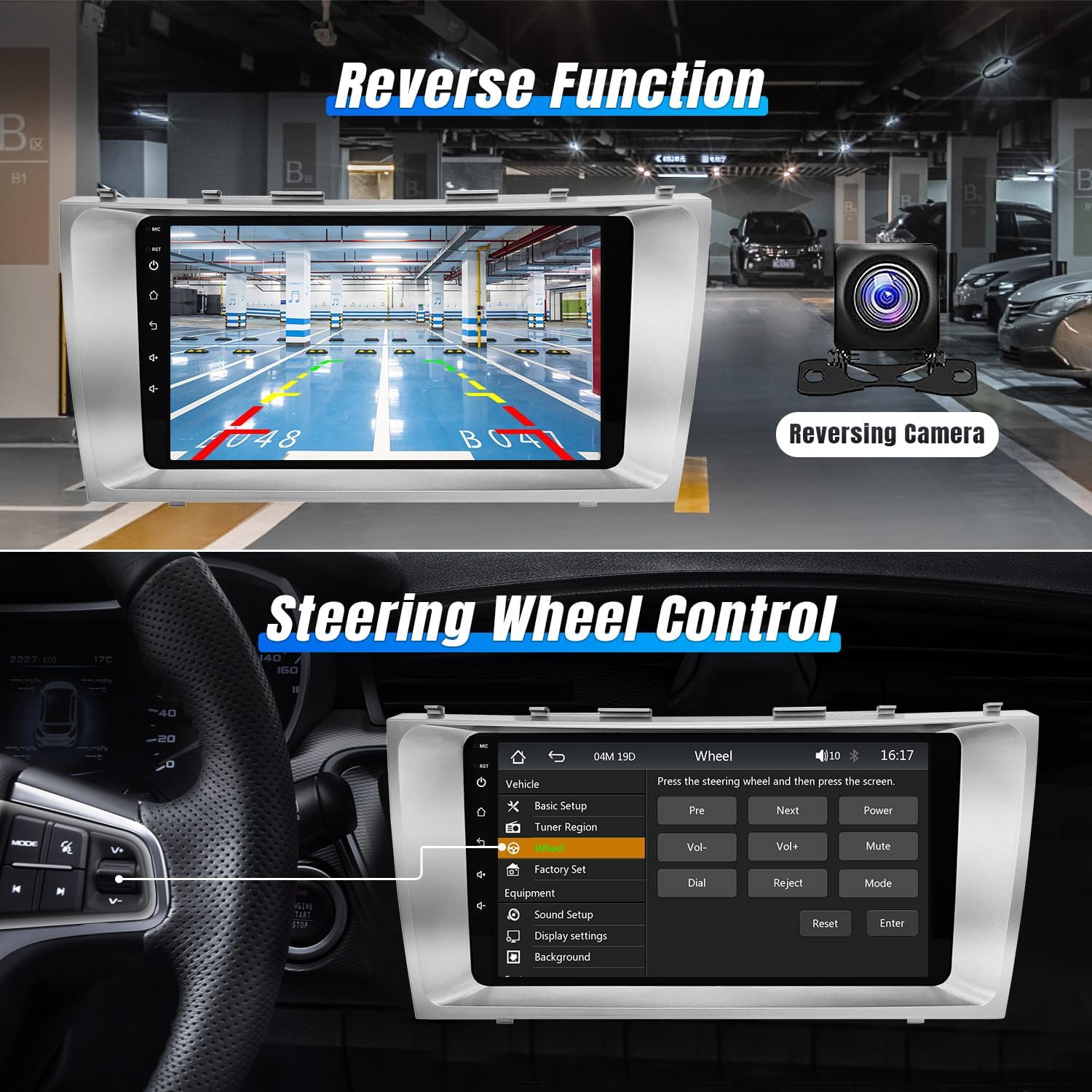
Image: The car radio screen showing a rear view camera display on the top and the steering wheel control learning interface on the bottom.
6. Vedligeholdelse
To ensure the longevity and optimal performance of your Leadfan car radio, follow these maintenance guidelines:
- Rensning: Use a soft, dry cloth to clean the touchscreen and exterior. Avoid abrasive cleaners or solvents that could damage the screen or finish.
- Softwareopdateringer: Periodically check for available software updates to ensure you have the latest features and bug fixes. Updates can typically be found on the manufacturer's website or through the unit's settings menu.
- Temperatur: Avoid exposing the unit to extreme temperatures for extended periods, as this can affect performance and lifespan.
- Ledningsføring: Regularly inspect wiring connections for any signs of wear or damage. Ensure all connections remain secure.
7. Fejlfinding
If you encounter any issues with your Leadfan car radio, refer to the following common troubleshooting steps. For more complex problems, consult the detailed troubleshooting guide video or contact customer support.
7.1. Almindelige problemer og løsninger
- Ingen strøm: Kontrollér alle strømtilslutninger og sikringer. Sørg for, at køretøjets batteri er korrekt tilsluttet og opladet.
- Ingen lyd: Kontroller højttalertilslutninger. Kontroller lydstyrkeniveauer og mute-indstillinger. Sørg for, at den korrekte lydkilde er valgt.
- Touchskærm reagerer ikke: Perform a screen calibration (refer to the included manual for instructions). If the issue persists, try resetting the unit.
- GPS-signaltab: Sørg for, at GPS-antennen er korrekt installeret og har frit udsyn til himlen.
- Problemer med Bluetooth-forbindelse: Ensure Bluetooth is enabled on both the car radio and your smartphone. Delete previous pairings and attempt to re-pair.
- CarPlay/Android Auto opretter ikke forbindelse: Verify Bluetooth and Wi-Fi are active. Ensure your phone's operating system is up to date. Try restarting both the phone and the car radio.
Video: An essential troubleshooting guide addressing common issues and their solutions for car radio units.
8. Specifikationer
| Feature | Detalje |
|---|---|
| Modelnavn | RM |
| Skærmstørrelse | 9 tommer |
| Varens vægt | 2.79 pund |
| Pakkedimensioner | 12.6 x 6.69 x 3.82 tommer |
| Forbindelsesteknologi | Bluetooth, WiFi |
| Særlige funktioner | Bluetooth, Touchscreen, Waterproof (Rear Camera) |
| Stemmekommando | Touchscreen (Voice Control via CarPlay/Android Auto) |
| Korttype | North America (via GPS) |
| Lydudgangstilstand | Stereoanlæg |
| Monteringstype | Dashboard montering |
9. Garanti og support
Your Leadfan car radio comes with a 1-års garanti from the date of purchase, covering manufacturing defects. We are committed to providing excellent customer service and technical support.
9.1. Kundeservice
We offer 24-hour after-sales technical support to assist with any installation or operation questions. Our professional technical team is dedicated to making your driving experience easier and more enjoyable.
For assistance, please contact Leadfan customer service via the platform where you purchased the product.
9.2. Returnering og ombytning
- 60 dages bekymringsfri returret: Du kan returnere produktet inden for 60 dage efter købet.
- 12 måneders udskiftning: Erstatning er tilgængelig inden for 12 måneder for berettigede problemer.
- Lifetime After-Sales Consult and Technical Support: We provide ongoing support for the lifetime of the product.