
Indledning
The BoxWave PowerDisplay PD Cable is a versatile 6-foot (1.8-meter) USB-C to USB-C cable designed for efficient power delivery and data transfer. It features an integrated LED display that shows the real-time wattage being delivered to your device, ensuring you are always informed about your charging status. Constructed with durable braided nylon, this cable is built for longevity and reliable performance.
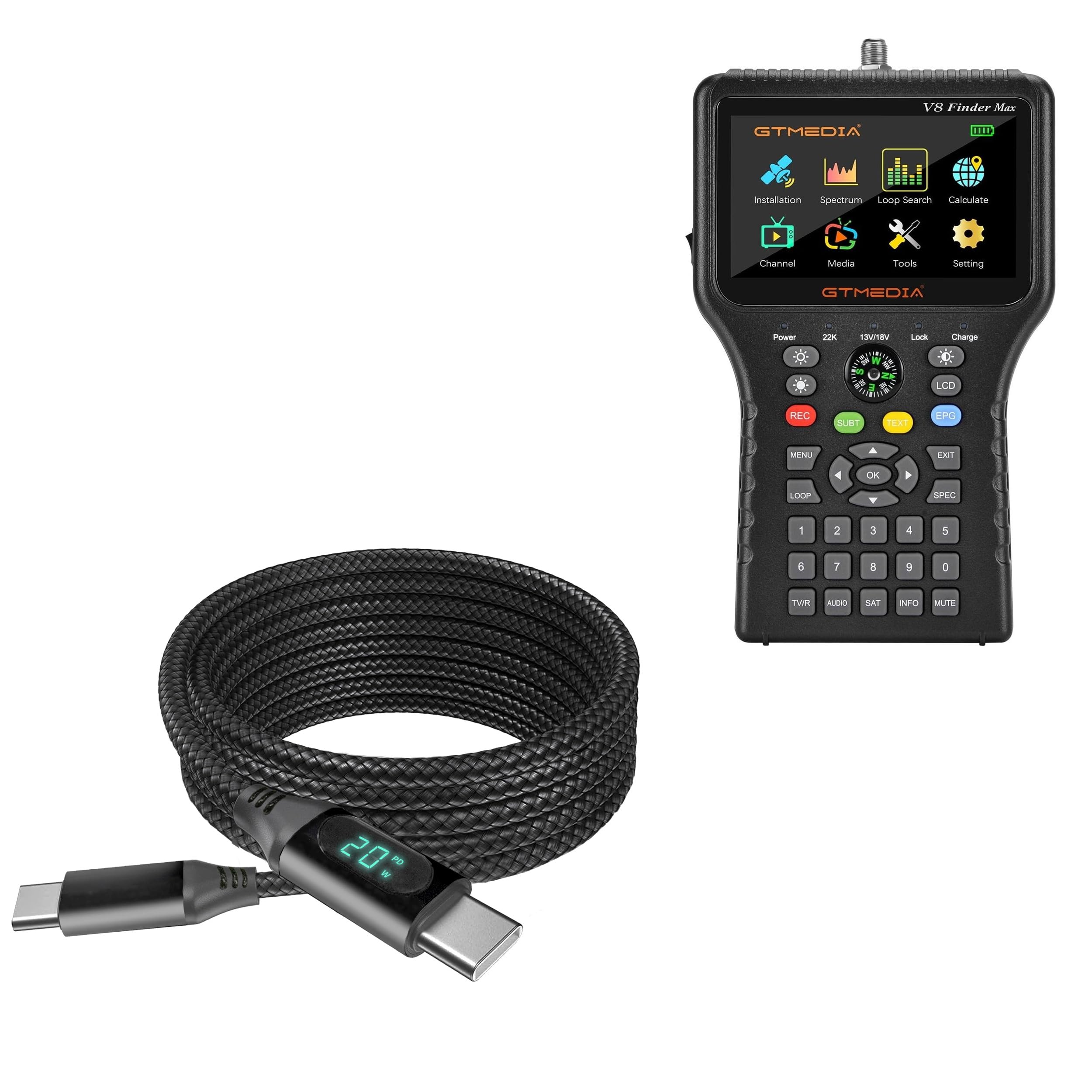
The BoxWave PowerDisplay PD Cable features a durable braided nylon exterior and an integrated LED display on the USB-C connector to show real-time power delivery.
Funktioner
- LED Wattage Display: An integrated LED screen on the connector provides real-time monitoring of the power (wattage) being delivered to your device.
- 100W strømforsyning (PD): Supports high-speed charging for a wide range of USB-C devices, including laptops, tablets, and smartphones, with up to 100 Watts of power.
- Durable Braided Nylon: The cable is encased in a robust braided nylon material, offering superior durability, resistance to tangles, and protection against daily wear and tear.
- 6 fods længde: A generous 6-foot (1.8-meter) cable length provides extended reach, allowing for flexible placement of your devices during charging or data transfer.
- Charge & Sync: Supports simultaneous power delivery for charging and high-speed data transfer at up to 480Mbps.
- Reinforced Strain Relief: Designed with reinforced connectors to prevent kinking, bending, and tearing at the most vulnerable points, ensuring a longer lifespan.

The integrated LED display provides real-time monitoring of the power (wattage) being delivered to your connected device.

This cable supports up to 100 Watts of Power Delivery, enabling fast charging for a wide range of USB-C devices, including laptops.

The robust braided nylon construction enhances durability, resists tangles, and protects against wear and tear.

With a generous 6-foot (1.8 meter) length, the cable offers extended reach, allowing for flexible placement of your devices during charging or data transfer.

The cable supports both power delivery for charging and high-speed data transfer (up to 480Mbps) simultaneously.

The reinforced strain relief at the connector points is designed to prevent kinking, bending, and tearing, ensuring a longer lifespan for the cable.
Opsætning
- Identify the USB-C ports on your charging adapter or power source and your device (e.g., laptop, smartphone, tablet).
- Connect one end of the BoxWave PowerDisplay PD Cable to a compatible USB-C power adapter or power source.
- Tilslut den anden ende af kablet til USB-C-porten på din enhed.
- Upon successful connection, the LED display on the cable's connector will illuminate, showing the current wattage being delivered to your device.
Betjeningsvejledning
Opladning af din enhed
To charge your device, connect the BoxWave PowerDisplay PD Cable between a compatible USB-C Power Delivery (PD) wall adapter or power bank and your device. The LED display will show the charging wattage in real-time. Ensure your power source can provide sufficient wattage for your device's fast charging capabilities.

This image illustrates the cable connected to a laptop, actively charging and displaying the wattage (65W) on its LED screen, demonstrating its 100W Power Delivery capability.
Dataoverførsel
To transfer data, connect the BoxWave PowerDisplay PD Cable between two USB-C compatible devices, such as a computer and a smartphone or an external hard drive. Data transfer will initiate automatically, allowing you to sync files, photos, and other data at speeds up to 480Mbps. The cable supports simultaneous charging during data transfer.

The cable facilitates simultaneous charging and data synchronization between devices, as shown with a laptop and a smartphone connected.
Opretholdelse
- Keep the cable clean and dry. Use a soft, dry cloth to wipe off any dust or debris.
- Avoid extreme bending, twisting, or sharp angles, especially near the connectors, to prevent internal damage.
- Store the cable in a cool, dry place when not in use, away from direct sunlight and excessive heat.
- Do not expose the cable to harsh chemicals or liquids.
- Always grasp the connector, not the cable itself, when plugging or unplugging to prevent strain on the connection points.
Fejlfinding
No Power Display or Charging
- Tjek forbindelser: Ensure both ends of the cable are securely and fully inserted into the USB-C ports of your power source and device.
- Bekræft strømkilden: Confirm that your power adapter or power bank is functioning correctly and is plugged into a live outlet.
- Test with Another Port/Adapter: Try connecting the cable to a different USB-C port on your device or using a different power adapter to rule out port or adapter issues.
- Enhedskompatibilitet: Ensure your device is compatible with USB-C charging.
Langsom opladning
- Strømadapter output: Confirm that your power adapter supports Power Delivery (PD) and provides sufficient wattage for your device's fast charging requirements. The cable supports up to 100W, but the actual charging speed depends on your power adapter and device.
- Enhedsindstillinger: Check your device's battery settings to ensure no power-saving modes are limiting charging speed.
No Data Transfer
- Enhedskompatibilitet: Sørg for, at begge tilsluttede enheder understøtter dataoverførsel via USB-C.
- Enhedsindstillinger: On some devices, you may need to select a data transfer mode (e.g., "File Transfer" or "MTP") after connecting the cable.
- Prøv en anden port: Test with a different USB-C port on your computer or device.
Specifikationer
| Model | BoxWave PowerDisplay PD Cable |
| Connector Type | USB-C til USB-C |
| Strøm levering | Op til 100W |
| Dataoverførselshastighed | Op til 480 Mbps |
| Kabellængde | 6 fod (1.8 meter) |
| Materiale | Braided Nylon, Flame-retardant TPE |
| Farve | Jet Black |
| ASIN | B0D214TQ91 |
| Fabrikant | BoxWave |
Garanti og support
For detailed warranty information, product registration, or technical support, please visit the official BoxWave website or contact their customer service department directly. Contact information can typically be found on the product packaging or the BoxWave official webwebsted.