
1. Introduktion
Tak for købetasing the eKids Marvel Deadpool Wireless Earbuds. These earbuds are designed to provide a high-quality audio experience with the convenience of wireless connectivity. This manual will guide you through the setup, operation, and maintenance of your new earbuds.
Læs venligst denne manual omhyggeligt, inden du bruger produktet, og gem den til senere brug.
2. Produktet er slutview
The eKids Marvel Deadpool Wireless Earbuds feature a distinctive Deadpool design and offer wireless stereo sound streaming with a built-in microphone for calls. They come with a portable charging case and multiple ear cushion sizes for comfort.
Nøglefunktioner:
- Wireless stereo sound streaming
- Indbygget mikrofon til opkald
- Three sizes of rubber ear cushions (small, medium, large) for personalized comfort
- USB-C opladningsforbindelse
- Bluetooth-forbindelse
- Up to 22 hours total music playtime with charging case
- Ergonomic shape for comfort
- Letvægtskonstruktion
- Compatible with iPhone, Android, smartphones, tablets, and computers
- Suitable for gaming, audiobooks, video calls, and various entertainment/educational content
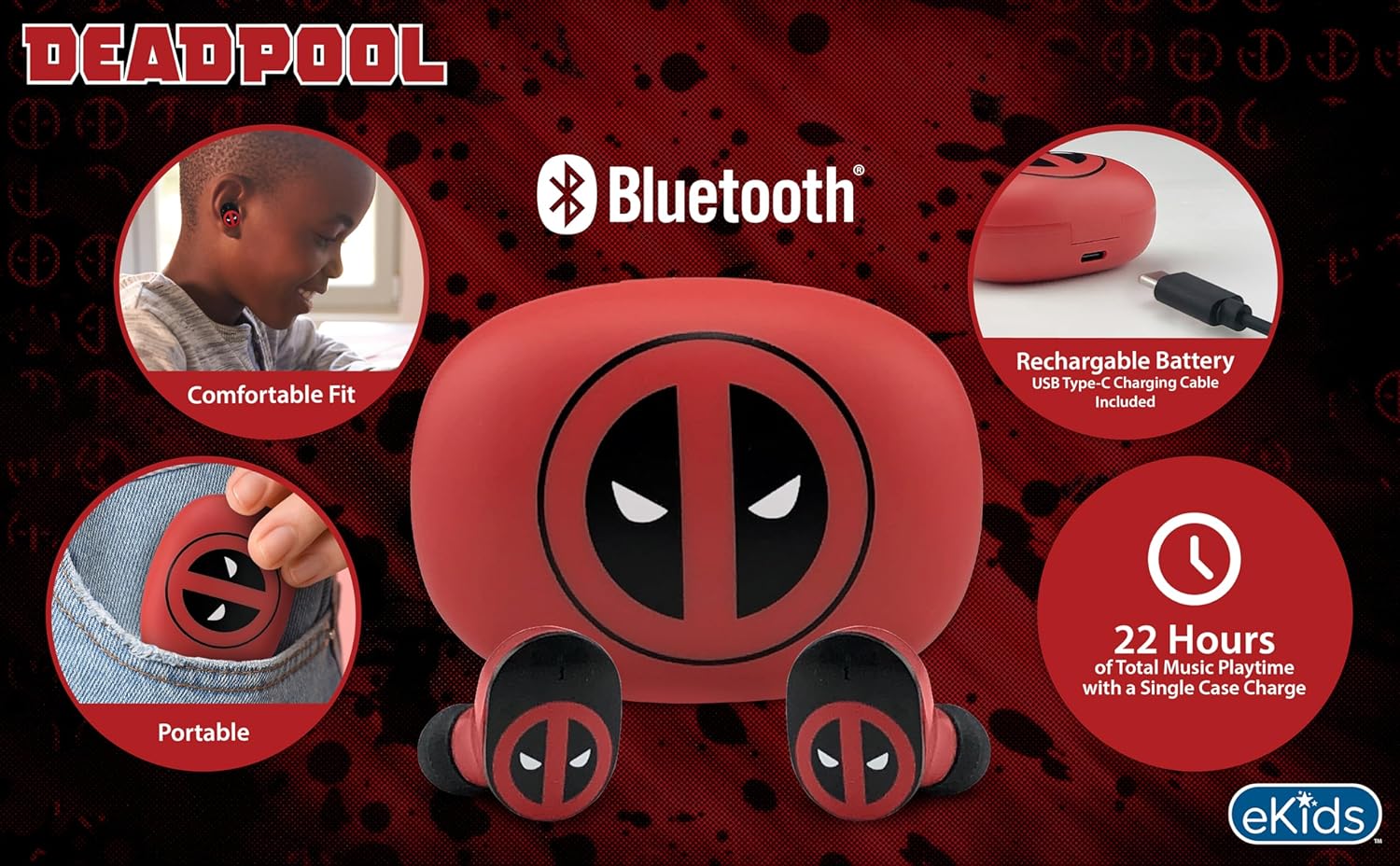
Image 2.1: The eKids Marvel Deadpool Wireless Earbuds and their charging case, showcasing the distinctive Deadpool logo.
3. Opsætning
3.1 Opladning af øretelefoner og etuiet
- Open the charging case and place both earbuds inside, ensuring they are correctly seated.
- Tilslut det medfølgende USB-C-opladerkabel til opladningsporten på etuiet.
- Connect the other end of the USB-C cable to a compatible USB power source (e.g., computer, wall adapter).
- Indikatorlampen på opladningsetuiet lyser for at vise opladningsstatus. Når den er fuldt opladet, kan lampen skifte farve eller slukke.
A full charge provides up to 22 hours of total music playtime, with the case offering 2.5 times extra charge for the earbuds.

Image 3.1: The Deadpool-themed charging case with the USB-C charging cable connected, illustrating the charging process.
3.2 Parring med en Bluetooth-enhed
- Sørg for, at ørepropperne er opladet og placeret i opladningsetuiet.
- Åbn opladningsetuiet. Ørepropperne tændes automatisk og forsøger at oprette forbindelse til den sidst parrede enhed.
- Gå til Bluetooth-indstillingerne på din enhed (smartphone, tablet, computer).
- Søg efter available devices and select "eKids Deadpool Earbuds" (or similar name).
- Once connected, the LED light on the earbuds will stop flashing or change to a solid color.
The earbuds are compatible with iPhone, Android, and other Bluetooth-enabled devices.
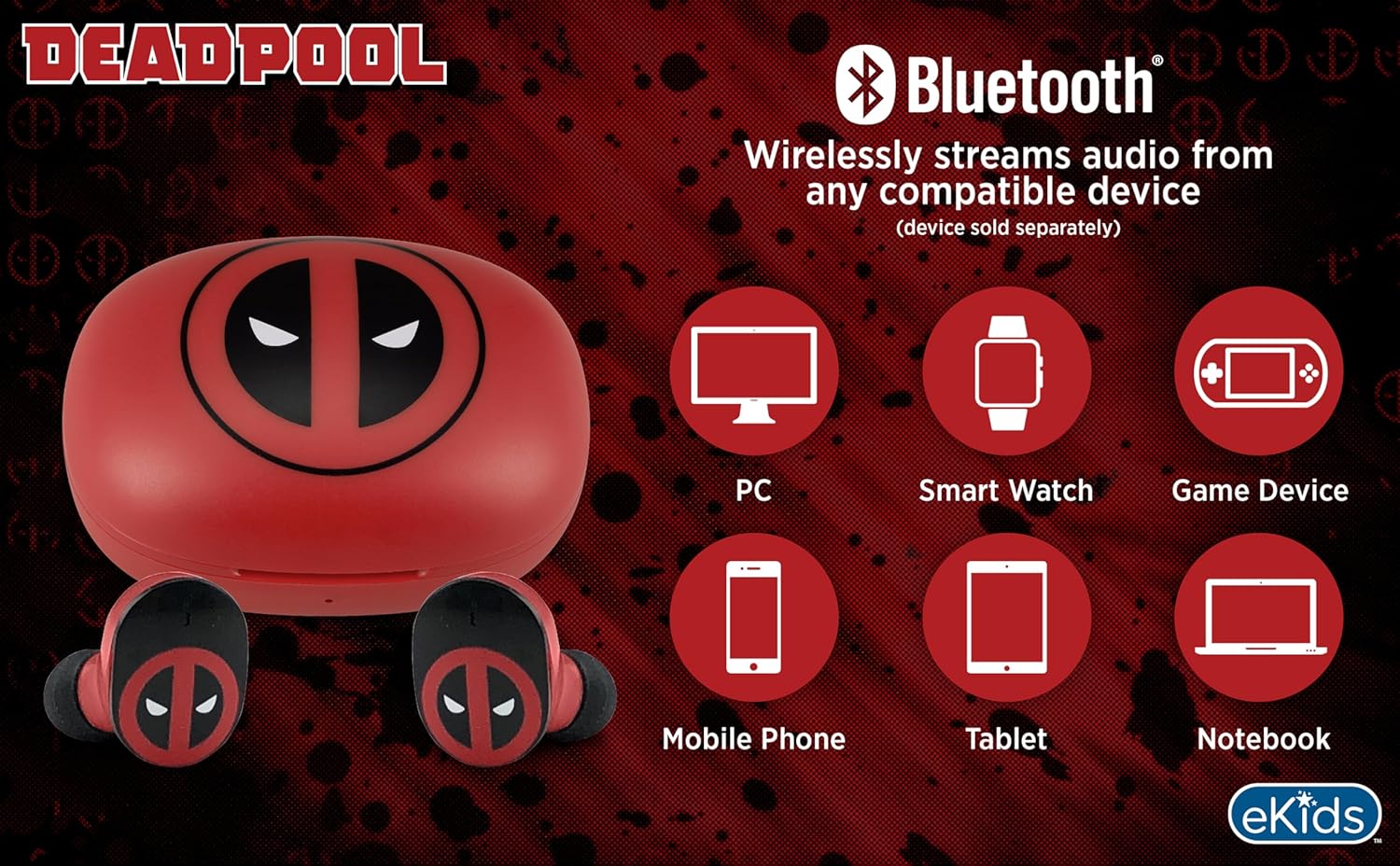
Image 3.2: An illustration showing the Bluetooth connectivity of the earbuds with various devices such as PCs, smartwatches, game devices, mobile phones, tablets, and notebooks.
3.3 Selecting Ear Cushions for Comfort
The earbuds come with three sizes of rubber ear cushions (small, medium, large) to ensure a comfortable and secure fit. Experiment with different sizes to find the best fit for your ears. A proper fit enhances sound quality and comfort.
- Gently remove the pre-installed ear cushions from the earbuds.
- Select a different size ear cushion.
- Carefully attach the new ear cushion to the earbud, ensuring it is securely fastened.

Image 3.3: The Deadpool earbuds shown with the three different sizes of ear cushions included for a customized fit.
4. Betjening af øretelefonerne
4.1 Tænd/sluk
- Tænd: Åbn opladningsetuiet, hvorefter ørepropperne automatisk tændes og forsøger at oprette forbindelse til den sidst parrede enhed.
- Sluk: Sæt ørepropperne tilbage i opladningsetuiet, og luk låget. De slukker automatisk og begynder at oplade.
4.2 Musikafspilning
- Afspil/pause: Tryk én gang på en af øretelefonerne.
- Næste nummer: Dobbelttryk på den højre øretelefon.
- Forrige nummer: Dobbelttryk på den venstre øretelefon.
- Lydstyrkekontrol: Juster lydstyrken direkte fra din tilsluttede enhed.
4.3 Telefonopkald
Den indbyggede mikrofon muliggør håndfri opkald.
- Besvar/afslut opkald: Tryk én gang på en af øretelefonerne.
- Afvis opkald: Tryk på en af øretelefonerne, og hold den nede i 2 sekunder.
5. Vedligeholdelse
- Rensning: Brug en blød, tør klud til at rengøre ørepropperne og opladningsetuiet. Brug ikke slibende rengøringsmidler eller opløsningsmidler.
- Opbevaring: Når ørepropperne ikke er i brug, skal de opbevares i deres opladningsetui for at beskytte dem og holde dem opladede.
- Undgå vand: Disse ørepropper er ikke vandtætte. Undgå udsættelse for vand eller overdreven fugt.
- Temperatur: Udsæt ikke ørepropperne eller etuiet for ekstreme temperaturer.
6. Fejlfinding
| Problem | Løsning |
|---|---|
| Øretelefoner parrer ikke. | Ensure earbuds are charged. Turn off Bluetooth on your device and turn it back on. Forget the device in your Bluetooth settings and re-pair. |
| Ingen lyd fra én øretelefon. | Placer begge ørepropper tilbage i opladningsetuiet, luk låget, og åbn det derefter igen. Kontroller enhedens lydbalanceindstillinger. |
| Opladningsetuiet oplader ikke. | Check the USB-C cable and power adapter. Ensure the cable is securely connected to both the case and the power source. |
| Dårlig lydkvalitet. | Ensure earbuds are properly seated in your ears with the correct size ear cushions. Move closer to your connected device to avoid interference. |
7. Specifikationer
- Mærke: eKids
- Model: B0D1CS61NB
- Farve: Deadpool (Red/Black)
- Øreplacering: In Ear
- Formfaktor: In Ear
- Impedans: 32 Ohm
- Bluetooth afstand: ≥ 10M / 32ft
- Følsomhed: 100dB ± 3dB at 1kHz spl
- Batterilevetid: Up to 22 hours total playtime with charging case
- Opladningsport: USB-C
- Dimensioner (etui): Approximately 2.4 in / 6.2 cm (width) x 1.8 in / 4.6 cm (height) x 1.2 in / 3.1 cm (depth)
- Dimensions (Earbud): Approximately 0.9 in / 2.5 cm (height) x 0.7 in / 1.8 cm (width)

Image 7.1: A detailed diagram illustrating the dimensions and key specifications of the Deadpool wireless earbuds and their charging case.
8. Garanti og support
For garantioplysninger og kundesupport henvises til den dokumentation, der fulgte med dit køb, eller besøg den officielle eKids-side. webwebsted. Gem din købsbevis i tilfælde af garantikrav.
For additional assistance, you may contact eKids customer service directly.
9. Officiel produktvideo
Video 9.1: En officiel produktvideoasing the eKids Marvel Deadpool Wireless Earbuds, highlighting their features and design. This video provides a visual overview of the product's functionality and appearance.