
1. Introduktion
Welcome to the SUUNY X1 Pro Max Smartwatch user manual. This document provides comprehensive instructions to help you set up, operate, and maintain your new smartwatch. The X1 Pro Max is designed to enhance your daily life with features such as Bluetooth calling, health monitoring (heart rate, blood pressure, blood oxygen), sports tracking, and smart notifications. Please read this manual carefully before using the device to ensure optimal performance and longevity.
2. Pakkens indhold
Når du åbner pakken, skal du kontrollere, at alle følgende varer er inkluderet:
- SUUNY X1 Pro Max Smartwatch
- Trådløst ladekabel
- Brugermanual
- Silicone Strap (Black or Grey, depending on model)
- Steel Bamboo Strap (Black or Silver, depending on model)
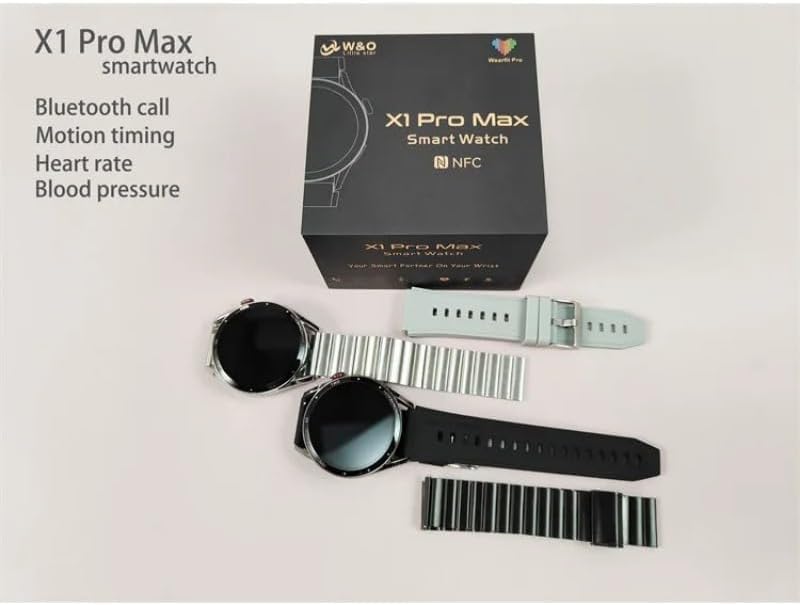
Image: The SUUNY X1 Pro Max Smartwatch packaging, showing two watches (one black, one silver) along with various silicone and steel straps, and the user manual.
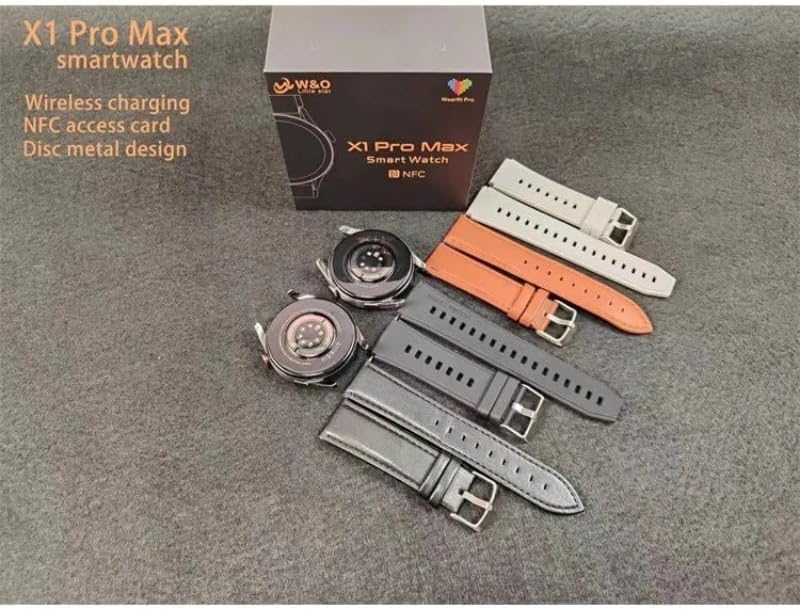
Image: A SUUNY X1 Pro Max Smartwatch box with the watch body and several interchangeable straps in different colors (grey, orange, black, silver).
3. Produktet er slutview
The SUUNY X1 Pro Max features a round 1.45-inch AMOLED display with a resolution of 412x412 pixels. It is equipped with a main chip 551 and Bluetooth version 5.2 for stable connectivity.
Nøglekomponenter:
- Vise: 1.45-inch Round AMOLED Touchscreen
- Sideknap/krone: For navigation and function control.
- Sensorer: Heart rate, blood pressure, blood oxygen sensors on the rear.
- Opladningskontakter: On the rear for wireless charging.
- Højttaler/mikrofon: For Bluetooth calls.

Billede: Et nærbillede view of the SUUNY X1 Pro Max Smartwatch in silver with a grey silicone strap, displaying a watch face with time, date, weather, steps, and heart rate.
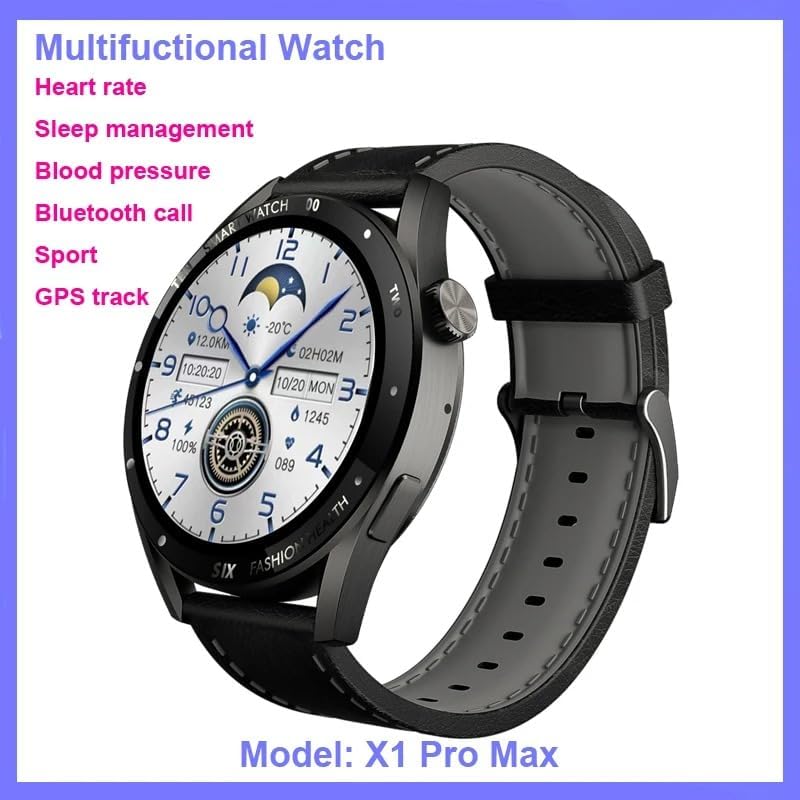
Image: The SUUNY X1 Pro Max Smartwatch in black with a black silicone strap, shown at an angle, highlighting its design and the 'Multifunctional Watch' capabilities.

Billede: Detaljeret views of the SUUNY X1 Pro Max Smartwatch, showing the alloy watch case, the sweat-proof breathable silicone strap with its buckle, and the stainless steel rear cover with brand logo.
4. Opsætning
4.1 Opladning af smartwatchet
Before initial use, fully charge your smartwatch. The X1 Pro Max supports wireless charging.
- Tilslut det trådløse opladningskabl til en USB-strømadapter (medfølger ikke), og sæt det i en strømkilde.
- Place the back of the smartwatch onto the charging pad of the wireless charger. Ensure the charging contacts align.
- Urets display viser opladningsstatus. En fuld opladning tager typisk cirka 2 timer.
4.2 Tænd/sluk
- Tænd: Press and hold the side button until the SUUNY logo appears.
- Sluk: Tryk og hold sideknappen nede, og vælg derefter "Sluk" på skærmen.
4.3 Appinstallation og Bluetooth-parring
To unlock the full potential of your smartwatch, download and install the "WearFit Pro" application on your smartphone. The app is compatible with Android 5.0+ and iOS 10.0+ devices.
- Scan the QR code provided in the manual or on the watch screen, or search for "WearFit Pro" in your smartphone's app store.
- Install and open the "WearFit Pro" app.
- Aktiver Bluetooth på din smartphone.
- In the "WearFit Pro" app, navigate to the device section and select "Add Device".
- The app will search for available devices. Select "X1 Pro Max" from the list to pair.
- Bekræft parringsanmodningen på både din smartphone og smartwatch.
4.4 NFC Access Control Setup
The X1 Pro Max supports NFC access control unlocking.
- Open the "WearFit Pro" app and navigate to the NFC settings.
- Follow the in-app instructions to add and configure your NFC access card information.
- Once set up, you can use your smartwatch to unlock compatible NFC access points.
5. Betjeningsvejledning
5.1 Grundlæggende navigation
- Stryg ned: Access quick settings (e.g., brightness, DND mode).
- Stryg op: View meddelelser.
- Stryg til venstre/højre: Scroll through widgets and main functions (e.g., activity, heart rate, weather).
- Tryk på sideknappen: Gå tilbage til urskiven eller åbn appmenuen.
- Double-click Screen: Wake up the function (if enabled).
- Roter krone: Scroll through menus or adjust settings.
5.2 Bluetooth-opkald
Once paired via Bluetooth, you can make and receive calls directly from your smartwatch.
- Foretag et opkald: Access the dialer or contacts list on the watch to initiate a call.
- Modtagelse af et opkald: Når du modtager et opkald, kan du besvare eller afvise det direkte fra urets skærm.
5.3 Meddelelser
Enable app notifications in the "WearFit Pro" app to receive alerts for messages, calls, and other applications directly on your watch.
5.4 sportstilstande
The smartwatch supports various sports modes to track your workouts.
- Navigate to the "Sports" or "Workout" section on your watch.
- Vælg din ønskede aktivitet (f.eks. løb, gang, cykling).
- Start the activity. The watch will record data such as duration, distance, calories burned, and heart rate.
- End the activity to save the data, which will sync with the "WearFit Pro" app.
6. Funktioner til sundhedsovervågning
The SUUNY X1 Pro Max provides various health monitoring functions. For accurate readings, ensure the watch is worn snugly on your wrist.
6.1 Pulsovervågning
The watch can continuously monitor your heart rate or take on-demand measurements.
- Navigate to the "Heart Rate" function on the watch.
- The watch will begin measuring your heart rate.
- View your heart rate data and trends in the "WearFit Pro" app.
6.2 Blodtryksmåling
The watch can estimate your blood pressure.
- Navigate to the "Blood Pressure" function on the watch.
- Forbliv stille under målingen.
- Results will be displayed on the watch and synced to the app.
6.3 Overvågning af ilt i blodet
Mål dine iltmætningsniveauer i blodet (SpO2).
- Navigate to the "Blood Oxygen" function.
- Keep your arm still and flat during the measurement.
6.4 Søvnovervågning
Wear the watch to bed, and it will automatically track your sleep patterns, including deep sleep, light sleep, and wake times. View detailed analysis in the "WearFit Pro" app.
Note: The health monitoring features are for reference only and should not be used for medical diagnosis or treatment. Consult a medical professional for health-related concerns.
7. Smarte funktioner
- Weather Reminders: Få vejropdateringer i realtid på dit ur.
- Stillesiddende påmindelser: The watch will remind you to move after periods of inactivity.
- Vækkeur: Indstil alarmer via appen eller direkte på uret.
- Stopur: Brug det indbyggede stopur til at tage tid på aktiviteter.
- Find ur: Use the "WearFit Pro" app to locate your watch if it's within Bluetooth range.
- Fjernbetjening til kamera: Shake the watch to take photos on your paired smartphone.
- Short Video Remote Control: Control short video playback on your smartphone.
- Business Card Function: Store and display digital business cards.
8. Vedligeholdelse
8.1 Rengøring
Regularly clean your smartwatch and strap to prevent skin irritation and maintain device functionality.
- Tør urets skærm og kabinet af med en blød, fnugfri klud.
- Ved genstridige pletter, let dampRengør kluden med vand. Undgå at bruge skrappe kemikalier eller slibende materialer.
- Rengør opladningskontakterne med jævne mellemrum for at sikre effektiv opladning.
8.2 Vandtæthed (IP67)
The SUUNY X1 Pro Max is rated IP67, meaning it is protected from dust and can withstand immersion in water up to 1 meter for 30 minutes.
- It is suitable for daily use, such as hand washing or light rain.
- Avoid wearing the watch during swimming, showering with hot water, or diving, as steam and high water pressure can compromise the seal.
- Hvis uret bliver vådt, skal det tørres grundigt, inden det oplades.
8.3 Pleje af batterier
- Undgå at aflade batteriet helt ofte.
- Udsæt ikke uret for ekstreme temperaturer.
- If storing the watch for an extended period, charge it to about 50% and power it off.
9. Fejlfinding
9.1 Uret tænder ikke
- Sørg for, at uret er fuldt opladet. Tilslut det til den trådløse oplader i mindst 30 minutter.
- Prøv at trykke på sideknappen og holde den nede i 10-15 sekunder for at fremtvinge en genstart.
9.2 Kan ikke parres med smartphone
- Sørg for, at Bluetooth er aktiveret på din smartphone.
- Ensure the "WearFit Pro" app is installed and running.
- Genstart både din smartphone og smartwatch.
- Forget the device in your smartphone's Bluetooth settings and try pairing again through the "WearFit Pro" app.
- Sørg for, at uret ikke allerede er parret med en anden enhed.
9.3 Unøjagtige sundhedsmålinger
- Sørg for, at uret sidder tæt på dit håndled, hverken for stramt eller for løst.
- Hold din arm stille under målingerne.
- Rengør sensorerne på bagsiden af uret.
- Note that these readings are for general wellness and fitness purposes and are not medical-grade.
9.4 Notifikationer vises ikke
- Check if notifications are enabled in the "WearFit Pro" app.
- Ensure your smartphone's notification settings allow the "WearFit Pro" app to send notifications.
- Bekræft, at uret er forbundet til din smartphone via Bluetooth.
10. Specifikationer
| Feature | Specifikation |
|---|---|
| Modelnummer | X1 Pro Max |
| Skærmstørrelse | 1.45 inches (Round) |
| Skærmopløsning | 412 x 412 pixels |
| Display Type | AMOLED |
| Main Chip | 551 |
| Hukommelse | 128 MB |
| Bluetooth version | 5.2 (AB5376A3) |
| Batterikapacitet | 260 mAh (litium-ion) |
| Opladningsmetode | Trådløs opladning |
| Vandmodstand | IP67 |
| Kompatibilitet | Android 5.0+ / iOS 10.0+ |
| Companion app | WearFit Pro |
| GPS | Ingen GPS |
11. Garanti og support
For warranty information and customer support, please refer to the documentation provided with your purchase or contact the retailer where you purchased the SUUNY X1 Pro Max Smartwatch. Specific warranty terms may vary by region and seller.
For technical assistance or further inquiries, please reach out to the SUUNY customer service channels as indicated on their official webwebsted eller produktemballage.