
1. Introduktion
This manual provides detailed instructions for the installation, operation, maintenance, and troubleshooting of your Roinvou 9-inch Android Car Stereo. Please read this manual thoroughly before installation and use to ensure proper function and safety. This unit is specifically designed for Hyundai Elantra models manufactured between 2007 and 2010.
2. Opsætning og installation
2.1 Vigtige overvejelser
This upgraded radio dash kit is compatible with Hyundai Elantra 2007, 2008, 2009, and 2010 models. The stereo package includes an in-dash head unit, wiring harness cables, and a frame panel. The package contains three power cables; select and use the one that matches the port of your original car. Verify the power cable port on the detail page matches your original car before beginning installation.
2.2 Pakkens indhold
The following components are included in your package:
- Roinvou Car Stereo Head Unit
- Triple Power Cable (choose appropriate one)
- RCA-ledningsnet
- GPS antenne
- AHD backup kamera
- Ekstern mikrofon
- Bagkamera indgangskabel
- Dual USB Cable
- Installationsværktøj
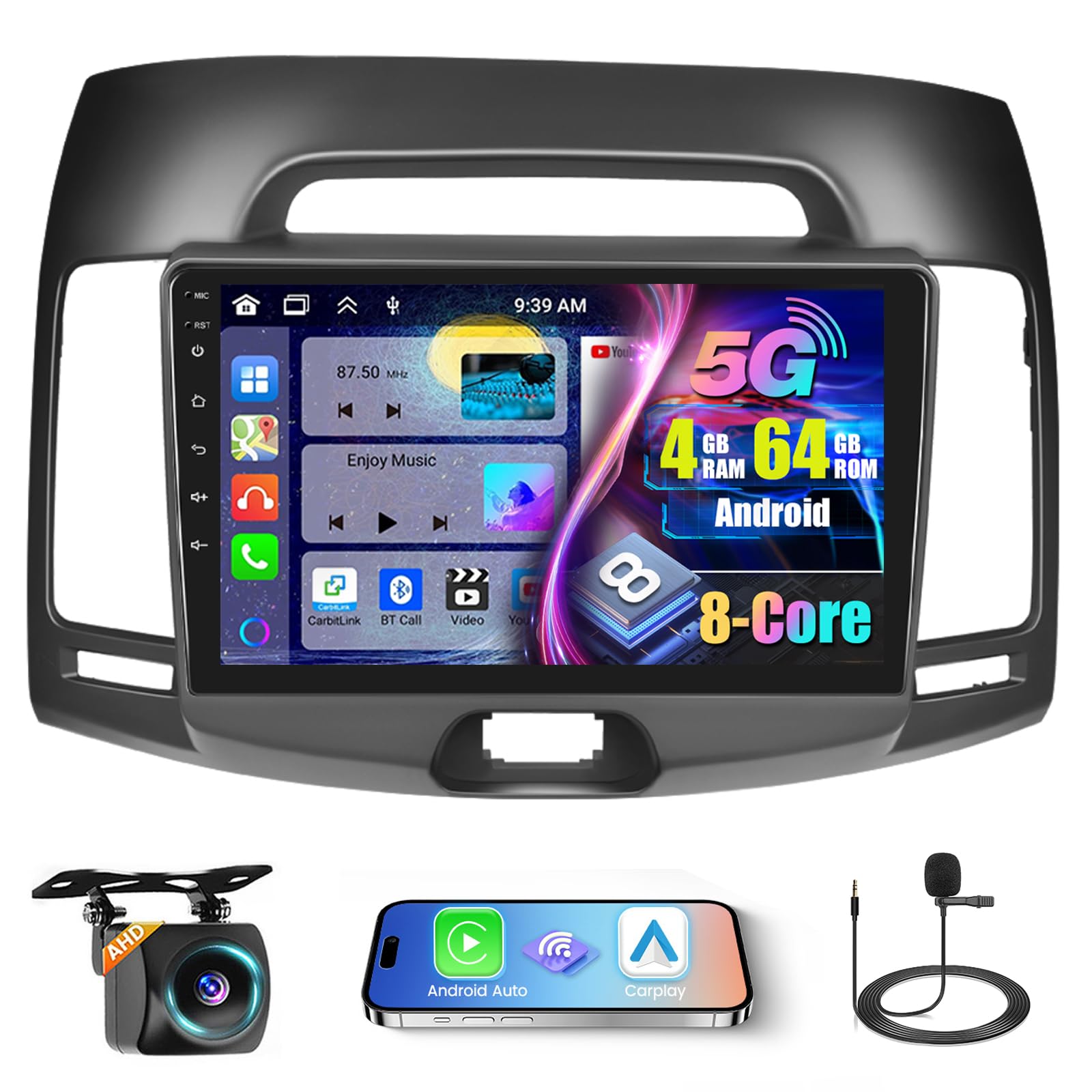
Image: Comparison of the car dashboard before and after installing the Roinvou 9-inch Android car stereo in a Hyundai Elantra 2007-2010 model.

Image: Diagram showing the dimensions of the 9-inch car stereo and a visual list of all included accessories such as power cables, microphone, GPS antenna, and backup camera.
2.3 Ledningsforbindelser
Carefully follow the wiring diagrams provided. Ensure all connections are secure to prevent electrical issues.

Image: Detailed diagram illustrating the various power cord ports and their connections for the car stereo installation.

Image: Wiring diagram for the reversing camera, showing connections for power, ground, and reverse lamp. The display shows a clear view fra bagkameraet.
3. Betjeningsvejledning
3.1 Brugergrænseflade og display
The unit features a 9-inch HD capacitive touch screen with a 1280 x 720 resolution, providing a clear visual experience. You can customize the interface by touching the color circle in the lower left corner of the screen to switch between 19 backgrounds. Long-pressing the main interface allows you to switch between 59 desktop themes.

Image: The 1080P IPS touch screen highlighting its 1280*720 resolution, scratch-resistant, anti-knock, and high-temperature protection features.

Image: Illustration of the powerful Android system with 4GB RAM and 64GB storage, emphasizing its ultra-fast running speed compared to other systems.
3.2 Wireless Carplay, Android Auto, and Mirror Link
The car stereo supports wireless and wired Apple CarPlay and Android Auto for voice-assisted control and access to phone features like music, navigation, calls, and messages. Mirror Link functionality allows syncing your phone screen to the unit via WiFi hotspot or USB cable.

Image: Visual representation of Wireless Carplay, Android Auto, and Mirror Link functionalities, showing connection methods via Bluetooth/USB and WiFi/USB.

Billede: En overview of Carplay, Android Auto, and Mirror Link features, displaying various compatible applications and screen mirroring capabilities.
3.3 GPS-navigation og WiFi
The unit includes a built-in GPS module. Navigation software like Waze and free offline maps can be utilized. With a WiFi or hotspot connection, online maps function seamlessly, and you can download apps such as YouTube and TikTok from the Play Store for online video streaming.

Image: Depiction of GPS navigation with both offline and online map capabilities, alongside WiFi connectivity for downloading apps and streaming content.
3.4 Bluetooth og FM/RDS-radio
The Android head unit features built-in and external microphones, supporting hands-free calling, music playback, voice functions, and contact synchronization. The stable FM radio offers 18 preset stations, with manual, semi-automatic, and fully automatic channel search. High-quality FM/RDS radio provides channel broadcasting, weather forecasts, and real-time road conditions.

Image: Displaying the FM RDS radio interface, Bluetooth calling and music streaming, and the split-screen function for multitasking.
3.5 Audio Equalization (32-band EQ)
The system supports 32-band EQ options, allowing for precise audio tuning to enhance your music listening experience.

Image: Illustration of the Hi-Fi audio capabilities with a 32-band equalizer interface, demonstrating sound customization options.
3.6 Ratstyring
The unit supports steering wheel controls, allowing you to manage various functions without taking your hands off the wheel.

Image: The display showing a reverse camera view with parking guidelines, and an overlay demonstrating how to configure steering wheel controls for various functions.
3.7 Stemmekontrol
Enhance your driving experience with voice-assisted control for various functions.
Video: This video demonstrates the user interface functions, including changing wallpapers and themes, and the seamless integration of Carplay and Android Auto for music, navigation, and hands-free calls. It also showcases the voice control feature, dual-screen capability, FM/RDS radio, weather forecast, network radio, Bluetooth hands-free calling, 32-band EQ DSP, GPS navigation, and rear view kamera funktionalitet.
4. Vedligeholdelse
To ensure the longevity and optimal performance of your Roinvou car stereo, follow these maintenance guidelines:
- Rengøring af skærm: Brug en blød, fnugfri klud til forsigtigt at tørre berøringsskærmen af. Ved genstridige pletter, tør let afampRengør kluden med vand eller et skærmsikkert rengøringsmiddel. Undgå skrappe kemikalier eller slibende materialer.
- Softwareopdateringer: Tjek regelmæssigt for tilgængelige softwareopdateringer via enhedens indstillinger eller producentens website. Keeping the software updated ensures access to the latest features and performance improvements.
- Miljøpleje: Undgå at udsætte enheden for ekstreme temperaturer, direkte sollys i længere perioder eller for høj fugtighed.
- Tilslutningstjek: Occasionally inspect wiring connections to ensure they remain secure, especially after driving on rough terrain.
5. Fejlfinding
If you encounter issues with your Roinvou car stereo, refer to the following common troubleshooting steps:
- Ingen strøm: Check all power cable connections. Ensure the car's ignition is on. Verify the fuse in the car's fuse box and the unit's wiring harness.
- Ingen lyd: Check speaker connections. Ensure the volume is not muted or set too low. Verify audio settings and equalizer configurations.
- Berøringsskærm reagerer ikke: Prøv at genstarte enheden. Hvis problemet fortsætter, kan en fabriksnulstilling være nødvendig (bemærk: dette vil slette personlige indstillinger).
- GPS'en virker ikke: Sørg for, at GPS-antennen er korrekt tilsluttet og har en klar view af himlen. Kontroller GPS-indstillingerne i enheden.
- Problemer med Bluetooth-forbindelse: Ensure Bluetooth is enabled on both the stereo and your device. Delete previous pairings and attempt to re-pair.
- CarPlay/Android Auto opretter ikke forbindelse: Verify your phone's USB cable is functional and properly connected. Ensure CarPlay/Android Auto is enabled on your phone and the stereo. Try connecting wirelessly if supported.
- Problemer med visning af bakkamera: Check the camera's power and video signal connections. Ensure the camera type setting in the factory settings (CVBS/AHD) matches your camera.
Hvis disse trin ikke løser problemet, bedes du kontakte kundesupport.
6. Specifikationer
| Mærke | Roinvou |
| Modelnummer | B0D12M2KBW |
| Operativsystem | Android |
| Skærmstørrelse | 9 tommer |
| Opløsning | 1280 x 720 |
| Hukommelseslagringskapacitet | 64 GB |
| Forbindelsesteknologi | Bluetooth, USB, Wi-Fi |
| Bluetooth version | 5.0 |
| Særlige funktioner | Wireless/Wired Apple CarPlay, Wireless/Wired Android Auto, Mirror Link, Voice Control, GPS Navigation, WiFi, Bluetooth, FM/RDS Radio, HD Touchscreen, SWC, 32-band EQ, 19 Backgrounds, 59 UI Themes |
| Lydudgangstilstand | Stereoanlæg |
| Monteringstype | Dashboard montering |
| Kompatibel køretøjstype | Car (Hyundai Elantra 2007-2010) |
| Understøttet satellitnavigationssystem | GLONASS, GPS, Galileo |
| Varens vægt | 1.62 kilo |
7. Garantioplysninger
This Roinvou car stereo comes with a 1-års garanti from the date of purchase. Please retain your proof of purchase for warranty claims. The warranty covers manufacturing defects and malfunctions under normal use. It does not cover damage caused by improper installation, misuse, accidents, or unauthorized modifications.
8. Kundesupport
For any questions, technical assistance, or warranty inquiries, please contact Roinvou customer support:
- E-mail: roinvouservices@163.com
- Online support: Besøg Roinvou Store on Amazon and click "Ask a question" to reach our support team.
Our customer support team is available to assist you with any product-related concerns.